
1. 소개
이 Codelab에서는 AI 연산자를 사용하여 AlloyDB를 배포하고 시맨틱 검색, 조인, 결과 순위 지정과 같은 작업에 이를 활용하는 방법을 안내합니다.
기본 요건
- Google Cloud, 콘솔에 관한 기본적인 이해
- 명령줄 인터페이스 및 Cloud Shell의 기본 기술
학습할 내용
- AlloyDB 클러스터 및 기본 인스턴스를 배포하는 방법
- AlloyDB AI 연산자를 사용 설정하는 방법
- 다양한 AlloyDB AI 연산자를 사용하는 방법
- AlloyDB AI 연산자에서 순위 재지정을 사용하여 결과 출력을 개선하는 방법
필요한 항목
- Google Cloud 계정 및 Google Cloud 프로젝트
- Google Cloud 콘솔 및 Cloud Shell을 지원하는 웹브라우저(예: Chrome)
2. 설정 및 요구사항
프로젝트 설정
- Google Cloud 콘솔에 로그인합니다. 아직 Gmail이나 Google Workspace 계정이 없는 경우 계정을 만들어야 합니다.
직장 또는 학교 계정 대신 개인 계정을 사용하세요.
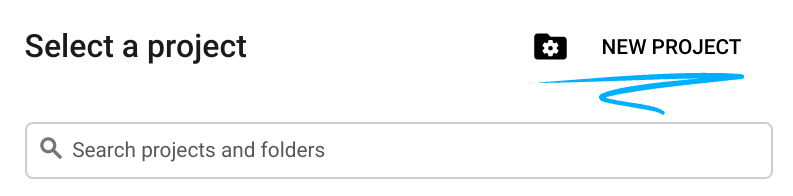
- 새 프로젝트를 만들거나 기존 프로젝트를 재사용합니다. Google Cloud 콘솔에서 새 프로젝트를 만들려면 헤더에서 프로젝트 선택 버튼을 클릭하여 팝업 창을 엽니다.

프로젝트 선택 창에서 새 프로젝트 버튼을 누르면 새 프로젝트 대화상자가 열립니다.
대화상자에서 원하는 프로젝트 이름을 입력하고 위치를 선택합니다.
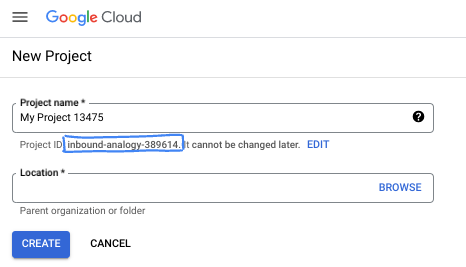
- 프로젝트 이름은 이 프로젝트 참가자의 표시 이름입니다. 프로젝트 이름은 Google API에서 사용되지 않으며 언제든지 변경할 수 있습니다.
- 프로젝트 ID는 모든 Google Cloud 프로젝트에서 고유하며, 변경할 수 없습니다 (설정된 후에는 변경할 수 없음). Google Cloud 콘솔에서 고유 ID를 자동으로 생성하지만 이를 맞춤설정할 수 있습니다. 생성된 ID가 마음에 들지 않으면 다른 임의 ID를 생성하거나 직접 ID를 입력하여 사용 가능 여부를 확인할 수 있습니다. 대부분의 Codelab에서는 프로젝트 ID를 참조해야 합니다. 프로젝트 ID는 일반적으로 PROJECT_ID 자리표시자로 식별됩니다.
- 참고로 세 번째 값은 일부 API에서 사용하는 프로젝트 번호입니다. 이 세 가지 값에 대한 자세한 내용은 문서를 참고하세요.
결제 사용 설정
결제를 사용 설정하는 방법에는 두 가지가 있습니다. 개인 결제 계정을 사용하거나 다음 단계에 따라 크레딧을 사용할 수 있습니다.
$5 Google Cloud 크레딧 사용 (선택사항)
이 워크숍을 진행하려면 크레딧이 있는 결제 계정이 필요합니다. 자체 결제를 사용하려는 경우 이 단계를 건너뛰어도 됩니다.
- 이 링크를 클릭하고 개인 Google 계정으로 로그인합니다.
- 다음과 같은 화면을 볼 수 있습니다.
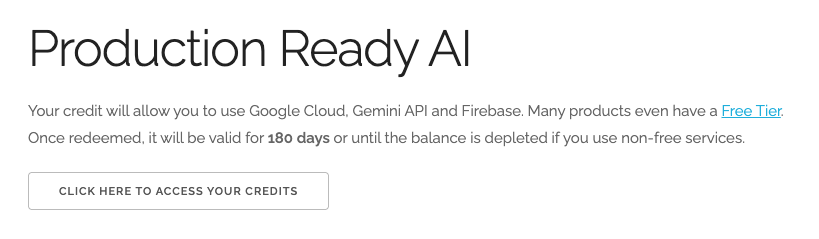
- 크레딧에 액세스하려면 여기를 클릭하세요 버튼을 클릭합니다. 그러면 결제 프로필을 설정하는 페이지로 이동합니다. 무료 체험 가입 화면이 표시되면 취소를 클릭하고 결제 연결을 계속합니다.
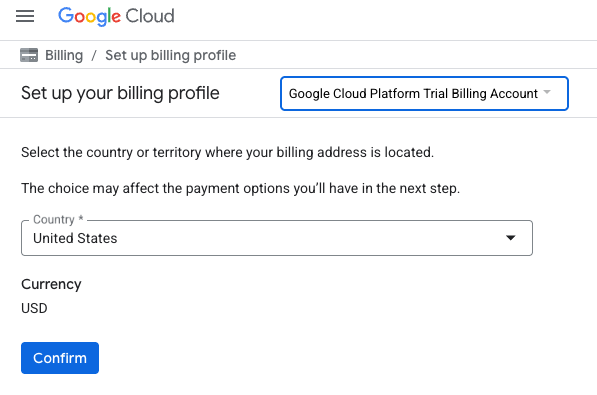
- '확인'을 클릭합니다. 이제 Google Cloud Platform 평가판 결제 계정에 연결되었습니다.
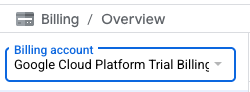
개인 결제 계정 설정
Google Cloud 크레딧을 사용하여 결제를 설정한 경우 이 단계를 건너뛸 수 있습니다.
개인 결제 계정을 설정하려면 Cloud 콘솔에서 여기에서 결제를 사용 설정하세요.
참고 사항:
- 이 실습을 완료하는 데 드는 Cloud 리소스 비용은 미화 3달러 미만입니다.
- 이 실습이 끝나면 단계에 따라 리소스를 삭제하여 추가 요금이 발생하지 않도록 할 수 있습니다.
- 신규 사용자는 300달러(USD) 상당의 무료 체험판을 사용할 수 있습니다.
Cloud Shell 시작
Google Cloud를 노트북에서 원격으로 실행할 수 있지만, 이 Codelab에서는 Cloud에서 실행되는 명령줄 환경인 Google Cloud Shell을 사용합니다.
Google Cloud Console의 오른쪽 상단 툴바에 있는 Cloud Shell 아이콘을 클릭합니다.

또는 G를 누른 다음 S를 누릅니다. Google Cloud 콘솔에 있거나 이 링크를 사용하는 경우 이 시퀀스를 통해 Cloud Shell이 활성화됩니다.
환경을 프로비저닝하고 연결하는 데 몇 분 정도 소요됩니다. 완료되면 다음과 같이 표시됩니다.

가상 머신에는 필요한 개발 도구가 모두 들어있습니다. 영구적인 5GB 홈 디렉터리를 제공하고 Google Cloud에서 실행되므로 네트워크 성능과 인증이 크게 개선됩니다. 이 Codelab의 모든 작업은 브라우저 내에서 수행할 수 있습니다. 아무것도 설치할 필요가 없습니다.
3. 시작하기 전에
API 사용 설정
AlloyDB, Compute Engine, 네트워킹 서비스, Vertex AI를 사용하려면 Google Cloud 프로젝트에서 각 API를 사용 설정해야 합니다.
Cloud Shell 터미널 내에 프로젝트 ID가 설정되어 있는지 확인합니다.
gcloud config set project [YOUR-PROJECT-ID]
환경 변수 PROJECT_ID를 설정합니다.
PROJECT_ID=$(gcloud config get-value project)
필요한 모든 서비스를 사용 설정합니다.
gcloud services enable alloydb.googleapis.com \
                       compute.googleapis.com \
                       cloudresourcemanager.googleapis.com \
                       servicenetworking.googleapis.com \
                       aiplatform.googleapis.com \
                       discoveryengine.googleapis.com
예상 출력
student@cloudshell:~ (test-project-001-402417)$ gcloud config set project test-project-001-402417
Updated property [core/project].
student@cloudshell:~ (test-project-001-402417)$ PROJECT_ID=$(gcloud config get-value project)
Your active configuration is: [cloudshell-14650]
student@cloudshell:~ (test-project-001-402417)$
student@cloudshell:~ (test-project-001-402417)$ gcloud services enable alloydb.googleapis.com \
                       compute.googleapis.com \
                       cloudresourcemanager.googleapis.com \
                       servicenetworking.googleapis.com \
                       aiplatform.googleapis.com \
                       discoveryengine.googleapis.com
Operation "operations/acat.p2-4470404856-1f44ebd8-894e-4356-bea7-b84165a57442" finished successfully.
API 소개
- AlloyDB API (
alloydb.googleapis.com)를 사용하면 PostgreSQL용 AlloyDB 클러스터를 만들고, 관리하고, 확장할 수 있습니다. 까다로운 엔터프라이즈 트랜잭션 및 분석 워크로드를 위해 설계된 완전 관리형 PostgreSQL 호환 데이터베이스 서비스를 제공합니다. - Compute Engine API (
compute.googleapis.com)를 사용하면 가상 머신 (VM), 영구 디스크, 네트워크 설정을 만들고 관리할 수 있습니다. 워크로드를 실행하고 여러 관리형 서비스의 기본 인프라를 호스팅하는 데 필요한 핵심 Infrastructure-as-a-Service (IaaS) 기반을 제공합니다. - Cloud Resource Manager API (
cloudresourcemanager.googleapis.com)를 사용하면 Google Cloud 프로젝트의 메타데이터와 구성을 프로그래매틱 방식으로 관리할 수 있습니다. 이를 통해 리소스를 구성하고, ID 및 액세스 관리 (IAM) 정책을 처리하고, 프로젝트 계층 구조 전반에서 권한을 검증할 수 있습니다. - 서비스 네트워킹 API (
servicenetworking.googleapis.com)를 사용하면 가상 프라이빗 클라우드 (VPC) 네트워크와 Google의 관리형 서비스 간의 비공개 연결 설정을 자동화할 수 있습니다. 특히 AlloyDB와 같은 서비스가 다른 리소스와 안전하게 통신할 수 있도록 비공개 IP 액세스를 설정해야 합니다. - Vertex AI API (
aiplatform.googleapis.com)를 사용하면 애플리케이션에서 머신러닝 모델을 빌드, 배포, 확장할 수 있습니다. 생성형 AI 모델 (예: Gemini) 및 맞춤 모델 학습에 대한 액세스를 비롯한 모든 Google Cloud AI 서비스의 통합 인터페이스를 제공합니다.
4. AlloyDB 배포
AlloyDB 클러스터 및 기본 인스턴스를 만듭니다. 필요한 모든 리소스를 배포하는 준비된 스크립트를 사용하여 배포하거나 직접 단계별로 배포할 수 있습니다.
자동 스크립트를 사용하여 AlloyDB 배포
이 접근 방식은 자동화된 스크립트를 사용하여 AlloyDB 클러스터를 배포하고 배포된 리소스를 사용하기 시작하는 데 필요한 정보를 제공합니다.
Cloud Shell에서 실행 명령어를 종료하여 배포 스크립트를 클론합니다.
REPO_NAME="codelabs"
REPO_URL="https://github.com/GoogleCloudPlatform/$REPO_NAME"
SOURCE_DIR="alloydb-ai-operators"

git clone --no-checkout --filter=blob:none --depth=1 $REPO_URL

cd $REPO_NAME
git sparse-checkout set $SOURCE_DIR
git checkout
cd $SOURCE_DIR
배포 스크립트를 실행합니다.
./deploy_alloydb.sh
스크립트를 실행하는 데 시간이 걸립니다(일반적으로 5~7분). 그러면 배포된 AlloyDB 클러스터에 관한 정보를 제공해야 합니다. 비밀번호가 달라지므로 나중에 사용할 수 있도록 비밀번호를 어딘가에 기록해 두세요.
...
<redacted>
...
Creating primary instance: alloydb-aip-01-pr (8 vCPUs for TRIAL cluster)
Operation ID: operation-1765988049916-646282264938a-bddce198-9f248715
Creating instance...done.
----------------------------------------
Deployment Process Completed
Cluster:  alloydb-aip-01 (TRIAL)
Instance: alloydb-aip-01-pr
Region:   us-central1
Initial Password: JBBoDTgixzYwYpkF (if new cluster)
----------------------------------------
웹 콘솔에서도 확인할 수 있습니다.
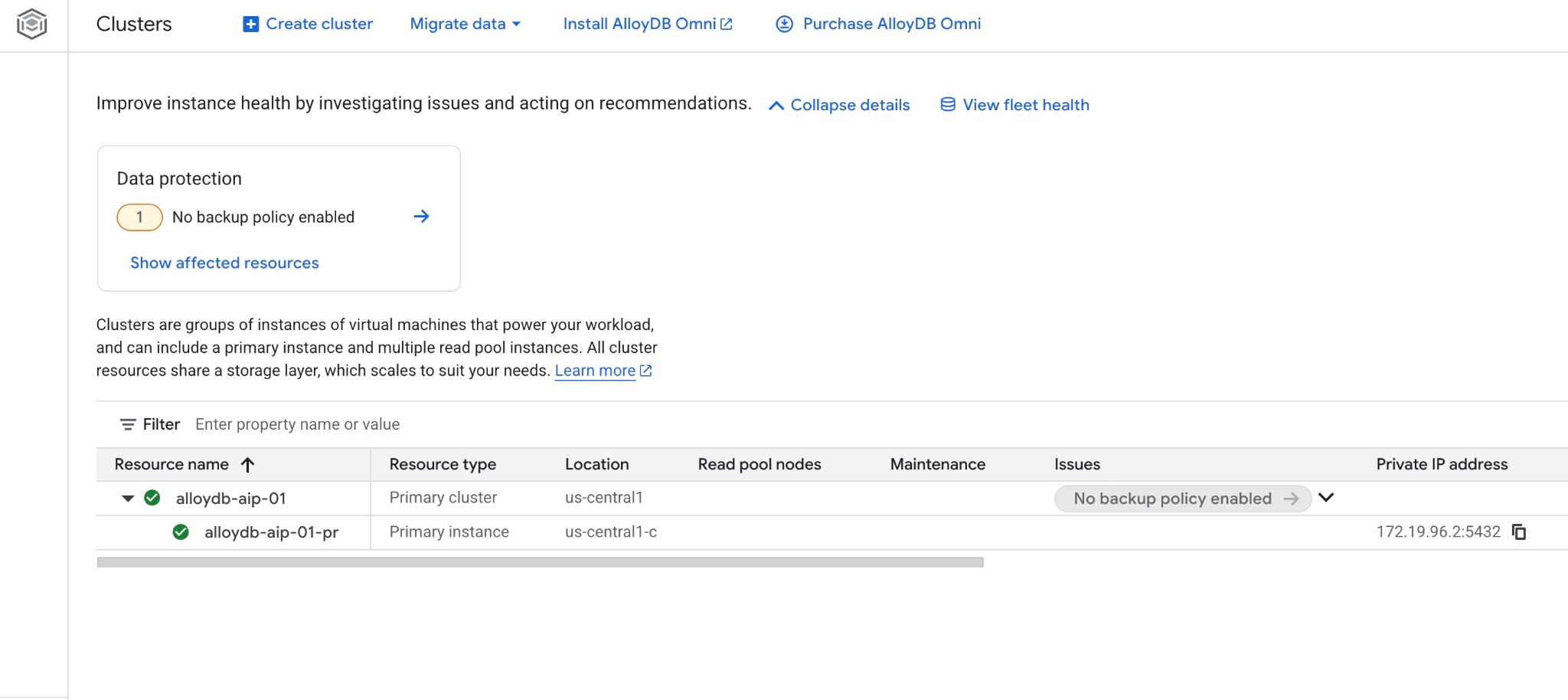
Google Cloud SDK를 사용하여 AlloyDB 단계별로 배포하기
다음 절차에서는 Google Cloud SDK를 사용하여 AlloyDB 클러스터와 인스턴스를 만드는 방법을 설명합니다. 이전 단계의 스크립트로 이미 배포한 경우 건너뛰고 '데이터베이스 준비'로 바로 이동하세요.
웹 GUI 콘솔 방식을 선호하는 경우 여기에서 문서를 확인하세요.
AlloyDB 클러스터를 만들기 전에 향후 AlloyDB 인스턴스에서 사용할 수 있는 비공개 IP 범위가 VPC에 있어야 합니다. 이 계정이 없으면 계정을 만들어 내부 Google 서비스에서 사용하도록 할당해야 클러스터와 인스턴스를 만들 수 있습니다.
비공개 IP 범위 만들기
VPC에서 AlloyDB용 비공개 서비스 액세스 구성을 설정해야 합니다. 여기서는 프로젝트에 '기본' VPC 네트워크가 있고 이 네트워크가 모든 작업에 사용된다고 가정합니다.
비공개 IP 범위를 만듭니다.
gcloud compute addresses create psa-range \
    --global \
    --purpose=VPC_PEERING \
    --prefix-length=24 \
    --description="VPC private service access" \
    --network=default
할당된 IP 범위를 사용하여 비공개 연결을 만듭니다.
gcloud services vpc-peerings connect \
    --service=servicenetworking.googleapis.com \
    --ranges=psa-range \
    --network=default
예상되는 콘솔 출력:
student@cloudshell:~ (test-project-402417)$ gcloud compute addresses create psa-range \
    --global \
    --purpose=VPC_PEERING \
    --prefix-length=24 \
    --description="VPC private service access" \
    --network=default
Created [https://www.googleapis.com/compute/v1/projects/test-project-402417/global/addresses/psa-range].

student@cloudshell:~ (test-project-402417)$ gcloud services vpc-peerings connect \
    --service=servicenetworking.googleapis.com \
    --ranges=psa-range \
    --network=default
Operation "operations/pssn.p24-4470404856-595e209f-19b7-4669-8a71-cbd45de8ba66" finished successfully.

student@cloudshell:~ (test-project-402417)$
AlloyDB 클러스터 만들기
이 섹션에서는 us-central1 리전에 AlloyDB 클러스터를 만듭니다.
postgres 사용자의 비밀번호를 정의합니다. 비밀번호를 직접 정의하거나 무작위 함수를 사용하여 생성할 수 있습니다.
export PGPASSWORD=`openssl rand -hex 12`
예상되는 콘솔 출력:
student@cloudshell:~ (test-project-402417)$ export PGPASSWORD=`openssl rand -hex 12`
나중에 사용할 수 있도록 PostgreSQL 비밀번호를 기록해 둡니다.
echo $PGPASSWORD
나중에 postgres 사용자로 인스턴스에 연결하려면 이 비밀번호가 필요합니다. 나중에 사용할 수 있도록 적어 두거나 어딘가에 복사해 두는 것이 좋습니다.
예상되는 콘솔 출력:
student@cloudshell:~ (test-project-402417)$ echo $PGPASSWORD
bbefbfde7601985b0dee5723 (Note: Yours will be different!)
무료 체험판 클러스터 만들기
AlloyDB를 사용해 본 적이 없는 경우 무료 체험판 클러스터를 만들 수 있습니다.
리전과 AlloyDB 클러스터 이름을 정의합니다. us-central1 리전과 alloydb-aip-01을 클러스터 이름으로 사용합니다.
export REGION=us-central1
export ADBCLUSTER=alloydb-aip-01
명령어를 실행하여 클러스터를 만듭니다.
gcloud alloydb clusters create $ADBCLUSTER \
    --password=$PGPASSWORD \
    --network=default \
    --region=$REGION \
    --subscription-type=TRIAL
예상되는 콘솔 출력:
export REGION=us-central1
export ADBCLUSTER=alloydb-aip-01
gcloud alloydb clusters create $ADBCLUSTER \
    --password=$PGPASSWORD \
    --network=default \
    --region=$REGION \
    --subscription-type=TRIAL
Operation ID: operation-1697655441138-6080235852277-9e7f04f5-2012fce4
Creating cluster...done.
동일한 Cloud Shell 세션에서 클러스터의 AlloyDB 기본 인스턴스를 만듭니다. 연결이 해제되면 리전 및 클러스터 이름 환경 변수를 다시 정의해야 합니다.
gcloud alloydb instances create $ADBCLUSTER-pr \
    --instance-type=PRIMARY \
    --cpu-count=8 \
    --region=$REGION \
    --cluster=$ADBCLUSTER
예상되는 콘솔 출력:
student@cloudshell:~ (test-project-402417)$ gcloud alloydb instances create $ADBCLUSTER-pr \
    --instance-type=PRIMARY \
    --cpu-count=8 \
    --region=$REGION \
    --availability-type ZONAL \
    --cluster=$ADBCLUSTER
Operation ID: operation-1697659203545-6080315c6e8ee-391805db-25852721
Creating instance...done.
AlloyDB Standard 클러스터 만들기
프로젝트의 첫 번째 AlloyDB 클러스터가 아닌 경우 표준 클러스터 생성을 진행합니다. 이전 단계에서 무료 체험판 클러스터를 이미 만든 경우 이 단계를 건너뛰세요.
리전과 AlloyDB 클러스터 이름을 정의합니다. us-central1 리전과 alloydb-aip-01을 클러스터 이름으로 사용합니다.
export REGION=us-central1
export ADBCLUSTER=alloydb-aip-01
명령어를 실행하여 클러스터를 만듭니다.
gcloud alloydb clusters create $ADBCLUSTER \
    --password=$PGPASSWORD \
    --network=default \
    --region=$REGION
예상되는 콘솔 출력:
export REGION=us-central1
export ADBCLUSTER=alloydb-aip-01
gcloud alloydb clusters create $ADBCLUSTER \
    --password=$PGPASSWORD \
    --network=default \
    --region=$REGION
Operation ID: operation-1697655441138-6080235852277-9e7f04f5-2012fce4
Creating cluster...done.
동일한 Cloud Shell 세션에서 클러스터의 AlloyDB 기본 인스턴스를 만듭니다. 연결이 해제되면 리전 및 클러스터 이름 환경 변수를 다시 정의해야 합니다.
gcloud alloydb instances create $ADBCLUSTER-pr \
    --instance-type=PRIMARY \
    --cpu-count=2 \
    --region=$REGION \
    --cluster=$ADBCLUSTER
예상되는 콘솔 출력:
student@cloudshell:~ (test-project-402417)$ gcloud alloydb instances create $ADBCLUSTER-pr \
    --instance-type=PRIMARY \
    --cpu-count=2 \
    --region=$REGION \
    --availability-type ZONAL \
    --cluster=$ADBCLUSTER
Operation ID: operation-1697659203545-6080315c6e8ee-391805db-25852721
Creating instance...done.
5. 데이터베이스 준비
데이터베이스를 만들고, Vertex AI 통합을 사용 설정하고, 데이터베이스 객체를 만들고, 데이터를 가져와야 합니다.
AlloyDB에 필요한 권한 부여
AlloyDB 서비스 에이전트에 Vertex AI 권한을 추가합니다.
맨 위에 있는 '+' 기호를 사용하여 다른 Cloud Shell 탭을 엽니다.
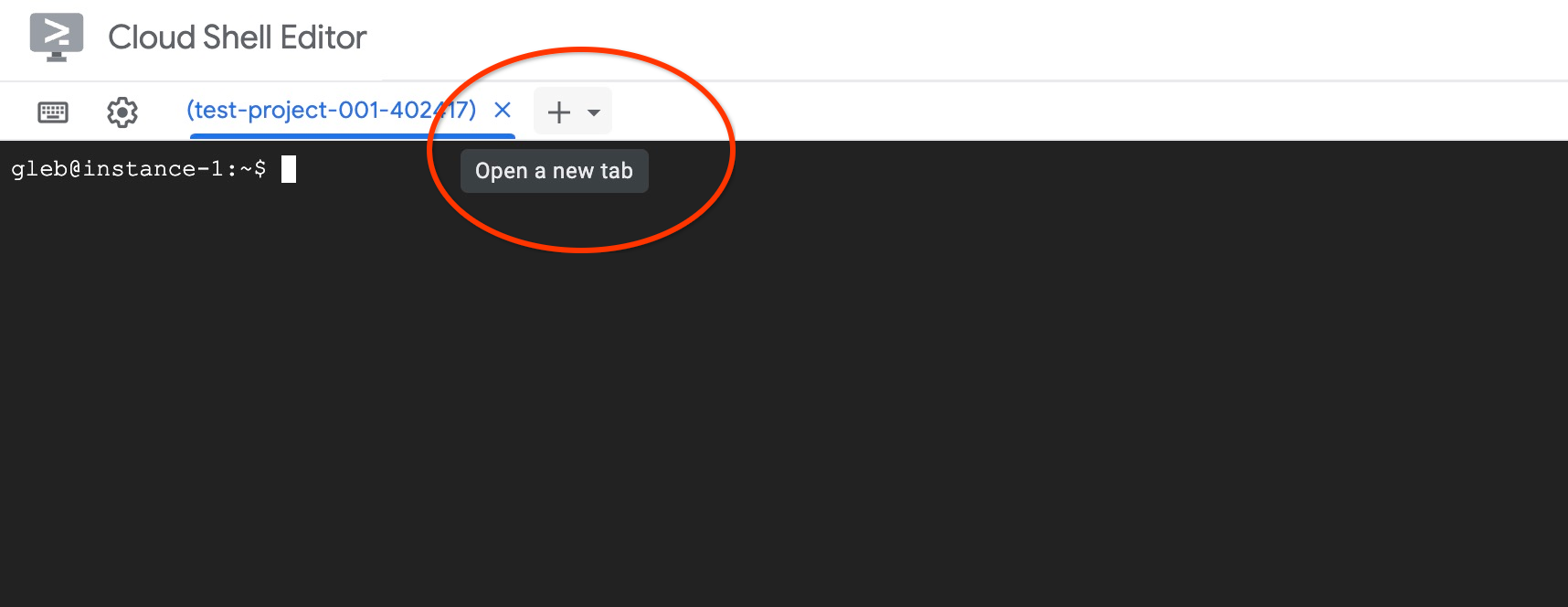
새 Cloud Shell 탭에서 다음을 실행합니다.
PROJECT_ID=$(gcloud config get-value project)
gcloud projects add-iam-policy-binding $PROJECT_ID \
  --member="serviceAccount:service-$(gcloud projects describe $PROJECT_ID --format="value(projectNumber)")@gcp-sa-alloydb.iam.gserviceaccount.com" \
  --role="roles/aiplatform.user"

gcloud projects add-iam-policy-binding $PROJECT_ID \
  --member="serviceAccount:service-$(gcloud projects describe $PROJECT_ID --format="value(projectNumber)")@gcp-sa-alloydb.iam.gserviceaccount.com" \
  --role="roles/discoveryengine.viewer"
예상되는 콘솔 출력:
student@cloudshell:~ (test-project-001-402417)$ PROJECT_ID=$(gcloud config get-value project)
Your active configuration is: [cloudshell-11039]
student@cloudshell:~ (test-project-001-402417)$ gcloud projects add-iam-policy-binding $PROJECT_ID \
  --member="serviceAccount:service-$(gcloud projects describe $PROJECT_ID --format="value(projectNumber)")@gcp-sa-alloydb.iam.gserviceaccount.com" \
  --role="roles/aiplatform.user"
Updated IAM policy for project [test-project-001-402417].
bindings:
- members:
  - serviceAccount:service-4470404856@gcp-sa-alloydb.iam.gserviceaccount.com
  role: roles/aiplatform.user
- members:
...
etag: BwYIEbe_Z3U=
version: 1
탭에서 실행 명령어 'exit' 중 하나를 사용하여 탭을 닫습니다.
exit
AlloyDB Studio에 연결
다음 장에서는 데이터베이스에 연결해야 하는 모든 SQL 명령어를 AlloyDB Studio에서 실행할 수 있습니다. T
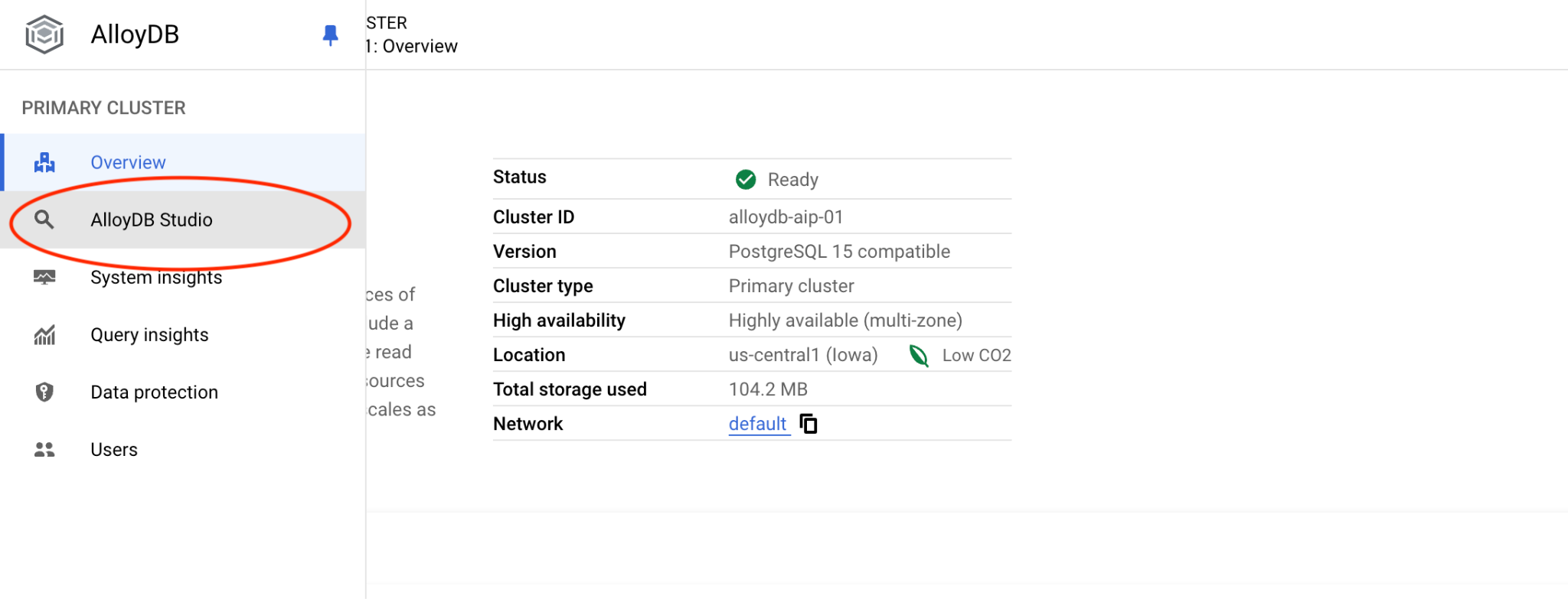
Postgres용 AlloyDB의 클러스터 페이지로 이동합니다.
기본 인스턴스를 클릭하여 AlloyDB 클러스터의 웹 콘솔 인터페이스를 엽니다.
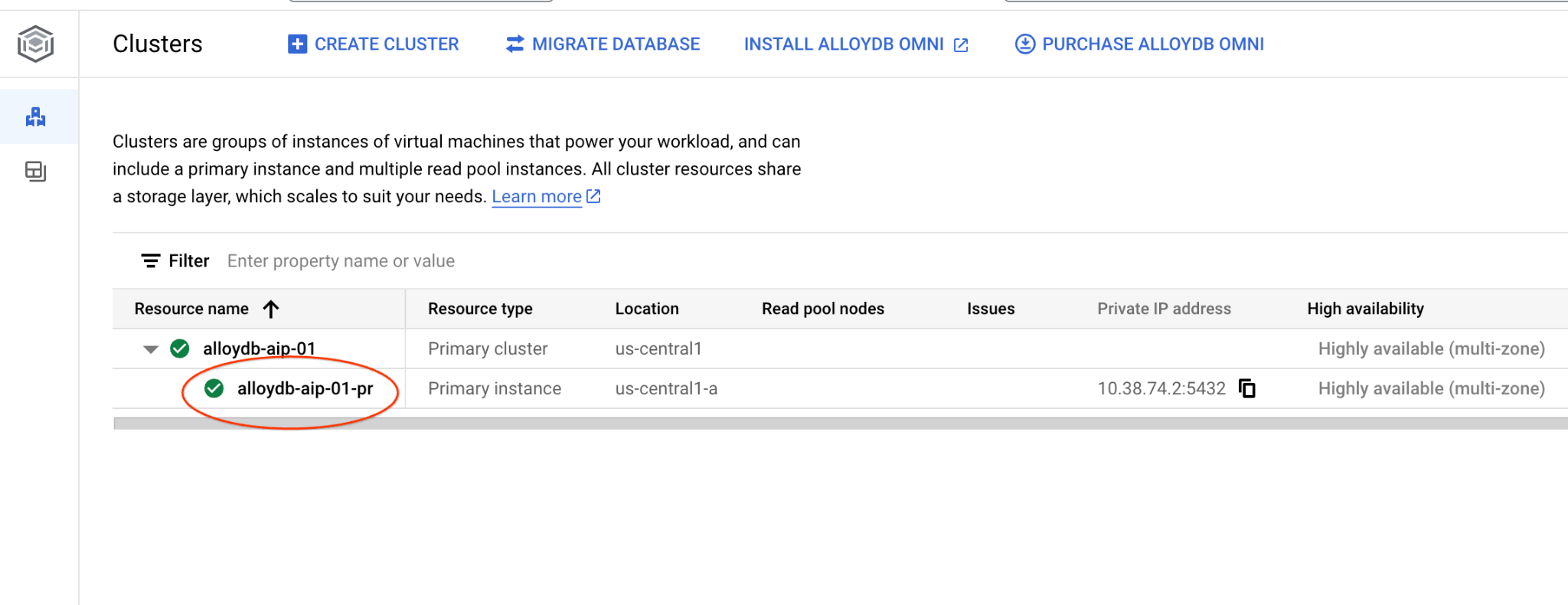
그런 다음 왼쪽에서 AlloyDB Studio를 클릭합니다.
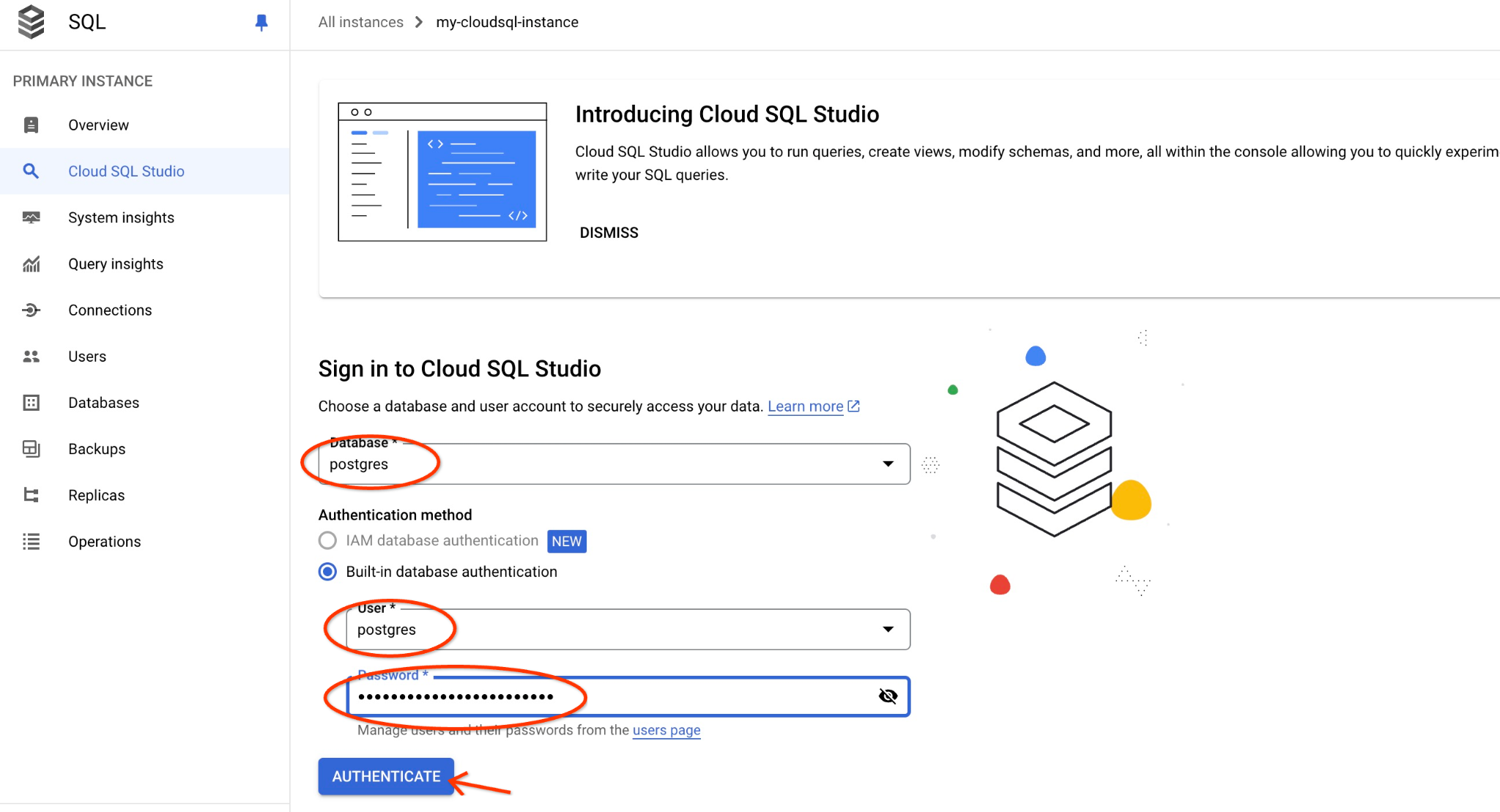
postgres 데이터베이스와 사용자 postgres를 선택하고 클러스터를 만들 때 기록해 둔 비밀번호를 입력합니다. 그런 다음 '인증' 버튼을 클릭합니다.
비밀번호가 작동하지 않거나 비밀번호를 적어 두지 않은 경우 비밀번호를 변경할 수 있습니다. 이 작업을 수행하는 방법은 문서를 참고하세요.
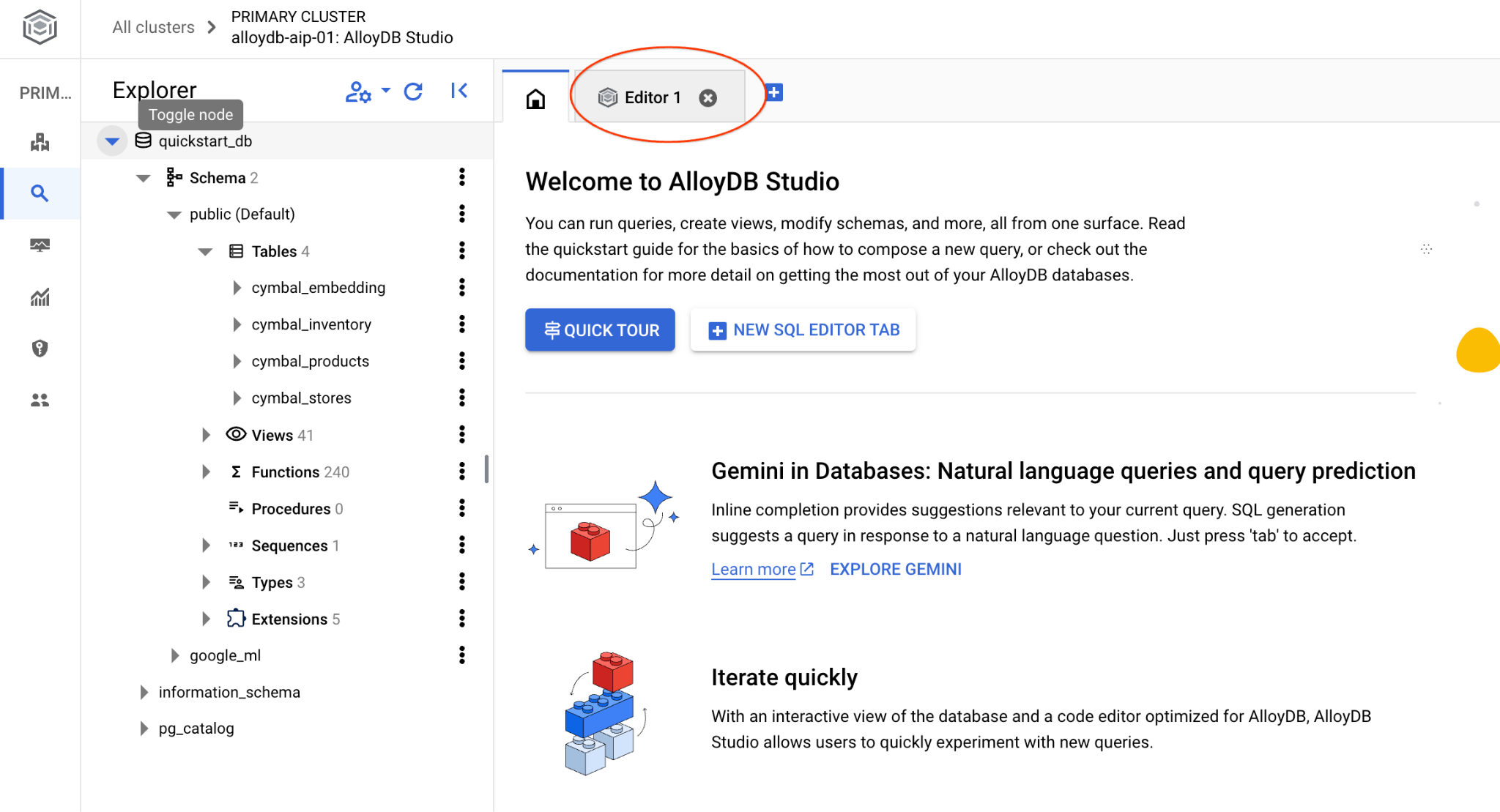
AlloyDB Studio 인터페이스가 열립니다. 데이터베이스에서 명령어를 실행하려면 오른쪽의 '제목 없는 쿼리' 탭을 클릭합니다.
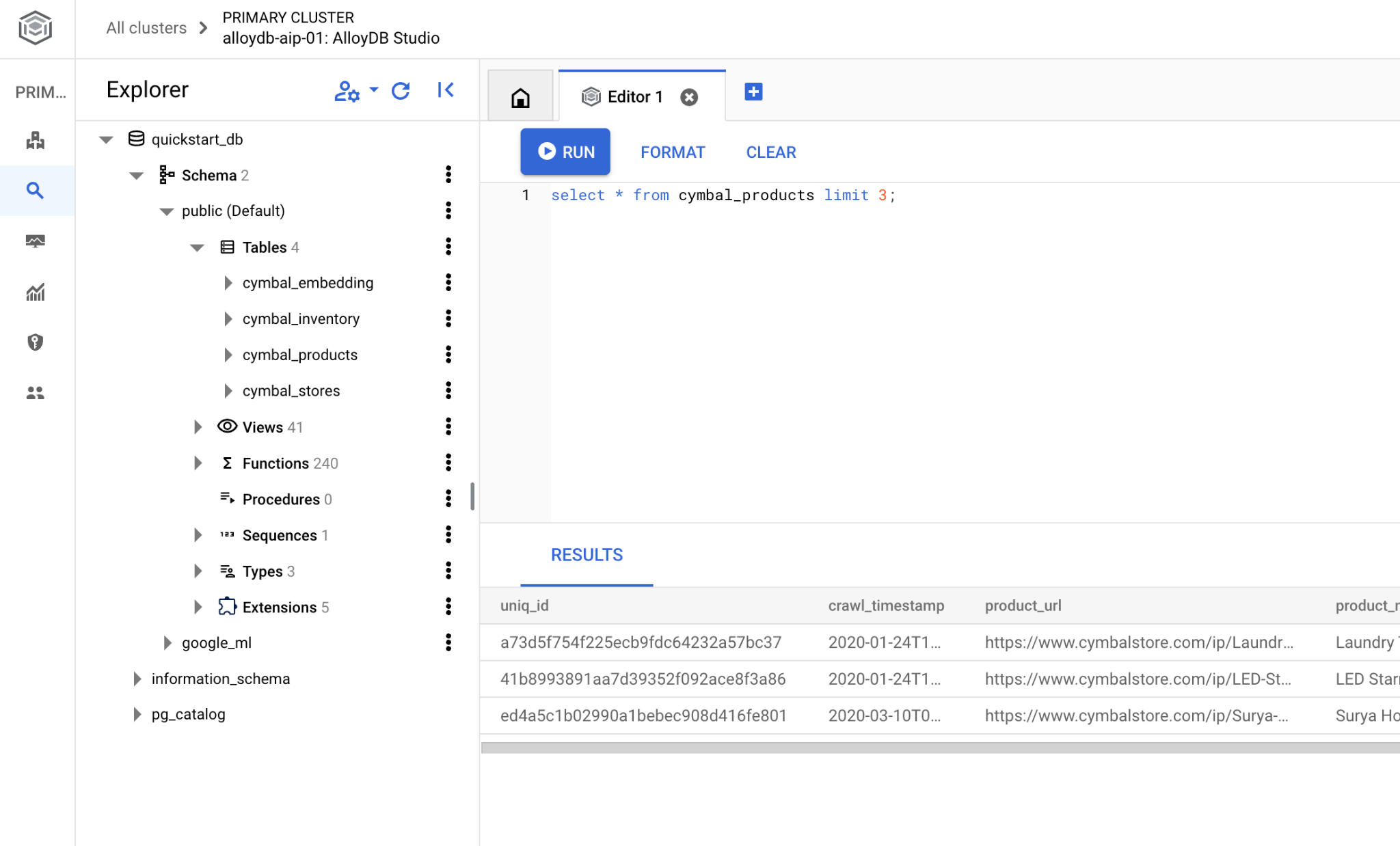
SQL 명령어를 실행할 수 있는 인터페이스가 열립니다.
데이터베이스 만들기
데이터베이스 만들기 빠른 시작
AlloyDB Studio 편집기에서 다음 명령어를 실행합니다.
데이터베이스를 만듭니다.
CREATE DATABASE quickstart_db
예상 출력:
Statement executed successfully
quickstart_db에 연결
사용자/데이터베이스 전환 버튼을 사용하여 스튜디오에 다시 연결합니다.
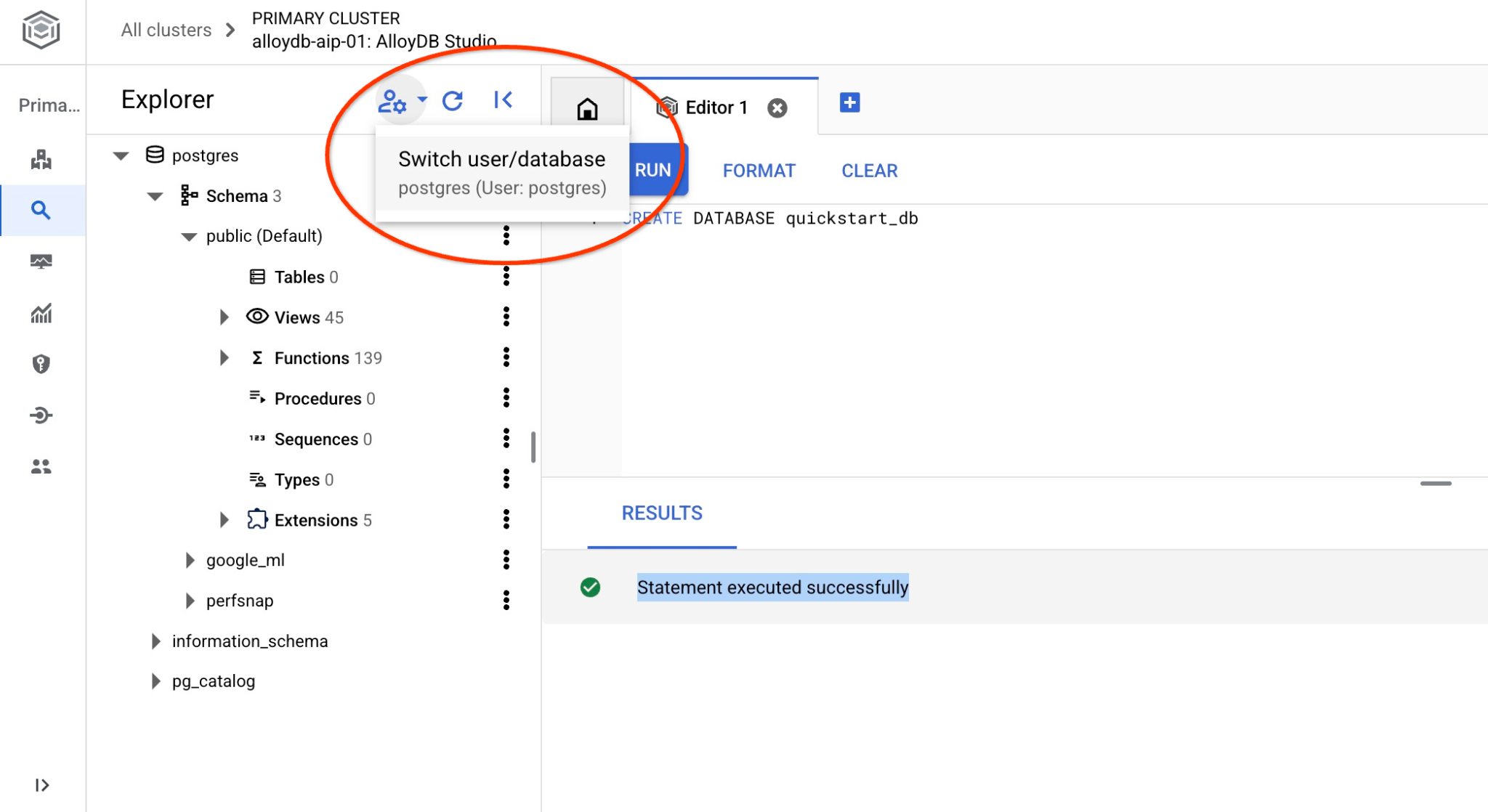
드롭다운 목록에서 새 quickstart_db 데이터베이스를 선택하고 이전과 동일한 사용자 및 비밀번호를 사용합니다.
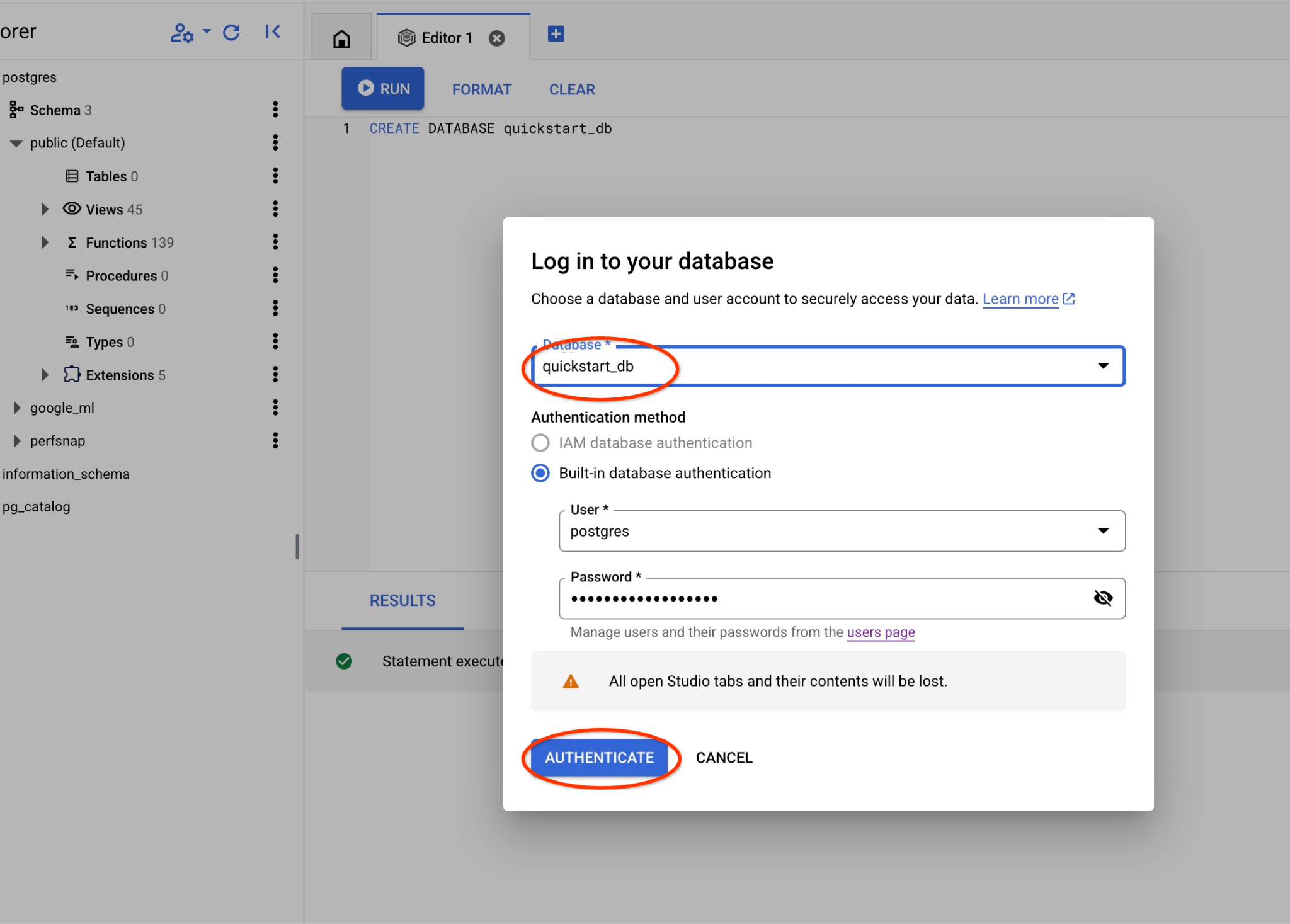
그러면 quickstart_db 데이터베이스의 객체를 사용할 수 있는 새 연결이 열립니다.
google_ml 확장 프로그램 확인
AI 쿼리 엔진을 사용하려면 google_ml 확장 프로그램 버전이 1.5.2 이상인지 확인하세요.
AlloyDB Studio에서 quickstart_db에 연결된 상태로 다음을 실행합니다.
SELECT extversion FROM pg_extension WHERE extname = 'google_ml_integration';
예상 출력:
1.5.2
버전이 필요한 버전보다 낮은 경우 확장 프로그램을 업데이트합니다.
AlloyDB Studio에서 quickstart_db에 연결된 상태로 다음을 실행합니다.
CALL google_ml.upgrade_to_preview_version();
예상 출력:
Statement executed successfully
실행이 완료되면 버전을 다시 확인합니다.
AlloyDB Studio에서 quickstart_db에 연결된 상태로 다음을 실행합니다.
SELECT extversion FROM pg_extension WHERE extname = 'google_ml_integration';
예상 출력:
1.5.2
데이터베이스에서 AI 쿼리 엔진 기능도 사용 설정해야 합니다. 인스턴스의 모든 데이터베이스에 대해 인스턴스 플래그를 업데이트하거나 데이터베이스에 대해서만 사용 설정하면 됩니다. AlloyDB Studio에서 다음 명령어를 실행하여 quickstart_db 데이터베이스에 대해 사용 설정합니다.
ALTER DATABASE quickstart_db SET google_ml_integration.enable_ai_query_engine = 'on';
6. 샘플 데이터
이제 데이터베이스에서 객체를 만들고 데이터를 로드해야 합니다. 몇 개의 행이 있는 가상의 영화 데이터 세트를 사용하겠습니다.
다음 문을 AlloyDB Studio 편집기에 복사하고 '실행' 버튼을 누릅니다.
-- Drop tables if they exist to prevent errors on re-running the script
DROP TABLE IF EXISTS movie_reviews;
DROP TABLE IF EXISTS movies;

-- Create the 'movies' table
-- This table stores information about each movie.
CREATE TABLE movies (
    id BIGINT PRIMARY KEY,              -- Unique identifier for the movie
    title TEXT NOT NULL,               -- Title of the movie
    description TEXT,                  -- A brief description or synopsis of the movie
    genres TEXT,                       -- Comma-separated list of genres (e.g., "Action, Adventure, Sci-Fi")
    actors TEXT                        -- Comma-separated list of main actors
);

-- Create the 'movie_reviews' table
-- This table stores reviews for the movies.
CREATE TABLE movie_reviews (
    review_id BIGINT PRIMARY KEY,      -- Unique identifier for the review
    movie_id BIGINT NOT NULL,          -- Foreign key referencing the movie being reviewed
    reviewer_name TEXT,                -- Name of the person who wrote the review
    rating INT CHECK (rating >= 1 AND rating <= 5), -- Rating from 1 to 5 stars
    review_text TEXT,                  -- The content of the review
    review_date DATE DEFAULT CURRENT_DATE, -- Date when the review was submitted
    FOREIGN KEY (movie_id) REFERENCES movies(id) ON DELETE CASCADE -- Ensures referential integrity; if a movie is deleted, its reviews are also deleted.
);

-- Insert sample data into the 'movies' table (20 rows)
INSERT INTO movies (id, title, description, genres, actors) VALUES
(1, 'Inception', 'A thief who steals information by entering people''s dreams.', 'Sci-Fi, Thriller, Action', 'Leonardo DiCaprio, Joseph Gordon-Levitt, Elliot Page'),
(2, 'The Matrix', 'A computer hacker learns about the true nature of his reality.', 'Sci-Fi, Action', 'Keanu Reeves, Laurence Fishburne, Carrie-Anne Moss'),
(3, 'Interstellar', 'A team of explorers journey through a cosmic passage beyond our world in an attempt to ensure humanity''s survival.', 'Sci-Fi, Drama, Adventure', 'Matthew McConaughey, Anne Hathaway, Jessica Chastain'), -- Updated description
(4, 'The Dark Knight', 'When the menace known as the Joker wreaks havoc and chaos on the people of Gotham, Batman must accept one of the greatest psychological and physical tests of his ability to fight injustice.', 'Action, Crime, Drama', 'Christian Bale, Heath Ledger, Aaron Eckhart'),
(5, 'Pulp Fiction', 'The lives of two mob hitmen, a boxer, a gangster and his wife, and a pair of diner bandits intertwine in four tales of violence and redemption.', 'Crime, Drama', 'John Travolta, Uma Thurman, Samuel L. Jackson'),
(6, 'Forrest Gump', 'The presidencies of Kennedy and Johnson, the Vietnam War, the Watergate scandal and other historical events unfold from the perspective of an Alabama man with an IQ of 75.', 'Drama, Romance', 'Tom Hanks, Robin Wright, Gary Sinise'),
(7, 'The Shawshank Redemption', 'Two imprisoned men bond over a number of years, finding solace and eventual redemption through acts of common decency.', 'Drama', 'Tim Robbins, Morgan Freeman, Bob Gunton'),
(8, 'Gladiator', 'A former Roman General sets out to exact vengeance against the corrupt emperor who murdered his family and sent him into slavery.', 'Action, Adventure, Drama', 'Russell Crowe, Joaquin Phoenix, Connie Nielsen'),
(9, 'Fight Club', 'An insomniac office worker looking for a way to change his life crosses paths with a devil-may-care soap maker and they form an underground fight club that evolves into something much, much more.', 'Drama', 'Brad Pitt, Edward Norton, Meat Loaf'),
(10, 'The Lord of the Rings: The Return of the King', 'Gandalf and Aragorn lead the World of Men against Sauron''s army to draw his gaze from Frodo and Sam as they approach Mount Doom with the One Ring.', 'Action, Adventure, Drama', 'Elijah Wood, Viggo Mortensen, Ian McKellen'),
(11, 'Spirited Away', 'During her family''s move to the suburbs, a sullen 10-year-old girl wanders into a world ruled by gods, witches, and spirits, and where humans are changed into beasts.', 'Animation, Adventure, Family', 'Daveigh Chase, Suzanne Pleshette, Miyu Irino'),
(12, 'Parasite', 'Greed and class discrimination threaten the newly formed symbiotic relationship between the wealthy Park family and the destitute Kim clan.', 'Comedy, Drama, Thriller', 'Song Kang-ho, Lee Sun-kyun, Cho Yeo-jeong'),
(13, 'The Godfather', 'The aging patriarch of an organized crime dynasty transfers control of his clandestine empire to his reluctant son.', 'Crime, Drama', 'Marlon Brando, Al Pacino, James Caan'),
(14, 'Avengers: Endgame', 'After the devastating events of Avengers: Infinity War, the universe is in ruins. With the help of remaining allies, the Avengers assemble once more in order to reverse Thanos'' actions and restore balance to the universe.', 'Action, Adventure, Drama', 'Robert Downey Jr., Chris Evans, Mark Ruffalo'),
(15, 'Joker', 'In Gotham City, mentally troubled comedian Arthur Fleck is disregarded and mistreated by society. He then embarks on a downward spiral of revolution and bloody crime.', 'Crime, Drama, Thriller', 'Joaquin Phoenix, Robert De Niro, Zazie Beetz'),
(16, 'Mad Max: Fury Road', 'In a post-apocalyptic wasteland, a woman rebels against a tyrannical ruler in search for her homeland with the help of a group of female prisoners, a psychotic worshiper, and a drifter named Max.', 'Action, Adventure, Sci-Fi', 'Tom Hardy, Charlize Theron, Nicholas Hoult'),
(17, 'Coco', 'Aspiring musician Miguel, confronted with his family''s ancestral ban on music, enters the Land of the Dead to find his great-great-grandfather, a legendary singer.', 'Animation, Adventure, Family', 'Anthony Gonzalez, Gael García Bernal, Benjamin Bratt'),
(18, 'Whiplash', 'A promising young drummer enrolls at a cut-throat music conservatory where his dreams of greatness are mentored by an instructor who will stop at nothing to realize a student''s potential.', 'Drama, Music', 'Miles Teller, J.K. Simmons, Paul Reiser'),
(19, 'The Grand Budapest Hotel', 'The adventures of Gustave H, a legendary concierge at a famous hotel from the fictional Republic of Zubrowka between the first and second World Wars, and Zero Moustafa, the lobby boy who becomes his most trusted friend.', 'Adventure, Comedy, Drama', 'Ralph Fiennes, F. Murray Abraham, Mathieu Amalric'),
(20, 'Blade Runner 2049', 'Young Blade Runner K''s discovery of a long-buried secret leads him to track down former Blade Runner Rick Deckard, who''s been missing for thirty years.', 'Action, Drama, Mystery', 'Ryan Gosling, Harrison Ford, Ana de Armas');

-- Insert sample data into the 'movie_reviews' table (30 rows)
-- Reviews are linked to movies via movie_id. Includes a mix of positive and negative reviews.
-- Movie title is prepended to the review text.
INSERT INTO movie_reviews (review_id, movie_id, reviewer_name, rating, review_text) VALUES
(1, 1, 'Alice Wonderland', 5, 'Inception: Absolutely mind-bending! A masterpiece of sci-fi.'),
(2, 1, 'Bob The Critic', 2, 'Inception: Too confusing and pretentious. Didn''t enjoy it.'),
(3, 2, 'Charlie Reviewer', 5, 'The Matrix: Revolutionary visuals and a compelling story.'),
(4, 3, 'Diana Prince', 5, 'Interstellar: Visually stunning and emotionally powerful. A must-see.'),
(5, 3, 'Edward Nigma', 4, 'Interstellar: Long, but worth it for the spectacle and ideas.'),
(6, 4, 'Fiona Glenanne', 5, 'The Dark Knight: Heath Ledger''s Joker is iconic. Dark and thrilling.'),
(7, 5, 'George Costanza', 5, 'Pulp Fiction: Quirky, violent, and endlessly quotable.'),
(8, 5, 'Hannah Montana', 1, 'Pulp Fiction: Way too violent and the timeline was confusing. Hated it.'),
(9, 6, 'Ian Malcolm', 4, 'Forrest Gump: A heartwarming story with a great performance by Hanks.'),
(10, 7, 'Jane Doe', 5, 'The Shawshank Redemption: An uplifting story of hope and friendship. Perfect.'),
(11, 7, 'John Smith', 5, 'The Shawshank Redemption: Morgan Freeman is amazing. Truly a classic.'),
(12, 8, 'Kyle Broflovski', 2, 'Gladiator: Generic plot and boring action scenes. Overrated.'),
(13, 9, 'Laura Palmer', 5, 'Fight Club: Provocative and thought-provoking. Norton and Pitt are fantastic.'),
(14, 10, 'Michael Scott', 5, 'The Lord of the Rings: The Return of the King: A fitting and epic conclusion to a legendary trilogy.'),
(15, 11, 'Nancy Drew', 5, 'Spirited Away: Beautiful animation and a magical story for all ages.'),
(16, 12, 'Oscar Martinez', 5, 'Parasite: A brilliant satire with unexpected twists. Loved it!'),
(17, 12, 'Pam Beesly', 4, 'Parasite: Very intense, but incredibly well-directed and acted.'),
(18, 13, 'Quentin Coldwater', 5, 'The Godfather: A cinematic masterpiece. Brando is unforgettable.'),
(19, 14, 'Rachel Green', 3, 'Avengers: Endgame: It was okay, but felt bloated and had too many characters.'),
(20, 14, 'Steve Rogers', 5, 'Avengers: Endgame: The culmination of a decade of storytelling. Perfect ending.'),
(21, 15, 'Tony Stark', 4, 'Joker: A dark and disturbing character study. Phoenix is mesmerizing.'),
(22, 16, 'Uma Thurman', 5, 'Mad Max: Fury Road: Non-stop action and incredible practical effects. What a ride!'),
(23, 17, 'Victor Frankenstein', 5, 'Coco: A heartwarming and visually stunning celebration of family and culture.'),
(24, 18, 'Walter White', 5, 'Whiplash: Intense and gripping. J.K. Simmons is terrifyingly good.'),
(25, 19, 'Xena Warrior', 2, 'The Grand Budapest Hotel: Too quirky for its own good. Style over substance.'),
(26, 20, 'Ygritte Snow', 5, 'Blade Runner 2049: A worthy sequel that expands on the original in meaningful ways. Visually breathtaking.'),
(27, 1, 'Zack Morris', 4, 'Inception: Kept me on the edge of my seat. Very clever.'),
(28, 4, 'Buffy Summers', 5, 'The Dark Knight: The best superhero movie ever made. Ledger is a legend.'),
(29, 8, 'Clark Kent', 3, 'Gladiator: Decent action, but the story felt predictable and dragged a bit.'),
(30, 15, 'Diana Troy', 3, 'Joker: Hard to watch at times, but a powerful performance. Felt it was a bit one-note though.');
자체 샘플 데이터와 Cloud Console에서 제공되는 Cloud SQL 가져오기 도구와 호환되는 CSV 파일이 있는 경우 제시된 방법 대신 이를 사용할 수 있습니다.
7. IF 연산자 사용
먼저 표준 PostgreSQL 접근 방식을 사용하여 클래식 검색을 시도해 보겠습니다.
우주 모험에 관한 영화를 검색하려면 다음 쿼리를 사용하면 됩니다.
SELECT title,description AS movies_about_space
    FROM movies
    WHERE description like '%space%' OR title like '%space%';
결과가 반환되지 않았습니다. 하지만 이 카테고리에 속하는 영화가 하나 이상 있을 것입니다. 전체 텍스트 검색 접근 방식을 사용해 볼 수 있습니다.
SELECT title,description
FROM movies
WHERE to_tsvector('english', description) @@ to_tsquery('english', 'space');
결과가 전혀 표시되지 않을 수도 있습니다. 따라서 PostgreSQL 검색의 '클래식' 기법을 활용하려면 몇 가지 키워드나 문구를 알아야 합니다.
이제 google_ml.if 함수를 사용하여 AI 기반 시맨틱 필터링을 시도할 수 있습니다. 백그라운드에서 AI를 사용하여 자연어 요청에 따라 시맨틱 필터링을 실행합니다.
SELECT title,description AS movies_about_space
    FROM movies
    WHERE
      google_ml.if(
        prompt => 'Here are descriptions of movies, can you return the ones about space adventures:  '||description);
제목이나 설명에 '우주'라는 단어가 없더라도 요청의 의미론적 의미에 따라 영화 '인터스텔라'가 표시됩니다. 사전에 아무것도 빌드하지 않았으며 자동 내장 함수만 사용했습니다.
8. IF 연산자와 함께 JOIN 사용
AI 기반 시맨틱 필터링을 사용하여 두 테이블을 조인하려면 어떻게 해야 할까요? 예를 들어 리뷰에 영화가 언급된 경우 사용자 리뷰를 기반으로 사용자 리뷰를 영화와 일치시키려고 시도할 수 있습니다.
새 AlloyDB Studio 편집기 탭에서 실행합니다.
SELECT title, rating, movie_reviews
    FROM movies
    JOIN
    movie_reviews ON
      google_ml.if(
        prompt => 'Does the following reviews talk about a movie mentioned? The review: ' || review_text||' and the movie title is: '||title)
    AND
    title='Interstellar';
제목에 언급된 영화 이름을 기반으로 요청과 일치하는 리뷰가 두 개 표시됩니다. 요청을 훨씬 더 단순화할 수도 있습니다.
SELECT title, rating, movie_reviews
    FROM movies
    JOIN
    movie_reviews ON
      google_ml.if(
        prompt => 'Do we have the movie in the review?: ' || review_text||' and the movie title is: '||title)
    AND
    title='Interstellar';
9. 콘텐츠를 기반으로 결과 점수 매기기
movie_reviews 테이블에는 영화의 평점이 있지만 자체 평점을 구현하려면 google_ml.rank 함수를 사용할 수 있습니다. 자연어로 정의된 조건을 기반으로 리뷰에 점수를 매기고 영화의 상위 5개 리뷰를 가져와 비교를 위해 원래 평점을 표시할 수 있습니다.
SELECT rating,review_text AS top_five
    FROM movie_reviews
    ORDER BY google_ml.rank('Score of 7 to 10 if the review says the movie was really good, 3 to 6 if the review says it''s alright is and 1 to 2 if the review says it was not worth of time. Review: ' || review_text) DESC
    LIMIT 5;
원래 등급 옆에 새 등급을 표시하려면 열 목록에 새 등급을 추가하면 됩니다.
SELECT rating,
    google_ml.rank('Score of 7 to 10 if the review says the movie was really good, 3 to 6 if the review says it''s alright is and 1 to 2 if the review says it was not worth of time. Review: ' || review_text) AS ml_rank,
    review_text AS top_five
    FROM movie_reviews
    ORDER BY ml_rank DESC
    LIMIT 5;
다음은 상위 5개 리뷰입니다.
 rating | ml_rank |                               top_five
--------+---------+-----------------------------------------------------------------------
      5 |       9 | The Dark Knight: Heath Ledger's Joker is iconic. Dark and thrilling.
      5 |       9 | The Matrix: Revolutionary visuals and a compelling story.
      5 |       9 | Interstellar: Visually stunning and emotionally powerful. A must-see.
      5 |       9 | Inception: Absolutely mind-bending! A masterpiece of sci-fi.
      5 |       9 | Pulp Fiction: Quirky, violent, and endlessly quotable.
(5 rows)
5 rows in set (0.13 sec)
선택된 평점은 상위 리뷰의 경우 10점 중 9점이었습니다.
AlloyDB AI 연산자에 관한 자세한 내용은 문서를 참고하세요.
10. 순위를 사용하여 시맨틱 검색 개선
Google은 시맨틱 검색과 순위를 결합하여 더 정확한 결과를 얻을 수 있습니다.
재순위 지정 모델 액세스
순위 모델을 사용하려면 Discovery Engine API를 사용 설정하고 AlloyDB 서비스 계정에 'discoveryengine.viewer' 역할을 부여해야 합니다. API와 역할은 실습의 첫 번째 단계에서 사용 설정되었습니다. ai.rank 함수는 Vertex AI에서 최신 재순위 지정 모델을 자동으로 찾아 사용합니다.
쿼리에서 재순위 지정 모델 사용하기
이제 쿼리에서 재랭킹 모델을 사용하여 시맨틱 검색 결과를 개선하여 더 구체적으로 만들고 최적의 옵션을 선택할 수 있습니다.
액션 영화를 찾은 다음 '컴퓨터와 미래'를 조건으로 순위를 매겨 보겠습니다.
WITH
  action_movies AS (
    SELECT
      title,
      description,
      ROW_NUMBER() OVER (ORDER BY title, description) AS ref_number
    FROM
      movies
    WHERE
      google_ml.if(
        prompt => 'The following movies are action movies. The movie title: ' || title || ' and the description is: ' || description
      )
  ),
  ranked_documents_array AS (
    SELECT
      ARRAY_AGG(description ORDER BY ref_number) AS docs
    FROM
      action_movies
  ),
  reranked_results AS (
    SELECT
      r.index,
      r.score
    FROM
      ranked_documents_array,
      ai.rank(
        model_id => 'semantic-ranker-default',
        search_string => 'Computers and future',
        documents => ranked_documents_array.docs
      ) AS r
  )
SELECT
  am.title,
  left(am.description,80) as description,
  rr.score
FROM
  action_movies am
JOIN
  reranked_results rr ON am.ref_number = rr.index
ORDER BY
  rr.score DESC;
검색 결과에는 액션 영화가 표시되며, 미래와 컴퓨터에 관한 영화가 상단에 표시됩니다.
                     title                     |                                   description                                    | score
-----------------------------------------------+----------------------------------------------------------------------------------+--------
 The Matrix                                    | A computer hacker learns about the true nature of his reality.                   | 0.1197
 Inception                                     | A thief who steals information by entering people's dreams.                      | 0.0646
 Blade Runner 2049                             | Young Blade Runner K's discovery of a long-buried secret leads him to track down |  0.022
 Mad Max: Fury Road                            | In a post-apocalyptic wasteland, a woman rebels against a tyrannical ruler in se | 0.0206
 Gladiator                                     | A former Roman General sets out to exact vengeance against the corrupt emperor w | 0.0189
 Avengers: Endgame                             | After the devastating events of Avengers: Infinity War, the universe is in ruins | 0.0175
 Fight Club                                    | An insomniac office worker looking for a way to change his life crosses paths wi | 0.0162
 The Dark Knight                               | When the menace known as the Joker wreaks havoc and chaos on the people of Gotha | 0.0095
 The Lord of the Rings: The Return of the King | Gandalf and Aragorn lead the World of Men against Sauron's army to draw his gaze | 0.0056
(9 rows)
다양한 조건으로 시도해 보고 순위가 출력 순서에 어떤 영향을 미치는지 확인하세요.
옵션 및 재순위 지정에 대한 자세한 내용은 문서를 참고하세요.
11. 환경 정리
실습을 마치면 AlloyDB 인스턴스와 클러스터를 폐기합니다.
AlloyDB 클러스터 및 모든 인스턴스 삭제
AlloyDB 무료 체험판을 사용한 경우 평가판 클러스터를 사용하여 다른 실습과 리소스를 테스트할 계획이 있다면 평가판 클러스터를 삭제하지 마세요. 동일한 프로젝트에서 다른 체험 클러스터를 만들 수 없습니다.
클러스터는 옵션 강제로 폐기되며, 클러스터에 속한 모든 인스턴스도 삭제됩니다.
연결이 끊어지고 이전 설정이 모두 손실된 경우 Cloud Shell에서 프로젝트와 환경 변수를 정의합니다.
gcloud config set project <your project id>
export REGION=us-central1
export ADBCLUSTER=alloydb-aip-01
export PROJECT_ID=$(gcloud config get-value project)
다음과 같이 클러스터를 삭제합니다.
gcloud alloydb clusters delete $ADBCLUSTER --region=$REGION --force
예상되는 콘솔 출력:
student@cloudshell:~ (test-project-001-402417)$ gcloud alloydb clusters delete $ADBCLUSTER --region=$REGION --force
All of the cluster data will be lost when the cluster is deleted.

Do you want to continue (Y/n)?  Y

Operation ID: operation-1697820178429-6082890a0b570-4a72f7e4-4c5df36f
Deleting cluster...done.
AlloyDB 백업 삭제
클러스터의 모든 AlloyDB 백업을 삭제합니다.
for i in $(gcloud alloydb backups list --filter="CLUSTER_NAME: projects/$PROJECT_ID/locations/$REGION/clusters/$ADBCLUSTER" --format="value(name)" --sort-by=~createTime) ; do gcloud alloydb backups delete $(basename $i) --region $REGION --quiet; done
예상되는 콘솔 출력:
student@cloudshell:~ (test-project-001-402417)$ for i in $(gcloud alloydb backups list --filter="CLUSTER_NAME: projects/$PROJECT_ID/locations/$REGION/clusters/$ADBCLUSTER" --format="value(name)" --sort-by=~createTime) ; do gcloud alloydb backups delete $(basename $i) --region $REGION --quiet; done
Operation ID: operation-1697826266108-60829fb7b5258-7f99dc0b-99f3c35f
Deleting backup...done.
12. 축하합니다
축하합니다. Codelab을 완료했습니다.
Google Cloud 학습 과정
이 실습은 Google Cloud를 사용한 프로덕션 레디 AI 학습 과정의 일부입니다.
- 전체 커리큘럼을 살펴보고 프로토타입에서 프로덕션으로 전환하세요.
- 해시태그
#ProductionReadyAI를 사용하여 진행 상황을 공유하세요.
학습한 내용
- AlloyDB 클러스터 및 기본 인스턴스를 배포하는 방법
- AlloyDB AI 연산자를 사용 설정하는 방법
- 다양한 AlloyDB AI 연산자를 사용하는 방법
- AlloyDB AI 연산자에서 순위 재지정을 사용하여 결과 출력을 개선하는 방법
13. 설문조사
결과: