

1. 简介
如需让 AI 智能体(例如 Antigravity CLI)安全、结构化地访问您的数据库,您可以将 AlloyDB Omni 与 MCP Toolbox for Databases 集成。
AlloyDB Omni 是 AlloyDB for PostgreSQL 的可下载容器化版本,可在任何位置(本地、开发者工作站、边缘或云端)运行,同时提供企业级 PostgreSQL 性能和兼容性。
MCP Toolbox for Databases 是 Google 提供的一款开源服务器,它实现了 Model Context Protocol (MCP),可让您更轻松、更快速、更安全地构建与数据库交互的生成式 AI 工具。它位于智能体的编排框架和数据库之间,提供以下功能:
- 简化开发:预构建或自定义数据库工具,只需极少的配置即可连接到您的智能体,并且可在多个智能体或框架中重复使用。
- 性能更佳:内置连接池和生命周期管理等最佳实践。
- 增强安全性:集中式凭证和身份验证管理,因此代理不需要原始数据库凭证。
- 端到端可观测性:开箱即用的指标和跟踪功能,内置对 OpenTelemetry 的支持。
完成此 Codelab 后,您将拥有一个正在运行的 AlloyDB Omni 容器(其中填充了示例电子商务数据)、一个公开了 31 个预构建 AlloyDB Omni 管理和查询工具的 MCP Toolbox 服务器,以及一个配置好的 Antigravity CLI (agy) 智能体,该智能体能够使用自然语言提示检查架构、运行 SQL 查询、分析查询计划和诊断数据库运行状况。

前提条件
- 通过 Google Cloud 控制台或 Linux 工作站访问 Google Cloud 项目和 Cloud Shell。
- Docker 已安装并正在运行。
- 已安装
psqlPostgreSQL 客户端。 - 已安装
curl和jq,以便设置 Antigravity CLI 和 MCP Toolbox。
学习内容
- 如何使用 Docker 部署和运行 AlloyDB Omni 数据库服务器容器。
- 如何在 AlloyDB Omni 中创建示例表、数据和索引。
- 如何下载、配置和启动 MCP Toolbox for Databases,并使用预构建的
alloydb-omni工具集。 - 如何将 Antigravity CLI 配置为 MCP 客户端,以连接到 MCP Toolbox 服务器。
- 如何在 Antigravity CLI 中使用自然语言提示来检查数据库运行状况、探索架构、运行 SQL 查询、分析查询计划以及执行维护诊断。
所需条件
- 包含 Docker、
psql、curl和jq的工作终端环境。您可以使用 Google Cloud Shell,其中预安装了这些工具。
2. 设置和要求
项目设置
创建 Google Cloud 项目
- 在 Google Cloud 控制台的项目选择器页面上,选择或创建 Google Cloud 项目。
- 验证是否已为您的 Google Cloud 项目启用结算功能。了解如何检查项目是否已启用结算功能。
启动 Cloud Shell
虽然您可以在笔记本电脑上本地运行 AlloyDB Omni 和 MCP Toolbox,但在本 Codelab 中,您可以使用 Google Cloud Shell,这是一个在云端运行的命令行环境,预安装了 Docker、psql、curl 和 jq。
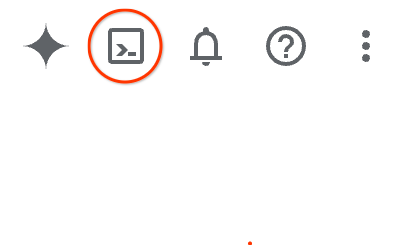
- 打开 Google Cloud 控制台,然后点击右上角工具栏中的激活 Cloud Shell。您也可以通过以下任一方式打开 Cloud Shell:
- 如果您使用的是 Google Cloud 控制台,请按
G,然后按S。 - 直接打开 Cloud Shell。
- 如果您使用的是 Google Cloud 控制台,请按
预配并连接到环境通常需要一些时间。此操作完成后,您会看到如下所示的内容:

3. 准备并运行 AlloyDB Omni 数据库服务器
在本部分中,您将拉取并运行 AlloyDB Omni Docker 容器,并使用示例电子商务数据填充该容器以进行测试。
启动 AlloyDB Omni 数据库服务器
- 为 AlloyDB Omni 主机、端口、数据库、用户和生成的密码定义环境变量:
export ALLOYDB_OMNI_HOST="127.0.0.1" export ALLOYDB_OMNI_PORT="5432" export ALLOYDB_OMNI_DATABASE="postgres" export ALLOYDB_OMNI_USER="postgres" export ALLOYDB_OMNI_PASSWORD="$(openssl rand -hex 8)@1aA" echo "Your generated AlloyDB Omni postgres password is: $ALLOYDB_OMNI_PASSWORD" - 使用 Docker 在分离模式下启动 AlloyDB Omni 容器:
docker run --name alloydbomni \ -e POSTGRES_PASSWORD=$ALLOYDB_OMNI_PASSWORD \ -p $ALLOYDB_OMNI_PORT:$ALLOYDB_OMNI_PORT \ -d google/alloydbomni:latest - 验证容器是否正在运行,以及您是否可以使用
psql连接到 AlloyDB Omni 服务器:docker ps -a until docker exec alloydbomni pg_isready -U "$ALLOYDB_OMNI_USER" -d "$ALLOYDB_OMNI_DATABASE"; do sleep 2; done PGPASSWORD=$ALLOYDB_OMNI_PASSWORD psql -h $ALLOYDB_OMNI_HOST -p $ALLOYDB_OMNI_PORT -U $ALLOYDB_OMNI_USER -d $ALLOYDB_OMNI_DATABASE -c "SELECT 1;"
创建用于测试的示例数据
创建示例 categories、products、customers 和 orders 表,插入测试记录,并创建索引,以便您可以通过 MCP Toolbox 测试架构检查、SQL 查询和查询执行计划:
PGPASSWORD="$ALLOYDB_OMNI_PASSWORD" psql -h $ALLOYDB_OMNI_HOST -p $ALLOYDB_OMNI_PORT -U $ALLOYDB_OMNI_USER -d $ALLOYDB_OMNI_DATABASE << 'EOF'
CREATE TABLE IF NOT EXISTS categories (
    category_id SERIAL PRIMARY KEY,
    name VARCHAR(50) UNIQUE NOT NULL
);

CREATE TABLE IF NOT EXISTS products (
    product_id SERIAL PRIMARY KEY,
    product_name VARCHAR(100) UNIQUE NOT NULL,
    category VARCHAR(50) NOT NULL,
    price NUMERIC(10, 2) NOT NULL,
    stock INT DEFAULT 0
);

CREATE TABLE IF NOT EXISTS customers (
    customer_id SERIAL PRIMARY KEY,
    first_name VARCHAR(50),
    last_name VARCHAR(50),
    email VARCHAR(100) UNIQUE,
    created_at TIMESTAMP DEFAULT CURRENT_TIMESTAMP
);

CREATE TABLE IF NOT EXISTS orders (
    order_id SERIAL PRIMARY KEY,
    customer_id INT REFERENCES customers(customer_id),
    order_date TIMESTAMP DEFAULT CURRENT_TIMESTAMP,
    total_amount NUMERIC(10, 2)
);

-- Insert sample rows
INSERT INTO categories (name) VALUES
('Smartphones'),
('Laptops'),
('Audio')
ON CONFLICT DO NOTHING;

INSERT INTO products (product_name, category, price, stock) VALUES
('Pixel 9 Pro', 'Smartphones', 999.00, 50),
('MacBook Pro M3', 'Laptops', 1999.00, 20),
('ThinkPad X1 Carbon', 'Laptops', 1450.00, 35),
('Dell XPS 15', 'Laptops', 1700.00, 15),
('Bose QuietComfort', 'Audio', 349.00, 100)
ON CONFLICT DO NOTHING;

INSERT INTO customers (first_name, last_name, email) VALUES
('Ada', 'Lovelace', 'ada@example.com'),
('Alan', 'Turing', 'alan@example.com'),
('Grace', 'Hopper', 'grace@example.com')
ON CONFLICT DO NOTHING;

INSERT INTO orders (order_id, customer_id, total_amount, order_date) VALUES
(1, 1, 999.00, pg_catalog.now() - INTERVAL '7 months'),
(2, 2, 349.00, pg_catalog.now() - INTERVAL '1 month')
ON CONFLICT DO NOTHING;

CREATE INDEX IF NOT EXISTS idx_products_category ON products(category);
CREATE INDEX IF NOT EXISTS idx_orders_customer ON orders(customer_id);
EOF
4. 启动 MCP Toolbox 服务器
在本部分中,您将下载 MCP Toolbox 二进制文件,配置预构建的 AlloyDB Omni 工具定义,并启动 MCP Toolbox 服务器。
下载 MCP Toolbox
- 为 MCP Toolbox 创建一个目录,并下载
toolbox二进制文件:mkdir -p ~/mcp/tools cd ~/mcp curl -L -O https://storage.googleapis.com/genai-toolbox/v0.31.0/linux/amd64/toolbox chmod +x toolbox ./toolbox --version
配置并启动 MCP Toolbox 服务器
- 下载预构建的
alloydb-omni.yaml工具配置,并在端口5000上启动 MCP Toolbox 服务器(使用之前导出的ALLOYDB_OMNI_*环境变量):curl -sL --create-dirs -o "tools/alloydb-omni.yaml" "https://raw.githubusercontent.com/googleapis/mcp-toolbox/v0.31.0/internal/prebuiltconfigs/tools/alloydb-omni.yaml" # Remove the trailing group definition block and YAML document separator for --config-folder compatibility sed -i '/^kind: group/,$d' tools/alloydb-omni.yaml sed -i '${/---/d;}' tools/alloydb-omni.yaml ./toolbox --config-folder ./tools/ --port 5000 --address 127.0.0.1alloydb-omni.yaml配置提供了 31 个预构建工具,其中包括本 Codelab 中演示的关键工具:execute_sqlget_query_plandatabase_overviewlist_active_querieslist_tables、list_indexes、list_views、list_triggerslist_top_bloated_tables、list_locks、list_autovacuum_configurations、list_invalid_indexes
alloydb-omni.yaml。 - 在新的终端标签页中,验证 MCP Toolbox 服务器是否正在运行,并通过 JSON-RPC
/mcp端点公开您的工具:curl -X POST http://localhost:5000/mcp \ -H "Content-Type: application/json" \ -d '{"jsonrpc": "2.0", "id": 1, "method": "tools/list", "params": {}}'
5. 配置 MCP 客户端 (Antigravity CLI)
在本部分中,您将安装 Antigravity CLI (agy) 并将其配置为连接到 MCP Toolbox 服务器。
安装 Antigravity CLI
- 如果尚未安装,请下载并运行 Antigravity CLI (
agy) 安装程序,然后验证版本:curl -fsSL https://antigravity.google/cli/install.sh -o /tmp/install.sh bash /tmp/install.sh rm -f /tmp/install.sh # If prompted by the installer, add ~/.local/bin to your PATH: export PATH="$HOME/.local/bin:$PATH" # Verify the installation agy --version
配置 Antigravity CLI
将 MCP Toolbox 服务器条目添加到客户端的 MCP 配置文件中(例如,Antigravity CLI 的 ~/.gemini/config/mcp_config.json,Claude Code 的 .cursor/mcp.json、.vscode/mcp.json、claude_desktop_config.json 或 .mcp.json)。
- 如需将 Antigravity CLI 连接到端口
5000上运行的 MCP Toolbox HTTP 服务器,请运行agy mcp add,并使用agy mcp list验证条目:export MCP_SERVER="127.0.0.1" export MCP_PORT="5000" agy mcp add alloydb-omni "http://${MCP_SERVER}:${MCP_PORT}/mcp" agy mcp listalloydb-omni服务器配置写入~/.gemini/config/mcp_config.json:{ "mcpServers": { "alloydb-omni": { "url": "http://127.0.0.1:5000/mcp" } } }
验证配置
- 启动 Antigravity CLI:
agyagy,请按照屏幕提示词登录(使用 Google OAuth 或 Google Cloud 云项目),并在系统询问是否信任当前目录时选择 Yes, I trust this folder(是的,我信任此文件夹)。 - 在 Antigravity CLI 提示符处,输入
/mcp以打开 MCP 服务器面板,并验证alloydb-omni是否已连接:/mcpMCP Servers Configured (~/.gemini/config/mcp_config.json) > ✓ alloydb-omni Tools: database_overview, execute_sql, get_column_cardinality, get_query_plan, list_active_queries, +26 more Keyboard: ↑/↓ Navigate enter Actions
- 按
Esc关闭 MCP 服务器面板,然后返回 Antigravity CLI 提示。
6. 使用 AlloyDB Omni 查询进行测试
现在,Antigravity CLI 已通过 MCP Toolbox 连接到您的 AlloyDB Omni 实例,您可以使用自然语言提示与数据库进行交互。
运行数据库概览查询
- 在 Antigravity CLI 提示符处,请求提供当前数据库的概览:
Give me an overview of the current database.> Give me an overview of the current database. ● alloydb-omni/database_overview(Database overview check) (ctrl+o to expand) Here is an overview of the current AlloyDB Omni database instance: ### Database Overview • Instance / Engine: PostgreSQL 17.9 (AlloyDB Omni) • Role: Primary (is_replica: false) • Uptime: ~7 hours, 57 minutes • Connected Database: postgres • Connected User: postgres • Connections: 11 current / 100 max (1 active, 11% used) ### Databases in Instance • postgres • alloydbadmin (~15.74 MB) • alloydbmetadata (~14.82 MB)
测试示例(按类别)
向 Antigravity CLI 发出以下自然语言请求。智能体会自动将每个请求映射到 AlloyDB Omni MCP 工具集中的相应工具:
1. 数据库概览和健康状况
测试目标 | 自然语言提示 | 已调用工具 |
系统检查 |
|
|
活跃连接数 |
|
|
已安装的扩展程序 |
|
|
可用扩展程序 |
|
|
2. 架构和目录探索
测试目标 | 自然语言提示 | 已调用工具 |
列出表 |
|
|
检查索引 |
|
|
探索视图 |
|
|
检查表触发器 |
|
|
3. 数据查询和过滤 (execute_sql)
测试目标 | 自然语言提示 | 已调用工具 |
聚合查询 |
|
|
联接查询 |
|
|
不匹配的记录 |
|
|
4. 查询性能和解释计划 (get_query_plan)
测试目标 | 自然语言提示 | 已调用工具 |
说明计划 |
|
|
索引验证 |
|
|
5. 数据库维护和诊断
测试目标 | 自然语言提示 | 已调用工具 |
表膨胀 |
|
|
锁争用 |
|
|
自动完全清理设置 |
|
|
无效索引 |
|
|
7. 清理
完成 Codelab 后,请清理您启动的本地容器和进程。
- 输入
/quit(或按两次Ctrl+D)退出 Antigravity CLI。 - 切换到运行 MCP Toolbox 服务器的终端标签页,然后按
Ctrl+C将其停止。 - 停止并移除 AlloyDB Omni Docker 容器:
docker stop alloydbomni
docker rm alloydbomni
8. 恭喜
恭喜您完成此 Codelab!您已成功在容器中部署 AlloyDB Omni,使用预构建的 AlloyDB Omni 工具集配置了 MCP Toolbox for Databases,并将其与 Antigravity CLI 集成,以便使用自然语言查询和管理数据库。
所学内容
- 如何使用 Docker 部署和验证 AlloyDB Omni 容器。
- 如何填充示例表和索引以测试智能体工作流。
- 如何使用预构建的
alloydb-omni工具配置来配置和运行 MCP Toolbox for Databases。 - 如何将 Antigravity CLI 连接到 MCP Toolbox,并运行自然语言提示来执行架构发现、SQL 查询、查询计划分析和数据库诊断。
如需了解详情,请参阅以下资源: