

1. 簡介
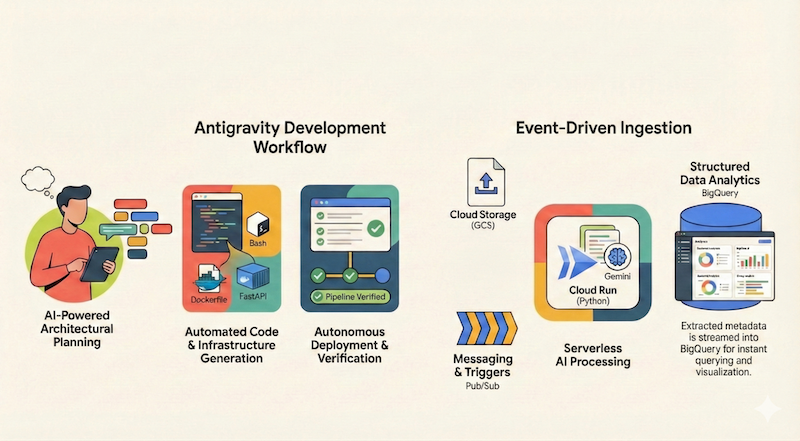
在本程式碼實驗室中,您將瞭解如何使用 Google Antigravity 設計、建構及部署無伺服器應用程式至 Google Cloud。我們將建構無伺服器且事件驅動的文件管道,從 Google Cloud Storage (GCS) 擷取檔案、使用 Cloud Run 和 Gemini 處理檔案,並將中繼資料串流至 BigQuery。
課程內容
- 如何使用 Antigravity 規劃和設計建築。
- 使用 AI 代理生成基礎架構即程式碼 (Shell 指令碼)。
- 建構及部署以 Python 為基礎的 Cloud Run 服務。
- 整合 Vertex AI 的 Gemini,進行多模態文件分析。
- 使用 Antigravity 的 Walkthrough 構件驗證端對端管道。
軟硬體需求
- 已安裝 Google Antigravity。
- 已啟用計費功能的 Google Cloud 專案。
- 已安裝並驗證 gcloud CLI。
2. 應用程式總覽
在開始使用 Antigravity 架構及實作應用程式之前,我們先來規劃要建構的應用程式。
我們想建構無伺服器且事件驅動的文件管道,從 Google Cloud Storage (GCS) 擷取檔案、使用 Cloud Run 和 Gemini 處理檔案,並將中繼資料串流至 BigQuery。
這個應用程式的大致架構圖可能如下所示:
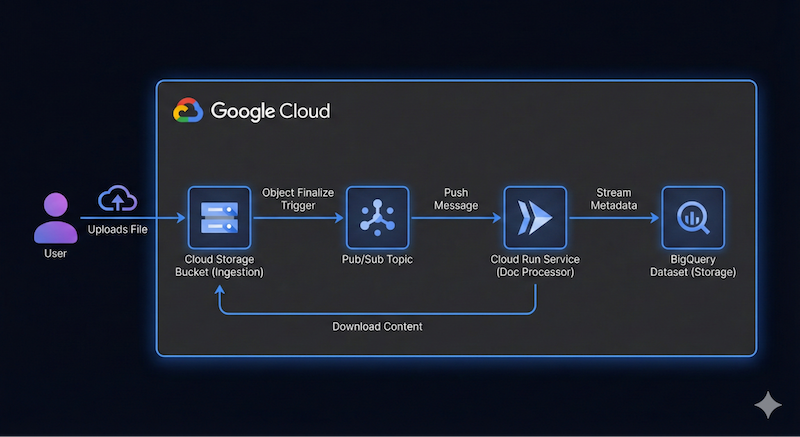
這項資訊不必精確,Antigravity 可協助我們逐步瞭解架構詳細資料。不過,最好先瞭解自己想建構什麼。您提供的詳細資料越多,Antigravity 就越能提供符合架構和程式碼需求的結果。
3. 規劃架構
我們已準備好使用 Antigravity 開始規劃架構詳細資料!
Antigravity 擅長規劃複雜系統,我們不必立即撰寫程式碼,而是可以先定義高階架構,並使用其中一項功能,協助 Antigravity 評估要求、提出後續問題,然後繼續規劃及實作。
假設您已啟動 Antigravity,我們將為這個程式碼研究室建立新專案。
按一下「實驗室」Projects 旁邊的新專案圖示,然後按一下 New Project,如下所示:

這時會顯示 Add Folder 選項,如下所示:
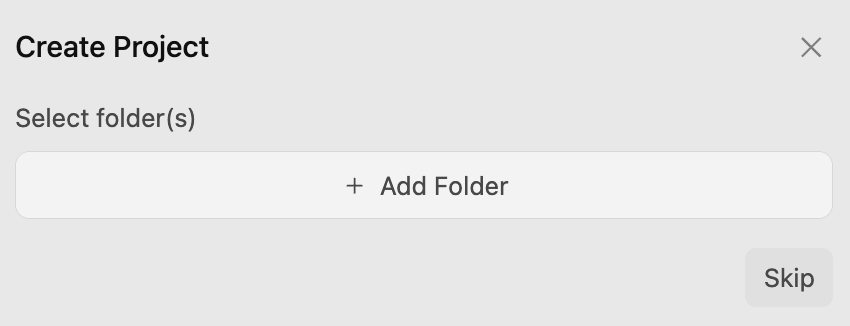
按一下「新增資料夾」按鈕,將資料夾新增至專案。我在電腦上建立了 google-cloud-serverless-app 資料夾,並將該資料夾新增至這個專案。
系統會在 google-cloud-serverless-app 專案中開啟對話。
按一下畫面左下方的主要設定圖示 ⚙️,然後前往專案專屬設定。如果沒有看到 google-cloud-serverless-app 專案,請先進行單一對話,然後返回「專案設定」。
將「Agent Settings / Security Preset」設為「Default」,並將「Agent Behaviour / Artifact Review Policy」設為「Always Ask」,如下所示:
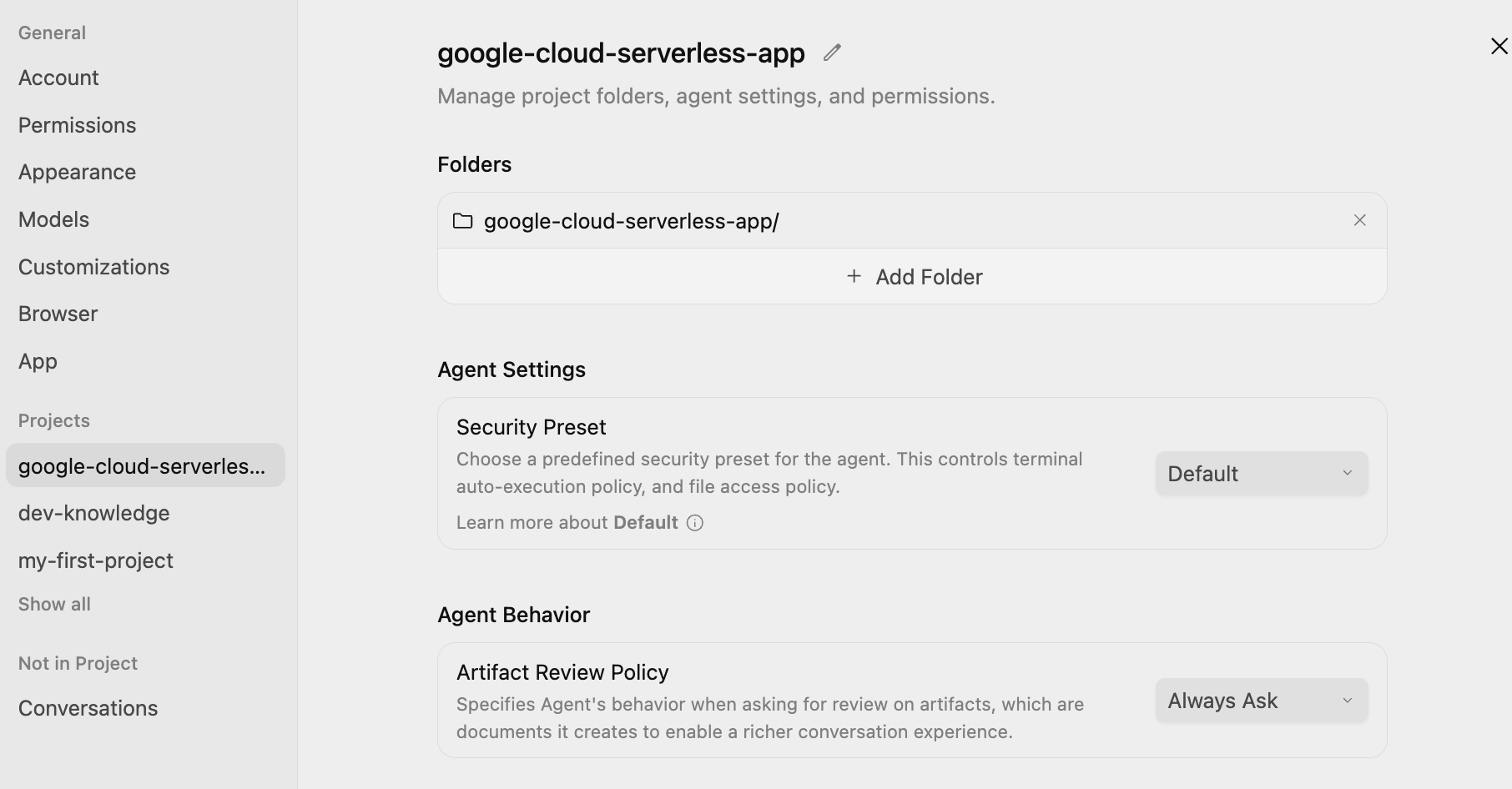
這樣一來,您就能在每個步驟中審查並核准計畫,再由代理執行。
提示詞
現在,我們準備向 Antigravity 提供第一則提示詞。我們將使用斜線指令 /grill-me 評估要求。
輸入 /grill-me,然後輸入下列提示並點選「提交」按鈕:
/grill-me

I want to build a serverless event-driven document processing pipeline on Google Cloud.
Architecture:
- Ingestion: Users upload files to a Cloud Storage bucket.
- Trigger: File uploads trigger a Pub/Sub message.
- Processor: A Python-based Cloud Run service receives the message, processes the file (simulated OCR), and extracts metadata.
- Storage: Stream the metadata (filename, date, tags, word_count) into a BigQuery dataset.
/grill-me 指令會詢問一系列後續問題,請盡可能回答。此外,系統還會建議回覆內容,你可以視需要採用。
以下是 /grill-me 指令的執行範例:
How would you like the Cloud Run service to receive events from Cloud Storage and Pub/Sub?
(Recommended) Cloud Storage Pub/Sub Notification with a Pub/Sub Push Subscription (HTTP POST to Cloud Run)

How should access to the Cloud Run service endpoint be secured for Pub/Sub push requests?
Publicly accessible Cloud Run service without authentication (for prototyping/quick testing only)

How should the Python processor handle file inspection and the simulated OCR logic?
(Recommended) Download file from GCS: if plain text/utf-8, extract actual words and tags; if binary/image/PDF, simulate OCR processing (mock latency, generate synthetic text & tags, count words)

How should the processor write metadata to BigQuery and handle table/schema provisioning?
(Recommended) Use BigQuery Streaming Inserts (`insert_rows_json`) with auto-creation of the dataset and table if they do not exist

How should the Cloud Run service handle processing failures and retries from Pub/Sub?
(Recommended) Return HTTP 500 on transient errors for Pub/Sub automatic retry; return HTTP 200/204 on non-retryable errors (e.g., file not found, bad event format) to avoid poison pill loops

Which web framework would you prefer for the Python Cloud Run service?
Flask with Gunicorn: minimal, classic lightweight standard for GCP microservices

How would you like the cloud infrastructure (Bucket, Pub/Sub, Cloud Run, BigQuery) to be provisioned and deployed?
(Recommended) Provide both: automated `gcloud` CLI setup/deploy scripts for quick manual rollout AND Terraform manifests for reproducible IaC

How would you like to handle local testing and development before deploying to Google Cloud?
(Recommended) Include a local mock test suite and script (`test_local.py`) that can simulate Pub/Sub push envelopes and test processing with both mocked GCP clients and actual files
請注意,我要求 Antigravity 執行以下操作:
- 用於佈建資源的簡單 gcloud CLI 指令碼
- 原生 Cloud Storage Pub/Sub 通知 + Pub/Sub 推送訂閱項目至 Cloud Run
- 使用 Flask (搭配 Gunicorn) 做為架構
- 只要使用本機模擬功能,並以文字檔提供資料,不必使用即時 OCR 資料即可。
- 使用 BigQuery table.insert_rows() 將資料列插入 BigQuery
- 未經身分驗證的 Cloud Run 部署作業
以及其他建議選項。
實作計畫和工作清單
Antigravity 現在會開始作業,並生成實作計畫。並顯示類似下方的訊息,供您審查:
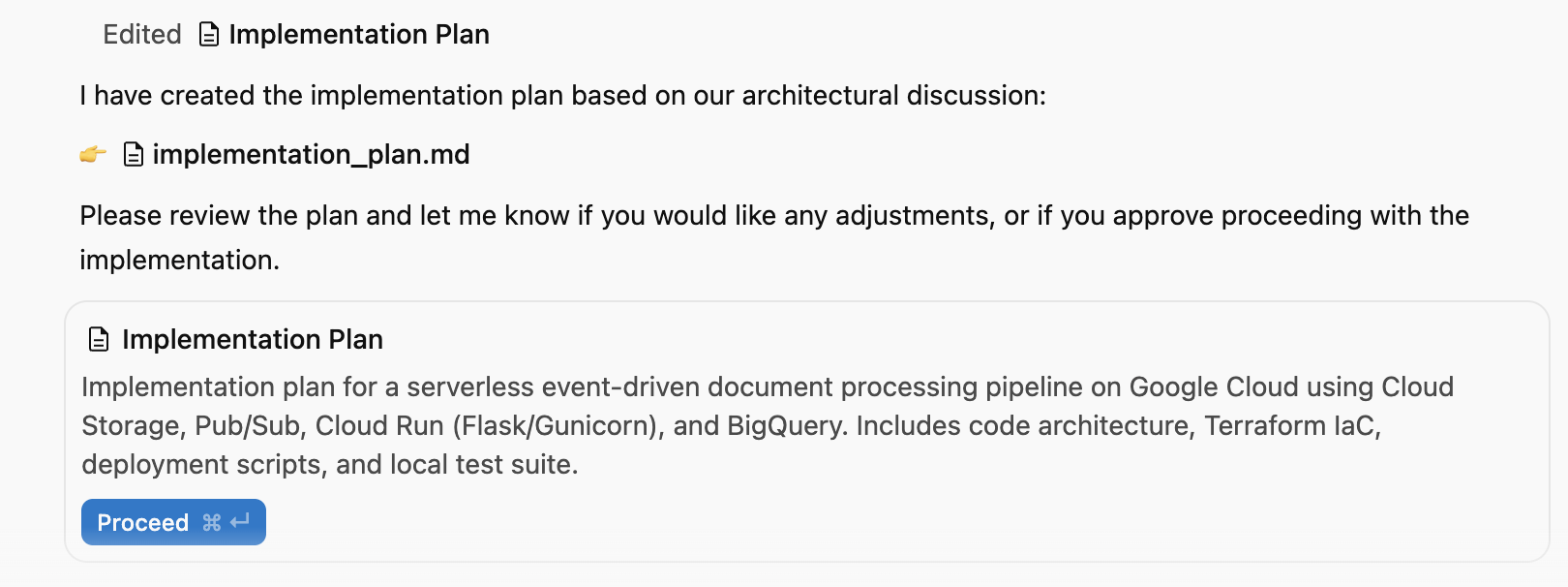
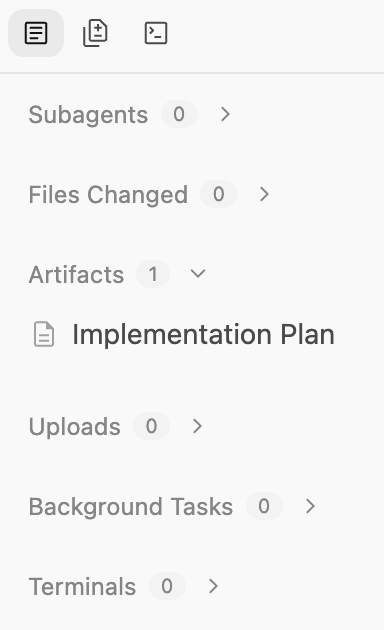
您可以點選視窗右上方的「輔助窗格」切換鈕,查看產生的構件,目前只有「實作計畫」。
這項計畫涵蓋下列內容:
- 基礎架構:GCS Bucket、Pub/Sub 主題、BigQuery 資料集。
- 處理器:Python/Flask 應用程式、Dockerfile、需求。
- 整合:GCS 通知 → Pub/Sub → Cloud Run。
畫面應如下所示。以下是我們機器上的部分實作計畫清單:
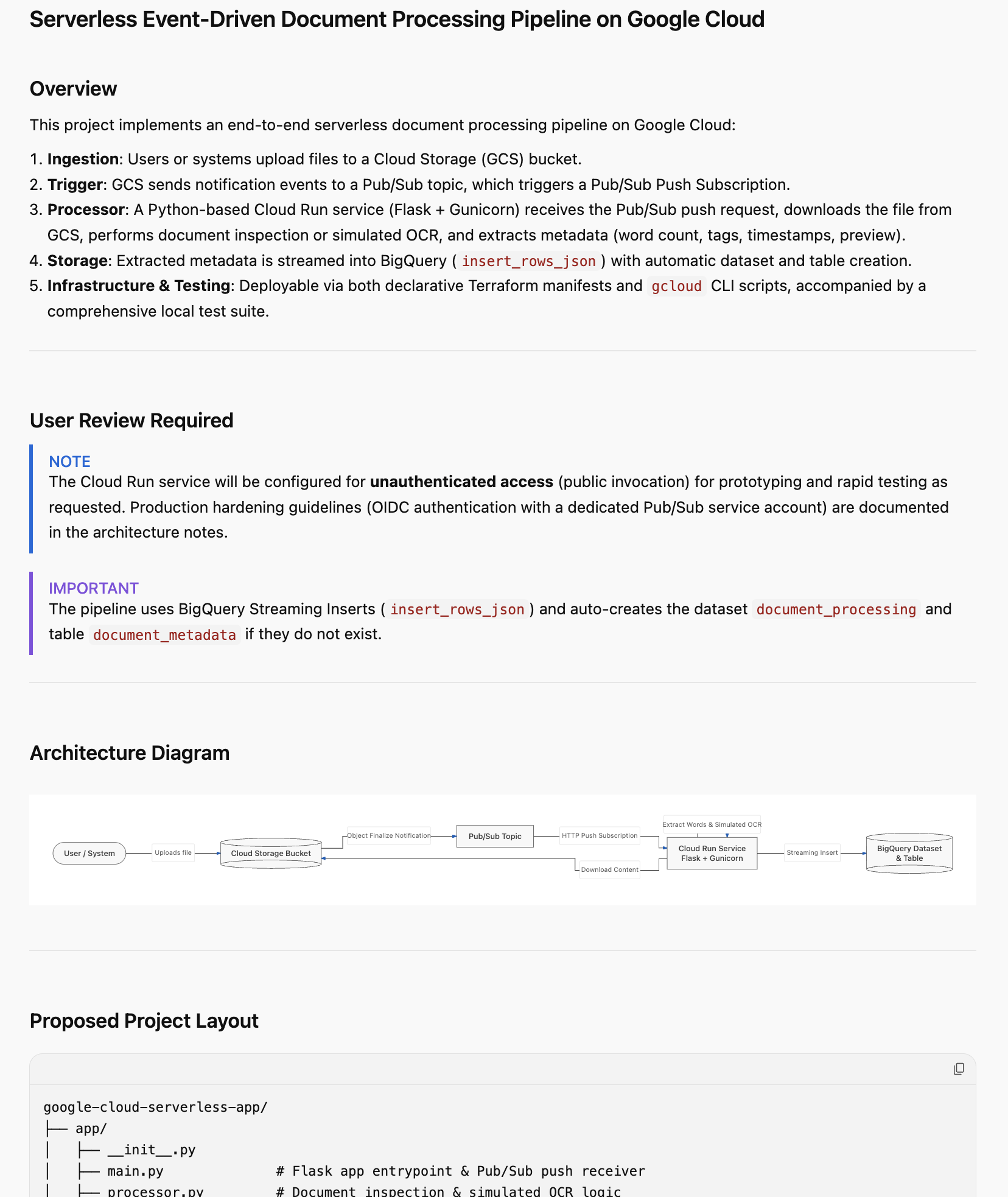
請仔細閱讀。請把握這個難得的機會,針對實作作業提供意見。您可以點選導入計畫的任何部分,然後新增註解。新增一些註解後,請務必提交要審查的變更,尤其是命名、Google Cloud 雲端專案 ID、區域等相關變更。
確認一切無誤後,請按一下 Proceed 按鈕,授權代理人繼續執行實作計畫。
4. 生成應用程式
計畫獲准後,Antigravity 就會開始生成應用程式所需的檔案,包括佈建指令碼和應用程式程式碼。
Antigravity 會建立資料夾,並開始建立專案所需的檔案。如果您查看構件,會發現系統產生了多個檔案 (原始碼、指令碼檔案等)。
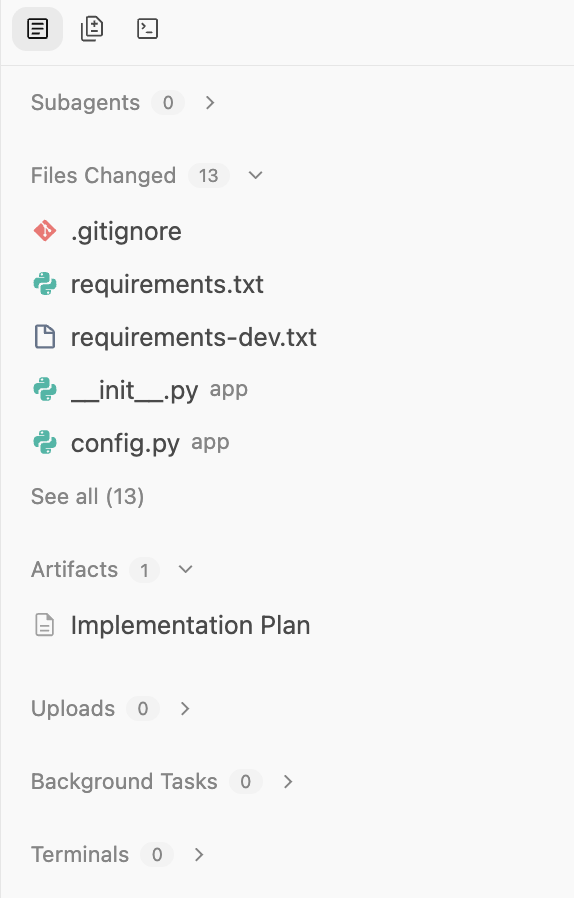
完成工作後,這項工具會提及此事,並建立「逐步解說」文件供您查看。輸出範例如下所示:
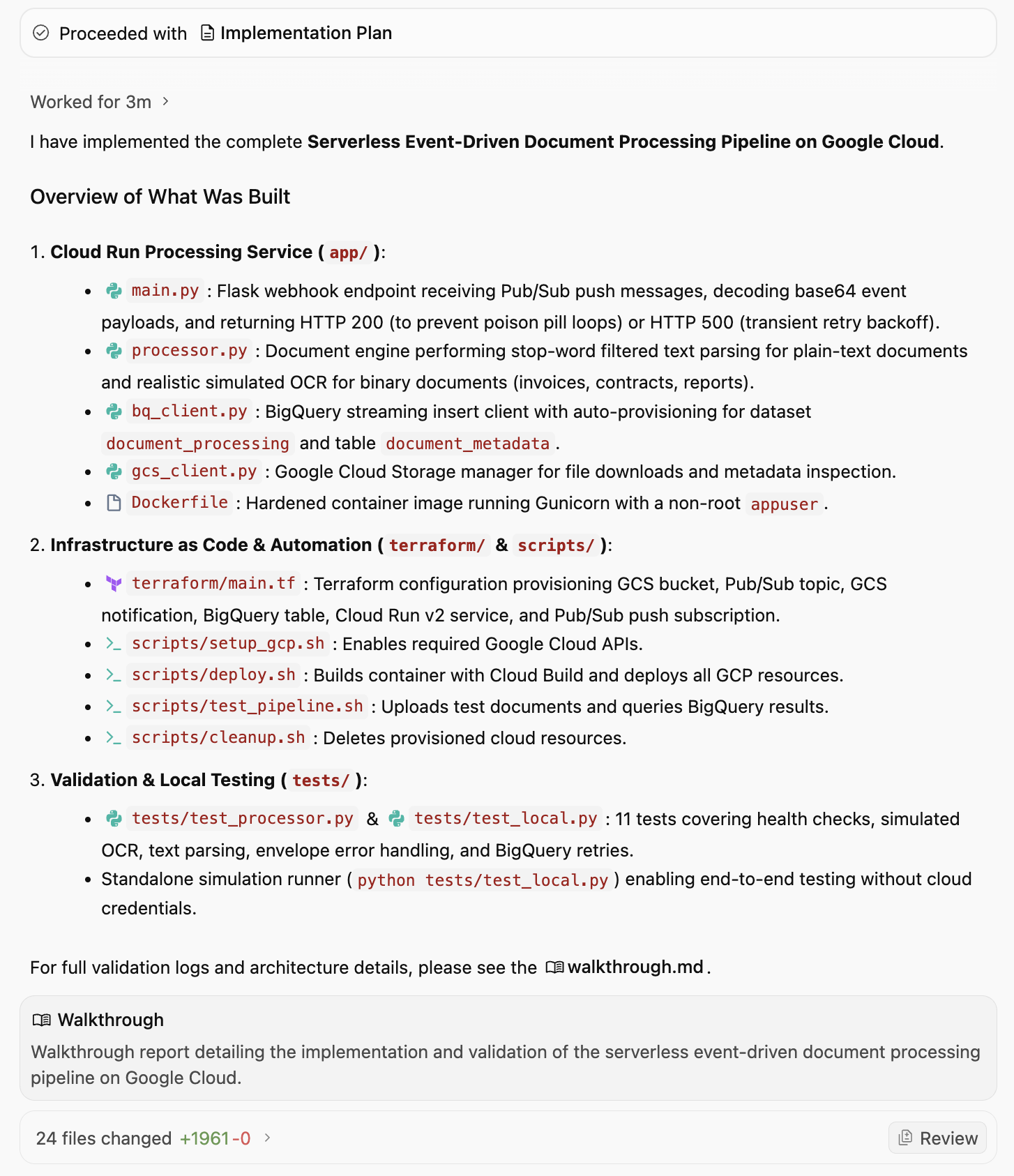
逐步解說文件會提及已實作的內容、產生的指令碼,以及最重要的驗證和確認作業。以下是 Walkthrough 文件的部分輸出內容,包括驗證和確認:
3. Verification & Validation
Test Suite Execution
We ran the automated test suite using pytest:
bash
.venv/bin/pytest tests/ -v
tests/test_local.py::test_health_check PASSED                            [  9%]
tests/test_local.py::test_invalid_pubsub_envelope PASSED                 [ 18%]
tests/test_local.py::test_ignore_delete_events PASSED                    [ 27%]
tests/test_local.py::test_gcs_file_not_found PASSED                      [ 36%]
tests/test_local.py::test_successful_contract_processing PASSED          [ 45%]
tests/test_local.py::test_successful_pdf_ocr_processing PASSED           [ 54%]
tests/test_local.py::test_transient_bq_error_triggers_500_retry PASSED   [ 63%]
tests/test_processor.py::test_tag_extraction_filters_stopwords PASSED    [ 72%]
tests/test_processor.py::test_process_plain_text_document PASSED         [ 81%]
tests/test_processor.py::test_process_binary_pdf_simulated_ocr PASSED    [ 90%]
tests/test_processor.py::test_process_empty_text_document PASSED         [100%]
============================== 11 passed in 2.37s ==============================
Standalone End-to-End Simulation
We executed the standalone simulation script:
bash
.venv/bin/python tests/test_local.py
Sample Output:
=================================================================
Running Serverless Document Processing Local Simulation
=================================================================
[1] Health Check: Status=200, Payload={'service': 'document-processor', 'status': 'healthy'}
[2] Simulating GCS Event: Object Finalized 'sample_contract.txt' in 'finance-bucket'
   Response: Status=200, Body={'file_name': 'sample_contract.txt', 'ocr_status': 'EXTRACTED_TEXT', 'status': 'success', 'tags': ['provider', 'cloud', 'client', 'agreement', 'shall'], 'word_count': 181}
[3] Simulating GCS Event: Object Finalized 'sample_invoice.pdf' in 'invoices-bucket'
   Response: Status=200, Body={'file_name': 'sample_invoice.pdf', 'ocr_status': 'SIMULATED_OCR', 'status': 'success', 'tags': ['invoice', 'finance', 'billing', 'acme', 'pdf'], 'word_count': 62}
=================================================================
BigQuery Streamed Table Inspection (Mock Table)
=================================================================
Row #1:
 File:       sample_contract.txt (gs://finance-bucket)
 Status:     EXTRACTED_TEXT
 Words:      181
 Tags:       ['provider', 'cloud', 'client', 'agreement', 'shall']
 Processed:  2026-09-08T02:50:37.436225+00:00
Row #2:
 File:       sample_invoice.pdf (gs://invoices-bucket)
 Status:     SIMULATED_OCR
 Words:      62
 Tags:       ['invoice', 'finance', 'billing', 'acme', 'pdf']
 Processed:  2026-09-08T02:50:37.641931+00:00
我們可以詢問 Antigravity 如何將這個應用程式部署至 Google Cloud 嗎?並傳回與下方所列相同的完整詳細資料。總而言之,這項要求是請我們確保已安裝 Google Cloud SDK,並設定 Google 雲端專案。完成後
步驟 1:啟用必要的 GCP API
執行 setup_gcp.sh,啟用 Cloud Run、Pub/Sub、Cloud Storage、BigQuery 和 Cloud Build API:./scripts/setup_gcp.sh
步驟 2:部署整個管道
執行 deploy.sh:
export GCP_PROJECT="<YOUR_PROJECT_ID>"
export GCP_REGION="us-central1"               # or your region
./scripts/deploy.sh
這段指令碼在幕後執行的動作:
- 使用 Google Cloud Build 建構容器映像檔,並推送至 Container/Artifact Registry。
- 將服務部署至 Cloud Run,並使用適當的環境變數 (
GCP_PROJECT、BQ_DATASET_ID、BQ_TABLE_ID)。 - 建立 Cloud Storage 擷取 bucket (
gs://<PROJECT_ID>-document-ingest)。 - 建立 Pub/Sub 主題 (
document-upload-events),並授予 GCS 發布至該主題的權限。 - 在 bucket 上設定 GCS 通知 (
OBJECT_FINALIZE)。 - 建立 Pub/Sub 推送訂閱項目,以 Cloud Run 服務網址為目標,並自動重試退避。
並建議如何測試管道。
執行 test_pipeline.sh: ./scripts/test_pipeline.sh
這會將 samples/sample_contract.txt 和 samples/sample_invoice.pdf 上傳至您的 bucket、等待處理,並執行 BigQuery SQL 查詢,顯示擷取的中繼資料、字數和標記。
5. 部署應用程式
請按照上述方式部署應用程式。我們可以要求 Antigravity 為我們執行這項作業,但在此之前,請先確認 Google Cloud 專案已安裝並設定 gcloud CLI。
我們可以向 Antigravity 發出「Deploy the application for me」(為我部署應用程式) 提示。系統會提示您授予各種權限,然後繼續執行指令碼檔案。
系統會以背景工作形式啟動程序,如下方訊息所述:
I have initiated the deployment of the document processing pipeline to Google Cloud project PROJECT_ID in REGION.The deployment process is currently executing in the background:
Building and publishing the container image via Cloud Build.
Configuring service account IAM permissions and deploying the Cloud Run service.
Provisioning the Cloud Storage bucket (gs://PROJECT_ID-document-ingest).
Setting up the Pub/Sub topic, GCS notification, and push subscription.
I will notify you as soon as the deployment finishes!
6. 驗證應用程式
管道部署完成後,Antigravity 會繼續驗證應用程式是否正常運作。系統會詢問是否要執行 test_pipeline.sh 檔案。我們可以授予權限。
最後,這項工具會提供下列資訊:
🚀 Deployment Successful & Verified on Google Cloud!

The application has been deployed to Google Cloud project PROJECT_ID in REGION and end-to-end event-driven processing has been verified.
此外,也更新了 Walkthrough 構件,方便您查看結果 (部分清單如下):
部署作業摘要
- GCP 專案:PROJECT_ID
- 地區:REGION
- Cloud Run 服務:document-processor
- Cloud Run 端點:SERVICE_URL
- Cloud Storage bucket:gs://PROJECT_ID-document-ingest
- Pub/Sub 主題:document-upload-events
- Pub/Sub 推送訂閱項目:document-upload-events-push-sub
- BigQuery 目標:PROJECT_ID.document_processing.document_metadata
即時管道驗證
我們針對實際的 Google Cloud 環境執行 scripts/test_pipeline.sh:
- 將 sample_contract.txt 和 sample_invoice.pdf 上傳至 Cloud Storage bucket。
- GCS 產生的 OBJECT_FINALIZE 事件會傳送至 Pub/Sub。
- Pub/Sub 已將信封推送至 Cloud Run 微服務。
- Cloud Run 擷取中繼資料、處理模擬 OCR,並將記錄串流至 BigQuery。
即時 BigQuery 查詢輸出
+------------------------------+------------+----------------+---------------------------------------------------+---------------------+
|          file_name           | word_count |   ocr_status   |                       tags                        |    processed_at     |
+------------------------------+------------+----------------+---------------------------------------------------+---------------------+
| test_invoice_1788840194.pdf  |         62 | SIMULATED_OCR  | ["invoice","finance","billing","acme","pdf"]      | 2026-09-08 04:03:27 |
| test_contract_1788840194.txt |        181 | EXTRACTED_TEXT | ["provider","cloud","client","agreement","shall"] | 2026-09-08 04:03:22 |
+------------------------------+------------+----------------+---------------------------------------------------+---------------------+
所有管道元件都已在正式環境中啟用、運作正常且經過驗證。
選用:手動驗證
即使 Antigravity 已驗證應用程式,您也可以視需要按照下列步驟,在 Google Cloud 控制台中手動檢查是否已建立所有資源。
Cloud Storage
目標:確認值區存在,並檢查是否有上傳的檔案。
- 依序前往「Cloud Storage」>「Bucket」。
- 找出名為
PROJECT_ID-document-processing的 bucket。 - 按一下 bucket 名稱即可瀏覽檔案。
- 確認:您應該會看到上傳的檔案 (例如
sample_contract.txt)。
Pub/Sub
目標:確認主題存在且有推送訂閱項目。
- 依序前往「Pub/Sub」>「主題」。
- 找出 document-uploads-events。
- 按一下主題 ID。
- 向下捲動至「訂閱項目」分頁標籤。
- 確認:請確保列出 doc-uploads-events-push-sub。
Cloud Run
目標:檢查服務狀態和記錄。
- 前往 Cloud Run。
- 按一下「document-processor」服務。
- 驗證:
- 健康狀態:綠色勾號表示服務已啟用。
- 記錄:按一下「記錄」分頁標籤。尋找「Processing document: gs://...」和「Successfully streamed metadata...」等項目。
BigQuery
目標:驗證資料是否確實已儲存。
- 前往「BigQuery」>「SQL 工作區」。
- 在「Explorer」窗格中,展開「project」>「document_processing」資料集。
- 點選「document_metadata」document_metadata資料表。
- 按一下「查詢」分頁標籤,然後透過 SELECT * 陳述式從資料表擷取所有資料列。
- 驗證:您應該會看到包含 file_name、process_at、tags 和 word_count 的資料列。
7. 探索應用程式
此時,您已佈建並執行基本應用程式。在進一步擴充這個應用程式之前,請先花點時間瞭解程式碼。您可以查看構件,當中應會顯示生成的程式碼檔案。
以下簡要說明您可能會看到的幾個檔案:
deploy.sh:主要指令碼,可佈建所有 Google Cloud 資源,並啟用必要的 API。main.py:管道的主要進入點。這個 Python 應用程式會建立網路伺服器,接收 Pub/Sub 推送訊息、從 GCS 下載檔案、「處理」檔案 (模擬 OCR),並將中繼資料串流至 BigQuery。Dockerfile:定義如何將應用程式封裝至容器映像檔。requirements.txt:列出 Python 依附元件。
您也可能會看到測試和驗證所需的其他指令碼和文字檔。
8. 擴展應用程式
現在您已擁有可運作的基本應用程式,可以繼續疊代及擴充應用程式。以下提供幾個點子。
新增前端
建構簡單的網頁介面,以便查看處理過的文件。
請試試下列提示詞:Create a simple Streamlit or Flask web application that connects to BigQuery. It should display a table of the processed documents (filename, upload_date, tags, word_count) and allow me to filter the results by tag
與實際的 AI/ML 整合
改用 Gemini 模型擷取、分類及翻譯,而非模擬 OCR 處理程序。
- 取代虛擬 OCR 邏輯。將圖片/PDF 傳送給 Gemini,即可擷取實際文字和資料。分析擷取的文字,將文件分類 (例如應付憑據、合約、履歷),或擷取實體 (例如日期、姓名、地點)。
- 系統會自動偵測文件語言,並先翻譯成英文再儲存。你也可以使用其他語言。
提升儲存空間與數據分析能力
您可以在 bucket 中設定生命週期規則,將舊檔案移至「Coldline」或「Archive」儲存空間,以節省費用。
穩定性與安全性
您可以採取下列措施,讓應用程式更穩定可靠且安全:
- 無效信件佇列 (DLQ):更新 Pub/Sub 訂閱項目,處理失敗情況。如果 Cloud Run 服務無法處理檔案 5 次,請將訊息傳送至另一個「Dead Letter」主題/bucket,供人工檢查。
- Secret Manager:如果應用程式需要 API 金鑰或機密設定,請將這些項目儲存在 Secret Manager,並從 Cloud Run 安全存取,而非硬式編碼字串。
- Eventarc:從直接使用 Pub/Sub 升級至 Eventarc,即可享有更彈性的事件轉送功能,根據複雜的稽核記錄或其他 GCP 服務事件觸發動作。
當然,您也可以自行發想點子,並使用 Antigravity 協助實作!
9. 結語
您已使用 Google Antigravity,在幾分鐘內成功建構可擴充的無伺服器 AI 輔助文件管道。您學到了下列內容:
- 運用 AI 規劃架構。
- 指示及管理 Antigravity,讓它從程式碼生成到部署及驗證,完成應用程式的生成作業。
- 透過逐步解說驗證部署作業和驗證。