

1. 簡介
在本程式碼研究室中,您將瞭解 Google Antigravity。這個代理式開發平台專為代理時代而生,可協助您進行開發。Antigravity 是 AI 代理的中央指揮中心,提供統一平台,可啟動、監控及調度代理活動。
在本程式碼研究室中,我們將使用 Antigravity 建構實際應用程式。我們將從簡單的網路研究,轉向生成全端應用程式和企業級單元測試。
需求條件:
- 已安裝並設定 Antigravity 和 Antigravity IDE。
- 瞭解 Google Antigravity 的基本知識。建議先完成「開始使用 Google Antigravity」程式碼研究室。
2. 關於使用案例
您已對 Antigravity 有基本瞭解,現在來看看幾個使用案例,瞭解 AI 的運作方式。請注意,Antigravity 是以代理程式為優先的平台。也就是說,在大多數情況下,我們只是向代理程式下達指令,代理程式就會自行完成工作、視需要要求權限、產生構件,並在工作完成時通知我們。因此,我們無法在下列各個用途中,產生 Agent 對話的每個輸出內容。我們會提供操作說明和預期結果的必要螢幕截圖,但您的結果可能略有不同。
我們將介紹各種應用情境,包括自動執行外部網站的幾項工作、為專案產生及驗證單元測試案例,以及開發完整網站。開始導航
3. 新聞重點
這是簡單的用途,但您可以此為基礎,使用網頁瀏覽器造訪網站、擷取資訊、執行一些動作,然後將資料傳回給使用者。
在本例中,我們將前往 Google 新聞網站,並從中擷取一些資訊。但您可以輕鬆選擇網站進行實驗,並查看結果。
我們假設您有一個根資料夾,並會在該資料夾下建立本程式碼研究室中會看到的各種專案。我們電腦上的這個根資料夾名為 agy2-pprojects。
首先,請在上述資料夾中建立名為 news-highlights 的資料夾,以便從頭開始。
啟動 Antigravity 並建立新專案。將 news-highlights 資料夾新增至該資料夾。
在剛匯入的 news-highlights 工作區中發起新對話:
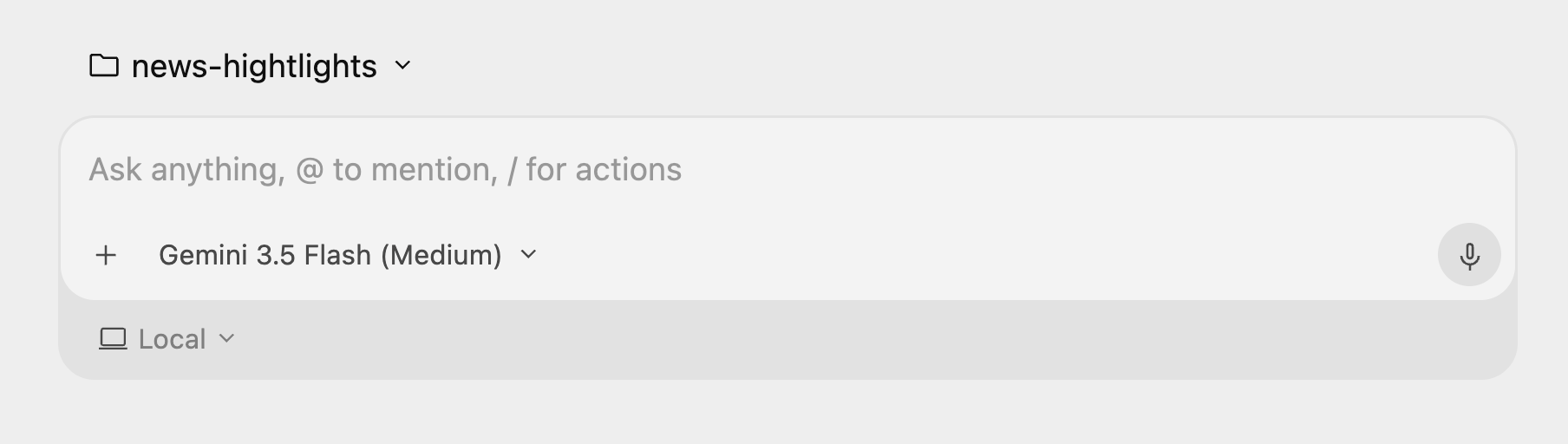
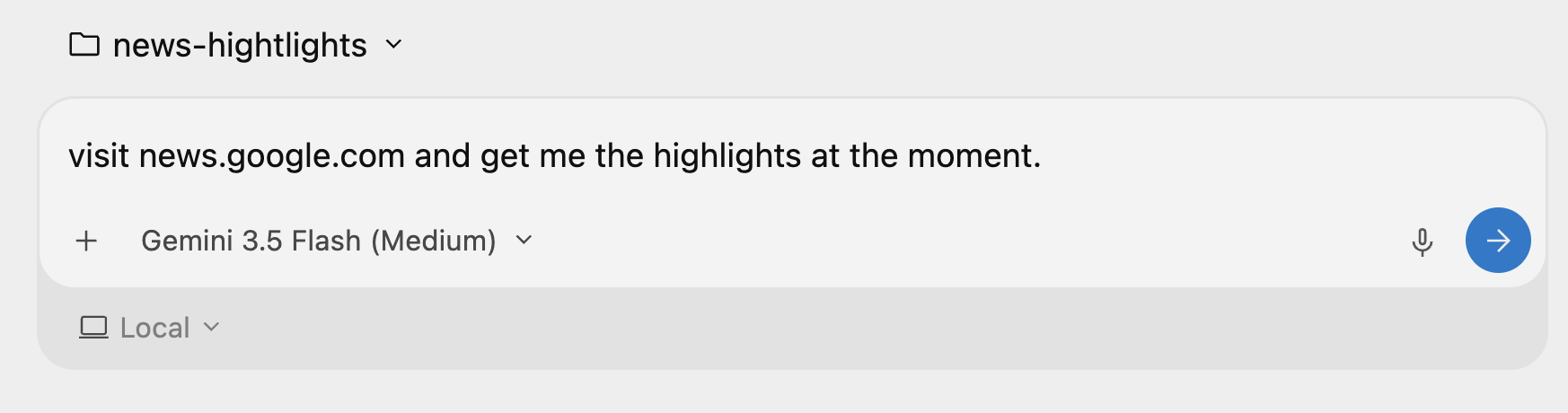
然後下達以下指令:「請前往 news.google.com,並提供當下的重點新聞。」
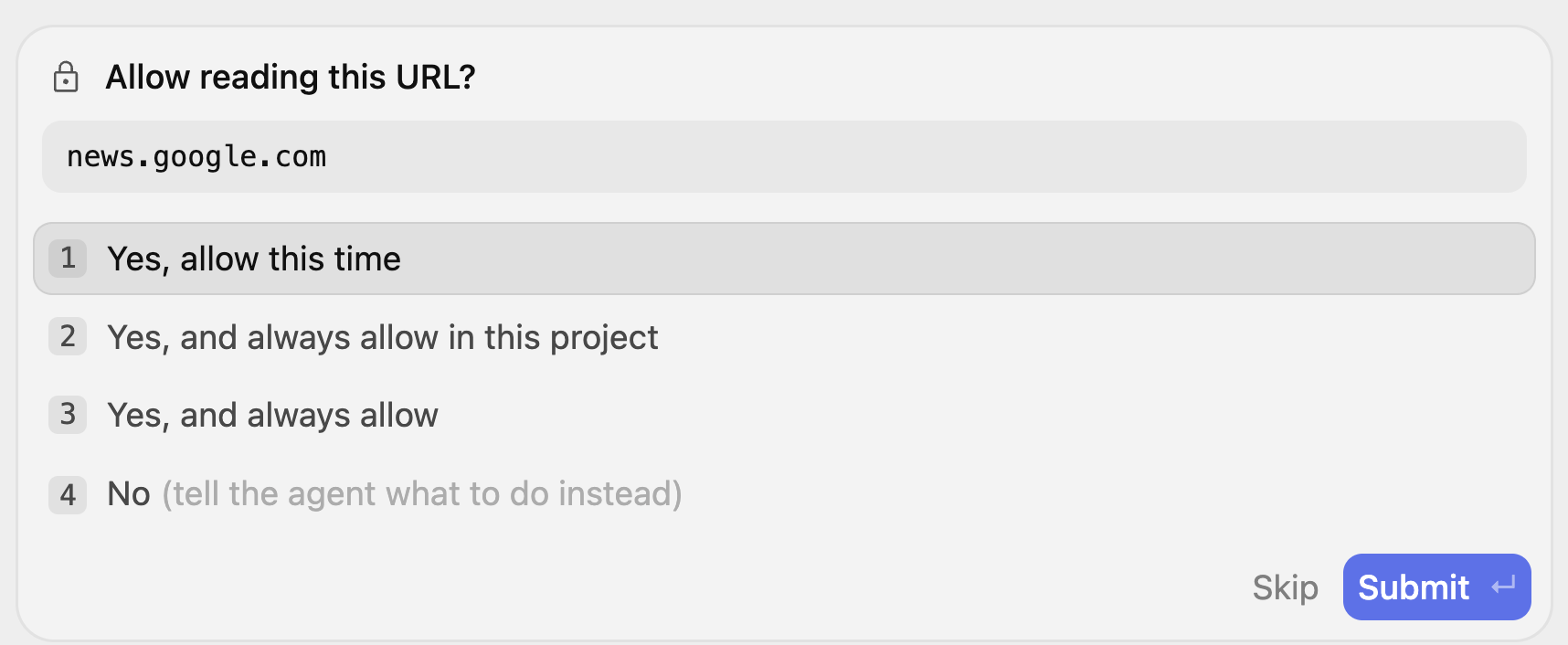
這會啟動代理程序,並判斷需要造訪 news.google.com 網站並要求您的許可。系統可能會多次提示您讀取網址,您可以選擇授予這項專案的權限等。
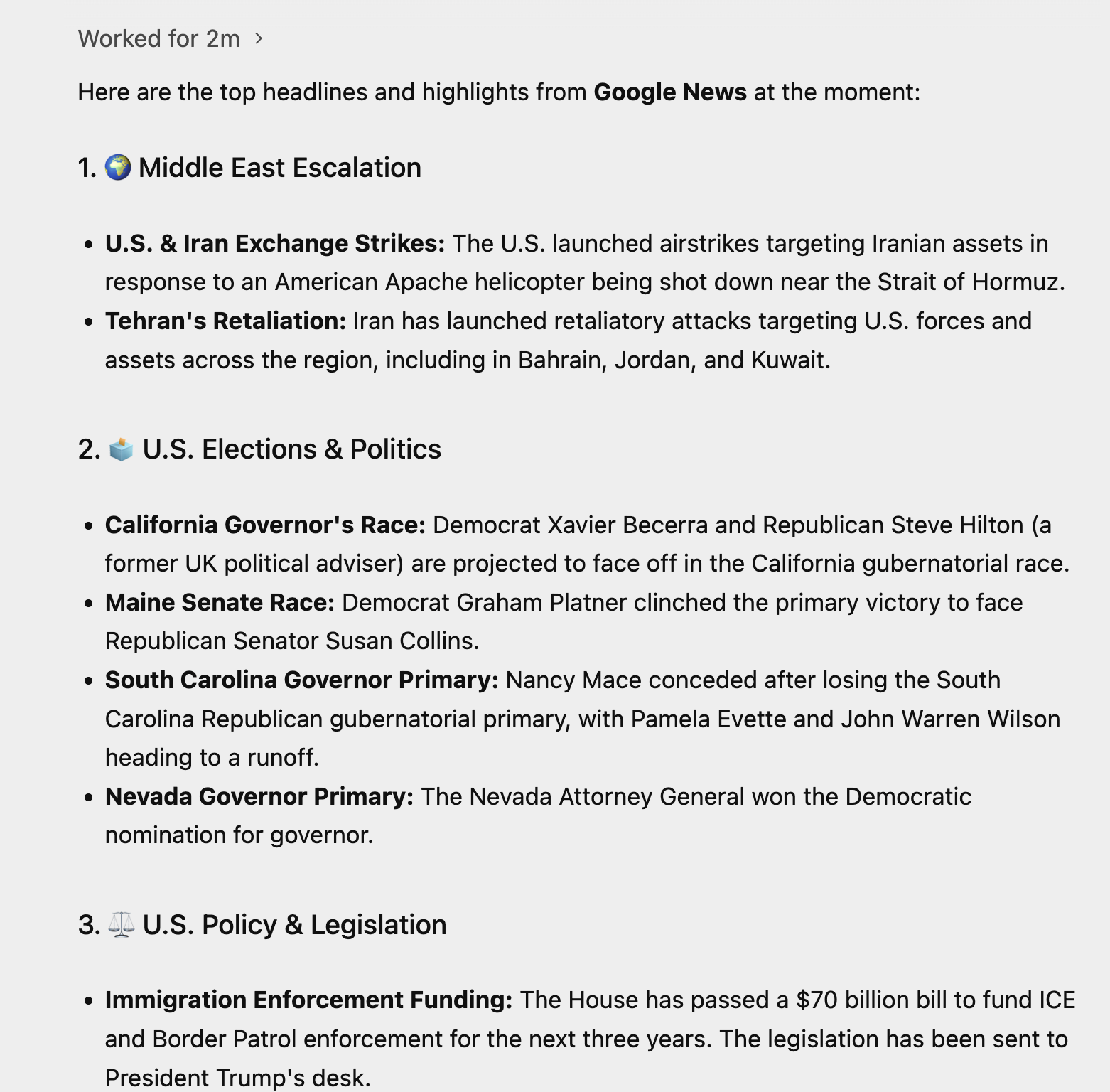
請密切注意「思考過程」,瞭解 Agent 如何完成工作。以下是 Agent 的執行範例:
體驗功能
- 瞭解這點後,請選擇一個可用的網站,讓代理程式前往該網站取得/摘要一些資料。請選擇您知道有資訊主頁和圖表的網站,並要求 AI 挑選幾個值。
- 請試試下列提示詞:
Visit https://docs.cloud.google.com/release-notes and get me a summary of the release notes, categorized by product.
4. 使用 Python + Flask 生成動態網站
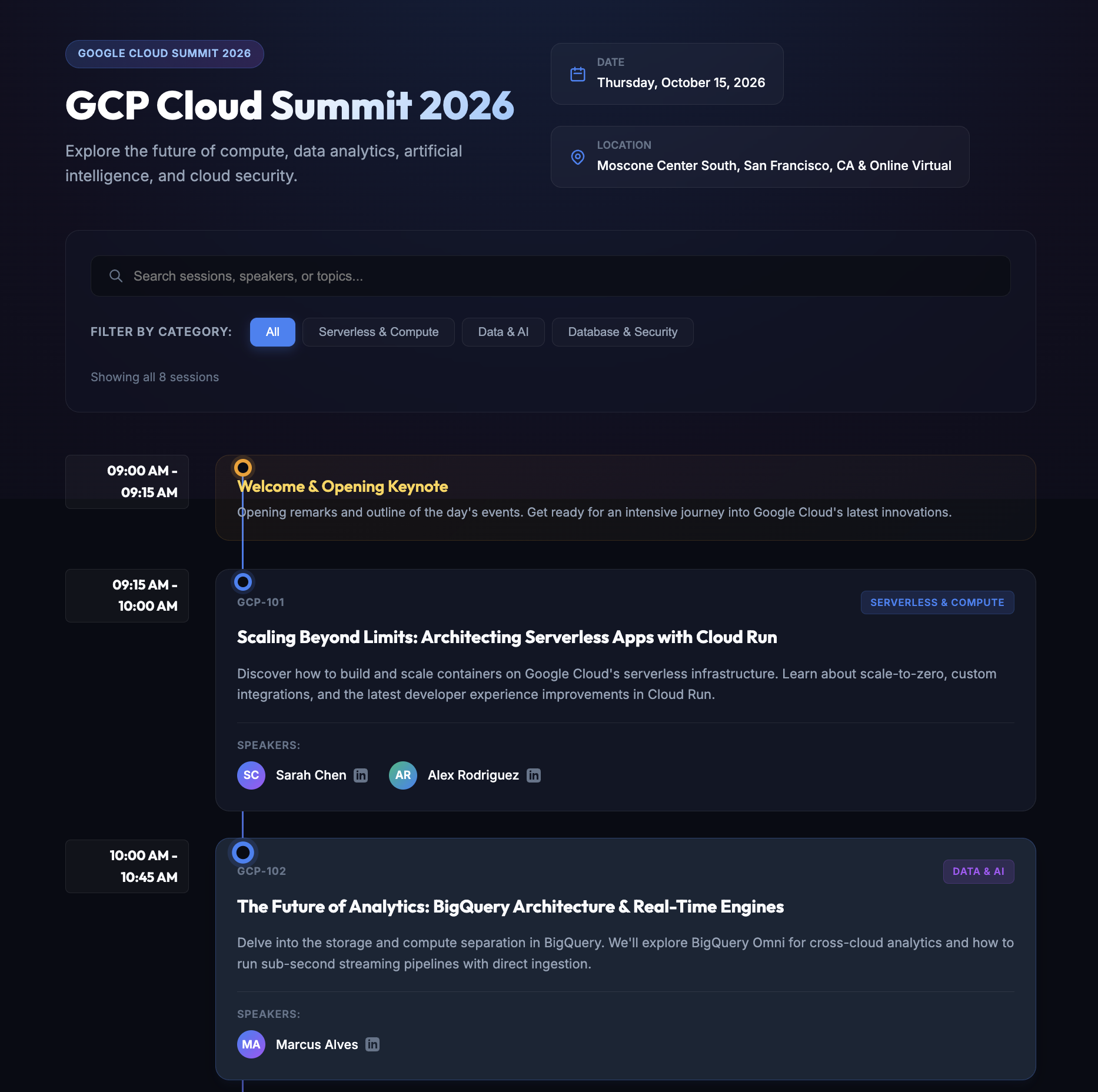
現在來生成完整的網頁應用程式。我們要建立的網頁應用程式是一個網站,提供單日技術活動的資訊,活動當天會有許多講者進行演講。
再次建立名為 conference-website 的新資料夾。請確認您已在 Antigravity Agent 介面中建立新專案,並將 conference-website 資料夾新增至該專案。
您可以輸入下列提示詞,開始對話:
I would like to generate a website that is a 1-day technical conference informational site.

The website should have the following functionality:
        1. A home page that shows the current date, location, schedule and time table.
        2. The 1-day event is a list of 8 talks in total.
        3. Each talk has 1 or 2 max. speakers.
        4. A talk has an ID, Title, Speakers, Category (1 or 2), Description and time of the talk.
        5. Each speaker has a First Name, Last Name and LinkedIn url.
        6. Allow for users to search by category, speaker, title.
        7. Give a lunch break of 60 minutes.
        8. Use dummy data for events and speakers, come up with a schedule, the event is about Google Cloud Technologies.
        9. Tech Stack: Python and Flask framework on server side. Front-end is basic HTML, CSS and JavaScript.
        10. Test out the site on your own for all functionality and provide a detailed README on how to setup, run and make any further changes.
11. Launch the web application for me to review.
Antigravity 會先分析要求,然後擬定實作計畫。這項工具會建立名為 implementation_plan.md 的重要構件,供您查看該工具如何規劃建立及滿足您在提示中指定的需求。輸出範例如下所示:
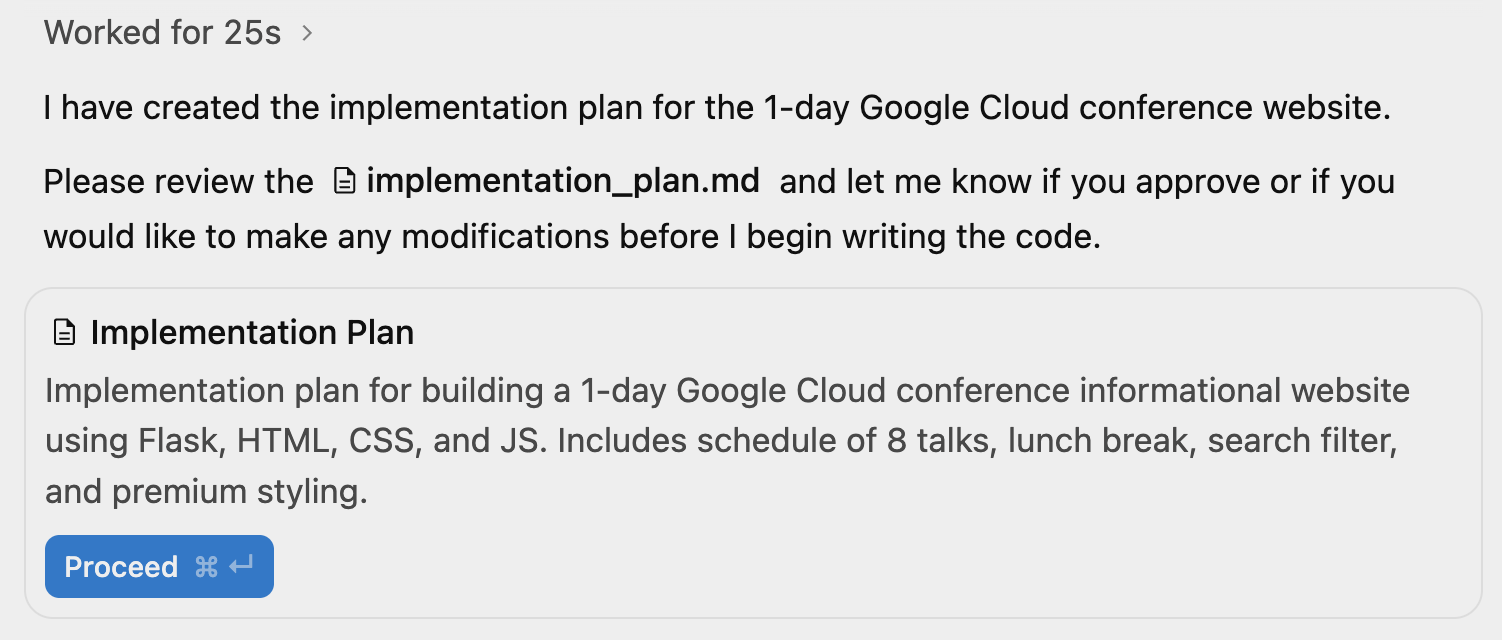
點選「繼續」前,請先查看導入計畫。您可以點選上方的 implementation_plan.md 檔案連結,或切換右上方的輔助窗格。這會顯示構件檢視畫面,您目前可以看到實作計畫供您審查。
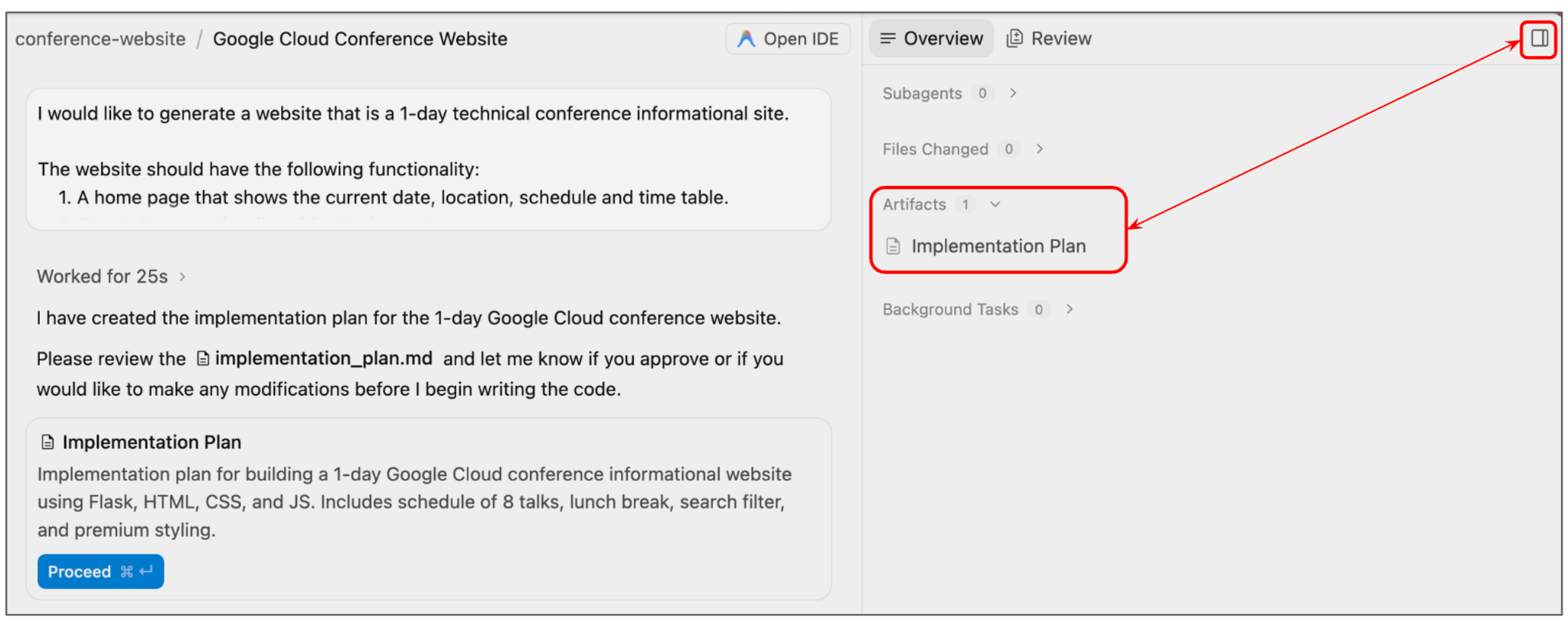
以下是為執行作業產生的範例實作計畫:
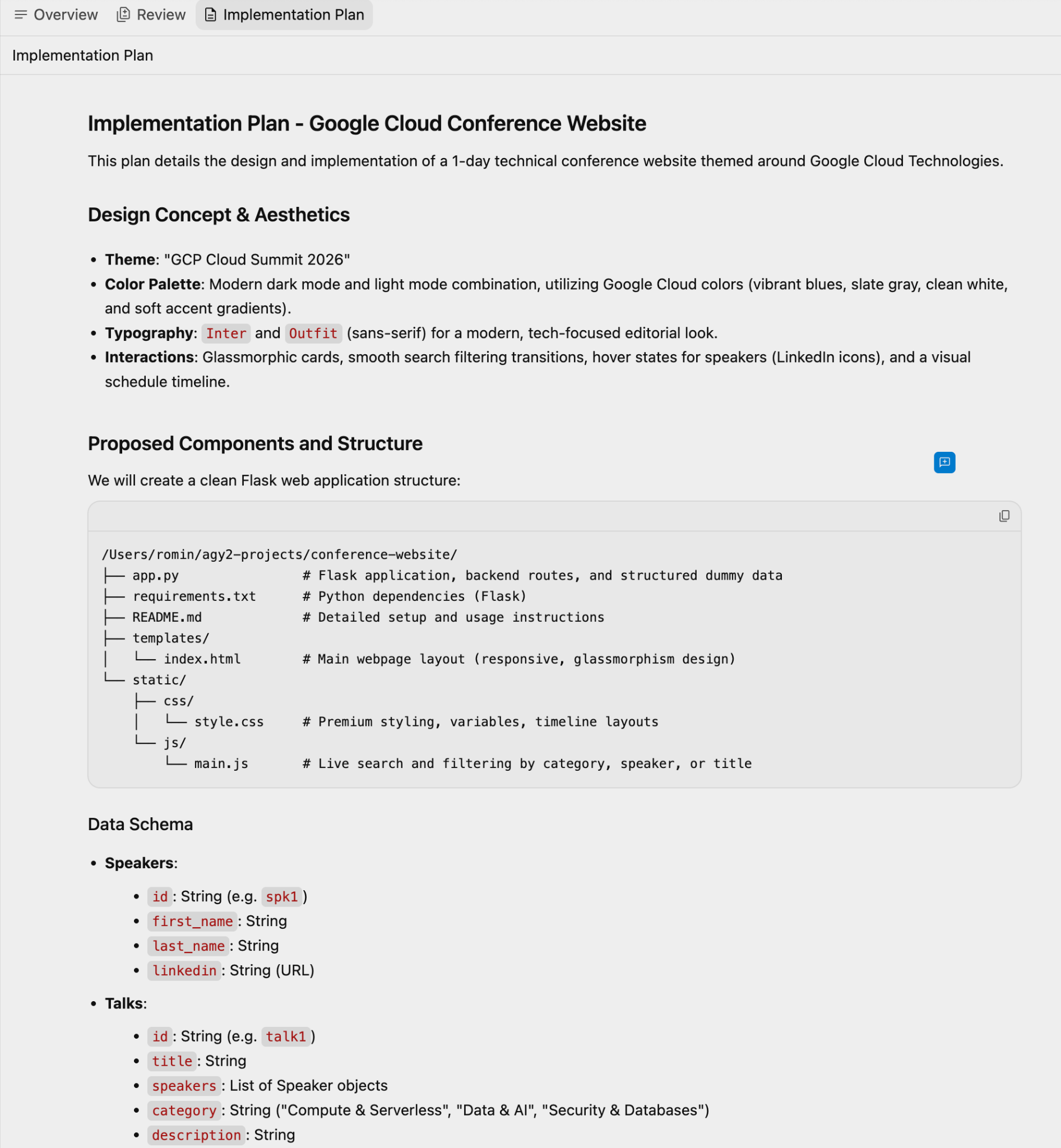
您可以在企劃書中提供意見,然後再次提示代理程式,或是接受目前的導入企劃書,然後按一下「對話」介面中的「繼續」按鈕。
Agent 會繼續生成原始碼檔案,您也會發現另一個名為「Task」的構件已更新。這份清單列出為達成最終結果而需執行的動作或工作。
您可以隨時點選「工作」,甚至前往構件清單查看工作。範例如下所示:
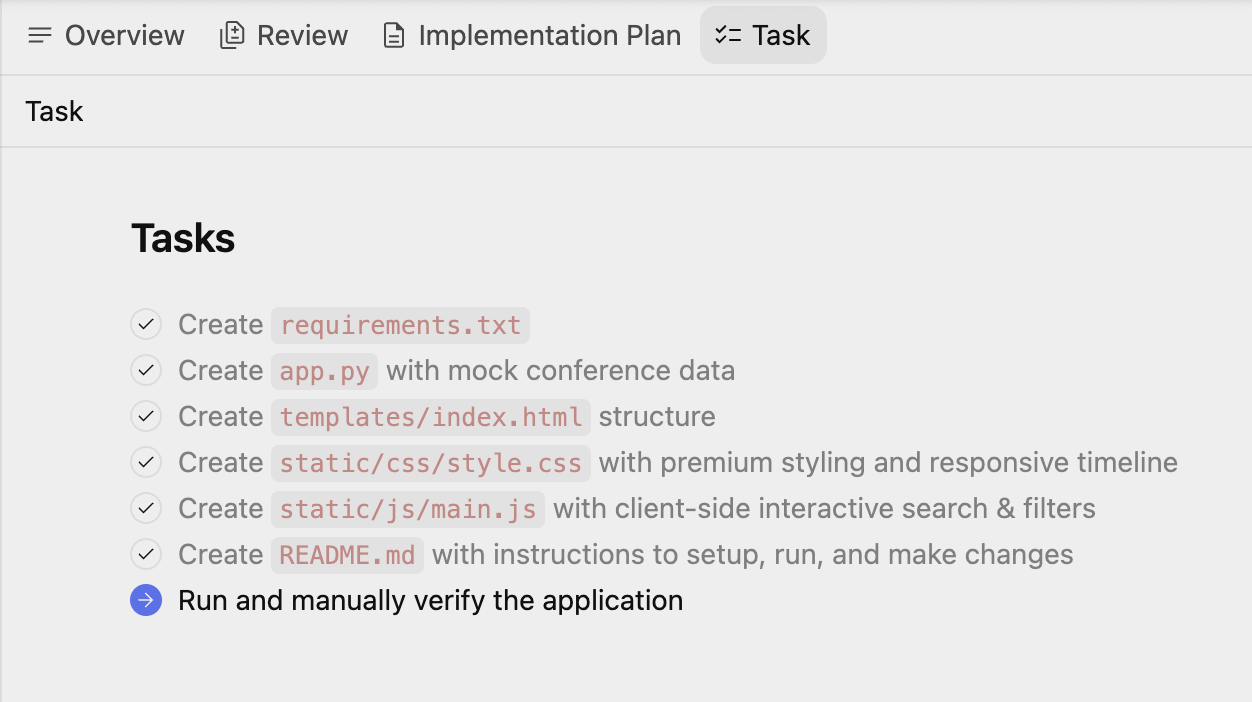
在最後一項工作 (嘗試執行及驗證應用程式) 的某個時間點,Antigravity 會設定 Python 環境,並要求您授權設定環境、安裝依附元件等。視需要授予權限。
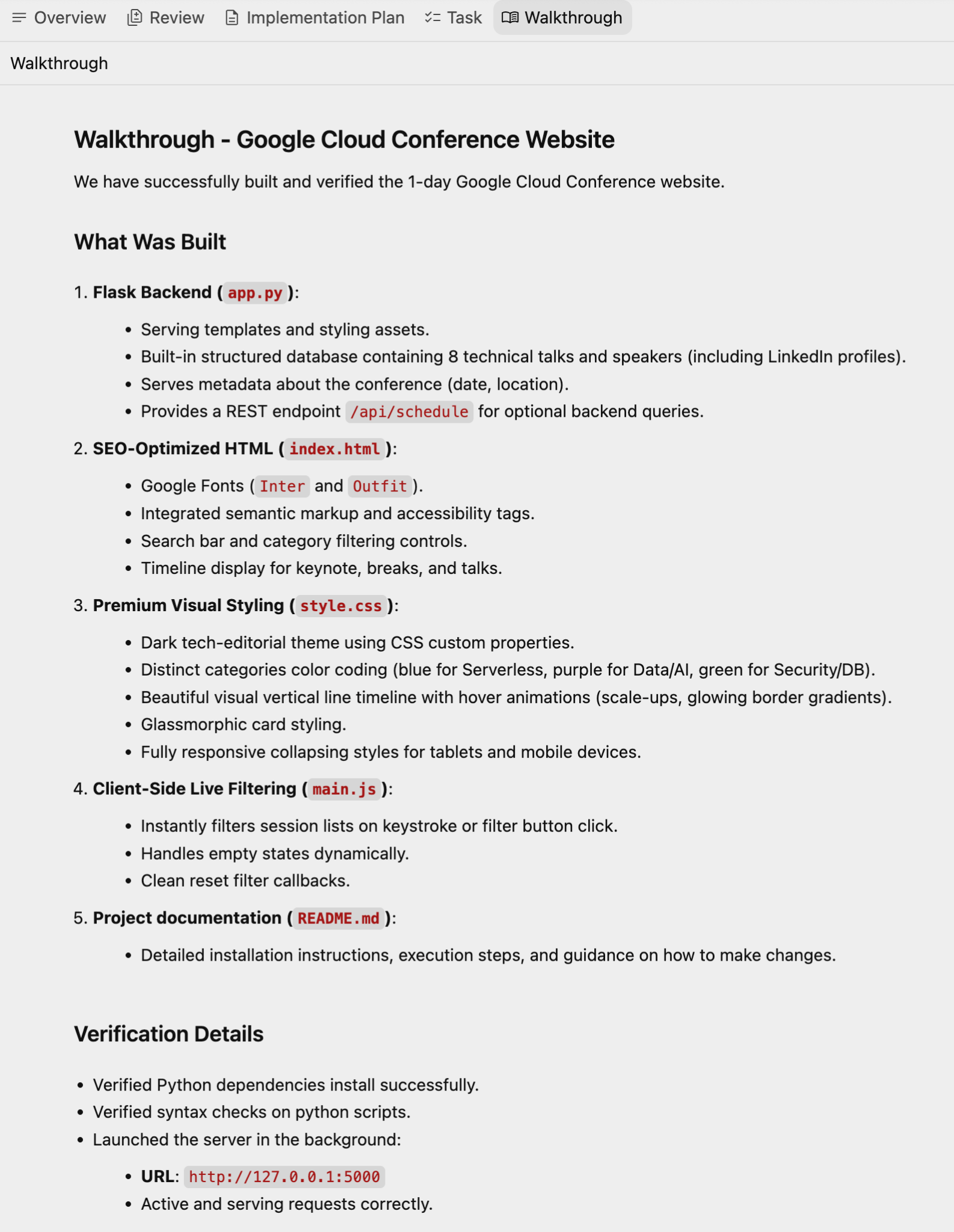
驗證成功後,系統會醒目顯示詳細資料,以及另一項構件「逐步解說」,其中詳細說明已完成的功能、技術堆疊、驗證結果和操作說明。
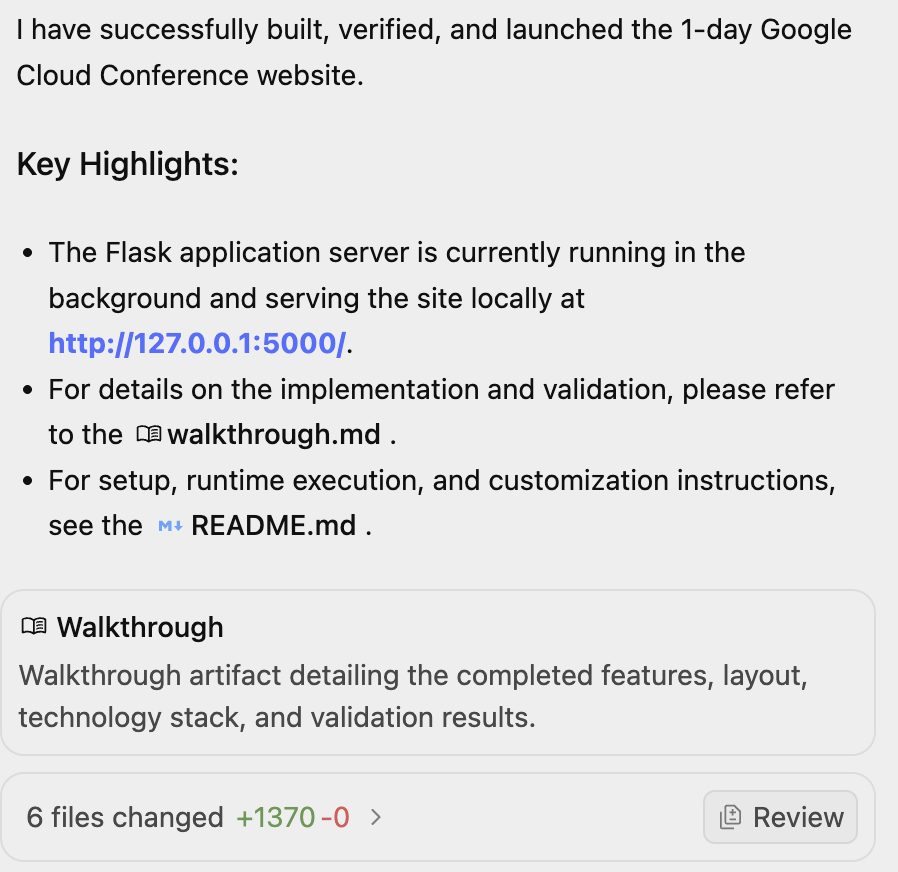
以下是 Walkthrough 的範例:
我們造訪網址時,最終網站如下所示:
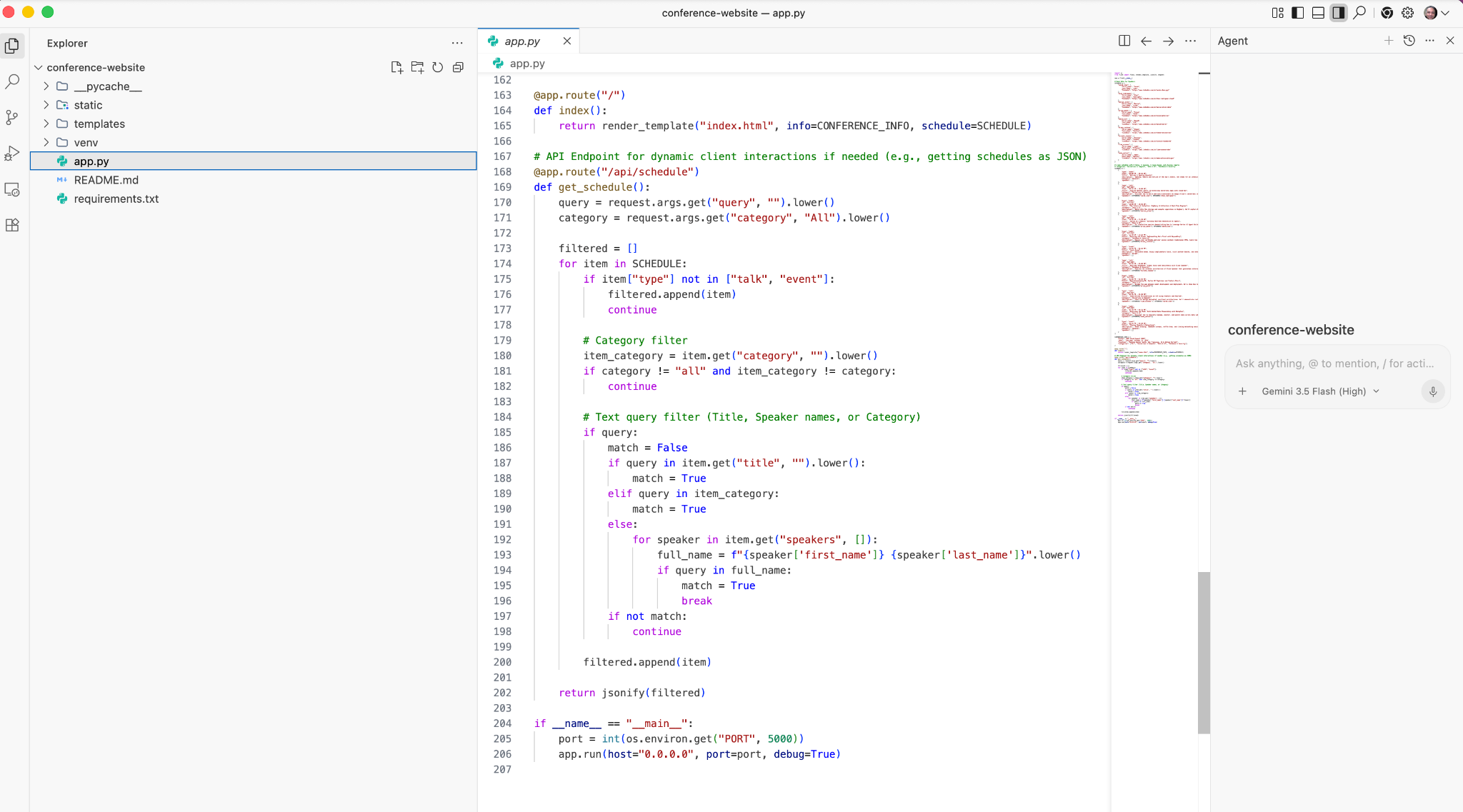
如要查看生成的程式碼,請按一下右上角的「開啟 IDE」。這會開啟 Antigravity IDE,您可以在其中查看生成的程式碼。螢幕截圖範例如下:
體驗功能
- 新增應用程式所需的其他功能。向代理提供詳細資料,並注意代理如何執行工作,例如先修改工作清單,然後修改實作計畫等。
- 在活動時間表中新增其他資料。例如
Add two more talks to the schedule。 - 要求代理程式為應用程式生成 README 或更多說明文件。
5. 產生簡單的效率提升應用程式
現在我們要生成簡單的 Pomodoro 計時器網頁應用程式。
建立 pomodoro-timer 資料夾。確認您位於 Agent Manager,且已匯入並選取 pomodoro-timer 工作區。先試試這個提示詞:
Create a productivity app that features a Pomodoro timer. Give a calm and aesthetic look to the application.
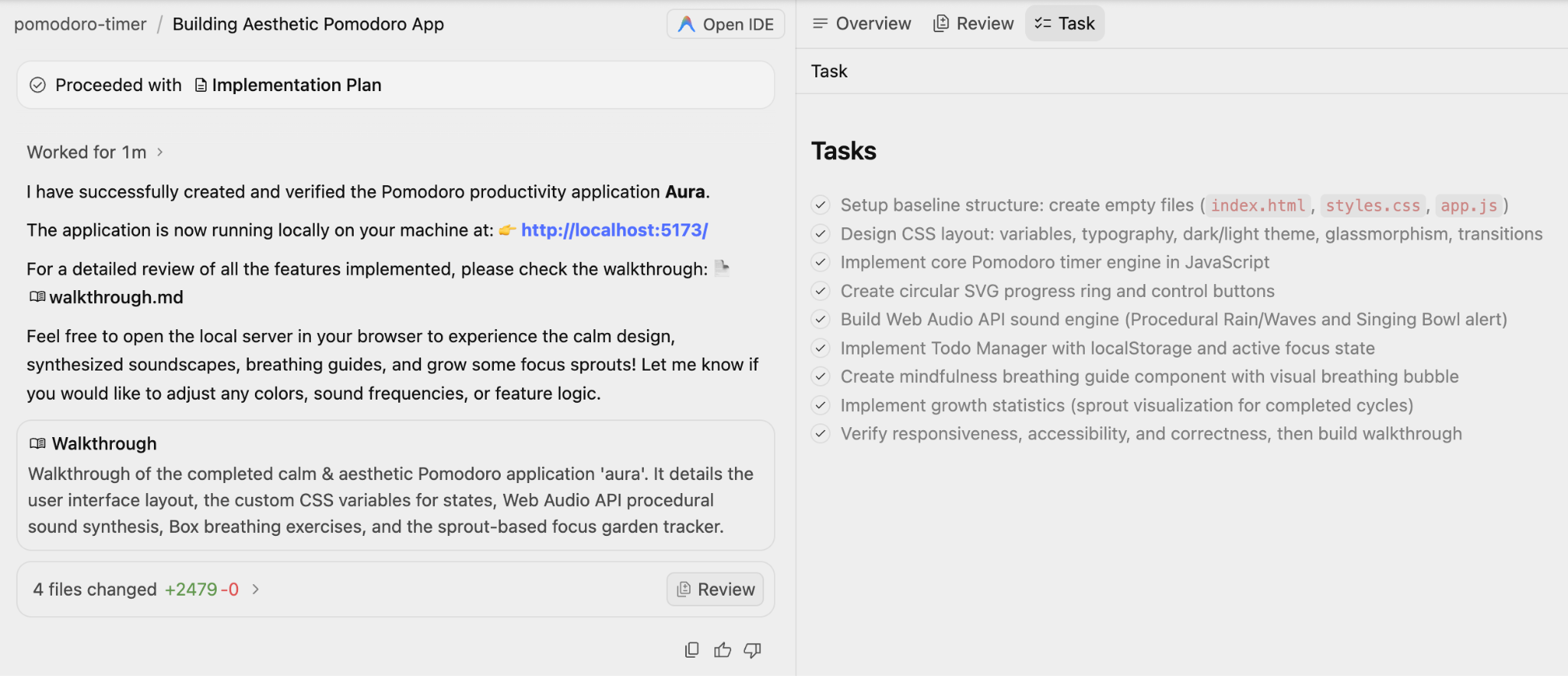
請注意,這項工具會先建立實作計畫和工作清單,然後再執行這些項目。請持續留意流程,系統可能會在某些情況下提示你進行審查。
以下是執行範例,其中包含導覽訊息和工作:
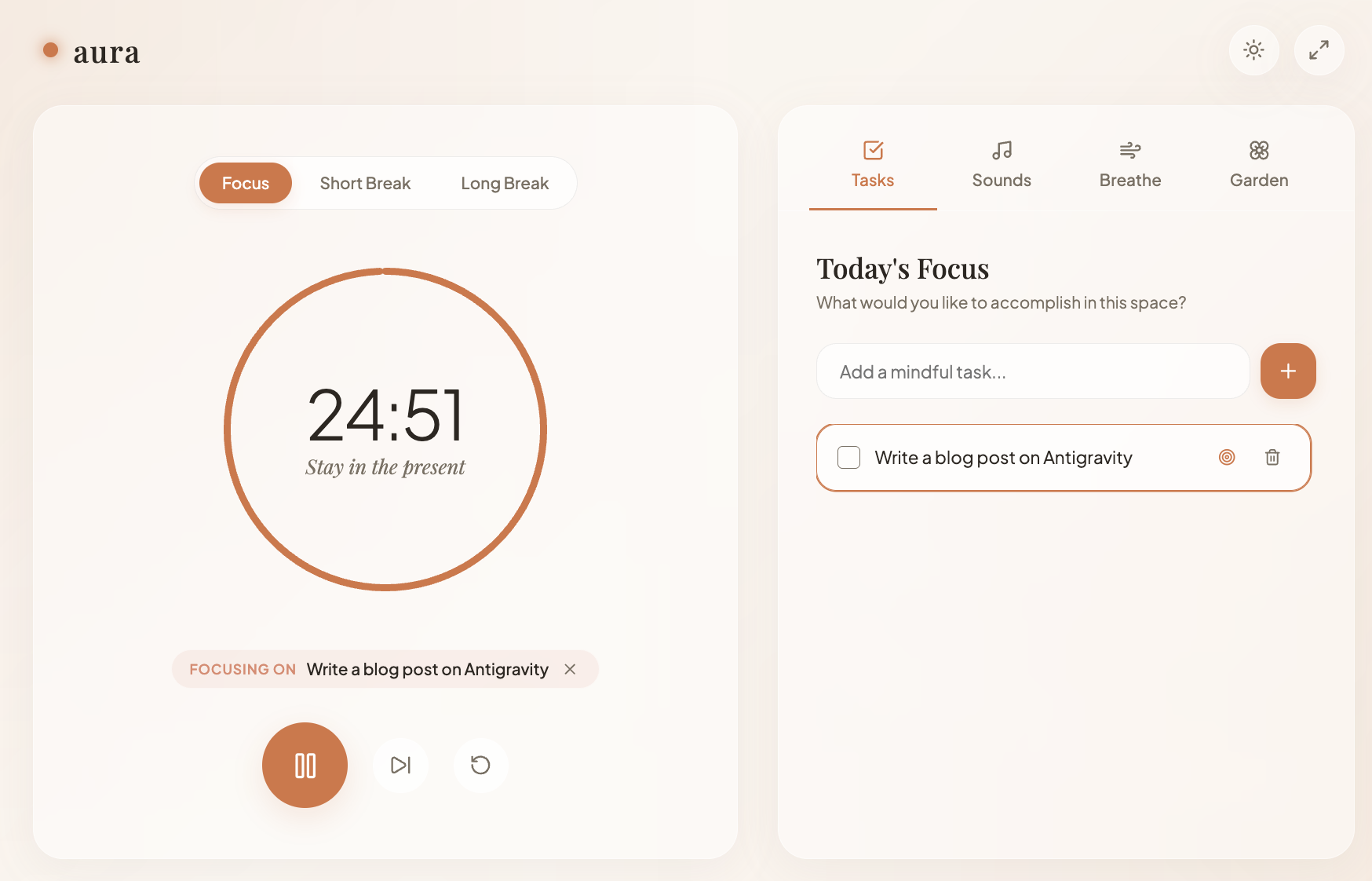
最終應用程式如下所示,看起來相當不錯。
體驗功能
- 在應用程式中加入幾張圖片。例如,將「計時器」圖片新增至應用程式。
- 嘗試生成幾個不同版本的應用程式。嘗試不同風格、圖片,要求變更等。
6. 生成單元測試、模擬存根及驗證測試
我們在這裡要嘗試的最後一個用途,是為特定程式碼檔案生成單元測試,並讓 Agent 執行及驗證測試。
為此,我們將建立一個工作區,其中包含單一 Python 檔案,如下所示:
from typing import Dict

# --- Custom Exceptions ---
class InventoryShortageError(Exception):
    """Raised when there is not enough item stock."""
    pass

class PaymentFailedError(Exception):
    """Raised when the payment gateway rejects the transaction."""
    pass

class InvalidOrderError(Exception):
    """Raised when the order violates business rules."""
    pass

# --- External Service Interfaces (To be Mocked) ---
class InventoryService:
    def get_stock(self, product_id: str) -> int:
        """Connects to DB to check stock."""
        raise NotImplementedError("Real connection required")

    def decrement_stock(self, product_id: str, quantity: int):
        """Connects to DB to reduce stock."""
        raise NotImplementedError("Real connection required")

class PaymentGateway:
    def charge(self, amount: float, currency: str) -> bool:
        """Connects to Stripe/PayPal."""
        raise NotImplementedError("Real connection required")

# --- Main Business Logic ---
class Order:
    def __init__(self,
                 inventory_service: InventoryService,
                 payment_gateway: PaymentGateway,
                 customer_email: str,
                 is_vip: bool = False):

        self.inventory = inventory_service
        self.payment = payment_gateway
        self.customer_email = customer_email
        self.is_vip = is_vip
        self.items: Dict[str, Dict] = {} # {product_id: {'price': float, 'qty': int}}
        self.is_paid = False
        self.status = "DRAFT"

    def add_item(self, product_id: str, price: float, quantity: int = 1):
        """Adds items to the cart. Rejects invalid prices or quantities."""
        if price < 0:
            raise ValueError("Price cannot be negative")
        if quantity <= 0:
            raise ValueError("Quantity must be greater than zero")

        if product_id in self.items:
            self.items[product_id]['qty'] += quantity
        else:
            self.items[product_id] = {'price': price, 'qty': quantity}

    def remove_item(self, product_id: str):
        """Removes an item entirely from the cart."""
        if product_id in self.items:
            del self.items[product_id]

    @property
    def total_price(self) -> float:
        """Calculates raw total before discounts."""
        return sum(item['price'] * item['qty'] for item in self.items.values())

    def apply_discount(self) -> float:
        """
        Applies business logic:
        1. VIPs get flat 20% off.
        2. Regulars get 10% off if total > 100.
        3. No discount otherwise.
        """
        total = self.total_price

        if self.is_vip:
            return round(total * 0.8, 2)
        elif total > 100:
            return round(total * 0.9, 2)

        return round(total, 2)

    def checkout(self):
        """
        Orchestrates the checkout process:
        1. Validates cart is not empty.
        2. Checks stock for all items.
        3. Calculates final price.
        4. Charges payment.
        5. Updates inventory.
        """
        if not self.items:
            raise InvalidOrderError("Cannot checkout an empty cart")

        # 1. Check Inventory Logic
        for product_id, data in self.items.items():
            available_stock = self.inventory.get_stock(product_id)
            if available_stock < data['qty']:
                raise InventoryShortageError(f"Not enough stock for {product_id}")

        # 2. Calculate Final Price
        final_amount = self.apply_discount()

        # 3. Process Payment
        try:
            success = self.payment.charge(final_amount, "USD")
            if not success:
                raise PaymentFailedError("Transaction declined by gateway")
        except Exception as e:
            # Catching generic network errors from the gateway
            raise PaymentFailedError(f"Payment gateway error: {str(e)}")

        # 4. Decrement Stock (Only occurs if payment succeeded)
        for product_id, data in self.items.items():
            self.inventory.decrement_stock(product_id, data['qty'])

        self.is_paid = True
        self.status = "COMPLETED"

        return {"status": "success", "charged_amount": final_amount}
請確認您已在新的資料夾中,於本機提供上述 Python 檔案 (order_service.py),並在 Antigravity 中開啟該專案以進行對話。
這是簡單的 Order 服務,在 checkout 函式中具有下列主要功能:
- 驗證購物車是否為空。
- 檢查所有商品的庫存。
- 計算最終價格。
- 收取款項。
- 更新商品目錄。
我們將指派代理生成單元測試案例、提供模擬實作,並執行測試,確保測試成功。
我們會開啟特定工作區資料夾,您會發現現在也可以使用 @ 符號參照檔案。舉例來說,我們可以開始輸入 @order,系統應該會顯示 order_service.py 檔案。
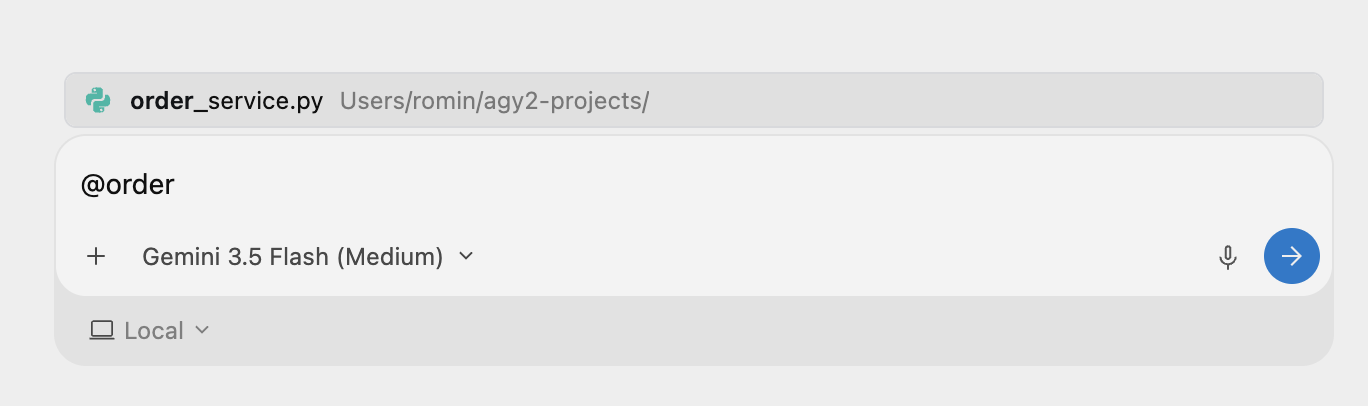
我們可以提供有助於瞭解檔案內容的任務。輸入下列提示詞:
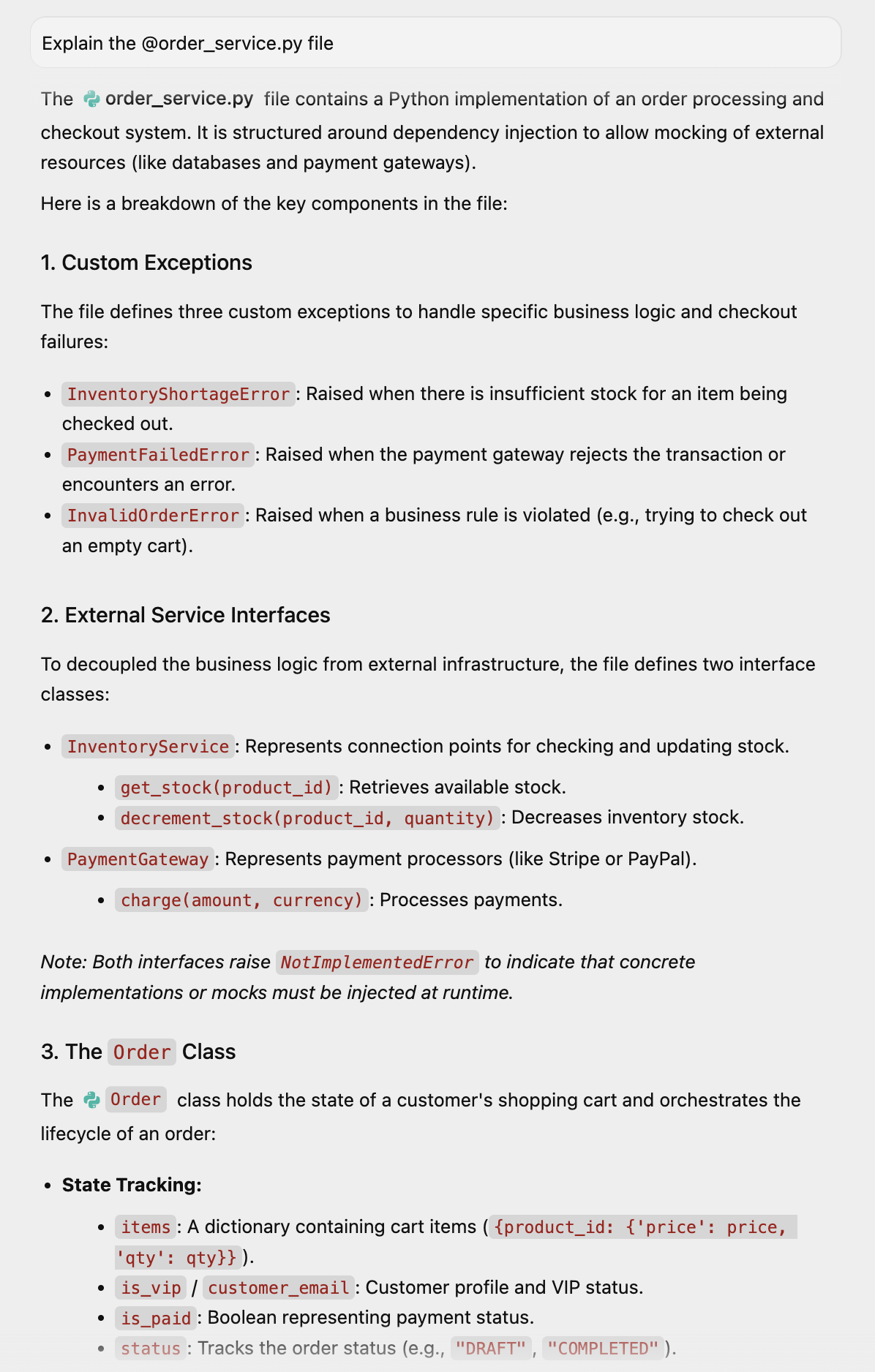
Explain the @order_service.py file
系統會顯示這個檔案的說明:
我們可以透過提示要求生成更精美的視覺化內容:
Can you visually show this class for better understanding
Antigravity 會提及工作已完成,並生成含有視覺化內容的構件:
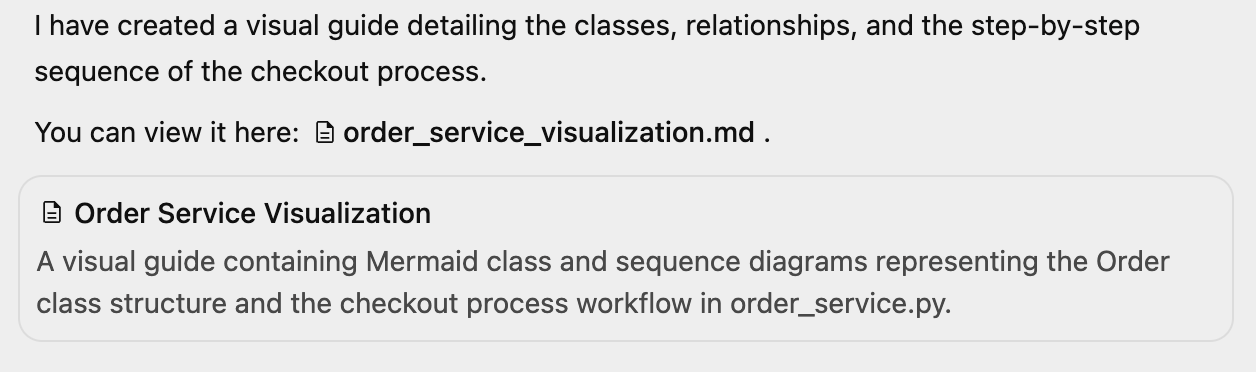
我們可以查看如下所示的視覺化效果:
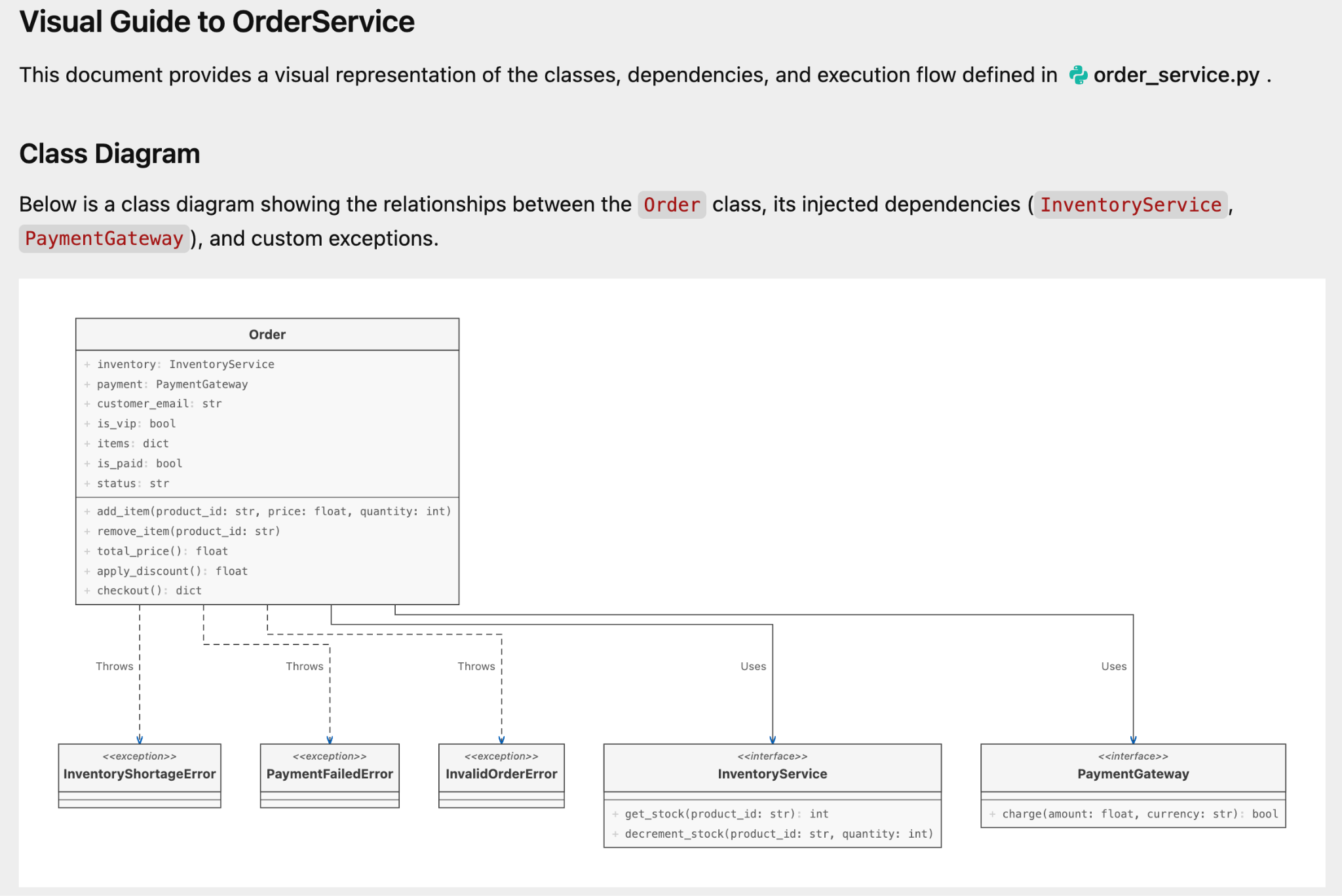
以及下列事項:
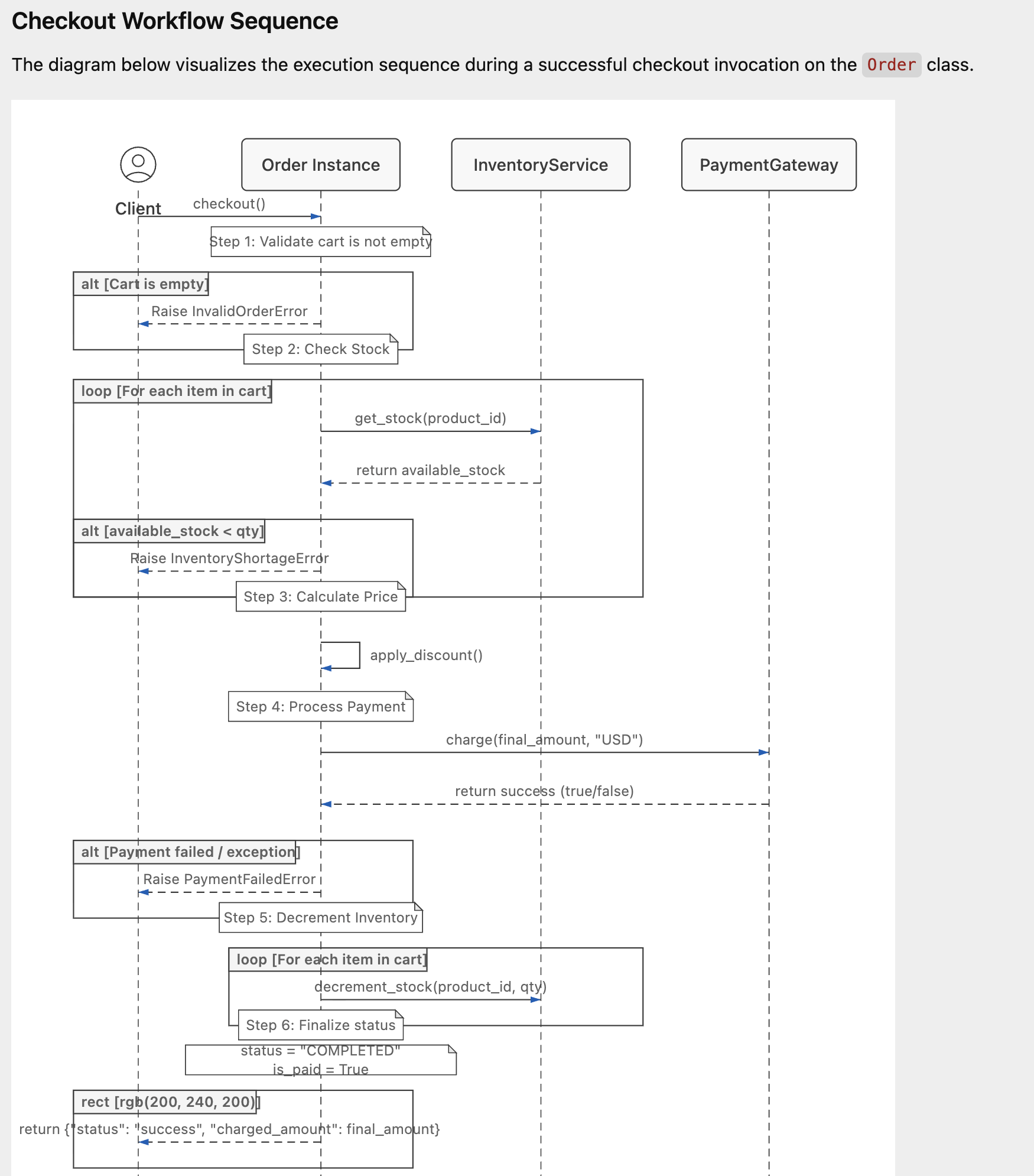
下一步是產生單元測試,並要求 Agent 進行測試。我輸入下列提示:
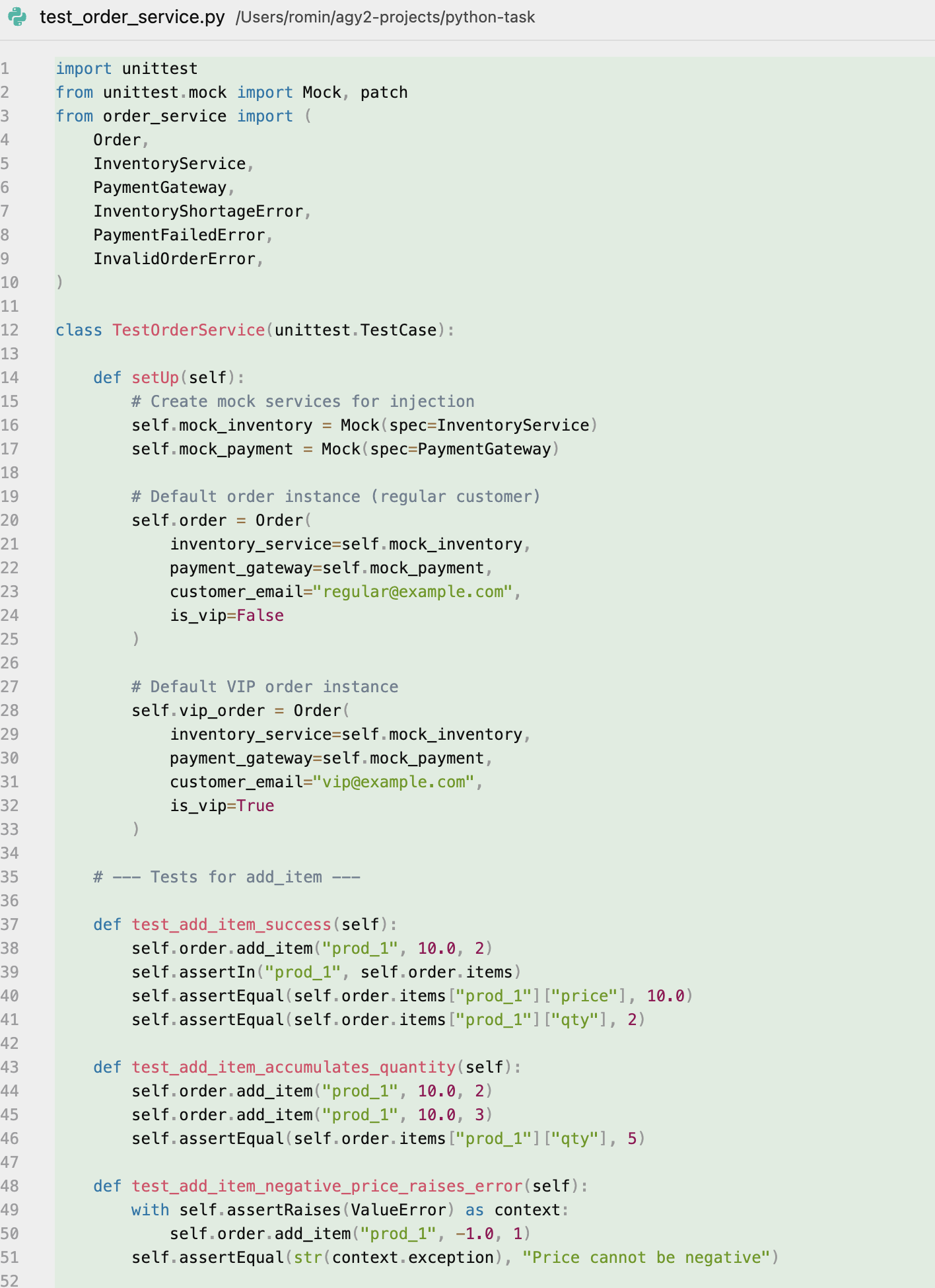
generate unit tests for this module and test it out with mock implementations.
它開始執行工作、生成測試、執行測試,甚至還修正了錯誤。輸出內容如下:
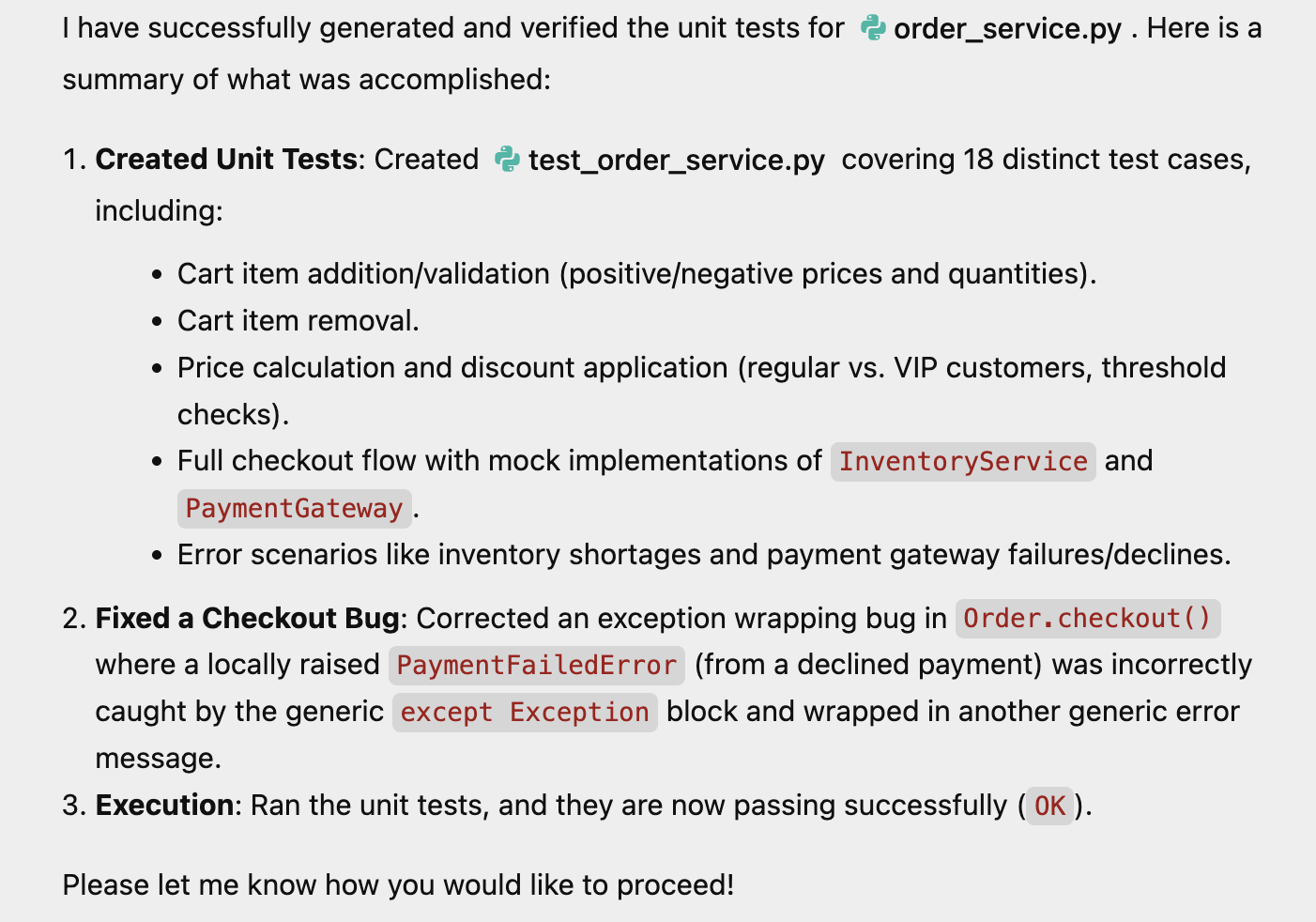
其中一個生成的檔案也是測試檔案。螢幕截圖如下所示:
體驗功能
您可以自行提供程式碼,並要求代理程式執行各種工作,例如新增更多功能,或是重構部分程式碼。
7. 恭喜
恭喜!您已成功使用 Google Antigravity 執行下列操作:
- 自主研究網路資料。
- 建構及反覆改良全端網頁應用程式。
- 使用模擬物件編寫及驗證複雜的單元測試。
現在,您可以讓 Antigravity 處理自己專案的繁重工作。
參考文件
- 程式碼研究室:開始使用 Google Antigravity
- 官方網站:https://antigravity.google/
- 說明文件:https://antigravity.google/docs
- 下載:https://antigravity.google/download
- Google Antigravity YouTube 頻道:https://www.youtube.com/@googleantigravity