

1- مقدمة
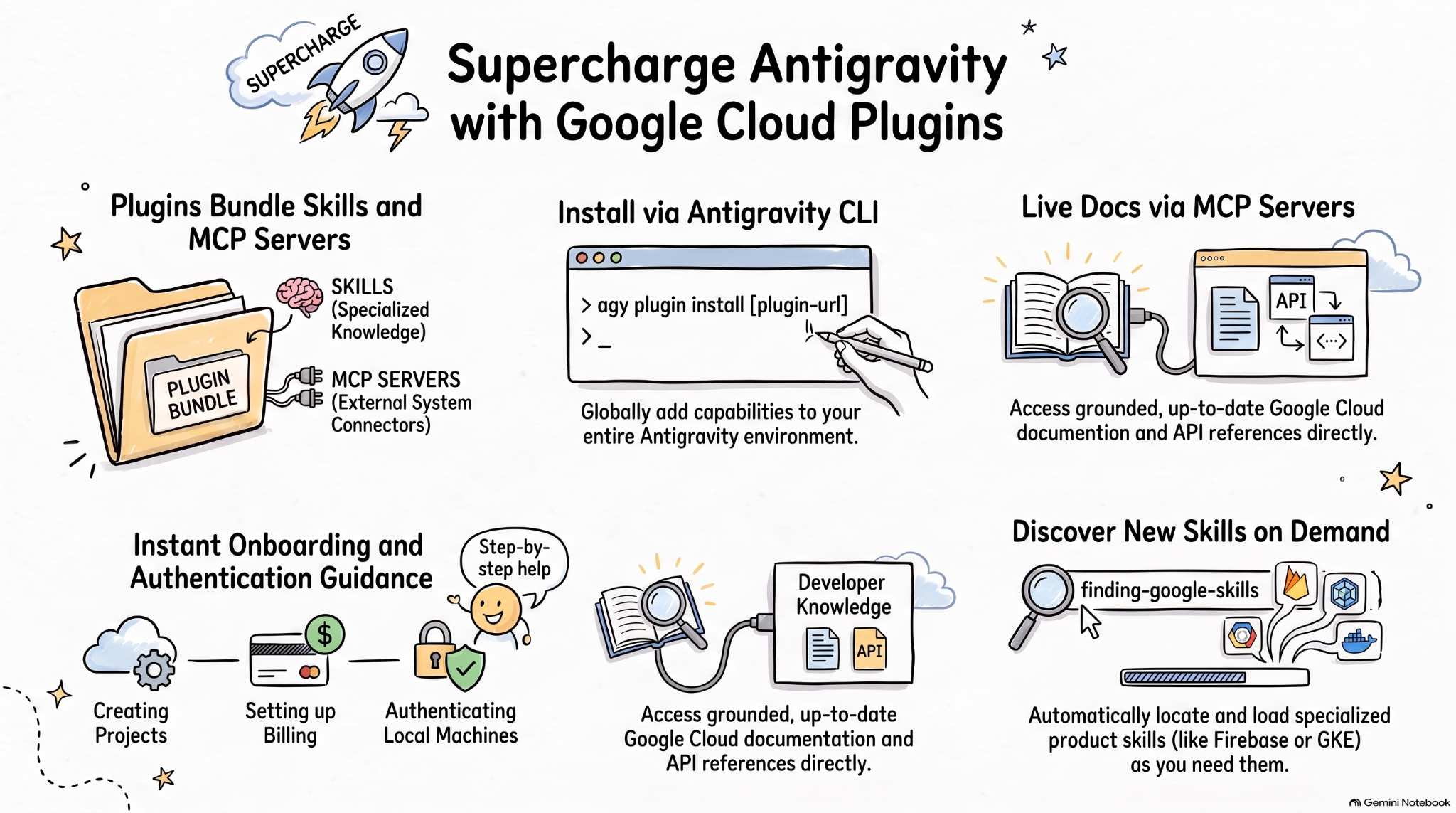
مهارات الوكيل هي تنسيق خفيف الوزن ومفتوح المصدر لتوسيع إمكانات وكلاء الذكاء الاصطناعي من خلال المعرفة المتخصّصة وسير العمل. MCP هو معيار لربط تطبيقات الذكاء الاصطناعي بالأنظمة الخارجية.
مواصفات المكوّنات الإضافية للوكيل هي مواصفات مفتوحة ومحايدة لمورّد معيّن لتجميع مهارات الوكيل وخوادم MCP في مكوّنات إضافية محمولة.
تجمّع المكوّنات الإضافية من Google Cloud لوكلاء ترميز الذكاء الاصطناعي مهارات Google Cloud وخوادم MCP ذات الصلة في حِزم قابلة للتثبيت من أجل الحصول على وكلاء ذكاء اصطناعي أكثر فعالية على Google Cloud.
في هذا الدرس التطبيقي حول الترميز، ستتعرّف على أحد هذه المكوّنات الإضافية، وهو المكوّن الإضافي Google Cloud Developer، وكيفية تثبيته واستخدامه في Antigravity.
الإجراءات التي ستنفذّها
- التعرّف على المكوّنات الإضافية للوكيل
- تثبيت المكوّن الإضافي Google Cloud Developer واستكشافه في Antigravity
- اختبار المهارات وخوادم MCP التي تم تثبيتها بواسطة المكوّن الإضافي Google Cloud Developer باستخدام بعض الطلبات
المتطلبات
- متصفّح ويب، مثل Chrome
- مشروع على Google Cloud
- تثبيت Antigravity وAntigravity CLI على جهازك
2. استكشاف المكوّنات الإضافية للوكيل
المكوّنات الإضافية للوكيل هي تنسيق حِزمة محمولة لتجميع مهارات الوكيل وخوادم MCP في دليل يبدو على النحو التالي:
my-plugin/
├── plugin.json
├── skills/
│   └── my-skill/
│       ├── SKILL.md
│       ├── scripts/
│       └── references/
├── mcp.json
└── com.example.client/
- يحدّد
plugin.jsonالمكوّن الإضافي. - يحتوي
skills/على مهارات الوكيل. - يصف
mcp.jsonخوادم MCP. - تتيح مساحات أسماء الإضافات المستندة إلى النطاق المعكوس للعملاء الفرديين إضافة سلوك مخصّص.
يحتوي مستودع مهارات وكيل Google على مهارات الوكيل لمنتجات Google وتقنياتها، بما في ذلك Google Cloud. ويحتوي أيضًا على مكوّنات إضافية تجمّع مهارات الوكيل وخوادم MCP في حِزم قابلة للتثبيت، مثل المكوّن الإضافي Google Cloud Developer.
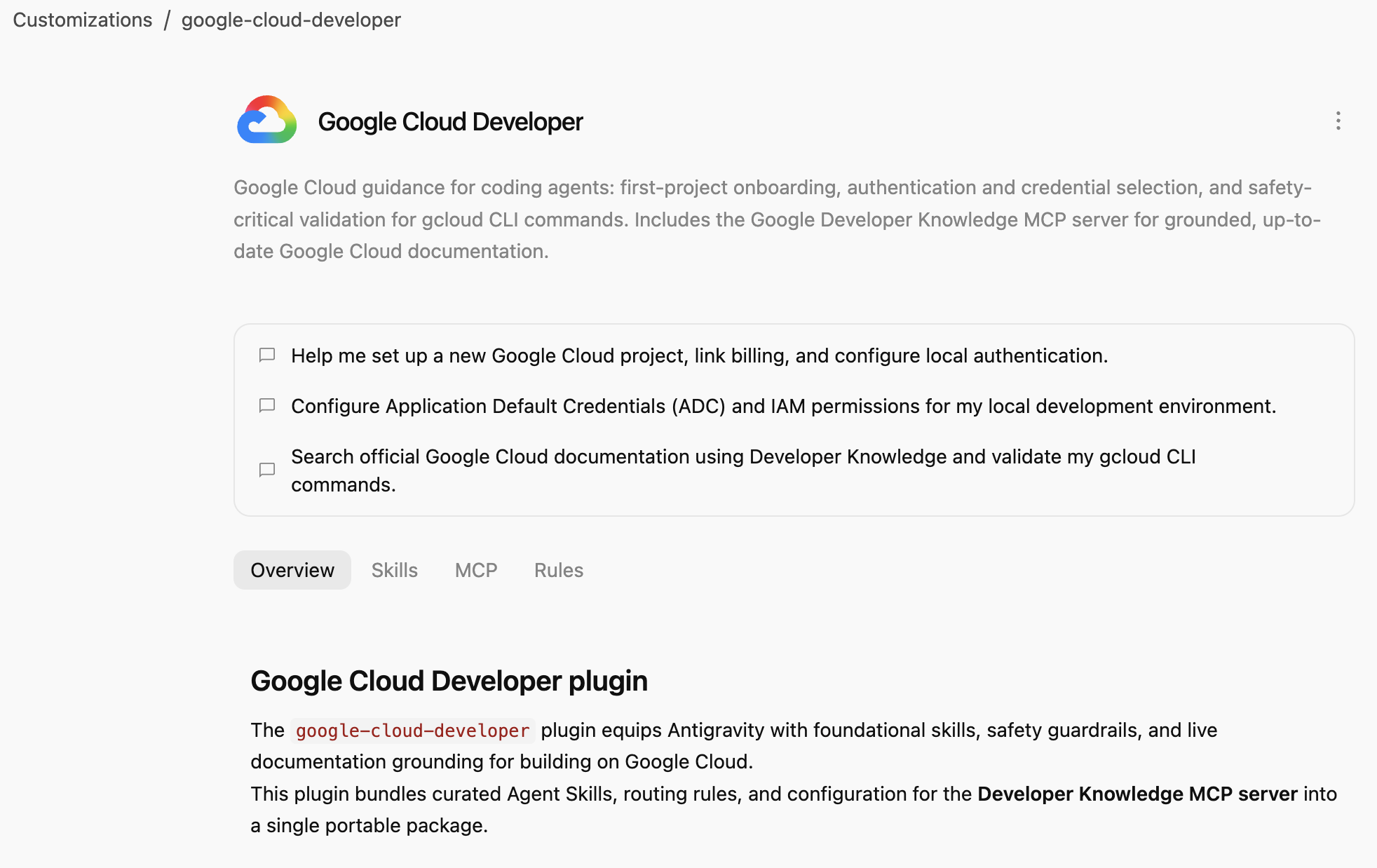
يوفر المكوّن الإضافي Google Cloud Developer إرشادات Google Cloud لوكلاء الترميز: إعداد المشروع الأول والمصادقة واختيار بيانات الاعتماد والتحقّق من الأمان في الحالات الحرجة لأوامر gcloud CLI. ويتضمّن خادم MCP لـ Google Developer Knowledge من أجل الحصول على مستندات Google Cloud دقيقة ومستندة إلى مصادر موثوقة.
3. تثبيت المكوّن الإضافي Google Cloud Developer
Antigravity CLI هي أسهل طريقة لتثبيت المكوّنات الإضافية للوكيل في نظام Antigravity المتكامل (Antigravity وAntigravity CLI وAntigravity IDE).
لنثبِّت المكوّن الإضافي Google Cloud Developer في Antigravity CLI من خلال الإشارة إلى مساره:
agy plugin install google-cloud-developer
من المفترض أن يظهر لك المكوّن الإضافي الذي تم تثبيته من Antigravity Marketplace :
Installed plugin "google-cloud-developer" from antigravity-plugins-official
4. استكشاف المكوّن الإضافي Google Cloud Developer
لنستكشف الآن المكوّن الإضافي Google Cloud Developer.
تأكَّد أولاً من إدراج المكوّن الإضافي في Antigravity CLI:
agy plugin list
من المفترض أن يظهر لك المكوّن الإضافي مع بعض المهارات وقاعدة وخادم MCP:
...
- google-cloud-developer (enabled, 1.1.10)
    Source:     antigravity-plugins-official
    Components: 5 skills, 1 rule, 1 MCP server
...
تثبِّت Antigravity CLI المكوّنات الإضافية على مستوى العالم في المجلد .gemini/config/plugins/. ما يعني أنّ المكوّن الإضافي متاح لـ Antigravity وAntigravity CLI وAntigravity IDE.
في المجلد .gemini/config/plugins/google-cloud-developer، ستجد المكوّن الإضافي Google Cloud Developer مع ملف بيان المكوّن الإضافي والمهارات وخادم MCP:
google-cloud-developer/
├── ...
├── skills/
│   ├── finding-google-skills/
│   ├── gcloud/
│   ├── google-cloud-recipe-auth/
│   ├── google-cloud-recipe-onboarding/
│   └── retrieving-developer-knowledge/
├── mcp.json
└── plugin.json
ستجد مهارات لإعداد المشروع الأول والمصادقة واختيار بيانات الاعتماد والتحقّق من الأمان في الحالات الحرجة لأوامر gcloud CLI. ويتضمّن أيضًا خادم MCP لـ Google Developer Knowledge من أجل الحصول على مستندات Google Cloud دقيقة ومستندة إلى مصادر موثوقة.
يمكنك أيضًا التبديل إلى Antigravity (تطبيق مستقل) وطرح سؤال في محادثة عن المهارات المثبَّتة:
Which Google Cloud skills are available?
من المفترض أن يتم إدراج مهارات Antigravity المضمّنة، بالإضافة إلى مهارات المكوّن الإضافي Google Cloud Developer:
  ### Bundled Google Cloud Skills

  • **`finding-google-skills`**: Guides Google Cloud architectural choices, service trade-offs, and dynamically retrieves specialized skills on demand from the
  official Google skill catalog.
  • **`gcloud`**: Provides validation, safety guardrails, syntax checks, and data reduction for executing or planning gcloud CLI commands.
  • **`google-cloud-recipe-auth`**: Guidance on IAM, authentication, authorization, service accounts, and Application Default Credentials (ADC).
  • **`google-cloud-recipe-onboarding`**: Guides initial Google Cloud project creation, billing configuration, and deploying a first resource.
  • **`retrieving-developer-knowledge`**: Searches and synthesizes official Google Cloud, Firebase, and developer platform documentation.
  ──────
  ### On-Demand Catalog Skills

  Through finding-google-skills, additional specialized skills from the Google Cloud skills catalog https://github.com/google/skills/tree/main/skills/cloud can
  be fetched on demand during our session without requiring permanent installation:

  • Product Basics: <product>-basics (e.g., Cloud Run, Cloud SQL, BigQuery, Spanner, Firestore, Storage)
  • GKE: gke-* (networking, storage, autoscaling, troubleshooting, AI inference)
  • AI & Agent Platforms: agent-platform-*, gemini-*, genkit-*
  • Architecture & Frameworks: google-cloud-solution-*, google-cloud-waf-* (Well-Architected Framework)
  • Observability: cloud-logging-*, cloud-monitoring-*
بالإضافة إلى ذلك، انتقِل إلى علامة التبويب التخصيصات على يمين الشاشة، ضِمن مثبَّت، من المفترض أن يظهر لك المكوّن الإضافي Google Cloud Developer:
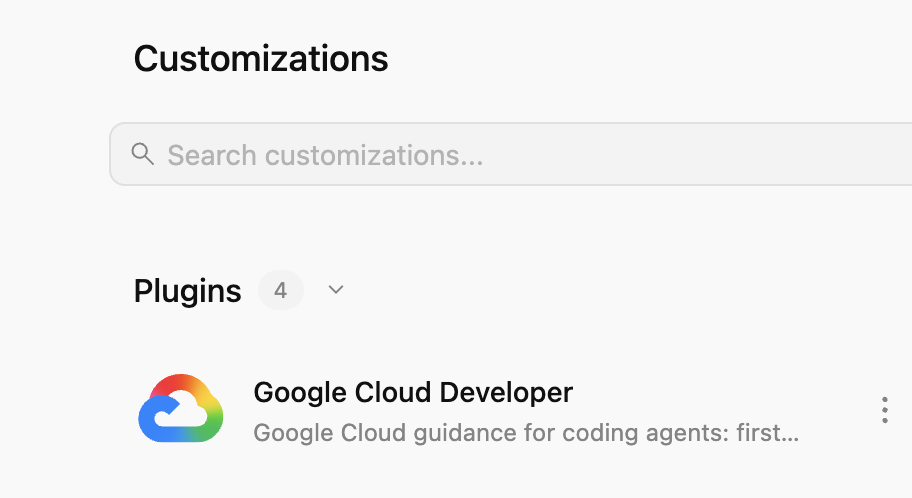
إذا نقرت على المكوّن الإضافي، يمكنك الاطّلاع على قائمة المهارات وخوادم MCP والقواعد المثبَّتة:
5. تجربة المكوّن الإضافي Google Cloud Developer
تفعيل Developer Knowledge API
تأكَّد أولاً من تفعيل Developer Knowledge API في مشروعك على Google Cloud. هذا مطلوب لـ خادم MCP لـ Developer Knowledge:
- في Google Cloud Console، ابحث عن Developer Knowledge API.
- في صفحة Developer Knowledge API ، انقر على تفعيل واجهة برمجة التطبيقات.
لنُجرِّب الآن بعض الطلبات لمعرفة كيف يساعد المكوّن الإضافي Google Cloud Developer في سيناريوهات مختلفة.
يمكنك تجربة هذه الطلبات في Antigravity أو Antigravity CLI، لأنّ المكوّن الإضافي متاح على مستوى العالم.
الإعداد
إذا كنت جديدًا على Google Cloud، يمكنك البدء بطرح سؤال أساسي حول الإعداد:
I'm new to Google Cloud. How can I create a new project with billing enabled?
من المفترض أن تظهر لك مهارة google-cloud-recipe-onboarding مفعّلة:
Worked for 1m ˅

Explored 1 file ˅

> Analyzed google-cloud-recipe-onboarding/SKILL.md
من المفترض أن تتلقّى ردًا يتضمّن تعليمات مفصّلة:
To get started with Google Cloud, you will need an active Google Cloud account and an authorized terminal session:

Google Cloud Account & Console: If you haven't already, sign up and access the Google Cloud Console where you can manage accounts, projects, and set up a Cloud Billing account (new accounts are eligible for the $300 Free Trial).
...
المصادقة
حاوِل طرح أسئلة حول المصادقة:
How can I authenticate my local machine with Google Cloud?
من المفترض أن تظهر لك مهارة google-cloud-recipe-auth مفعّلة:
Worked for 1m ˅

Explored 1 file ˅

> Analyzed google-cloud-recipe-auth/SKILL.md
من المفترض أن تتلقّى أوامر للمصادقة:
To authenticate your local machine with Google Cloud, there are two primary methods depending on whether you want to use the CLI or run code/client libraries locally:

1. Authenticate the CLI (gcloud)
Use this to run gcloud, bq, and gsutil management commands in your terminal:

bash


gcloud auth login
This opens a web browser asking you to log in with your Google Account and grant permissions.
If you are on a remote server without a web browser, use:
bash

...
معلومات المطوّر
يمكنك أيضًا طرح أسئلة ليتم الردّ عليها من المستندات الرسمية.
على سبيل المثال:
What's the difference between Cloud Run and GKE according to the official docs?
ستظهر لك المهارة ذات الصلة مفعّلة، والتي تستخدم بدورها خادم MCP لـ developer-knowledge:
Exploring 2 files ˅

* Analyzed retrieving-developer-knowledge/SKILL.md
* Analyzed answer_query.json

MCP Tool: developer-knowledge / answer_query ˅

Tool arguments
```json
{
  "query": "What is the difference between Cloud Run and Google Kubernetes Engine (GKE) according to official Google Cloud documentation?"
}
العثور على مهارات Google الأخرى
أخيرًا، يمكن للمكوّن الإضافي Google Cloud Developer اكتشاف المهارات وتحميلها عند الطلب.
على سبيل المثال، يمكنك طرح السؤال التالي:
Explain what steps are needed to start working with Firebase.
من المفترض أن تظهر لك مهارة finding-google-skills مفعّلة، وأن تعثر على مهارة Firebase ذات الصلة وتثبِّتها:
Explored 1 file ˅

* Analyzed finding-google-skills/SKILL.md

Ran `curl -sS https://raw.githubusercontent.com/google/skills/main/index.json | jq -r '.skills[ >`

Exploring 3 files, 2 searches ˅

* Reading skills catalog
* Searched firebase
* Fetching Firebase skill
6. تنظيف
أوقِف Developer Knowledge API:
- في Google Cloud Console، ابحث عن Developer Knowledge API.
- في صفحة Developer Knowledge API ، انقر على إدارة ، ثم على إيقاف واجهة برمجة التطبيقات.
ألغِ تثبيت المكوّن الإضافي Google Cloud Developer باستخدام Antigravity CLI:
agy plugin uninstall google-cloud-developer
Uninstalled plugin "google-cloud-developer"
7. تهانينا
تهانينا! لقد تمكّنت من تثبيت المكوّن الإضافي Google Cloud Developer واستخدامه بنجاح في Antigravity. لمزيد من المعلومات، اطّلِع على المَراجع التالية: