

1. מבוא
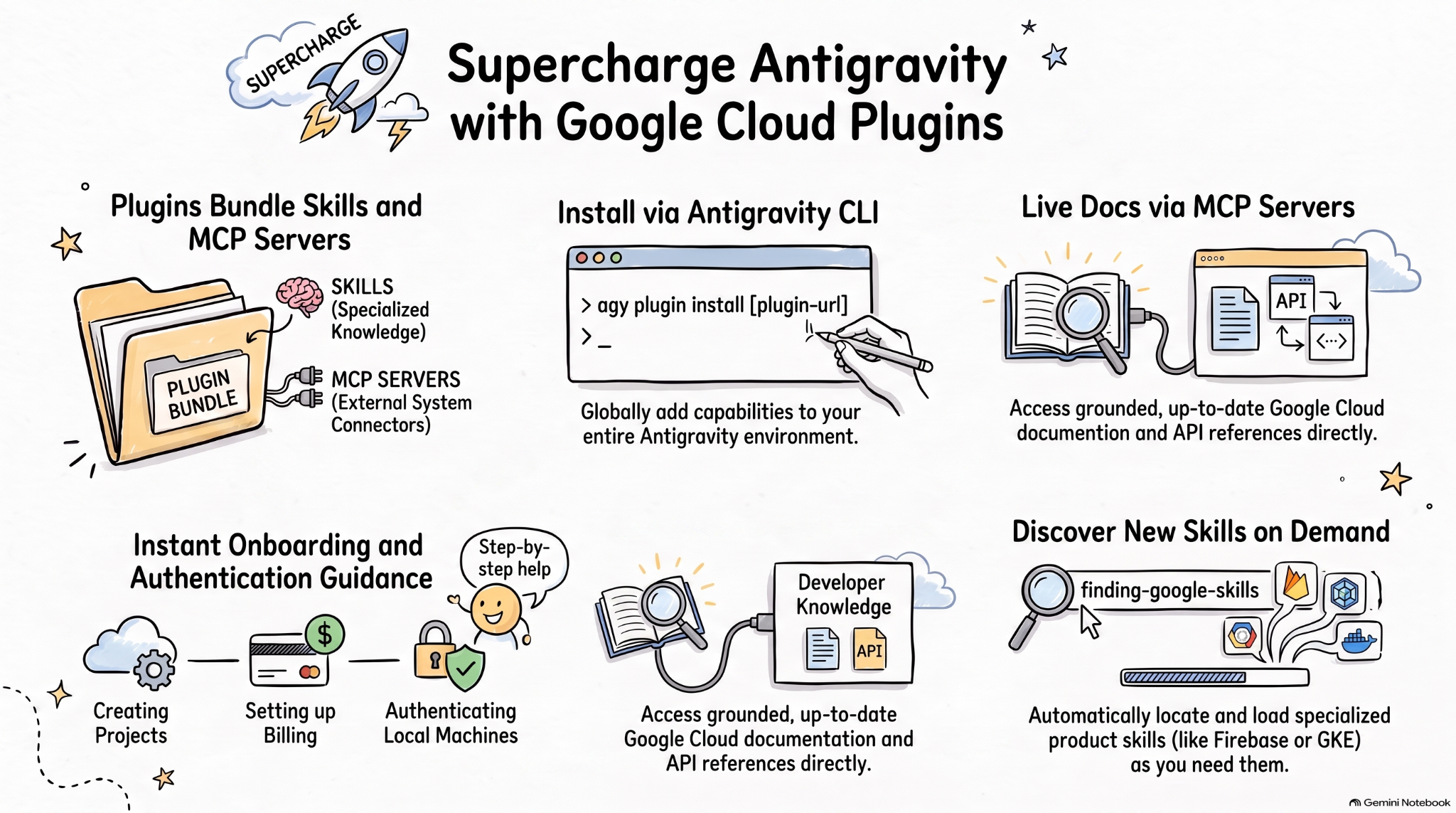
מיומנויות סוכן הן פורמט קל משקל ופתוח להרחבת היכולות של סוכני AI באמצעות ידע ותהליכי עבודה מיוחדים. MCP הוא תקן לחיבור אפליקציות AI למערכות חיצוניות.
המפרט של תוספי סוכן הוא מפרט פתוח וניטרלי לספקים, שמאפשר לארוז יכולות של סוכנים ושרתי MCP בתוספים ניידים.
תוספים של Google Cloud לסוכני תכנות מבוססי-AI כוללים מיומנויות רלוונטיות של Google Cloud ושרתי MCP בחבילות שניתנות להתקנה, כדי לשפר את היעילות של סוכני AI ב-Google Cloud.
ב-Codelab הזה נלמד על אחד מהפלאגינים האלה, Google Cloud Developer, ואיך להתקין אותו ולהשתמש בו ב-Antigravity.
הפעולות שתבצעו:
- הסבר על תוספים של נציגי תמיכה.
- מתקינים את הפלאגין Google Cloud Developer ב-Antigravity ובוחנים אותו.
- כדי לבדוק את המיומנויות ואת שרתי ה-MCP שהותקנו על ידי הפלאגין Google Cloud Developer, אתם יכולים להשתמש בכמה הנחיות.
הדרישות
- דפדפן אינטרנט כמו Chrome.
- פרויקט ב-Google Cloud.
- Antigravity ו-Antigravity CLI מותקנים במחשב המקומי.
2. עיון בפלאגינים לסוכנים
פלאגינים של סוכנים הם פורמט חבילה נייד לאריזה של סקילז של סוכנים ושרתי MCP בספרייה שנראית כך:
my-plugin/
├── plugin.json
├── skills/
│   └── my-skill/
│       ├── SKILL.md
│       ├── scripts/
│       └── references/
├── mcp.json
└── com.example.client/
-
plugin.jsonהוא המזהה של הפלאגין. -
skills/מכיל סקילים אג'נטיים. -
mcp.jsonמתאר שרתי MCP. - מרחבי שמות של סיומות דומיין הפוכות מאפשרים ללקוחות בודדים להוסיף התנהגות בהתאמה אישית.
מאגר הכישורים של סוכני Google מכיל כישורים של סוכנים למוצרים ולטכנולוגיות של Google, כולל Google Cloud. הוא מכיל גם תוספים שמאגדים סקילז של סוכנים ושרתי MCP בחבילות שניתנות להתקנה, כמו התוסף Google Cloud Developer.
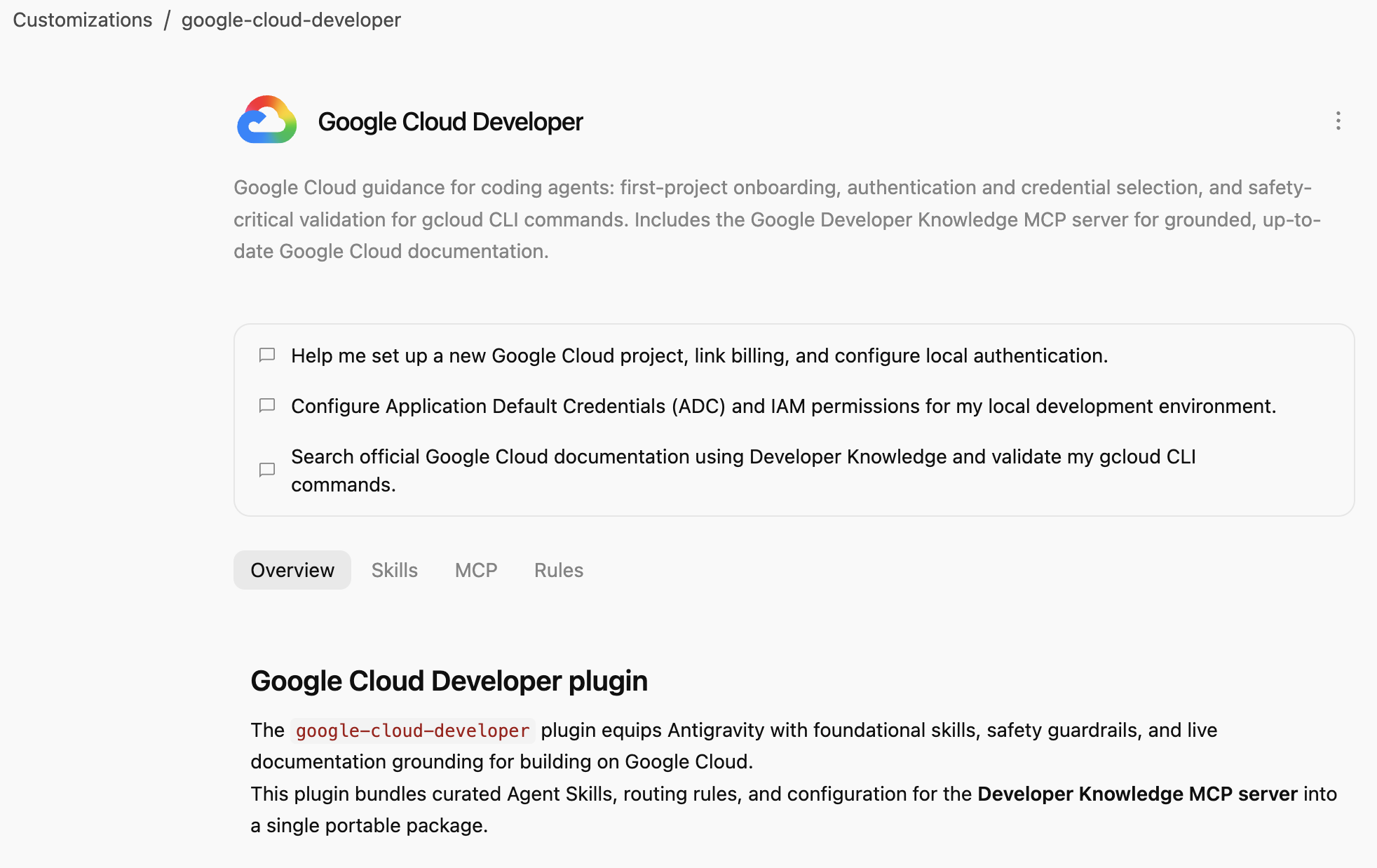
Google Cloud Developer plugin מספק הנחיות לשימוש ב-Google Cloud לסוכני קידוד: צירוף לפרויקט ראשון, אימות ובחירת פרטי כניסה, ואימות קריטי לבטיחות עבור ה-CLI של gcloud. כולל את שרת Google Developer Knowledge MCP לקבלת תיעוד מעודכן של Google Cloud.
3. התקנת הפלאגין Google Cloud Developer
Antigravity CLI היא הדרך הכי קלה להתקין פלאגינים לסוכנים בכל הסביבה של Antigravity (Antigravity, Antigravity CLI, Antigravity IDE).
נתקין את התוסף Google Cloud Developer ב-Antigravity CLI על ידי ציון הנתיב שלו:
agy plugin install google-cloud-developer
הפלאגין שהותקן מ-Antigravity Marketplace אמור להופיע :
Installed plugin "google-cloud-developer" from antigravity-plugins-official
4. מידע נוסף על Google Cloud Developer Plugin
עכשיו נכיר את התוסף Google Cloud Developer.
קודם כל, בודקים אם הפלאגין מופיע ב-Antigravity CLI:
agy plugin list
התוסף אמור להופיע עם כמה מיומנויות, כלל ושרת MCP:
...
- google-cloud-developer (enabled, 1.1.10)
    Source:     antigravity-plugins-official
    Components: 5 skills, 1 rule, 1 MCP server
...
Antigravity CLI מתקין פלאגינים באופן גלובלי בתיקייה .gemini/config/plugins/. זה אומר שהפלאגין זמין ל-Antigravity, ל-Antigravity CLI ול-Antigravity IDE.
בתיקייה .gemini/config/plugins/google-cloud-developer, תמצאו את הפלאגין של Google Cloud Developer עם קובץ המניפסט של הפלאגין, מיומנויות ושרת MCP:
google-cloud-developer/
├── ...
├── skills/
│   ├── finding-google-skills/
│   ├── gcloud/
│   ├── google-cloud-recipe-auth/
│   ├── google-cloud-recipe-onboarding/
│   └── retrieving-developer-knowledge/
├── mcp.json
└── plugin.json
תלמדו איך להגדיר את הפרויקט הראשון, לבחור שיטת אימות ופרטי כניסה, ולוודא שהפקודות ב-CLI של gcloud לא יגרמו לבעיות אבטחה. הוא כולל גם את שרת Google Developer Knowledge MCP שמספק תיעוד מבוסס-קרקע ועדכני של Google Cloud.
אפשר גם לעבור ל-Antigravity (אפליקציה נפרדת) ולשאול בצ'אט אילו מיומנויות מותקנות:
Which Google Cloud skills are available?
הרשימה צריכה לכלול את הסקילים המובנים של Antigravity, אבל גם את הסקילים של הפלאגין Google Cloud Developer:
  ### Bundled Google Cloud Skills

  • **`finding-google-skills`**: Guides Google Cloud architectural choices, service trade-offs, and dynamically retrieves specialized skills on demand from the
  official Google skill catalog.
  • **`gcloud`**: Provides validation, safety guardrails, syntax checks, and data reduction for executing or planning gcloud CLI commands.
  • **`google-cloud-recipe-auth`**: Guidance on IAM, authentication, authorization, service accounts, and Application Default Credentials (ADC).
  • **`google-cloud-recipe-onboarding`**: Guides initial Google Cloud project creation, billing configuration, and deploying a first resource.
  • **`retrieving-developer-knowledge`**: Searches and synthesizes official Google Cloud, Firebase, and developer platform documentation.
  ──────
  ### On-Demand Catalog Skills

  Through finding-google-skills, additional specialized skills from the Google Cloud skills catalog https://github.com/google/skills/tree/main/skills/cloud can
  be fetched on demand during our session without requiring permanent installation:

  • Product Basics: <product>-basics (e.g., Cloud Run, Cloud SQL, BigQuery, Spanner, Firestore, Storage)
  • GKE: gke-* (networking, storage, autoscaling, troubleshooting, AI inference)
  • AI & Agent Platforms: agent-platform-*, gemini-*, genkit-*
  • Architecture & Frameworks: google-cloud-solution-*, google-cloud-waf-* (Well-Architected Framework)
  • Observability: cloud-logging-*, cloud-monitoring-*
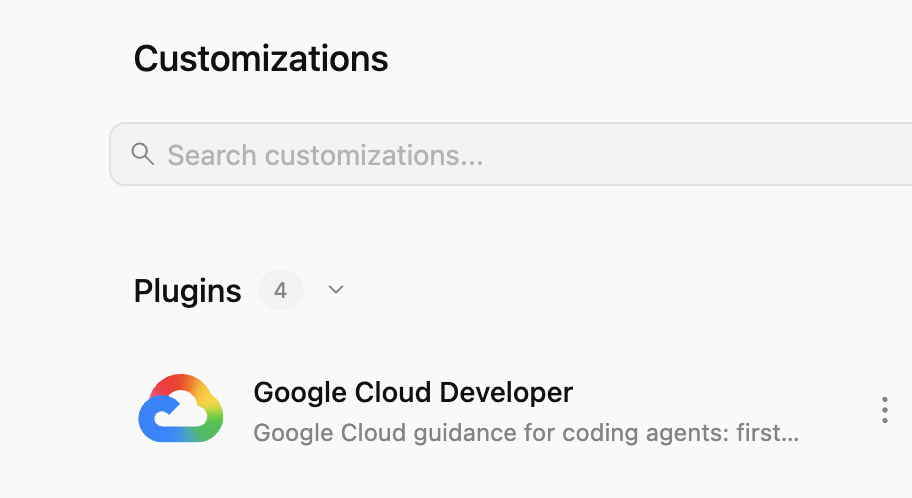
בנוסף, בכרטיסייה Customizations שמימין, בקטע Installed, אמור להופיע הפלאגין Google Cloud Developer:
אם תלחצו על הפלאגין, תראו את רשימת הסקילים, שרתי ה-MCP והכללים שמותקנים:
5. תרגול של הפלאגין Google Cloud Developer
הפעלת Developer Knowledge API
קודם כל, ודאו ש-Developer Knowledge API מופעל בפרויקט שלכם ב-Google Cloud. הפעולה הזו נדרשת עבור שרת ה-MCP של Developer Knowledge:
- במסוף Google Cloud, מחפשים את Developer Knowledge API.
- בדף Developer Knowledge API, לוחצים על Enable API (הפעלת ה-API).
עכשיו ננסה כמה הנחיות כדי לראות איך התוסף Google Cloud Developer עוזר בתרחישים שונים.
אתם יכולים לנסות את ההנחיות האלה ב-Antigravity או ב-Antigravity CLI, כי הפלאגין זמין בכל העולם.
תהליך הגדרה
אם אתם משתמשים חדשים ב-Google Cloud, אתם יכולים להתחיל בשאלה בסיסית על תחילת העבודה:
I'm new to Google Cloud. How can I create a new project with billing enabled?
הסקיל google-cloud-recipe-onboarding אמור להופיע כמופעל:
Worked for 1m ˅

Explored 1 file ˅

> Analyzed google-cloud-recipe-onboarding/SKILL.md
אתם אמורים לקבל תשובה עם הוראות מפורטות:
To get started with Google Cloud, you will need an active Google Cloud account and an authorized terminal session:

Google Cloud Account & Console: If you haven't already, sign up and access the Google Cloud Console where you can manage accounts, projects, and set up a Cloud Billing account (new accounts are eligible for the $300 Free Trial).
...
אימות
נסו לשאול שאלות בנושא אימות:
How can I authenticate my local machine with Google Cloud?
הסקיל google-cloud-recipe-auth אמור להיות מופעל:
Worked for 1m ˅

Explored 1 file ˅

> Analyzed google-cloud-recipe-auth/SKILL.md
אמורים להופיע פקודות לאימות:
To authenticate your local machine with Google Cloud, there are two primary methods depending on whether you want to use the CLI or run code/client libraries locally:

1. Authenticate the CLI (gcloud)
Use this to run gcloud, bq, and gsutil management commands in your terminal:

bash


gcloud auth login
This opens a web browser asking you to log in with your Google Account and grant permissions.
If you are on a remote server without a web browser, use:
bash

...
ידע למפתחים
אתם יכולים גם לשאול שאלות ולקבל תשובות מהמסמכים הרשמיים.
לדוגמה:
What's the difference between Cloud Run and GKE according to the official docs?
המיומנות הרלוונטית תופעל, והיא תשתמש בשרת ה-MCP של developer-knowledge:
Exploring 2 files ˅

* Analyzed retrieving-developer-knowledge/SKILL.md
* Analyzed answer_query.json

MCP Tool: developer-knowledge / answer_query ˅

Tool arguments
```json
{
  "query": "What is the difference between Cloud Run and Google Kubernetes Engine (GKE) according to official Google Cloud documentation?"
}
איך למצוא Google Skills אחרים
לבסוף, התוסף Google Cloud Developer יכול לגלות ולטעון מיומנויות לפי דרישה.
לדוגמה, אתם יכולים לשאול:
Explain what steps are needed to start working with Firebase.
אמור להופיע שהסקיל finding-google-skills מופעל, והוא מוצא ומתקין את הסקיל הרלוונטי של Firebase:
Explored 1 file ˅

* Analyzed finding-google-skills/SKILL.md

Ran `curl -sS https://raw.githubusercontent.com/google/skills/main/index.json | jq -r '.skills[ >`

Exploring 3 files, 2 searches ˅

* Reading skills catalog
* Searched firebase
* Fetching Firebase skill
6. הסרת המשאבים
משביתים את Developer Knowledge API:
- במסוף Google Cloud, מחפשים את Developer Knowledge API.
- בדף Developer Knowledge API, לוחצים על Manage ואז על Disable API.
מסירים את הפלאגין Google Cloud Developer באמצעות Antigravity CLI:
agy plugin uninstall google-cloud-developer
Uninstalled plugin "google-cloud-developer"
7. מזל טוב
מעולה! התקנתם בהצלחה את הפלאגין Google Cloud Developer ב-Antigravity והשתמשתם בו. מידע נוסף זמין במקורות המידע הבאים: