

1. はじめに
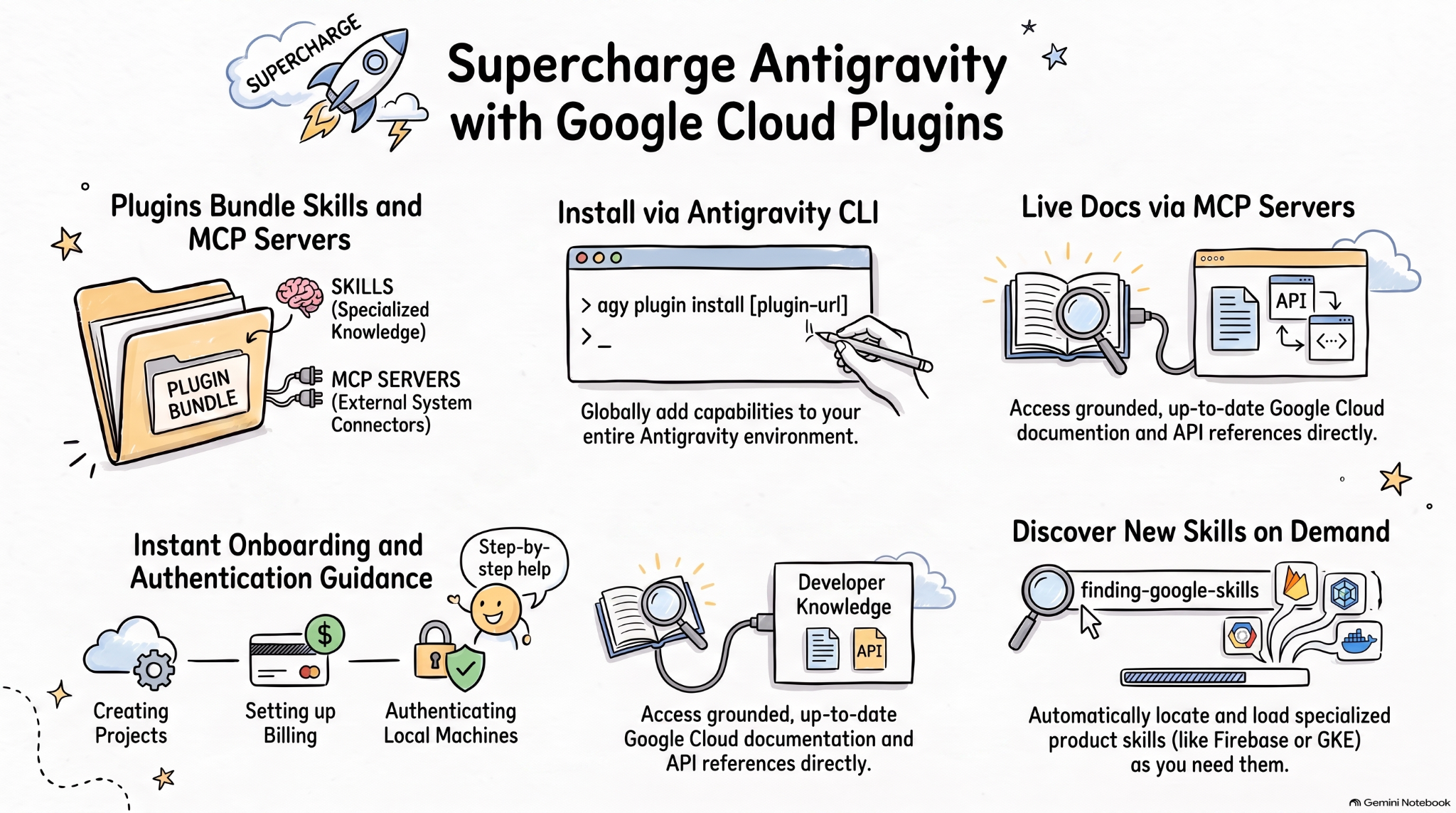
エージェント スキルは、専門知識とワークフローを使用して AI エージェントの機能を拡張するための軽量なオープン フォーマットです。MCP は、AI アプリケーションを外部システムに接続するための標準です。
エージェント プラグイン仕様は、エージェント スキルと MCP サーバーをポータブル プラグインにパッケージ化するための、オープンかつベンダーに依存しない仕様です。
AI コーディング エージェント向けの Google Cloud プラグインは、関連する Google Cloud スキルと MCP サーバーをインストール可能なバンドルにパッケージ化し、Google Cloud 上でより効果的な AI エージェントを実現します。
この Codelab では、これらのプラグインの 1 つである Google Cloud Developer プラグインについて、また Antigravity でこのプラグインをインストールして使用する方法について学びます。
演習内容
- エージェント プラグインについて理解する。
- Antigravity に Google Cloud Developer プラグインをインストールして、その機能を確認します。
- Google Cloud Developer プラグインによってインストールされたスキルと MCP サーバーを、いくつかのプロンプトでテストします。
必要なもの
- ウェブブラウザ(Chrome など)。
- Google Cloud プロジェクト
- ローカルマシンに Antigravity と Antigravity CLI がインストールされている。
2. エージェント プラグインの詳細
エージェント プラグインは、エージェント スキルと MCP サーバーを次のようなディレクトリにバンドルするポータブル パッケージ形式です。
my-plugin/
├── plugin.json
├── skills/
│   └── my-skill/
│       ├── SKILL.md
│       ├── scripts/
│       └── references/
├── mcp.json
└── com.example.client/
plugin.jsonはプラグインを識別します。skills/にはエージェント スキルが含まれます。mcp.jsonは MCP サーバーについて説明します。- 逆ドメイン拡張機能の Namespace を使用すると、個々のクライアントがカスタム動作を追加できます。
Google Agent Skills リポジトリには、Google Cloud を含む Google のプロダクトとテクノロジーのエージェント スキルが含まれています。また、エージェント スキルと MCP サーバーを Google Cloud Developer プラグインなどのインストール可能なバンドルにバンドルするプラグインも含まれています。
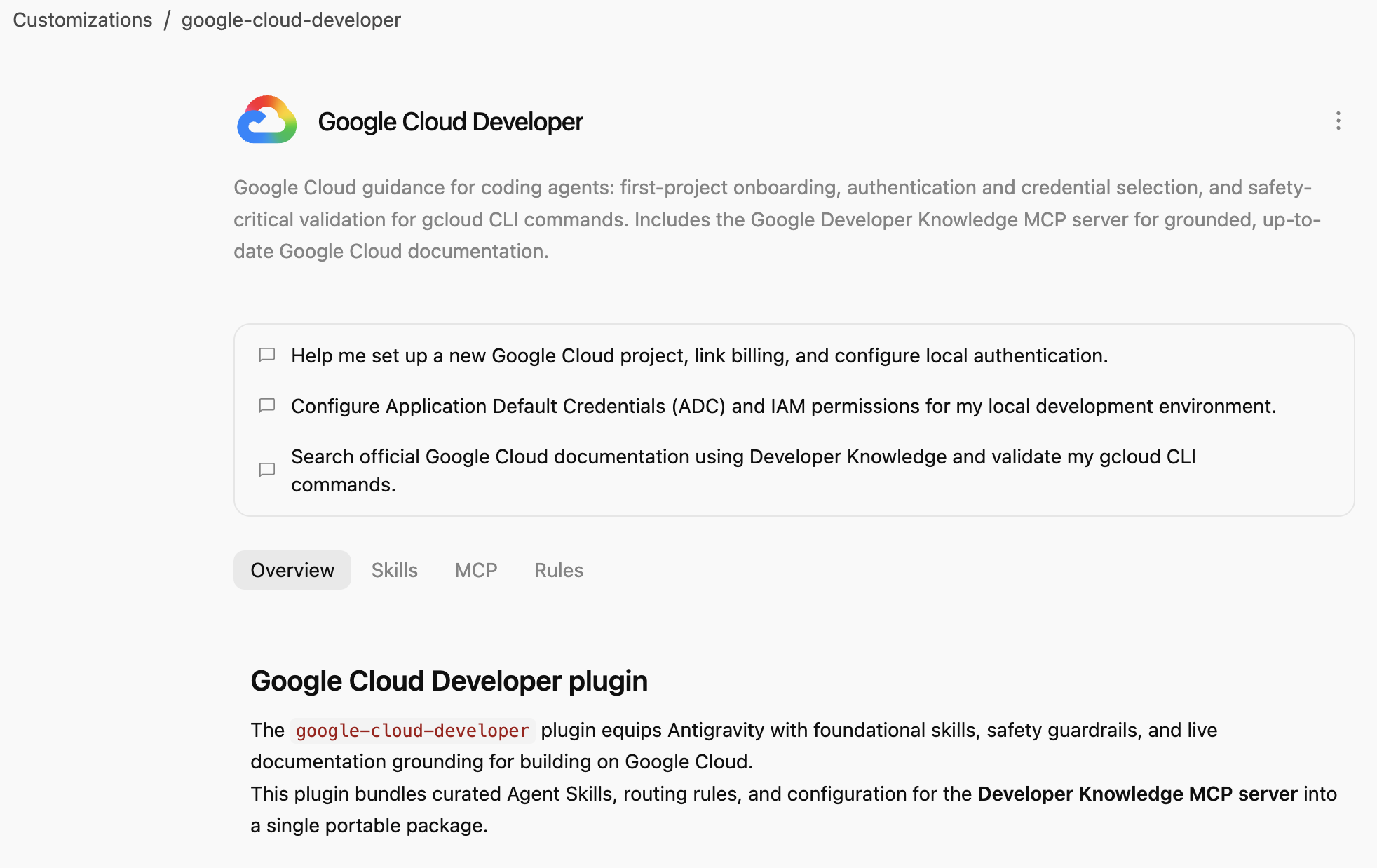
Google Cloud Developer プラグインは、コーディング エージェント向けの Google Cloud ガイダンス(最初のプロジェクトのオンボーディング、認証と認証情報の選択、gcloud CLI コマンドの安全性に不可欠な検証)を提供します。Google Developer Knowledge MCP サーバーが含まれており、グラウンディングされた最新の Google Cloud ドキュメントを利用できます。
3. Google Cloud Developer Plugin をインストールする
Antigravity CLI は、Antigravity エコシステム全体(Antigravity、Antigravity CLI、Antigravity IDE)にエージェント プラグインをインストールする最も簡単な方法です。
パスを指定して、Antigravity CLI に Google Cloud Developer プラグインをインストールします。
agy plugin install google-cloud-developer
Antigravity Marketplace からインストールされたプラグインが表示されます。
Installed plugin "google-cloud-developer" from antigravity-plugins-official
4. Google Cloud Developer プラグインの詳細
次に、Google Cloud Developer プラグインについて説明します。
まず、プラグインが Antigravity CLI に表示されていることを確認します。
agy plugin list
いくつかのスキル、ルール、MCP サーバーを含むプラグインが表示されます。
...
- google-cloud-developer (enabled, 1.1.10)
    Source:     antigravity-plugins-official
    Components: 5 skills, 1 rule, 1 MCP server
...
Antigravity CLI は、プラグインを .gemini/config/plugins/ フォルダにグローバルにインストールします。つまり、このプラグインは Antigravity、Antigravity CLI、Antigravity IDE で使用できます。
.gemini/config/plugins/google-cloud-developer フォルダには、プラグイン マニフェスト ファイル、スキル、MCP サーバーを含む Google Cloud Developer プラグインがあります。
google-cloud-developer/
├── ...
├── skills/
│   ├── finding-google-skills/
│   ├── gcloud/
│   ├── google-cloud-recipe-auth/
│   ├── google-cloud-recipe-onboarding/
│   └── retrieving-developer-knowledge/
├── mcp.json
└── plugin.json
最初のプロジェクトのオンボーディング、認証と認証情報の選択、gcloud CLI コマンドの安全性に不可欠な検証に関するスキルを習得できます。また、グラウンディングされた最新の Google Cloud ドキュメントを提供する Google Developer Knowledge MCP サーバーも含まれています。
Antigravity(スタンドアロン アプリ)に切り替えて、インストールされているスキルをチャットで尋ねることもできます。
Which Google Cloud skills are available?
組み込みの Antigravity スキルだけでなく、Google Cloud Developer プラグインのスキルも一覧表示されます。
  ### Bundled Google Cloud Skills

  • **`finding-google-skills`**: Guides Google Cloud architectural choices, service trade-offs, and dynamically retrieves specialized skills on demand from the
  official Google skill catalog.
  • **`gcloud`**: Provides validation, safety guardrails, syntax checks, and data reduction for executing or planning gcloud CLI commands.
  • **`google-cloud-recipe-auth`**: Guidance on IAM, authentication, authorization, service accounts, and Application Default Credentials (ADC).
  • **`google-cloud-recipe-onboarding`**: Guides initial Google Cloud project creation, billing configuration, and deploying a first resource.
  • **`retrieving-developer-knowledge`**: Searches and synthesizes official Google Cloud, Firebase, and developer platform documentation.
  ──────
  ### On-Demand Catalog Skills

  Through finding-google-skills, additional specialized skills from the Google Cloud skills catalog https://github.com/google/skills/tree/main/skills/cloud can
  be fetched on demand during our session without requiring permanent installation:

  • Product Basics: <product>-basics (e.g., Cloud Run, Cloud SQL, BigQuery, Spanner, Firestore, Storage)
  • GKE: gke-* (networking, storage, autoscaling, troubleshooting, AI inference)
  • AI & Agent Platforms: agent-platform-*, gemini-*, genkit-*
  • Architecture & Frameworks: google-cloud-solution-*, google-cloud-waf-* (Well-Architected Framework)
  • Observability: cloud-logging-*, cloud-monitoring-*
また、左側の [Customizations] タブに移動し、[Installed] で Google Cloud Developer プラグインが表示されていることを確認します。
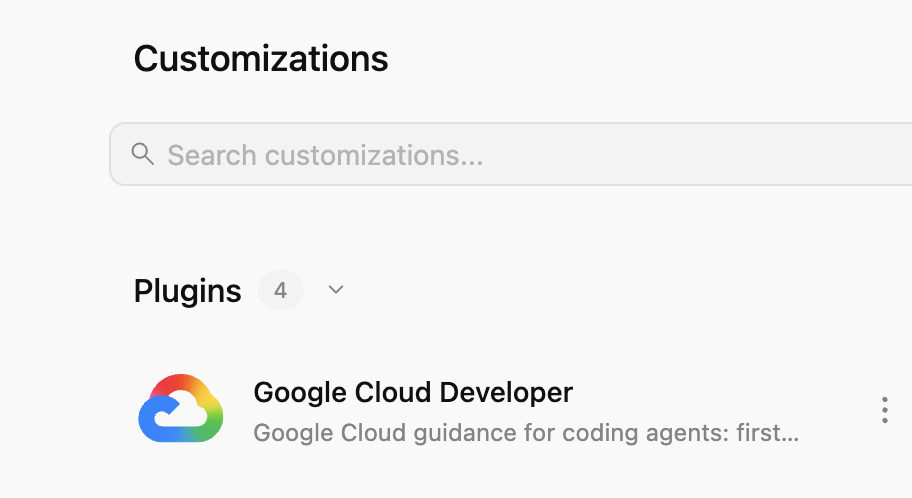
プラグインをクリックすると、インストールされているスキル、MCP サーバー、ルールのリストが表示されます。
5. Google Cloud Developer プラグインを試す
Developer Knowledge API を有効にする
まず、Google Cloud プロジェクトで Developer Knowledge API が有効になっていることを確認します。これは、Developer Knowledge MCP サーバーに必要です。
- Google Cloud コンソールで Developer Knowledge API を検索します。
- [Developer Knowledge API] ページで、[API を有効にする] をクリックします。
次に、いくつかのプロンプトを試して、Google Cloud Developer プラグインがさまざまなシナリオでどのように役立つかを見てみましょう。
このプラグインはグローバルに利用できるため、Antigravity または Antigravity CLI でこれらのプロンプトを試すことができます。
オンボーディング
Google Cloud を初めてご利用になる場合は、まず基本的なオンボーディングの質問から始めます。
I'm new to Google Cloud. How can I create a new project with billing enabled?
google-cloud-recipe-onboarding スキルが有効になっていることがわかります。
Worked for 1m ˅

Explored 1 file ˅

> Analyzed google-cloud-recipe-onboarding/SKILL.md
手順が記載された返信が届きます。
To get started with Google Cloud, you will need an active Google Cloud account and an authorized terminal session:

Google Cloud Account & Console: If you haven't already, sign up and access the Google Cloud Console where you can manage accounts, projects, and set up a Cloud Billing account (new accounts are eligible for the $300 Free Trial).
...
認証
認証に関する質問をしてみます。
How can I authenticate my local machine with Google Cloud?
google-cloud-recipe-auth スキルが有効になっていることがわかります。
Worked for 1m ˅

Explored 1 file ˅

> Analyzed google-cloud-recipe-auth/SKILL.md
認証用のコマンドが表示されます。
To authenticate your local machine with Google Cloud, there are two primary methods depending on whether you want to use the CLI or run code/client libraries locally:

1. Authenticate the CLI (gcloud)
Use this to run gcloud, bq, and gsutil management commands in your terminal:

bash


gcloud auth login
This opens a web browser asking you to log in with your Google Account and grant permissions.
If you are on a remote server without a web browser, use:
bash

...
デベロッパー向けナレッジ
また、公式ドキュメントから回答を得るための質問をすることもできます。
次に例を示します。
What's the difference between Cloud Run and GKE according to the official docs?
関連するスキルが有効になり、developer-knowledge MCP サーバーが使用されます。
Exploring 2 files ˅

* Analyzed retrieving-developer-knowledge/SKILL.md
* Analyzed answer_query.json

MCP Tool: developer-knowledge / answer_query ˅

Tool arguments
```json
{
  "query": "What is the difference between Cloud Run and Google Kubernetes Engine (GKE) according to official Google Cloud documentation?"
}
Google Skills の他のコースを探す
最後に、Google Cloud Developer プラグインは、スキルをオンデマンドで検出して読み込むことができます。
たとえば、次のように質問できます。
Explain what steps are needed to start working with Firebase.
finding-google-skills スキルが有効になり、関連する Firebase スキルが検出されてインストールされます。
Explored 1 file ˅

* Analyzed finding-google-skills/SKILL.md

Ran `curl -sS https://raw.githubusercontent.com/google/skills/main/index.json | jq -r '.skills[ >`

Exploring 3 files, 2 searches ˅

* Reading skills catalog
* Searched firebase
* Fetching Firebase skill
6. クリーンアップ
Developer Knowledge API を無効にします。
- Google Cloud コンソールで Developer Knowledge API を検索します。
- [Developer Knowledge API] ページで、[管理]、[API を無効にする] の順にクリックします。
Antigravity CLI を使用して Google Cloud Developer プラグインをアンインストールします。
agy plugin uninstall google-cloud-developer
Uninstalled plugin "google-cloud-developer"
7. 完了
おめでとうございます!Antigravity に Google Cloud Developer プラグインをインストールして使用することができました。詳しくは以下のリソースをご覧ください。