

1. 소개
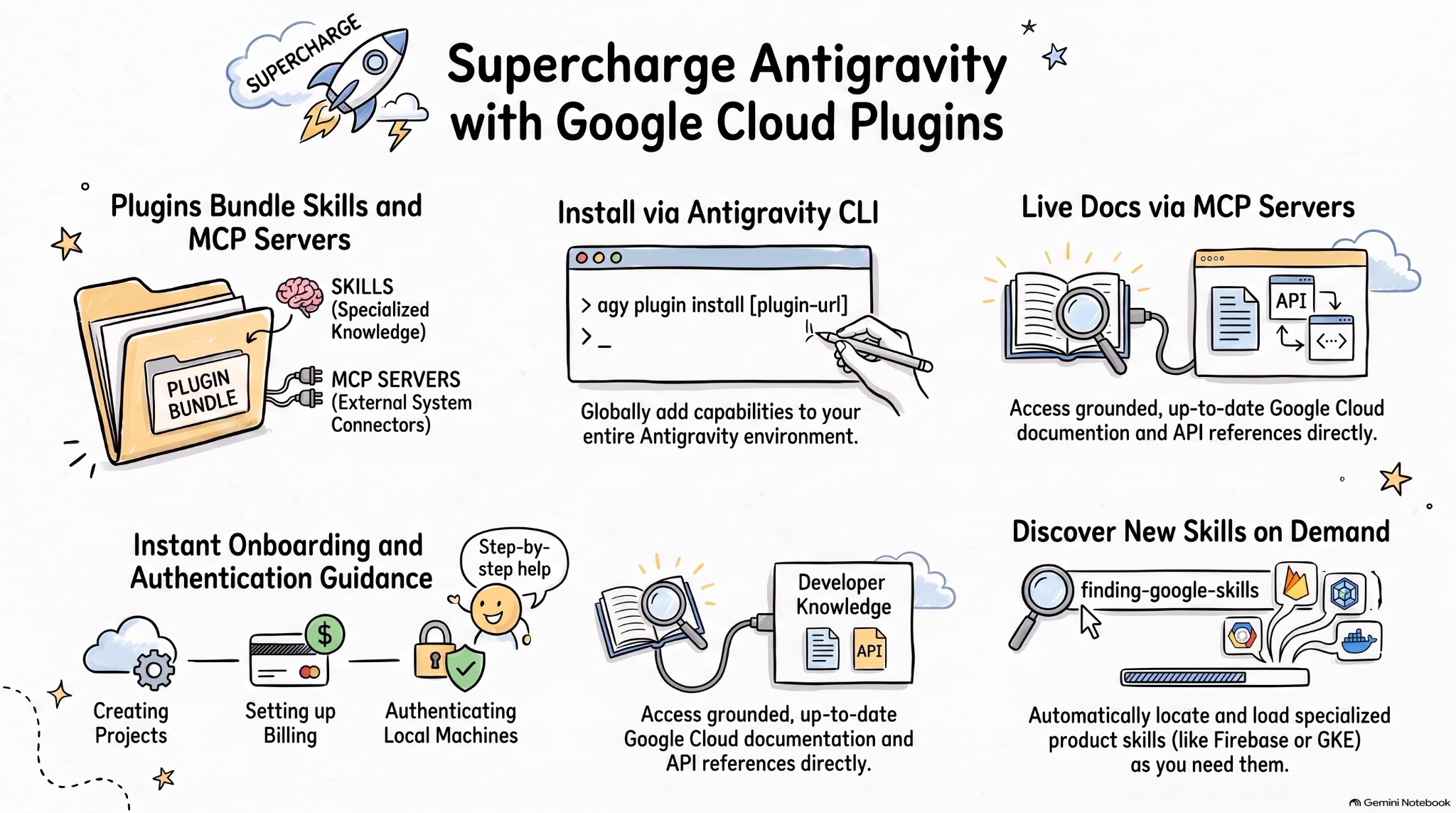
에이전트 스킬은 전문 지식과 워크플로를 통해 AI 에이전트 기능을 확장하기 위한 경량의 개방형 형식입니다. MCP는 AI 애플리케이션을 외부 시스템에 연결하기 위한 표준입니다.
에이전트 플러그인 사양은 에이전트 스킬 과 MCP 서버 를 이식 가능한 플러그인으로 패키징하기 위한 공급업체 중립적인 개방형 사양입니다.
AI 코딩 에이전트를 위한 Google Cloud 플러그인은 관련 Google Cloud 스킬과 MCP 서버를 설치 가능한 번들로 패키징하여 Google Cloud에서 더 효과적인 AI 에이전트를 제공합니다.
이 Codelab에서는 이러한 플러그인 중 하나인 Google Cloud Developer 플러그인과 Antigravity에서 이 플러그인을 설치하고 사용하는 방법을 알아봅니다.
실습할 내용
- 에이전트 플러그인을 이해합니다.
- Antigravity에서 Google Cloud Developer 플러그인을 설치하고 살펴봅니다.
- 몇 가지 프롬프트를 사용하여 Google Cloud Developer 플러그인으로 설치된 스킬과 MCP 서버를 테스트합니다.
필요한 항목
- Chrome과 같은 웹브라우저
- Google Cloud 프로젝트
- 로컬 머신에 설치된 Antigravity 및 Antigravity CLI
2. 에이전트 플러그인 살펴보기
에이전트 플러그인은 다음과 같은 디렉터리에 에이전트 스킬과 MCP 서버를 번들로 묶는 이식 가능한 패키지 형식입니다.
my-plugin/
├── plugin.json
├── skills/
│   └── my-skill/
│       ├── SKILL.md
│       ├── scripts/
│       └── references/
├── mcp.json
└── com.example.client/
plugin.json은 플러그인을 식별합니다.skills/에는 에이전트 스킬이 포함되어 있습니다.mcp.json은 MCP 서버를 설명합니다.- 역도메인 확장 프로그램 네임스페이스를 사용하면 개별 클라이언트가 커스텀 동작을 추가할 수 있습니다.
Google Agent Skills 저장소에는 Google Cloud를 비롯한 Google 제품 및 기술의 에이전트 스킬이 포함되어 있습니다. 또한 에이전트 스킬과 MCP 서버를 Google Cloud Developer 플러그인과 같은 설치 가능한 번들로 번들링하는 플러그인도 포함되어 있습니다.
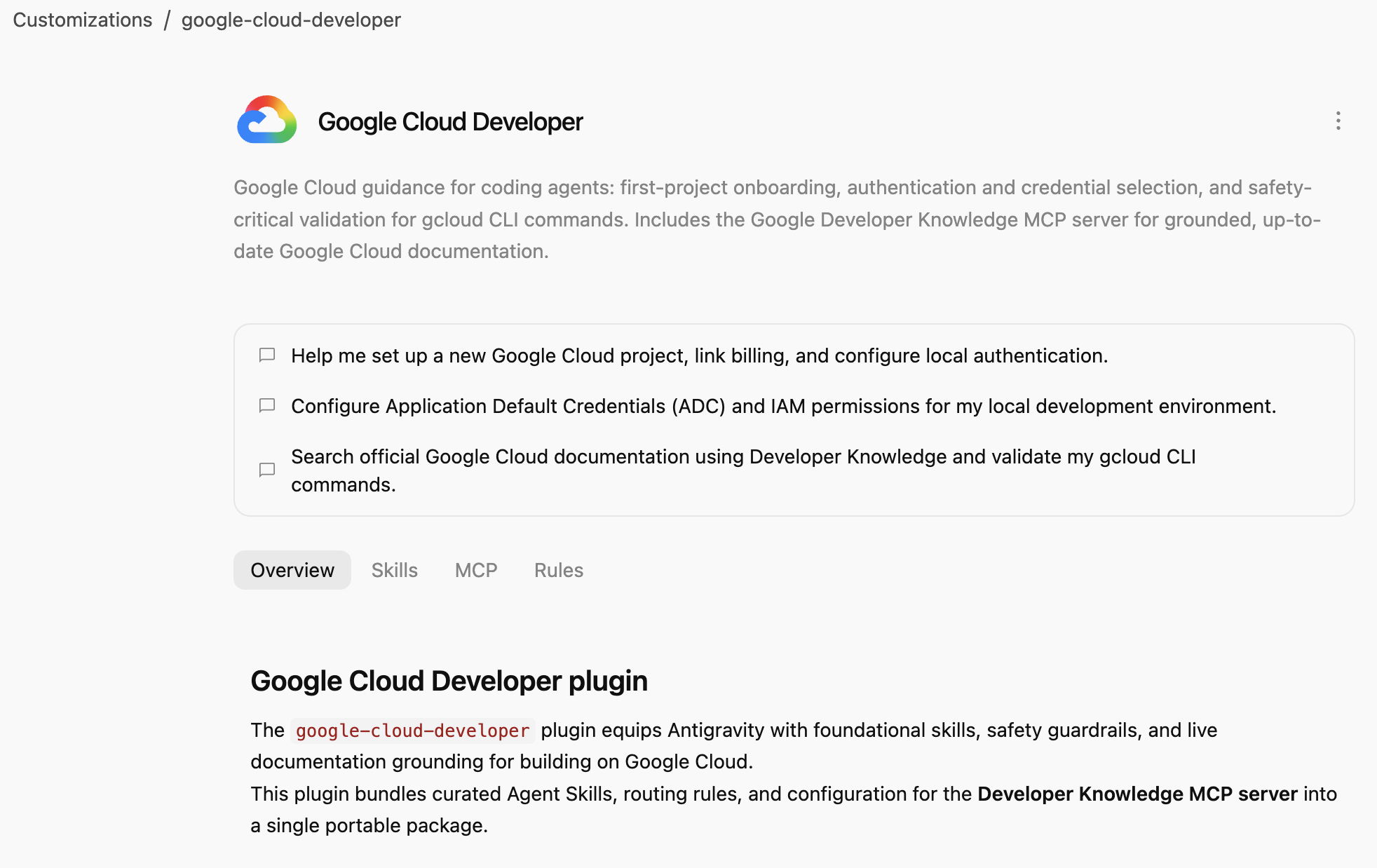
**Google Cloud Developer 플러그인**은 코딩 에이전트를 위한 Google Cloud 안내를 제공합니다. 첫 번째 프로젝트 온보딩, 인증 및 사용자 인증 정보 선택, gcloud CLI 명령어의 안전에 중요한 유효성 검사입니다. 정확하고 최신 Google Cloud 문서를 위한 Google Developer Knowledge MCP 서버 가 포함되어 있습니다.
3. Google Cloud Developer 플러그인 설치
Antigravity CLI는 전체 Antigravity 생태계 (Antigravity, Antigravity CLI, Antigravity IDE)에 에이전트 플러그인을 설치하는 가장 쉬운 방법입니다.
경로를 가리켜 Antigravity CLI에 Google Cloud Developer 플러그인을 설치해 보겠습니다.
agy plugin install google-cloud-developer
Antigravity Marketplace에서 설치된 플러그인이 표시됩니다.
Installed plugin "google-cloud-developer" from antigravity-plugins-official
4. Google Cloud Developer 플러그인 살펴보기
이제 Google Cloud Developer 플러그인 을 살펴보겠습니다.
먼저 플러그인이 Antigravity CLI에 나열되어 있는지 확인합니다.
agy plugin list
일부 스킬, 규칙, MCP 서버가 포함된 플러그인이 표시됩니다.
...
- google-cloud-developer (enabled, 1.1.10)
    Source:     antigravity-plugins-official
    Components: 5 skills, 1 rule, 1 MCP server
...
Antigravity CLI는 .gemini/config/plugins/ 폴더에 플러그인을 전역적으로 설치합니다. 즉, Antigravity, Antigravity CLI, Antigravity IDE에서 플러그인을 사용할 수 있습니다.
.gemini/config/plugins/google-cloud-developer 폴더에는 플러그인 매니페스트 파일, 스킬, MCP 서버가 포함된 Google Cloud Developer 플러그인 이 있습니다.
google-cloud-developer/
├── ...
├── skills/
│   ├── finding-google-skills/
│   ├── gcloud/
│   ├── google-cloud-recipe-auth/
│   ├── google-cloud-recipe-onboarding/
│   └── retrieving-developer-knowledge/
├── mcp.json
└── plugin.json
첫 번째 프로젝트 온보딩, 인증 및 사용자 인증 정보 선택, gcloud CLI 명령어의 안전에 중요한 유효성 검사에 관한 스킬이 있습니다. 또한 정확하고 최신 Google Cloud 문서를 위한 Google Developer Knowledge MCP 서버가 포함되어 있습니다.
Antigravity (독립형 앱)로 전환하여 채팅에서 설치된 스킬을 물어볼 수도 있습니다.
Which Google Cloud skills are available?
기본 제공 Antigravity 스킬뿐만 아니라 Google Cloud Developer 플러그인 의 스킬도 나열해야 합니다.
  ### Bundled Google Cloud Skills

  • **`finding-google-skills`**: Guides Google Cloud architectural choices, service trade-offs, and dynamically retrieves specialized skills on demand from the
  official Google skill catalog.
  • **`gcloud`**: Provides validation, safety guardrails, syntax checks, and data reduction for executing or planning gcloud CLI commands.
  • **`google-cloud-recipe-auth`**: Guidance on IAM, authentication, authorization, service accounts, and Application Default Credentials (ADC).
  • **`google-cloud-recipe-onboarding`**: Guides initial Google Cloud project creation, billing configuration, and deploying a first resource.
  • **`retrieving-developer-knowledge`**: Searches and synthesizes official Google Cloud, Firebase, and developer platform documentation.
  ──────
  ### On-Demand Catalog Skills

  Through finding-google-skills, additional specialized skills from the Google Cloud skills catalog https://github.com/google/skills/tree/main/skills/cloud can
  be fetched on demand during our session without requiring permanent installation:

  • Product Basics: <product>-basics (e.g., Cloud Run, Cloud SQL, BigQuery, Spanner, Firestore, Storage)
  • GKE: gke-* (networking, storage, autoscaling, troubleshooting, AI inference)
  • AI & Agent Platforms: agent-platform-*, gemini-*, genkit-*
  • Architecture & Frameworks: google-cloud-solution-*, google-cloud-waf-* (Well-Architected Framework)
  • Observability: cloud-logging-*, cloud-monitoring-*
또한 왼쪽의 맞춤설정 탭에서 설치됨 아래에 Google Cloud Developer 플러그인이 표시됩니다.
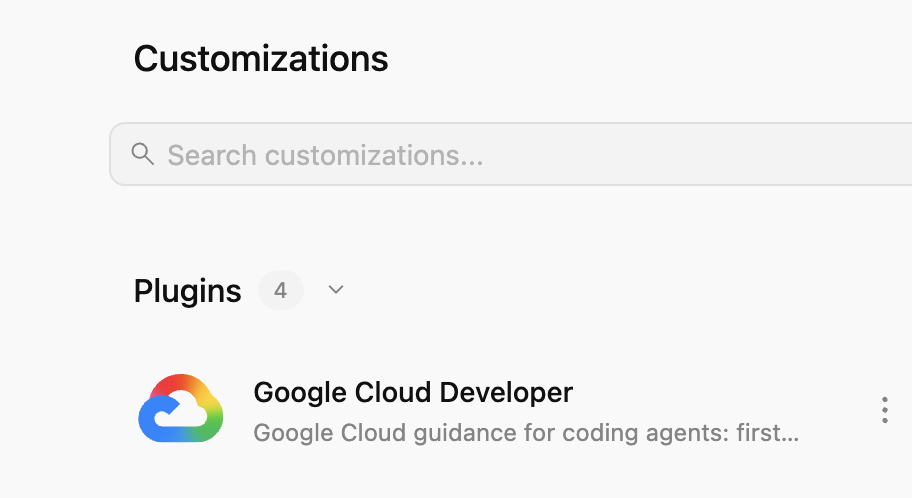
플러그인을 클릭하면 설치된 스킬, MCP 서버, 규칙 목록을 볼 수 있습니다.
5. Google Cloud Developer 플러그인 연습
Developer Knowledge API 사용 설정
먼저 Google Cloud 프로젝트에서 Developer Knowledge API 가 사용 설정되어 있는지 확인합니다. Developer Knowledge MCP 서버 에 필요합니다.
- Google Cloud 콘솔에서 Developer Knowledge API 를 검색합니다.
- Developer Knowledge API 페이지에서 API 사용 설정 을 클릭합니다.
이제 몇 가지 프롬프트를 사용하여 Google Cloud Developer 플러그인 이 다양한 시나리오에서 어떻게 도움이 되는지 살펴보겠습니다.
플러그인은 전역적으로 사용할 수 있으므로 Antigravity 또는 Antigravity CLI에서 이러한 프롬프트를 사용해 볼 수 있습니다.
온보딩
Google Cloud를 처음 사용하는 경우 기본적인 온보딩 질문으로 시작할 수 있습니다.
I'm new to Google Cloud. How can I create a new project with billing enabled?
google-cloud-recipe-onboarding 스킬이 활성화된 것을 볼 수 있습니다.
Worked for 1m ˅

Explored 1 file ˅

> Analyzed google-cloud-recipe-onboarding/SKILL.md
단계별 안내가 포함된 답장이 표시됩니다.
To get started with Google Cloud, you will need an active Google Cloud account and an authorized terminal session:

Google Cloud Account & Console: If you haven't already, sign up and access the Google Cloud Console where you can manage accounts, projects, and set up a Cloud Billing account (new accounts are eligible for the $300 Free Trial).
...
인증
인증 관련 질문을 해 보세요.
How can I authenticate my local machine with Google Cloud?
google-cloud-recipe-auth 스킬이 활성화된 것을 볼 수 있습니다.
Worked for 1m ˅

Explored 1 file ˅

> Analyzed google-cloud-recipe-auth/SKILL.md
인증을 위한 명령어가 표시됩니다.
To authenticate your local machine with Google Cloud, there are two primary methods depending on whether you want to use the CLI or run code/client libraries locally:

1. Authenticate the CLI (gcloud)
Use this to run gcloud, bq, and gsutil management commands in your terminal:

bash


gcloud auth login
This opens a web browser asking you to log in with your Google Account and grant permissions.
If you are on a remote server without a web browser, use:
bash

...
개발자 지식
공식 문서에서 답변할 질문을 할 수도 있습니다.
예를 들면 다음과 같습니다.
What's the difference between Cloud Run and GKE according to the official docs?
관련 스킬이 활성화되고 developer-knowledge MCP 서버를 사용하는 것을 볼 수 있습니다.
Exploring 2 files ˅

* Analyzed retrieving-developer-knowledge/SKILL.md
* Analyzed answer_query.json

MCP Tool: developer-knowledge / answer_query ˅

Tool arguments
```json
{
  "query": "What is the difference between Cloud Run and Google Kubernetes Engine (GKE) according to official Google Cloud documentation?"
}
다른 Google Skills 찾기
마지막으로 Google Cloud Developer 플러그인은 필요에 따라 스킬을 검색하고 로드할 수 있습니다.
예를 들어 다음과 같이 질문할 수 있습니다.
Explain what steps are needed to start working with Firebase.
finding-google-skills 스킬이 활성화되고 관련 Firebase 스킬을 찾아 설치하는 것을 볼 수 있습니다.
Explored 1 file ˅

* Analyzed finding-google-skills/SKILL.md

Ran `curl -sS https://raw.githubusercontent.com/google/skills/main/index.json | jq -r '.skills[ >`

Exploring 3 files, 2 searches ˅

* Reading skills catalog
* Searched firebase
* Fetching Firebase skill
6. 삭제
Developer Knowledge API를 사용 중지합니다.
- Google Cloud 콘솔에서 Developer Knowledge API 를 검색합니다.
- Developer Knowledge API 페이지에서 관리 를 클릭한 다음 API 사용 중지 를 클릭합니다.
Antigravity CLI를 사용하여 Google Cloud Developer 플러그인 을 제거합니다.
agy plugin uninstall google-cloud-developer
Uninstalled plugin "google-cloud-developer"
7. 축하합니다
축하합니다 Antigravity에서 Google Cloud Developer 플러그인을 설치하고 사용했습니다. 자세히 알아보려면 다음 리소스를 확인해 보세요.