

1. 简介
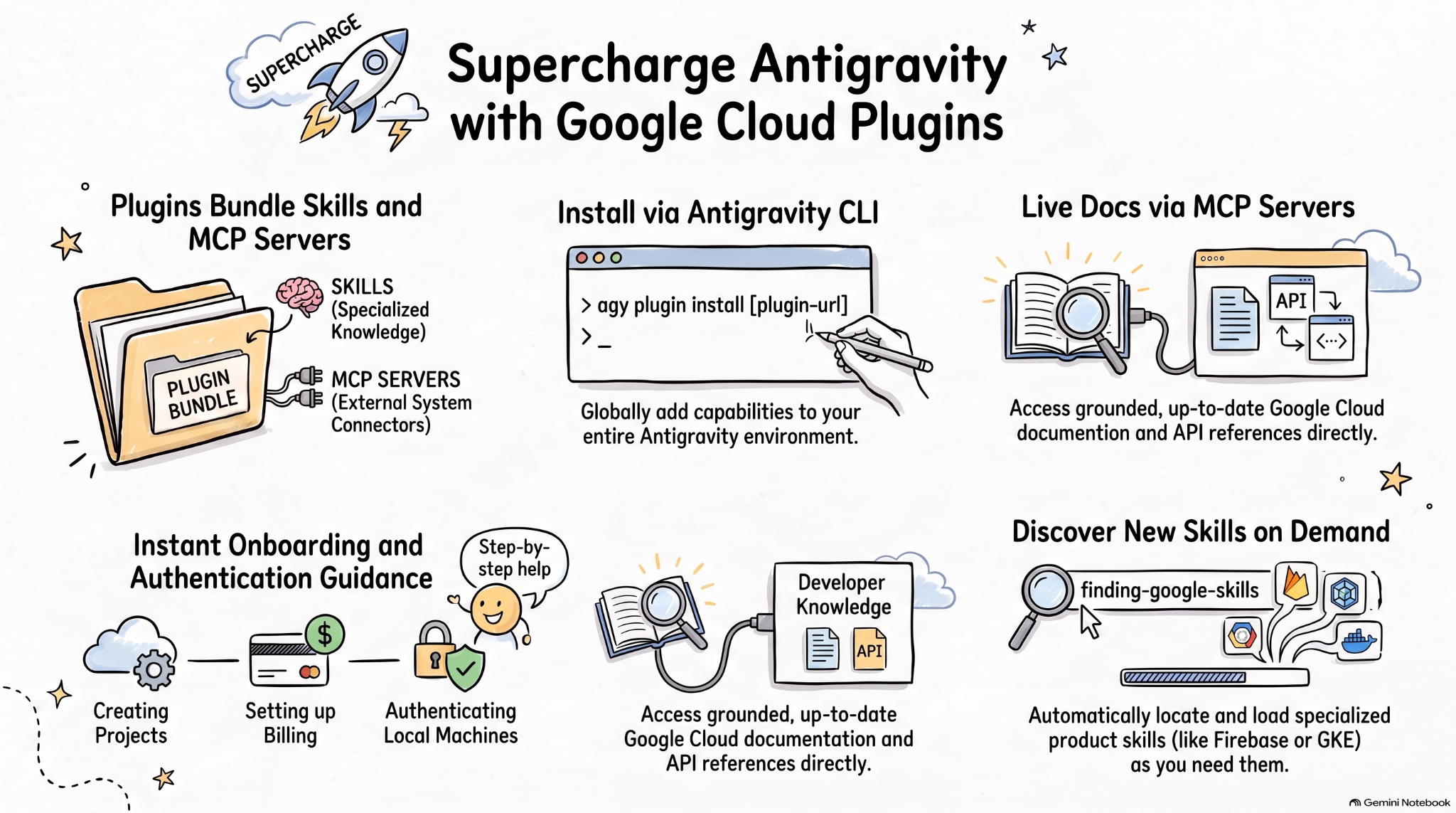
智能体技能是一种轻量级开放格式,可利用专业知识和工作流来扩展 AI 智能体功能。MCP 是一种将 AI 应用连接到外部系统的标准。
智能体插件规范是一种不受制于供应商的开放式规范,用于将智能体技能和MCP 服务器打包到可移植的插件中。
适用于 AI 编码智能体的 Google Cloud 插件将相关的 Google Cloud 技能和 MCP 服务器打包到可安装的软件包中,以便在 Google Cloud 上打造更高效的 AI 智能体。
在此 Codelab 中,您将了解其中一个插件,即 Google Cloud 开发者插件 ,以及如何在 Antigravity 中安装和使用此插件。
您将执行的操作
- 了解智能体插件。
- 在 Antigravity 中安装并探索 Google Cloud 开发者插件。
- 通过一些提示测试由 Google Cloud 开发者插件安装的技能和 MCP 服务器。
所需条件
- 网络浏览器,例如 Chrome。
- Google Cloud 项目。
- 在本地机器上安装 Antigravity 和 Antigravity CLI。
2. 探索智能体插件
智能体插件 是一种可移植的软件包格式,用于将 智能体技能 和 MCP 服务器 捆绑到如下所示的目录中:
my-plugin/
├── plugin.json
├── skills/
│   └── my-skill/
│       ├── SKILL.md
│       ├── scripts/
│       └── references/
├── mcp.json
└── com.example.client/
plugin.json用于标识插件。skills/包含智能体技能。mcp.json用于描述 MCP 服务器。- 反向网域扩展命名空间允许各个客户端添加自定义行为。
Google 智能体技能代码库 包含适用于 Google 产品和技术(包括 Google Cloud)的智能体技能。它还包含 插件,这些插件将智能体技能和 MCP 服务器捆绑到可安装软件包(例如 Google Cloud 开发者 插件)中。
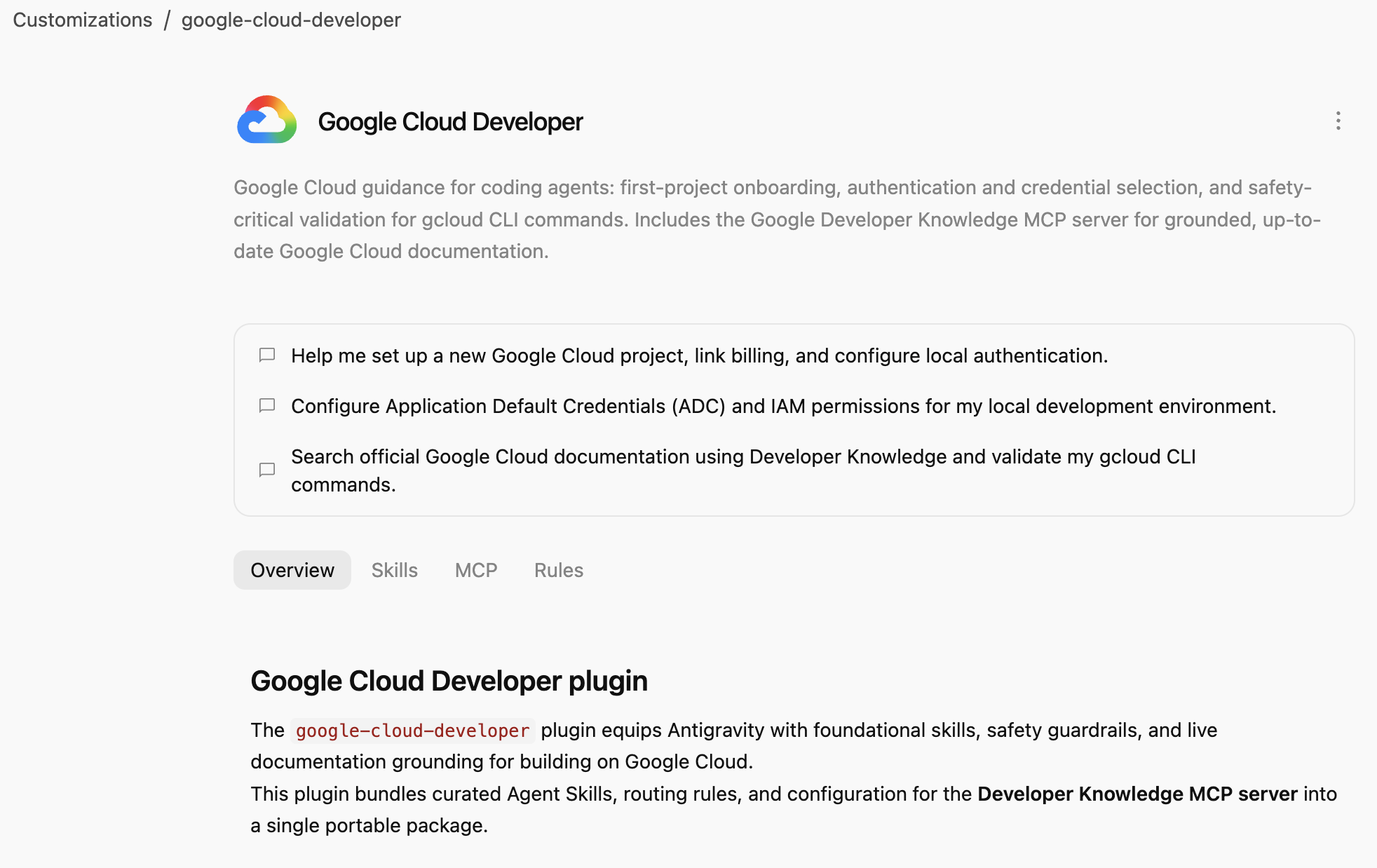
Google Cloud 开发者插件 为编码智能体提供 Google Cloud 指导:第一个项目的初始配置、身份验证和凭据选择,以及 gcloud CLI 命令的安全关键验证。包括 Google Developers 知识 MCP 服务器 ,用于提供基于最新 Google Cloud 文档的知识。
3. 安装 Google Cloud 开发者插件
Antigravity CLI 是为整个 Antigravity 生态系统(Antigravity、Antigravity CLI、Antigravity IDE)安装智能体插件的最简单方法。
让我们通过指向其路径在 Antigravity CLI 中安装 Google Cloud 开发者插件:
agy plugin install google-cloud-developer
您应该会看到从 Antigravity Marketplace 安装的插件:
Installed plugin "google-cloud-developer" from antigravity-plugins-official
4. 探索 Google Cloud 开发者插件
现在,我们来探索 Google Cloud 开发者插件 。
首先,检查该插件是否列在 Antigravity CLI 中:
agy plugin list
您应该会看到该插件包含一些技能、一条规则和一个 MCP 服务器:
...
- google-cloud-developer (enabled, 1.1.10)
    Source:     antigravity-plugins-official
    Components: 5 skills, 1 rule, 1 MCP server
...
Antigravity CLI 会在 .gemini/config/plugins/ 文件夹中全局安装插件。这意味着该插件可供 Antigravity、Antigravity CLI 和 Antigravity IDE 使用。
在 .gemini/config/plugins/google-cloud-developer 文件夹中,您会找到 Google Cloud 开发者插件 ,其中包含插件清单文件、技能和一个 MCP 服务器:
google-cloud-developer/
├── ...
├── skills/
│   ├── finding-google-skills/
│   ├── gcloud/
│   ├── google-cloud-recipe-auth/
│   ├── google-cloud-recipe-onboarding/
│   └── retrieving-developer-knowledge/
├── mcp.json
└── plugin.json
您会找到有关第一个项目的初始配置、身份验证和凭据选择,以及 gcloud CLI 命令的安全关键验证的技能。它还包括 Google Developers 知识 MCP 服务器,用于提供基于最新 Google Cloud 文档的知识。
您还可以切换到 Antigravity(独立应用),并在聊天中询问安装了哪些技能:
Which Google Cloud skills are available?
它应该会列出内置的 Antigravity 技能,以及 Google Cloud 开发者插件 中的技能:
  ### Bundled Google Cloud Skills

  • **`finding-google-skills`**: Guides Google Cloud architectural choices, service trade-offs, and dynamically retrieves specialized skills on demand from the
  official Google skill catalog.
  • **`gcloud`**: Provides validation, safety guardrails, syntax checks, and data reduction for executing or planning gcloud CLI commands.
  • **`google-cloud-recipe-auth`**: Guidance on IAM, authentication, authorization, service accounts, and Application Default Credentials (ADC).
  • **`google-cloud-recipe-onboarding`**: Guides initial Google Cloud project creation, billing configuration, and deploying a first resource.
  • **`retrieving-developer-knowledge`**: Searches and synthesizes official Google Cloud, Firebase, and developer platform documentation.
  ──────
  ### On-Demand Catalog Skills

  Through finding-google-skills, additional specialized skills from the Google Cloud skills catalog https://github.com/google/skills/tree/main/skills/cloud can
  be fetched on demand during our session without requiring permanent installation:

  • Product Basics: <product>-basics (e.g., Cloud Run, Cloud SQL, BigQuery, Spanner, Firestore, Storage)
  • GKE: gke-* (networking, storage, autoscaling, troubleshooting, AI inference)
  • AI & Agent Platforms: agent-platform-*, gemini-*, genkit-*
  • Architecture & Frameworks: google-cloud-solution-*, google-cloud-waf-* (Well-Architected Framework)
  • Observability: cloud-logging-*, cloud-monitoring-*
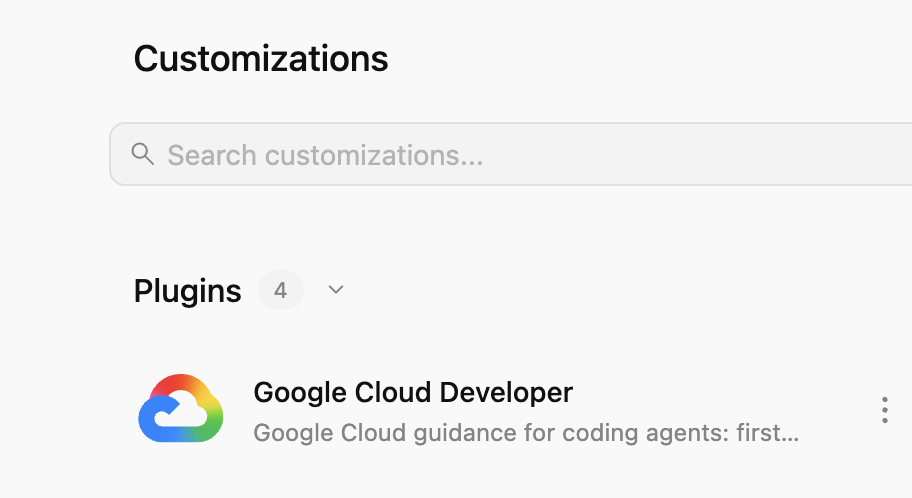
此外,在左侧的自定义 标签页中,在已安装 下,您应该会看到 Google Cloud 开发者 插件:
如果您点击该插件,则可以看到已安装的技能、MCP 服务器和规则的列表:
5. 练习 Google Cloud 开发者插件
启用 Developer Knowledge API
首先,确保已在 Google Cloud 云项目 中启用 Developer Knowledge API 。这是 Developer Knowledge MCP 服务器 所必需的:
- 在 Google Cloud 控制台中,搜索 Developer Knowledge API
- 在 Developer Knowledge API 页面中,点击启用 API 。
现在,让我们尝试一些提示,看看 Google Cloud 开发者插件 如何在不同场景中提供帮助。
您可以在 Antigravity 或 Antigravity CLI 中尝试这些提示,因为该插件是全局可用的。
初始配置
如果您是 Google Cloud 新手,可以先提出一个基本的初始配置问题:
I'm new to Google Cloud. How can I create a new project with billing enabled?
您应该会看到 google-cloud-recipe-onboarding 技能已激活:
Worked for 1m ˅

Explored 1 file ˅

> Analyzed google-cloud-recipe-onboarding/SKILL.md
您应该会收到附有分步说明的回复:
To get started with Google Cloud, you will need an active Google Cloud account and an authorized terminal session:

Google Cloud Account & Console: If you haven't already, sign up and access the Google Cloud Console where you can manage accounts, projects, and set up a Cloud Billing account (new accounts are eligible for the $300 Free Trial).
...
身份验证
尝试提出有关身份验证的问题:
How can I authenticate my local machine with Google Cloud?
您应该会看到 google-cloud-recipe-auth 技能已激活:
Worked for 1m ˅

Explored 1 file ˅

> Analyzed google-cloud-recipe-auth/SKILL.md
您应该会收到用于进行身份验证的命令:
To authenticate your local machine with Google Cloud, there are two primary methods depending on whether you want to use the CLI or run code/client libraries locally:

1. Authenticate the CLI (gcloud)
Use this to run gcloud, bq, and gsutil management commands in your terminal:

bash


gcloud auth login
This opens a web browser asking you to log in with your Google Account and grant permissions.
If you are on a remote server without a web browser, use:
bash

...
开发者知识
您还可以提出问题,以便从官方文档中获取答案。
例如:
What's the difference between Cloud Run and GKE according to the official docs?
您会看到相关技能已激活,该技能会使用 developer-knowledge MCP 服务器:
Exploring 2 files ˅

* Analyzed retrieving-developer-knowledge/SKILL.md
* Analyzed answer_query.json

MCP Tool: developer-knowledge / answer_query ˅

Tool arguments
```json
{
  "query": "What is the difference between Cloud Run and Google Kubernetes Engine (GKE) according to official Google Cloud documentation?"
}
查找其他 Google Skills
最后但同样重要的是,Google Cloud 开发者插件可以按需发现和加载技能。
例如,您可以提出以下问题:
Explain what steps are needed to start working with Firebase.
您应该会看到 finding-google-skills 技能已激活,并且它会查找并安装相关的 Firebase 技能:
Explored 1 file ˅

* Analyzed finding-google-skills/SKILL.md

Ran `curl -sS https://raw.githubusercontent.com/google/skills/main/index.json | jq -r '.skills[ >`

Exploring 3 files, 2 searches ˅

* Reading skills catalog
* Searched firebase
* Fetching Firebase skill
6. 清理
停用 Developer Knowledge API:
- 在 Google Cloud 控制台中,搜索 Developer Knowledge API
- 在 Developer Knowledge API 页面中,依次点击管理 和停用 API 。
使用 Antigravity CLI 卸载 Google Cloud 开发者插件 :
agy plugin uninstall google-cloud-developer
Uninstalled plugin "google-cloud-developer"
7. 恭喜
恭喜!您已成功在 Antigravity 中安装并使用 Google Cloud 开发者插件。如需了解详情,请查看以下资源: