

1. 簡介
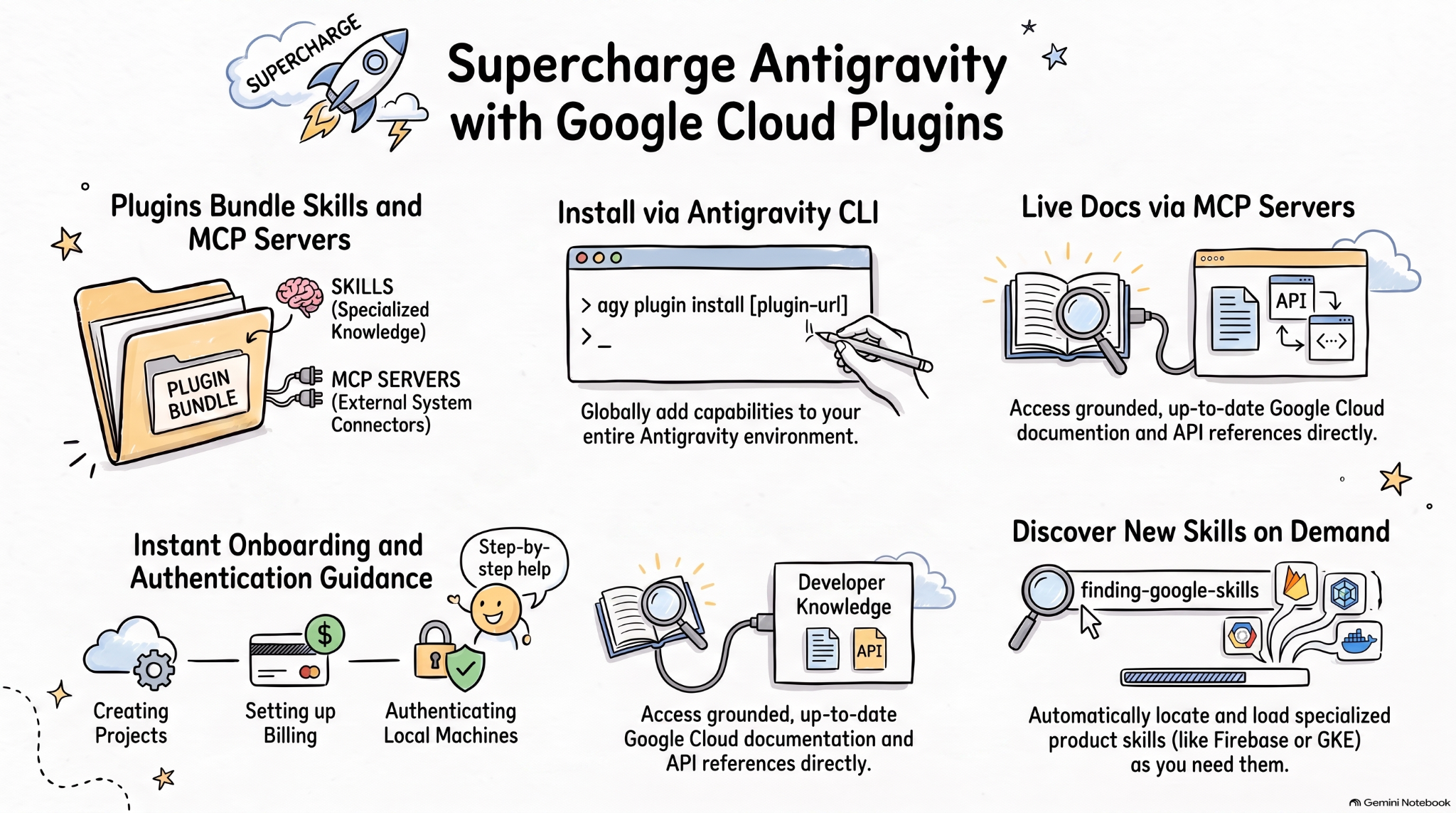
代理程式技能是一種輕量級的開放格式,可運用專業知識和工作流程擴充 AI 代理的功能。MCP 是將 AI 應用程式連結至外部系統的標準。
代理外掛程式規格是一項開放式規格,不限供應商,可將代理技能和 MCP 伺服器封裝成可攜式外掛程式。
AI 程式設計代理適用的 Google Cloud 外掛程式會將相關的 Google Cloud 技能和 MCP 伺服器封裝成可安裝的套件,讓 Google Cloud 上的 AI 代理更有效率。
在本程式碼研究室中,您將瞭解其中一個外掛程式「Google Cloud Developer 外掛程式」,以及如何在 Antigravity 中安裝及使用這個外掛程式。
學習內容
- 瞭解代理外掛程式。
- 在 Antigravity 中安裝並探索 Google Cloud Developer 外掛程式。
- 使用幾則提示,測試 Google Cloud Developer 外掛程式安裝的技能和 MCP 伺服器。
軟硬體需求
- 網路瀏覽器,例如 Chrome。
- Google Cloud 專案。
- 本機電腦已安裝 Antigravity 和 Antigravity CLI。
2. 探索代理外掛程式
代理外掛程式是一種可攜式套件格式,可將代理技能和 MCP 伺服器整合至目錄中,如下所示:
my-plugin/
├── plugin.json
├── skills/
│   └── my-skill/
│       ├── SKILL.md
│       ├── scripts/
│       └── references/
├── mcp.json
└── com.example.client/
plugin.json可識別外掛程式。skills/包含代理技能。mcp.json說明 MCP 伺服器。- 反向網域擴充功能命名空間可讓個別用戶端新增自訂行為。
Google 代理技能存放區包含 Google 產品和技術 (包括 Google Cloud) 的代理技能。此外,還包含 外掛程式,可將代理程式技能和 MCP 伺服器打包成可安裝的套件,例如 Google Cloud 開發人員外掛程式。
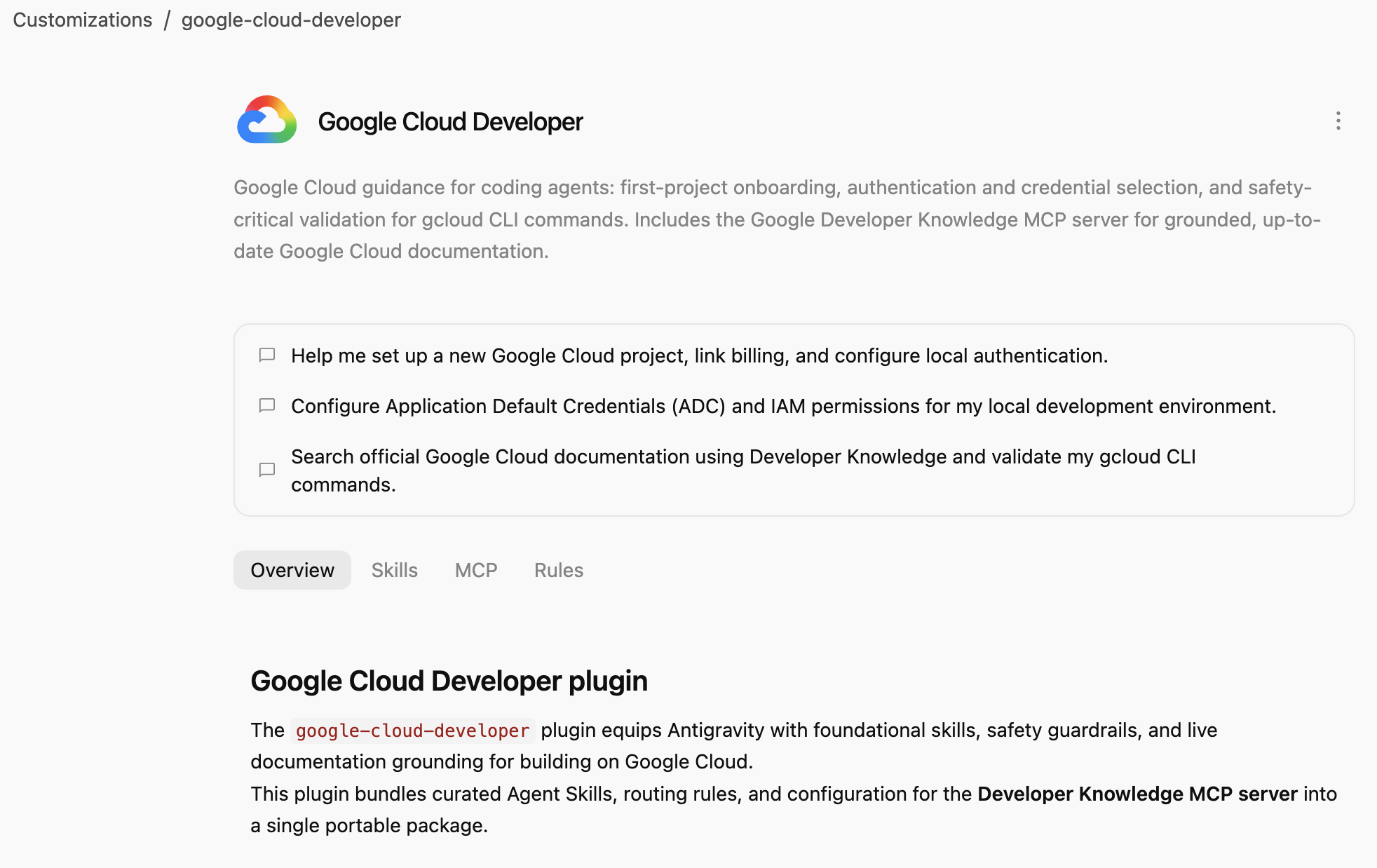
Google Cloud Developer 外掛程式提供 Google Cloud 指南,協助程式設計代理:首次專案新手上路、驗證和憑證選取,以及 gcloud CLI 指令的安全關鍵驗證。包含 Google Developer Knowledge MCP 伺服器,可提供最新 Google Cloud 說明文件做為基準。
3. 安裝 Google Cloud Developer 外掛程式
Antigravity CLI 是最簡單的方法,可為整個 Antigravity 生態系統 (Antigravity、Antigravity CLI、Antigravity IDE) 安裝代理外掛程式。
接著,在 Antigravity CLI 中安裝 Google Cloud Developer 外掛程式,並指向其路徑:
agy plugin install google-cloud-developer
您應該會看到從 Antigravity Marketplace 安裝的外掛程式:
Installed plugin "google-cloud-developer" from antigravity-plugins-official
4. 探索 Google Cloud Developer 外掛程式
現在來看看 Google Cloud Developer 外掛程式。
首先,請檢查外掛程式是否列於 Antigravity CLI 中:
agy plugin list
您應該會看到外掛程式,其中包含一些技能、一項規則和一個 MCP 伺服器:
...
- google-cloud-developer (enabled, 1.1.10)
    Source:     antigravity-plugins-official
    Components: 5 skills, 1 rule, 1 MCP server
...
Antigravity CLI 會在 .gemini/config/plugins/ 資料夾中全域安裝外掛程式。也就是說,外掛程式適用於 Antigravity、Antigravity CLI 和 Antigravity IDE。
在 .gemini/config/plugins/google-cloud-developer 資料夾中,您會看到 Google Cloud Developer 外掛程式,其中包含外掛程式資訊清單檔案、技能和 MCP 伺服器:
google-cloud-developer/
├── ...
├── skills/
│   ├── finding-google-skills/
│   ├── gcloud/
│   ├── google-cloud-recipe-auth/
│   ├── google-cloud-recipe-onboarding/
│   └── retrieving-developer-knowledge/
├── mcp.json
└── plugin.json
您將學會如何開始使用第一個專案的新手上路、驗證和憑證選取,以及 gcloud CLI 指令的安全關鍵驗證。此外,這項服務也包含 Google Developer Knowledge MCP 伺服器,可提供最新且有根據的 Google Cloud 說明文件。
你也可以切換至 Antigravity (獨立應用程式),並在對話中詢問已安裝哪些技能:
Which Google Cloud skills are available?
清單應會列出內建的 Antigravity 技能,以及 Google Cloud Developer 外掛程式的技能:
  ### Bundled Google Cloud Skills

  • **`finding-google-skills`**: Guides Google Cloud architectural choices, service trade-offs, and dynamically retrieves specialized skills on demand from the
  official Google skill catalog.
  • **`gcloud`**: Provides validation, safety guardrails, syntax checks, and data reduction for executing or planning gcloud CLI commands.
  • **`google-cloud-recipe-auth`**: Guidance on IAM, authentication, authorization, service accounts, and Application Default Credentials (ADC).
  • **`google-cloud-recipe-onboarding`**: Guides initial Google Cloud project creation, billing configuration, and deploying a first resource.
  • **`retrieving-developer-knowledge`**: Searches and synthesizes official Google Cloud, Firebase, and developer platform documentation.
  ──────
  ### On-Demand Catalog Skills

  Through finding-google-skills, additional specialized skills from the Google Cloud skills catalog https://github.com/google/skills/tree/main/skills/cloud can
  be fetched on demand during our session without requiring permanent installation:

  • Product Basics: <product>-basics (e.g., Cloud Run, Cloud SQL, BigQuery, Spanner, Firestore, Storage)
  • GKE: gke-* (networking, storage, autoscaling, troubleshooting, AI inference)
  • AI & Agent Platforms: agent-platform-*, gemini-*, genkit-*
  • Architecture & Frameworks: google-cloud-solution-*, google-cloud-waf-* (Well-Architected Framework)
  • Observability: cloud-logging-*, cloud-monitoring-*
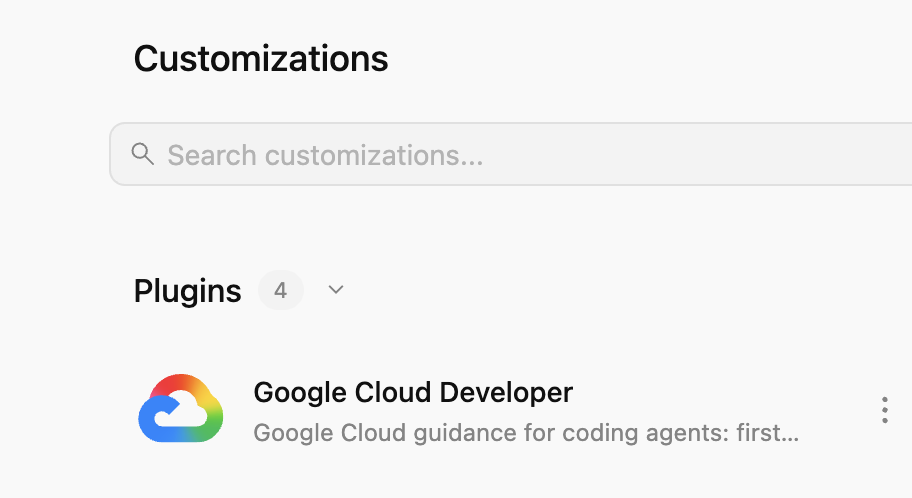
此外,前往左側的「Customizations」分頁,在「Installed」下方,您應該會看到「Google Cloud Developer」外掛程式:
按一下外掛程式,即可查看已安裝的技能、MCP 伺服器和規則清單:
5. 練習使用 Google Cloud Developer 外掛程式
啟用 Developer Knowledge API
首先,請確認 Google Cloud 專案已啟用 Developer Knowledge API。Developer Knowledge MCP 伺服器需要這項資訊:
- 在 Google Cloud 控制台中,搜尋 Developer Knowledge API
- 在「Developer Knowledge API」頁面,點選「啟用 API」。
現在來試試一些提示,看看 Google Cloud Developer 外掛程式在不同情境中如何提供協助。
這項外掛程式已在全球推出,您可以在 Antigravity 或 Antigravity CLI 中試用這些提示。
新手上路
如果您是 Google Cloud 新手,可以先詢問基本的新手入門問題:
I'm new to Google Cloud. How can I create a new project with billing enabled?
畫面上應會顯示 google-cloud-recipe-onboarding 技能已啟用:
Worked for 1m ˅

Explored 1 file ˅

> Analyzed google-cloud-recipe-onboarding/SKILL.md
您應該會收到回覆,其中包含逐步操作說明:
To get started with Google Cloud, you will need an active Google Cloud account and an authorized terminal session:

Google Cloud Account & Console: If you haven't already, sign up and access the Google Cloud Console where you can manage accounts, projects, and set up a Cloud Billing account (new accounts are eligible for the $300 Free Trial).
...
驗證
試著詢問驗證相關問題:
How can I authenticate my local machine with Google Cloud?
您應該會看到 google-cloud-recipe-auth 技能已啟用:
Worked for 1m ˅

Explored 1 file ˅

> Analyzed google-cloud-recipe-auth/SKILL.md
系統應會提供驗證指令:
To authenticate your local machine with Google Cloud, there are two primary methods depending on whether you want to use the CLI or run code/client libraries locally:

1. Authenticate the CLI (gcloud)
Use this to run gcloud, bq, and gsutil management commands in your terminal:

bash


gcloud auth login
This opens a web browser asking you to log in with your Google Account and grant permissions.
If you are on a remote server without a web browser, use:
bash

...
開發人員知識
您也可以提出問題,系統會根據官方說明文件提供解答。
例如:
What's the difference between Cloud Run and GKE according to the official docs?
您會看到相關技能已啟用,並使用 developer-knowledge MCP 伺服器:
Exploring 2 files ˅

* Analyzed retrieving-developer-knowledge/SKILL.md
* Analyzed answer_query.json

MCP Tool: developer-knowledge / answer_query ˅

Tool arguments
```json
{
  "query": "What is the difference between Cloud Run and Google Kubernetes Engine (GKE) according to official Google Cloud documentation?"
}
尋找其他 Google Skills
最後,Google Cloud Developer 外掛程式可視需要探索及載入技能。
例如,可以詢問:
Explain what steps are needed to start working with Firebase.
您應該會看到 finding-google-skills 技能已啟用,並找到及安裝相關的 Firebase 技能:
Explored 1 file ˅

* Analyzed finding-google-skills/SKILL.md

Ran `curl -sS https://raw.githubusercontent.com/google/skills/main/index.json | jq -r '.skills[ >`

Exploring 3 files, 2 searches ˅

* Reading skills catalog
* Searched firebase
* Fetching Firebase skill
6. 清除
停用 Developer Knowledge API:
- 在 Google Cloud 控制台中,搜尋「Developer Knowledge API」
- 在「Developer Knowledge API」頁面,依序點選「管理」和「停用 API」。
使用 Antigravity CLI 解除安裝 Google Cloud Developer 外掛程式:
agy plugin uninstall google-cloud-developer
Uninstalled plugin "google-cloud-developer"
7. 恭喜
恭喜!您已在 Antigravity 中成功安裝及使用 Google Cloud Developer 外掛程式。詳情請參考下列資源: