
1. Introduction

Week one asked who says what runs. Week two asked who decides what runs next. Week three asked what a run leaves behind. This week the conversation ends, and the question is what survives it — and it turns out that what kind of thing it is decides where it goes.
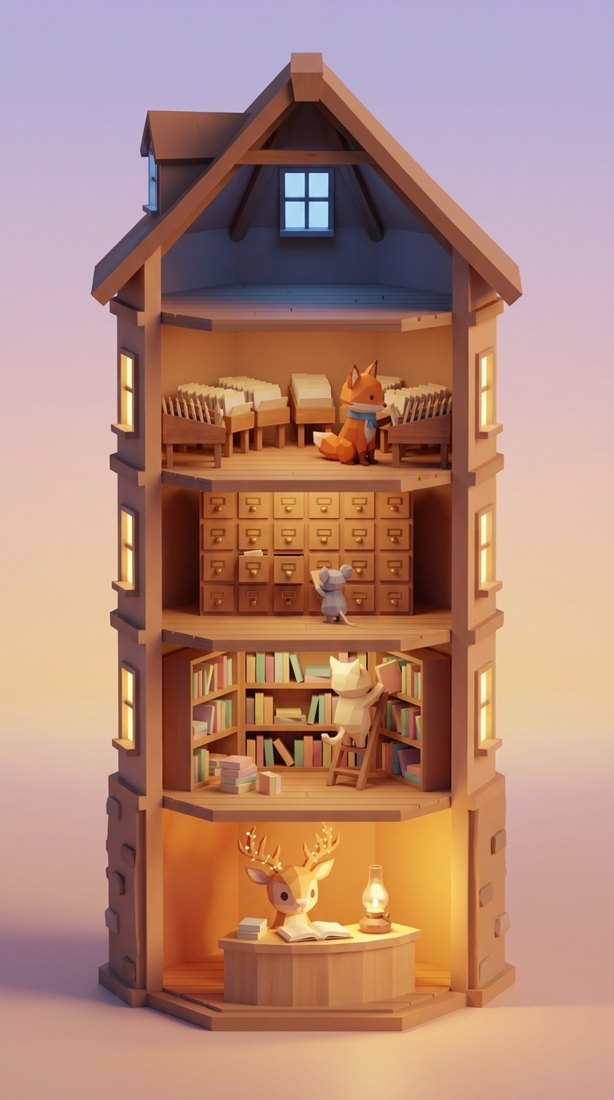
The Archive is where the valley comes when something has gone wrong. A tower that writes everything down, and Vesper, the archivist, at the desk on the ground floor. Your lantern goes out at night. You go and ask.
She is good company. She is also, a month later, delighted to meet you.
A record is not a memory.
That sentence is the whole lab. You will climb it in four rungs, and each rung is a floor of the tower:
rung | the floor | what it remembers | what keeps it |
1 | the desk, and floor one | this visit |
|
2 | floor two, your drawer | this visitor | the |
3 | floor three, the tower | what was said | Vertex AI Memory Bank |
4 | floor four, the season | the whole valley | BigQuery |
Every rung up is because something fell out of the one below.
You already know the archivist's five ways of forgetting, because every one of them has happened to you on a support call:
what she says | what went wrong | |
~~1~~ | ~~Could you give me that reference again?~~ | ~~forgot within one conversation~~ — week three fixed this |
~~2~~ | ~~I've transferred you. Please start from the beginning.~~ | ~~the history died with the process~~ — week three fixed this too |
3 | Welcome! How can I help you today? | to someone with an open case from last month |
4 | Could you describe the damage? | she looked at the lantern last time |
5 | We've never seen this before. | thirty-one people have asked this season |
Line three is this week. It fails three different ways — a new visit (chapter 2), a sentence with no line on the slip (chapter 3), and an archive that lives only inside the process (chapter 4) — and each way is a chapter. Line four is left to you: look() in archive/agent.py is where she reads a mark off a photo. Line five is chapter 5, and it is optional.
You do not need weeks one to three. An agent is a model with an instruction and a few tools. Everything else, this week explains itself.
You will write three lines, and every one of them is a memory concept:
the line | what it is |
| state is written by code, never by the conversation |
| a prefix is a lifetime |
| the recall policy — filed is not remembered |
One more line is already there for you to read — the write policy, await ctx.add_events_to_memory(...) — and chapter 3 is where you read what it does before you write the line that uses it.
The other two rungs are not edits at all: you build a tower (an Agent Engine that hosts Memory Bank) and the same code connects to it on its own, and you load a warehouse (BigQuery), lay a graph over it, and hand the same agent two governed queries — one by meaning, one by connection.
Every chapter runs the same loop, and it is the loop you will use on your own agents: read the code → write the line → watch it in the tower. Nothing runs broken first, nothing is restarted, and nothing is Ctrl+C'd: every edit is picked up on the next message, and connecting the tower is one line in a file the Archive re-reads on every request. The tower is a drawing that redraws: it reads the same files you edit, and it has three buttons — 🌙 ends the day, 🗓 starts the next visit, 🔥 forgets you. Everything else you do in the code and the terminal.
Two places, and they never change jobs: tab 1 is the terminal, tab 2 is the Archive. The workbench (adk web) appears exactly once, in chapter 1, for one look at raw session state, and then you are done with it. Every 👉 below says which. 👉💻 is tab 1, 👉🖥 is tab 2, 👉🔬 is the workbench. 👉📖 is open a file and read — nothing to change — and 👉✏️ is the one kind of step that edits. Whenever a step tells you to say something to Vesper, the exact message is in the block right under it — copy it as it is. And a section whose heading ends in — read only has nothing to type, paste or click: the code in it is already in the repo and already running, printed for you to read.
The sentence over Vesper's door is the one at the top. The sentence this week ends on is the closing line of the whole season's fourth week:
Facts and preferences belong in different stores.
2. 🧰 Setup
- What — point at a project or paste a key, install, and prove the toolchain is green.
- Why — nothing gets booted here. Every server starts right before the step that needs it, so when a screen opens you know which command owns it.
- How — one script that makes the project, one that installs and points you at Vertex AI, and one preflight that reads your code and tells you where you are.
Everything in this lab runs in Cloud Shell — Python, uv and gcloud are already installed there, and Gemini is reached through Vertex AI using your own credentials. There is no API key anywhere in this lab, and nothing to install on your laptop.
There is one thing this lab cannot hand you: a Google Cloud project with billing on it. Step 1 gets you an account that can pay for it; step 4 turns that account into a project — or picks up the Agent Valley project you already made in week one, week two or week three. Do them in that order — every step after 4 reads the project that step 4 settles on.
1 · Get an account with billing (~1 min)
🌐 Do this before anything else. Sign in with a Google account that has billing enabled. Any such account works. If yours does not, start a free trial; it gives you a billing account, which is all step 4 needs.
2 · Open Cloud Shell (~1 min)
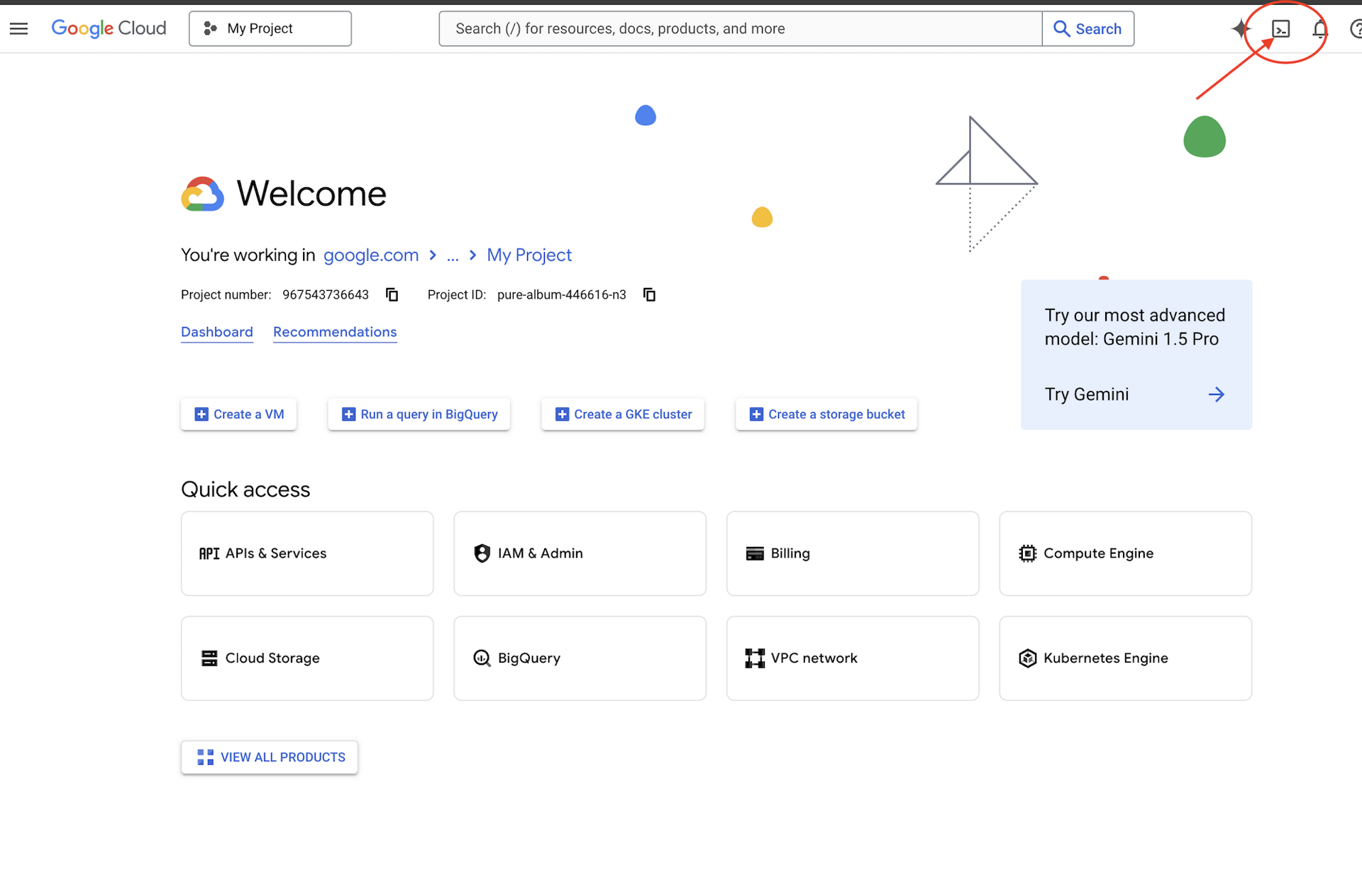
🌐 Click Activate Cloud Shell at the top of the Google Cloud console — it is the terminal-shaped icon in the header.
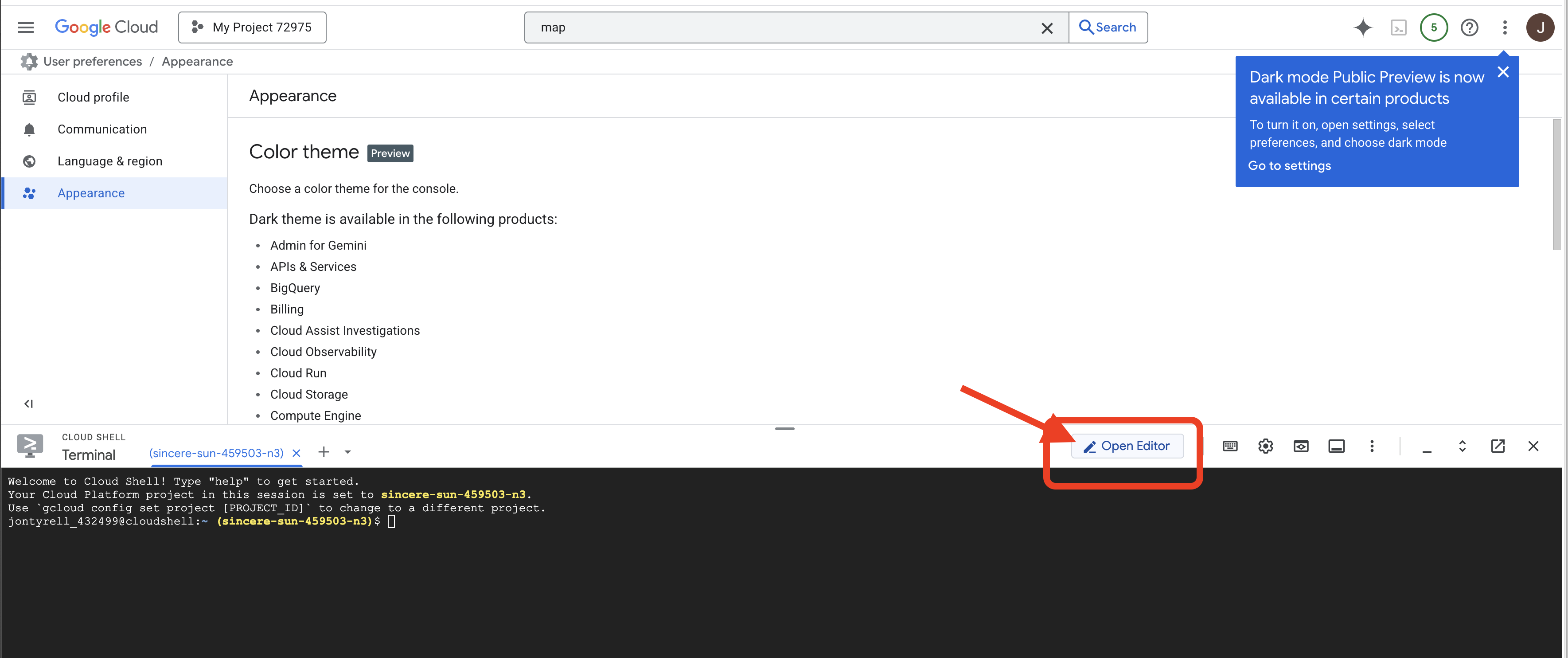
🌐 Click Open Editor (the open-folder-with-a-pencil icon). This brings up the Cloud Shell Editor with a file explorer on the left — that is where you work whenever a step is marked 👉✏️.
🌐 If you are prompted to authorize at any point today, click Authorize to continue.
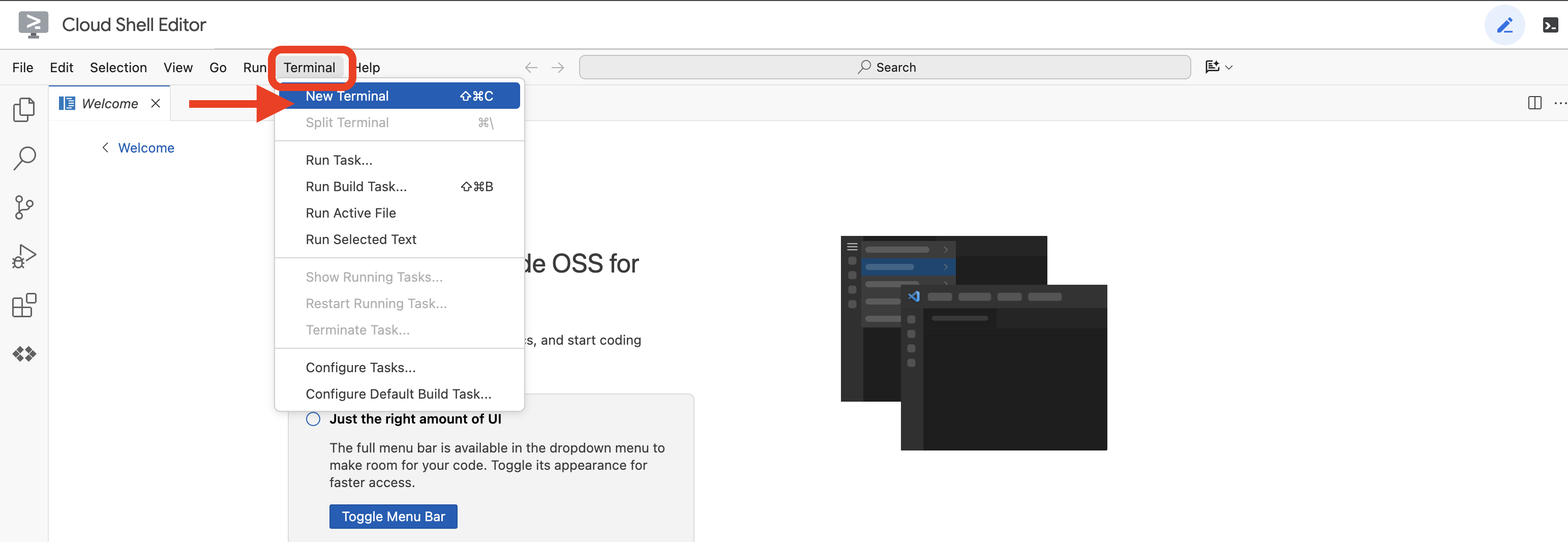
🌐 Open a terminal inside the editor — that is tab 1, and every 👉💻 step runs there unless it says otherwise. Tab 2 is the Archive, and you open it in chapter 1, right before the step that needs it. If the terminal is not already along the bottom of the screen, open it with View → Terminal:
🌐 Check which account you are signed in as — it should be the one from step 1:
gcloud auth list
3 · Get the lab (~1 min)
💻 Clone the repo — this is the Archive repo, not week one's, week two's or week three's:
cd ~
git clone https://github.com/cuppibla/agent-valley-archive
cd agent-valley-archive
4 · Create your project — or reuse an earlier week's (~2 min)
💻 One script finds your billing account, creates a project on it, and points Cloud Shell at that project. If you did week one, week two or week three, it finds that Agent Valley project first and offers to reuse it — say yes and there is no second billable project to think about:
cd ~/agent-valley-archive
./setup_project.sh
👀 Expect a ✓ for the billing account it picked, a ✓ for the project it created or reused, and an ending like:
cd ~/agent-valley-archive
Project ready: agent-valley-4271
  Next:  ./setup_codelab.sh
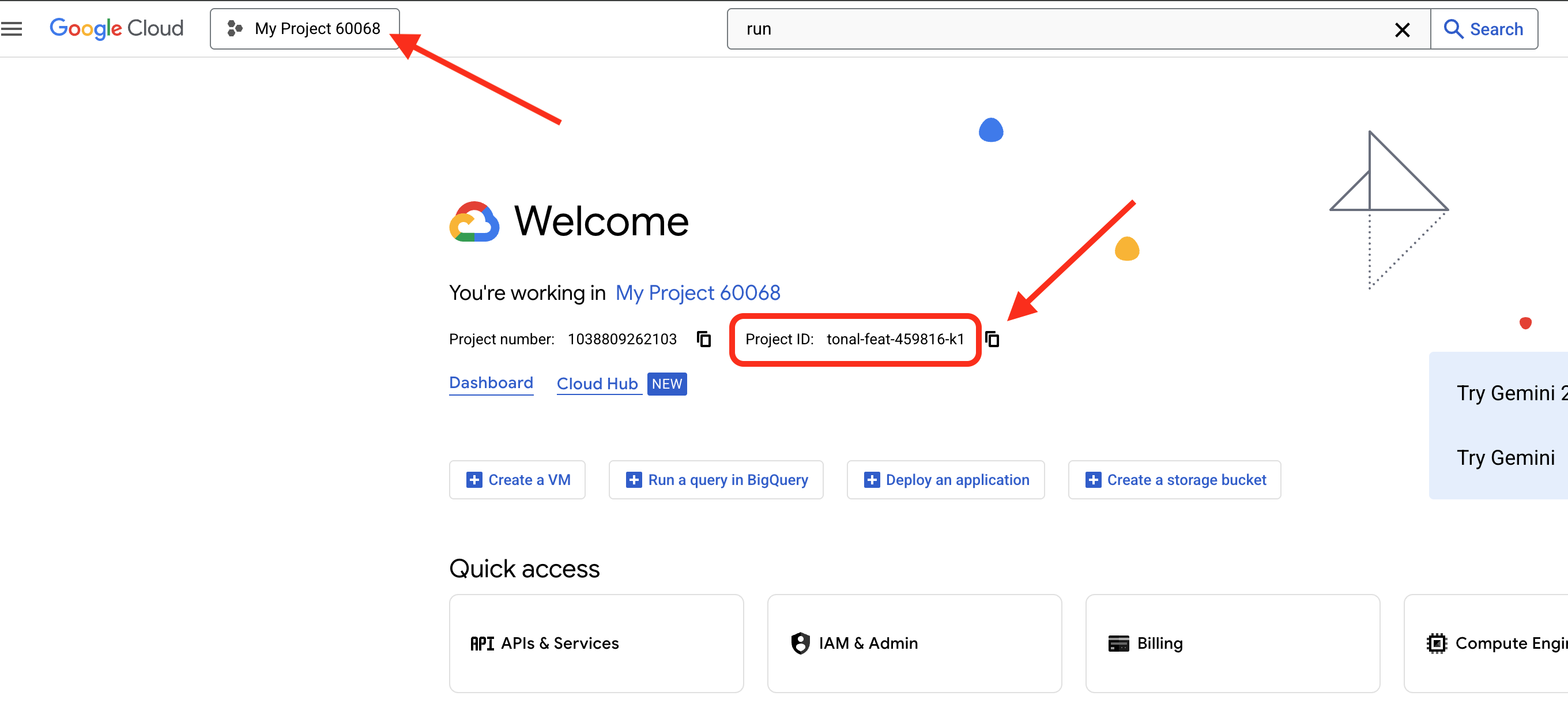
agent-valley-4271 is your project ID — yours will have different digits. Four things happen in there:
billing | takes the newest | |
project | looks for an Agent Valley project you already own — week one's, week two's or week three's — and offers to reuse it; otherwise creates | |
selects | writes the ID to | |
waits | polls until the project is actually allowed to serve, for up to two minutes | |
🌐 The same project is now in the console — its ID sits in the Project info card on the Dashboard:
5 · Install and point at Vertex AI (~3 min)
💻 Install uv, export the three variables that send ADK to Vertex AI, and run setup:
cd ~/agent-valley-archive
curl -LsSf https://astral.sh/uv/install.sh | sh
source ~/.local/bin/env
export GOOGLE_GENAI_USE_VERTEXAI=TRUE
export GOOGLE_CLOUD_PROJECT=$(gcloud config get project)
export GOOGLE_CLOUD_LOCATION=global
./setup_codelab.sh
$(gcloud config get project) has something to return because step 4 set it. That is the whole reason step 4 comes first.
setup_codelab.sh is idempotent — safe to re-run any number of times. It does five things, in order:
api | reads the project step 4 selected and enables | |
uv env |
| |
site | runs | |
.env | writes the variables the lab reads — | |
model check | makes one real call to Gemini, so a bad project fails here at setup time, not later inside a chapter | |
6 · Prove it is green (~1 min)
💻 Run the preflight — every tick is a real probe, not a guess:
cd ~/agent-valley-archive
uv run python scripts/preflight.py
👀 The preflight asks the model one question to prove your credentials work, checks that the Archive's packages are in place, then reads your code and prints this week's progress bar:
cd ~/agent-valley-archive
  desk      ▢ the slip      · write_down writes nothing         chapter 1 · EDIT ONE
  floor 1   ✓ the file      · SqliteSessionService              chapter 1, read only
  floor 2   ▢ the drawer    · CASE = "case"                     chapter 2 · EDIT TWO
  floor 3   ✓ what was said · closing time files the day        chapter 3, read only
  floor 3   ▢ the asking    · recall never looks                chapter 3 · EDIT THREE
  floor 3   ▢ the tower     · InMemoryMemoryService             chapter 4 · built, not edited
  floor 3   ✓ the rules     · USER_PREFERENCES, LANTERN_CONTEXT chapter 4, read only
Three are already ticked. Those are the ones you only read. Three are lines you write; one is a tower you build. Run the preflight again at any point in the lab and it will tell you where you are — it reads your files, not a checklist.
3. Session, State, SqliteSessionService
- What — write one line; start the workbench once and watch the slip fill in; then the same in the tower; then read why it survives the night.
- Why — the first thing to see about memory is that nothing is remembered on its own. Somebody writes it.
- How — one line in
agent.py, then change nothing else.
EDIT ONE
👉📖 Open archive/agent.py and find write_down. Read to the 👉:
    case = dict(tool_context.state.get(CASE, {}))
    if case.get(field):
        return {"already_written": {field: case[field]}}
    case[field] = value
    # 👉 EDIT ONE — chapter 1. She heard you. Nothing was written. Delete the
    #    "# " in front of the next line, then save — the slip is session state,
    #    and state is written by code, never by the conversation:
    # tool_context.state[CASE] = case
    return {"written": {field: value}}
The function builds the slip in a local dict and then returns it — and a local dict dies with the call. Run this as it stands and Vesper hears you perfectly: four write_down calls fire, each one answers "written", and the session state stays empty, because nothing ever reached it. She heard you. Nothing was written.
👉✏️ Still in archive/agent.py, inside write_down: delete the # in front of one line — the # and the space after it. Before:
    case[field] = value
    # 👉 EDIT ONE — chapter 1. She heard you. Nothing was written. Delete the
    #    "# " in front of the next line, then save — the slip is session state,
    #    and state is written by code, never by the conversation:
    # tool_context.state[CASE] = case
    return {"written": {field: value}}
After:
    case[field] = value
    # 👉 EDIT ONE — chapter 1. She heard you. Nothing was written. Delete the
    #    "# " in front of the next line, then save — the slip is session state,
    #    and state is written by code, never by the conversation:
    tool_context.state[CASE] = case
    return {"written": {field: value}}
Save.
The slip fills in
👉💻 Start the workbench. This is the one time in the lab you open it — it is the only window that shows session state as the raw JSON it is:
cd ~/agent-valley-archive
uv run adk web . --allow_origins="*"
👉🔬 Open the workbench with Web Preview → Preview on port 8000 (the Web Preview button is the eye-over-a-window icon at the top right of Cloud Shell). Pick archive, and before you type anything, click State in the left panel.
👀 Empty. Nobody has said anything yet.
👉🔬 Now say this, all in one message:
Hi! My lantern keeps going out at night. My case number is k7f2, and there's a little q7 stamped on the base.
👀 Four write_down chips fire — click one and read the JSON: "written": {"no": "k7f2"}. Now click State again.
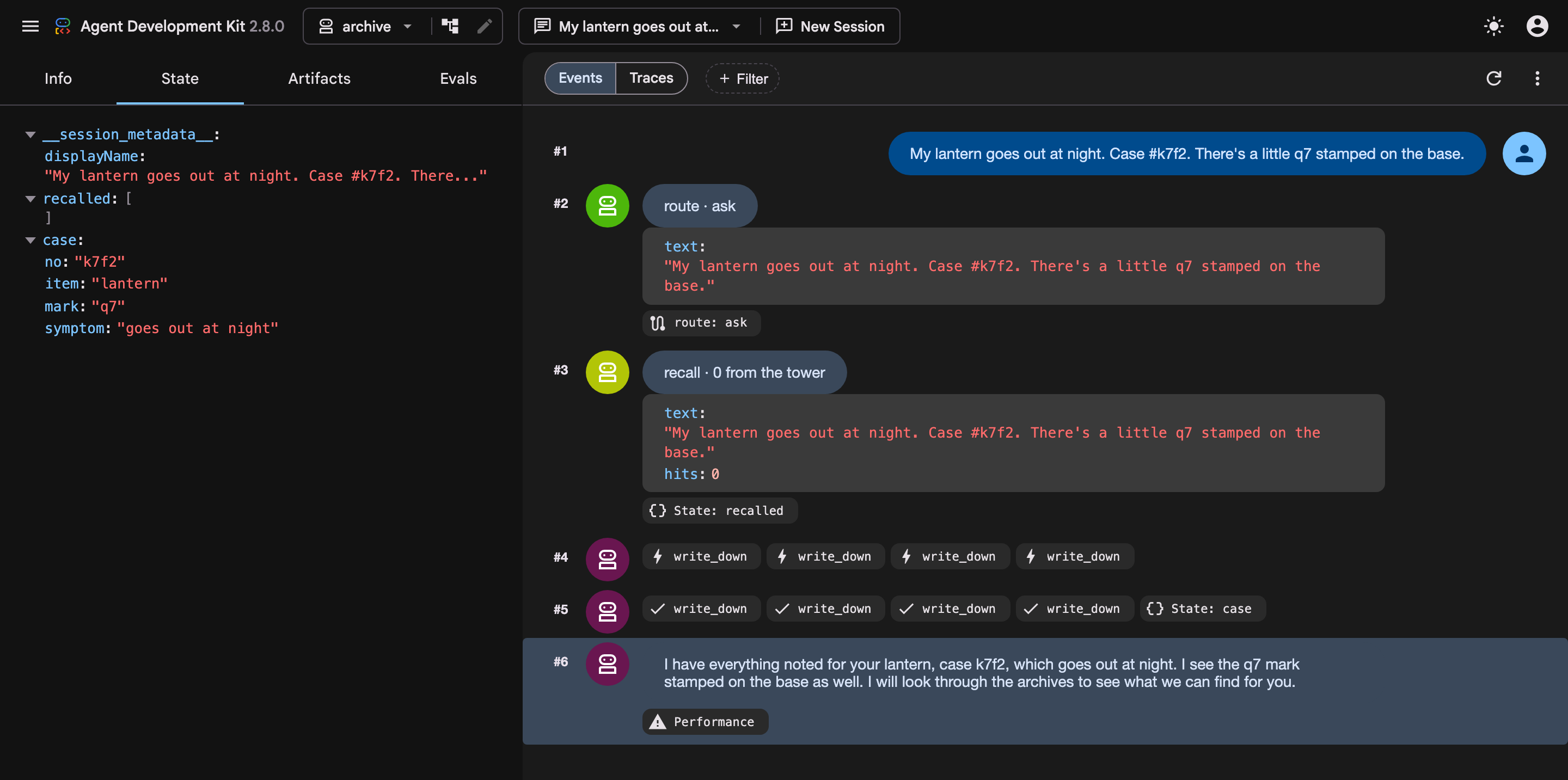
case   {"no": "k7f2", "item": "lantern", "mark": "q7",
        "symptom": "keeps going out at night"}
👀 Empty, then full, inside one message. That is what she remembers with, and it did not appear on its own. You wrote the line that writes it. That is the whole mechanism: a plain function that writes into tool_context.state, and an instruction that tells her to use it whenever the visitor says something that fits a line on the slip.
👉🔬 Ask her:
What's my case number?
👀 k7f2. She reads it off the slip. Without EDIT ONE she would have asked you for it — line one of the support list, inside one conversation.
The two guards are the slip being a paper form: four short lines, each written once. They matter more than they look. Without them the model discovers it can pour the whole conversation into symptom, and chapter 3 — the chapter whose entire point is the slip has no line for that — quietly stops being true. A store's shape is enforced by the code that writes it, or it is not enforced.
Now go to the tower
👉💻 You are done with the workbench — leave it running or close its tab; the rest of the lab lives in the Archive. Open a second terminal tab (tab 2 — the Archive):
cd ~/agent-valley-archive
bash valley.sh
👉🖥 Open the Archive with Web Preview → Change port, type 3440, and click Change and Preview. 3440 is not in Web Preview's quick list — 8080 is its default — so you have to set it by hand this once. Press ▶ Start, then The Archive. You are at the door. Pick whoever has come to ask — a name and a species — and go in.
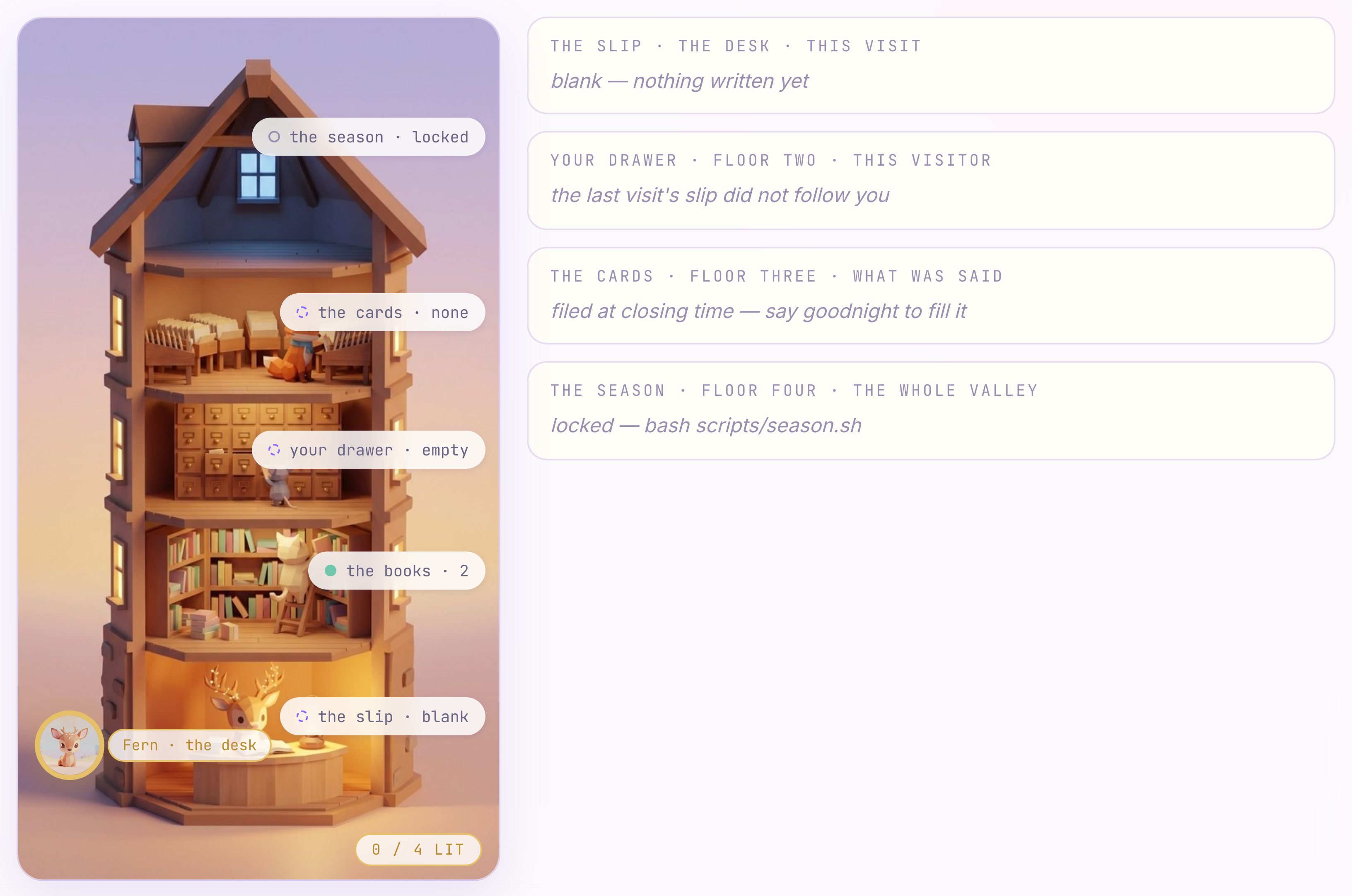
👀 One building. Vesper is at the desk on the ground floor, and that is where you talk. Above her: floor one, floor two, floor three, and a dark attic. The four rungs are the four floors. Your familiar is sitting on the ground floor, because that is as far as you have climbed. The column beside the drawing spells out what each floor holds right now — the same four stores as the table in the introduction, in the same order. Nothing on the right is a button.
👉🖥 Paste the same four things into the box under the conversation — this exact message — and press Enter:
Hi! My lantern keeps going out at night. My case number is k7f2, and there's a little q7 stamped on the base.
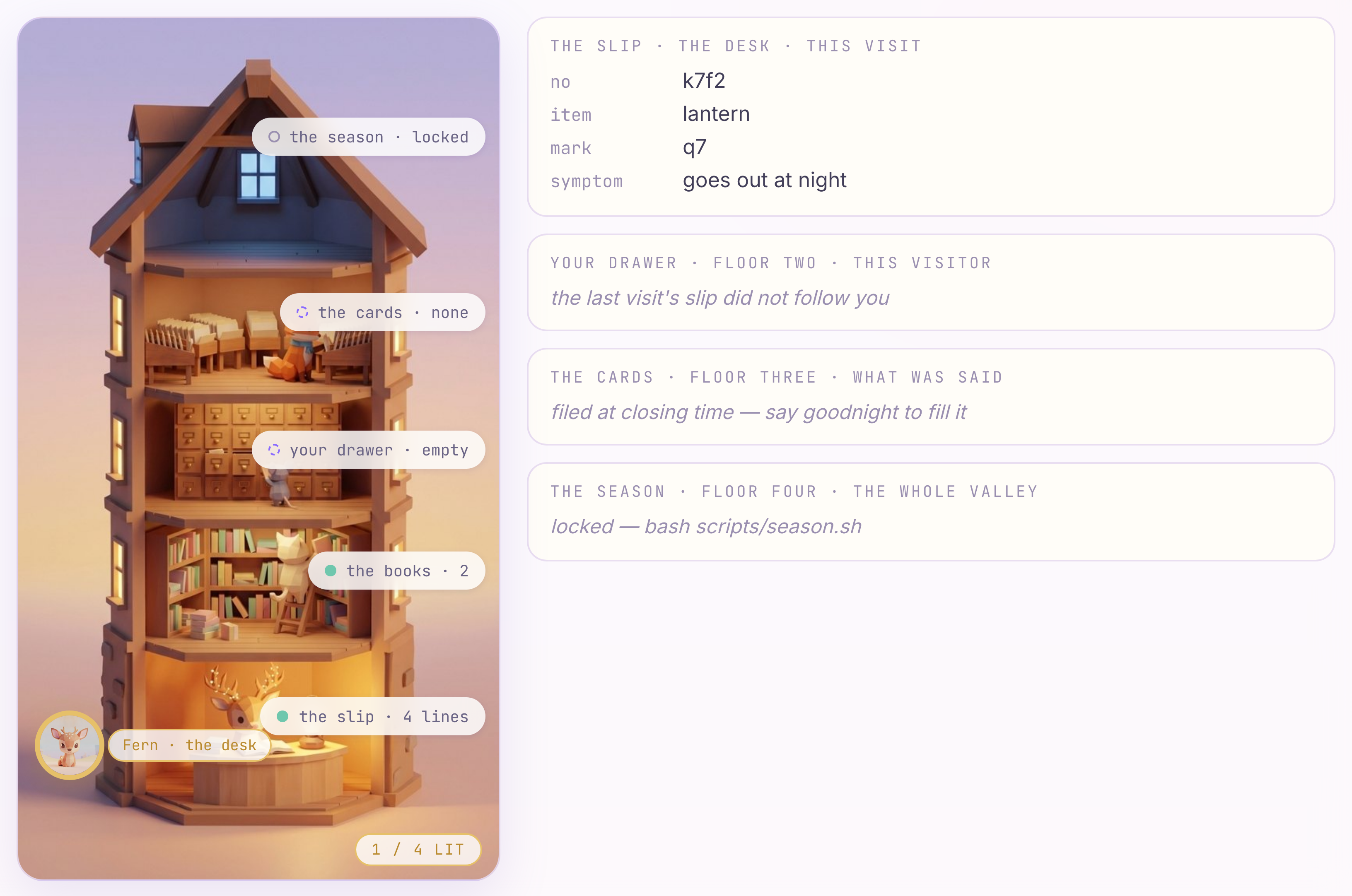
👀 Watch the desk. The slip writes itself, one line at a time — on the drawing, and in full under the slip beside it. Same tool, same state: the tower is just drawing what write_down wrote, and it will keep doing that for the rest of the lab.
She remembers overnight — read only
What you wrote, and what it is
the line | what it is | where it lives |
| session state — written by code, read by the instruction | the desk · |
| the session store — a visit in a file, not in a process | floor one · |
This rung reaches one visit, and it survives closing time. It does not survive the next visit.
4. User State
- What — come back a month later; the slip is gone. Five characters, and it follows you.
- Why — a session is one visit. The next visit is a new session, and it has never seen the last one.
- How — five characters in
state.py.
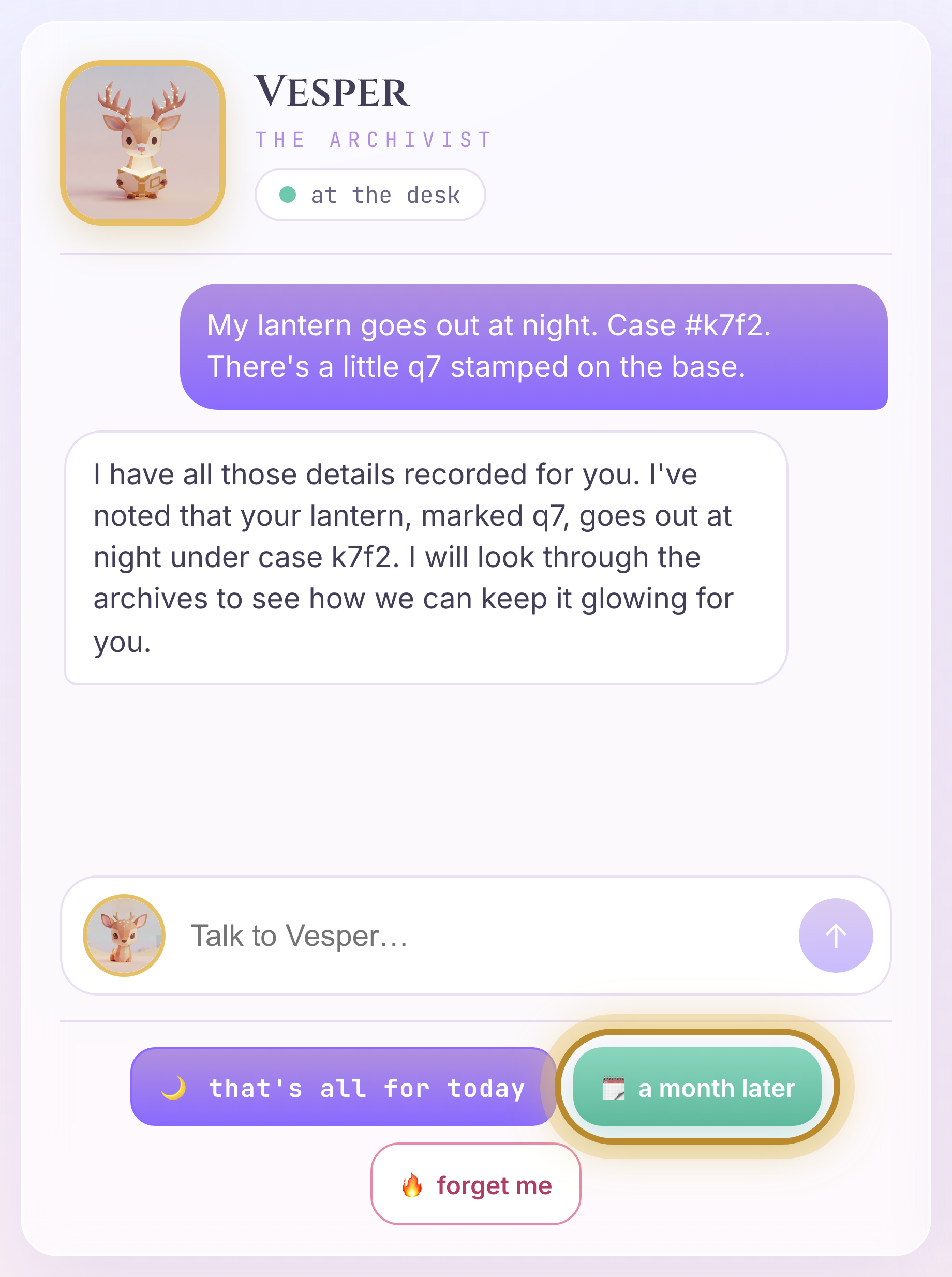
👉🖥 Press 🗓 a month later. That is a new session for the same visitor — the way start a new conversation was in week three.
Welcome to the Archive. How can I help you today?
👉🖥 Look at the tower. Floor one has another book on it — this visit. The drawer on floor two is empty. The slip on the desk is blank.
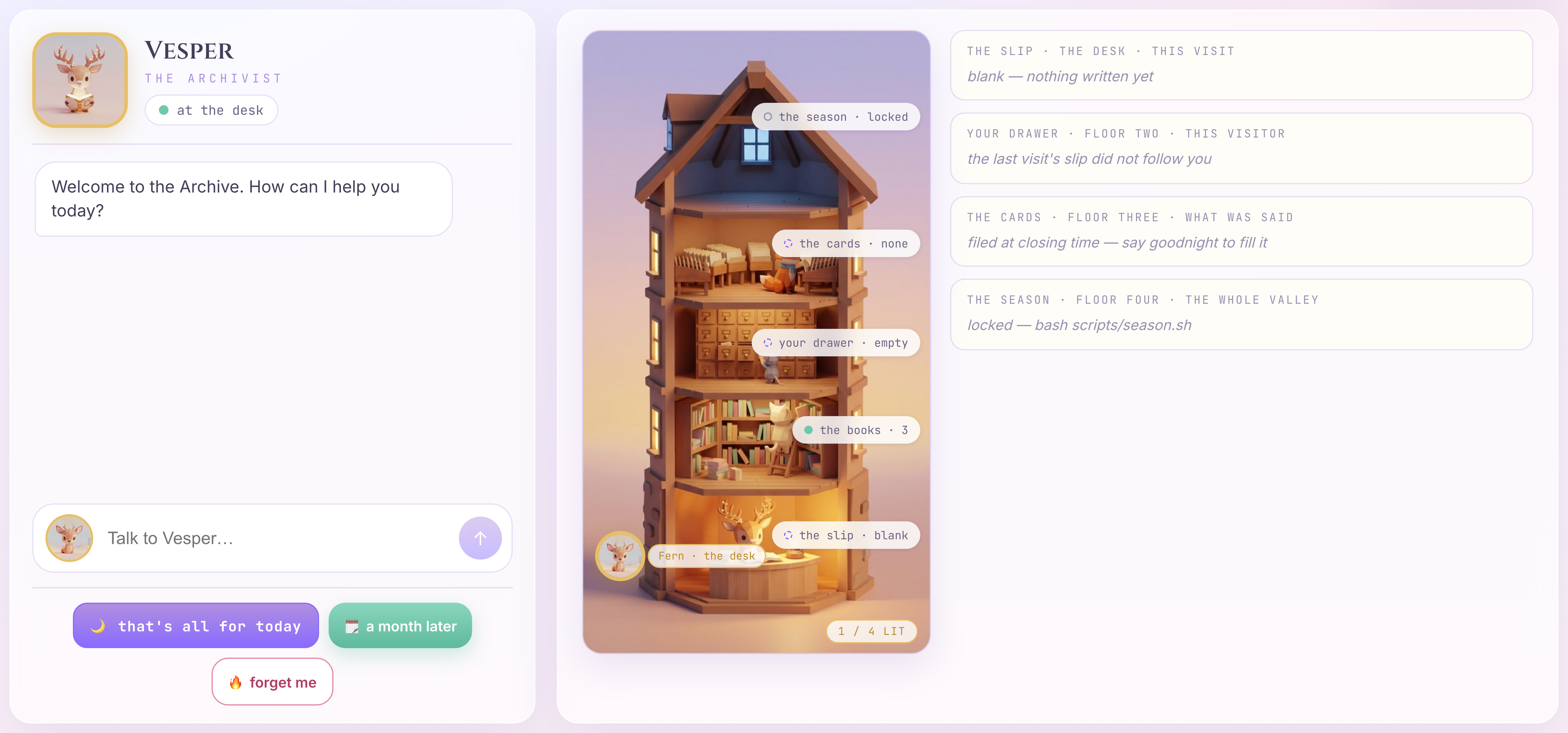
👀 Why: the slip is written into session state, and a session is this visit. Change visits, change sessions. Nothing carried over because nothing was told to. The last visit is still in the file — that is floor one's first book — but the slip was written under a key that lives for one visit.
EDIT TWO
👉✏️ Open archive/state.py. Find the 👉. Before:
# 👉 EDIT TWO — chapter 2. Five characters. A key with no prefix lives for one
#    visit; `user:` follows the visitor into every visit after this.
CASE = "case"
After:
CASE = "user:case"
Save. No restart — the Archive re-imports your code on every message.
👉🖥 Paste the same four things again — this exact message:
Hi! My lantern keeps going out at night. My case number is k7f2, and there's a little q7 stamped on the base.
👉🖥 Then press 🗓 a month later again — the same button as before.
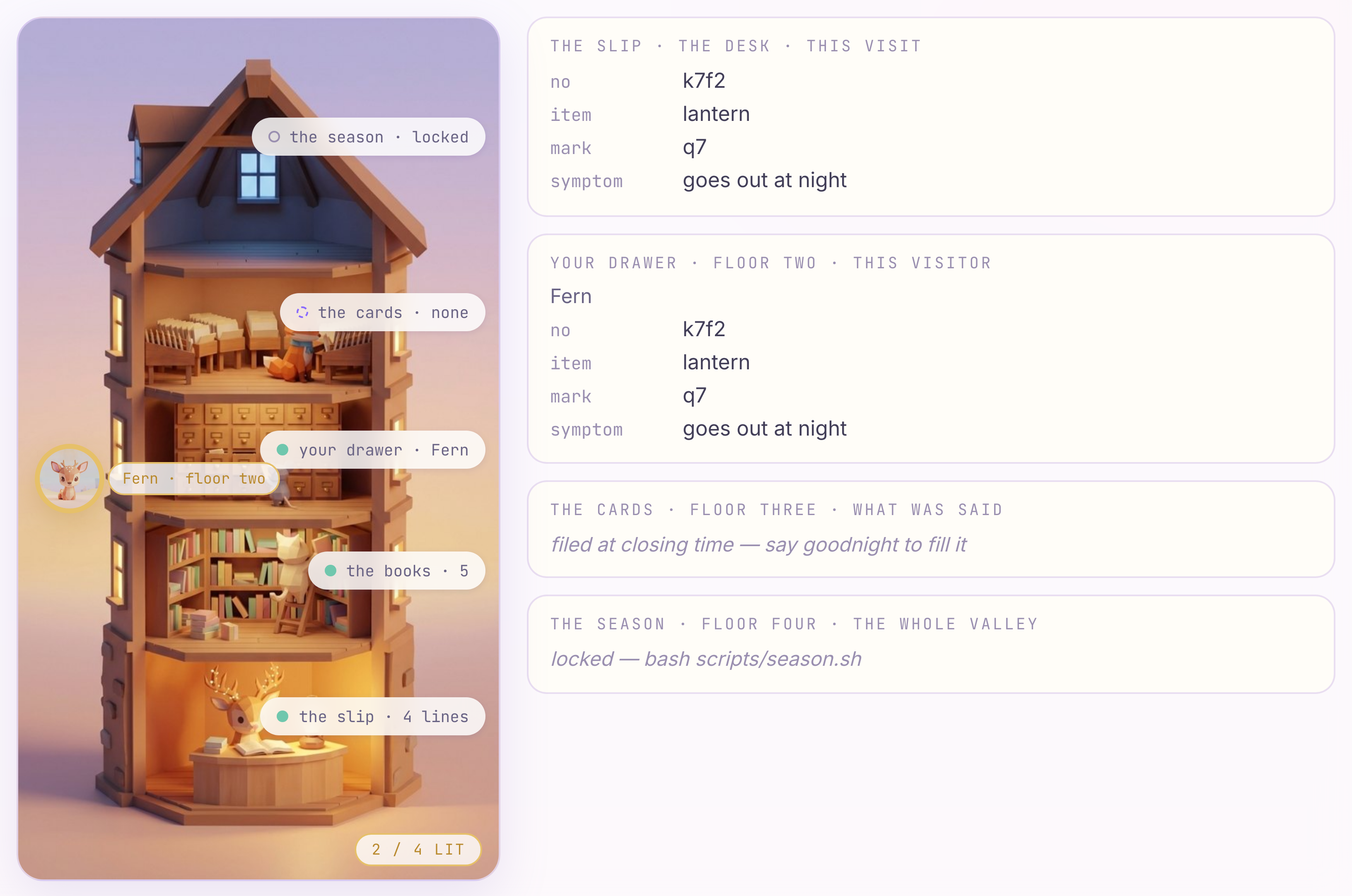
👀 The drawer on floor two has your name on it, and the four fields are inside. The slip on the desk is the same four lines — pulled out of the drawer when you walked in. Your familiar has moved up a floor. Same key, every visit, one value: that is the prefix doing its job.
The prefix is a lifetime.
prefix | how long it lives | which floor |
(none) | this visit | the desk |
| every visit this visitor makes | floor two, your drawer |
| everyone, forever | part of floor four |
| this turn only — never even climbs the stairs | — |
One table, four drawers. This chapter touches one of them.
She knows you now
👉🖥 This visit is brand new and you have said nothing in it yet. Ask her:
What did I bring in last time?
👀 I have it written down that you brought in a lantern, case k7f2. It is marked with q7 and you mentioned it keeps going out at night. Every word of that came out of the drawer, not the conversation — this visit is one message old, and the message named nothing. That is user-level state doing its job: a user: key is there before the visitor says a word, on every visit they make.
The drawer holds the four lines the slip has, and nothing else. What you say that has no line on the slip — what you tried, why you care, whether you want a new one — has nowhere to go, and a month later it is gone. The drawer crosses the month. A sentence does not. Chapter 3 is about that.
What you wrote, and what it is
the line | what it is | where it lives |
| a prefix is a lifetime — the same key, scoped to the visitor instead of the visit | floor two · |
This rung reaches one visitor. The drawer follows you; the conversation still doesn't.
5. InMemoryMemoryService
- What — read the line that files the day, write the line that asks; then one closing time and one question.
- Why — the slip is a form. A form has the lines you gave it. People do not speak in lines — and filing what they said is only half of remembering it.
- How — read
file; one line inrecall; then one 🌙, one 🗓, one question.

What she does on the way home — read only
Filed is not remembered
That line puts the day on the shelf. It does not take anything off it. A shelf full of cards helps exactly as much as an empty one if nobody looks — and as the code ships, nobody looks: recall, the node that runs before Vesper on every question, asks the tower nothing. Storage you cannot recall at the right moment is not memory; it is a log. The looking is the other half, and it is yours to write.
EDIT THREE — the asking
👉📖 In archive/agent.py, find recall — the function just above file. It is a plain function node that runs before Vesper on every question — not the model deciding when to look, which means the times it finds nothing are visible too. Read to the 👉:
    if query.strip():
        try:
            # 👉 EDIT THREE — chapter 3. Filed is not remembered: the cards are on
            #    the shelf and nobody is looking at them. Delete the "# " in front
            #    of the next line, then save:
            # found = await ctx.search_memory(query)
            pass
        except ValueError:
            # no memory service wired on this runner — degrade, do not crash
            pass
👉✏️ Still in archive/agent.py, inside recall: delete the # in front of one line — the # and the space after it. Before:
        try:
            # 👉 EDIT THREE — chapter 3. Filed is not remembered: the cards are on
            #    the shelf and nobody is looking at them. Delete the "# " in front
            #    of the next line, then save:
            # found = await ctx.search_memory(query)
            pass
        except ValueError:
After:
        try:
            # 👉 EDIT THREE — chapter 3. Filed is not remembered: the cards are on
            #    the shelf and nobody is looking at them. Delete the "# " in front
            #    of the next line, then save:
            found = await ctx.search_memory(query)
            pass
        except ValueError:
Leave the pass where it is — it does nothing now, because found is already None above.
Save. No restart.
Two lines, two policies — and you wrote one of them. The write policy decides what gets kept and when (closing time, the whole day). The recall policy decides when to look and with what (every question, the question itself). ADK gives you the verbs — add_events_to_memory, search_memory — and stays out of the policy. That is the right split, and it is why the asking was yours to write.
Closing time
👉🖥 Say three things the slip has no line for. One message or three:
I read by it at night, so night is exactly when I need it.
I've tried hanging it higher. No change.
I don't want a new one — it was a gift.
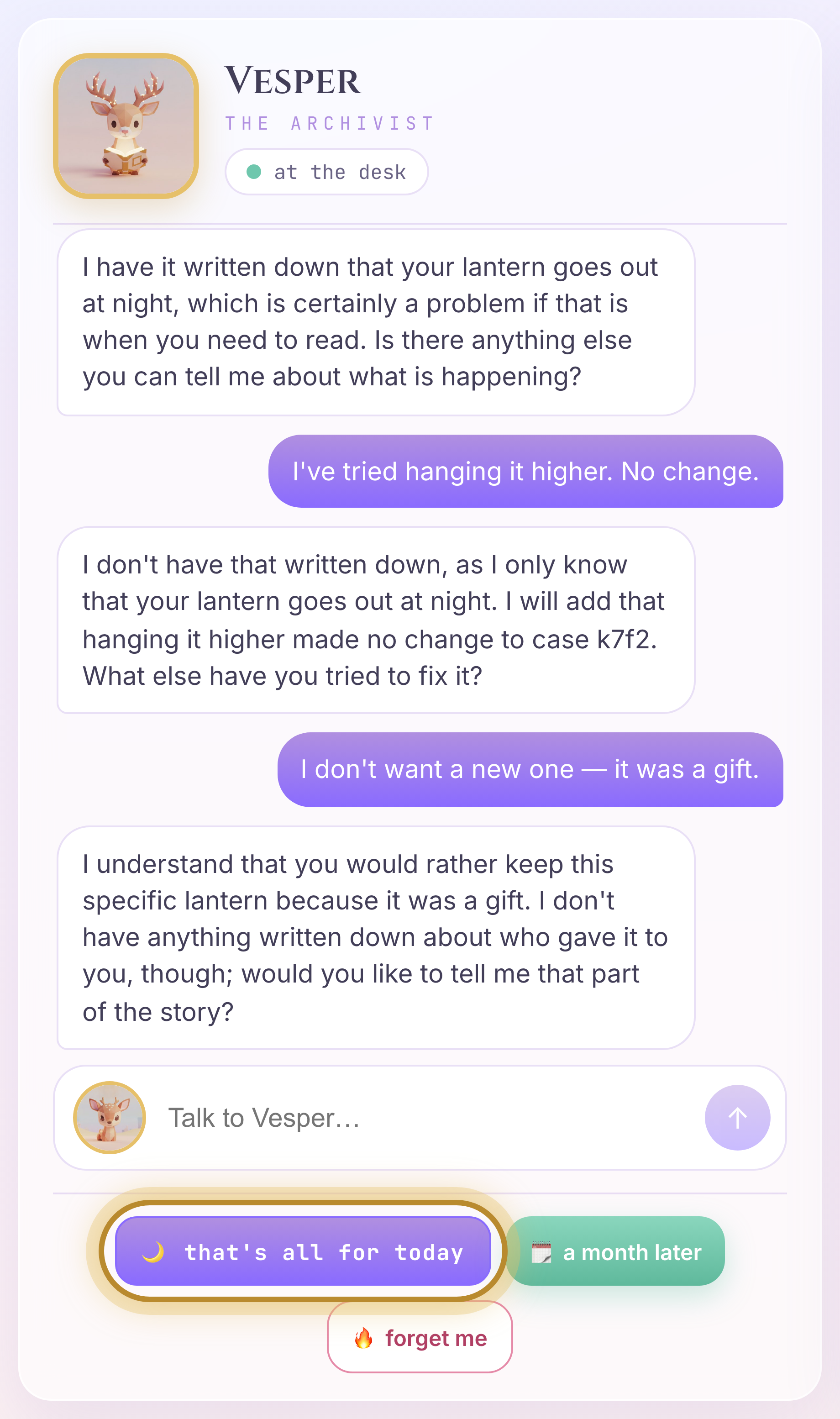
👉🖥 Then press 🌙 that's all for today.
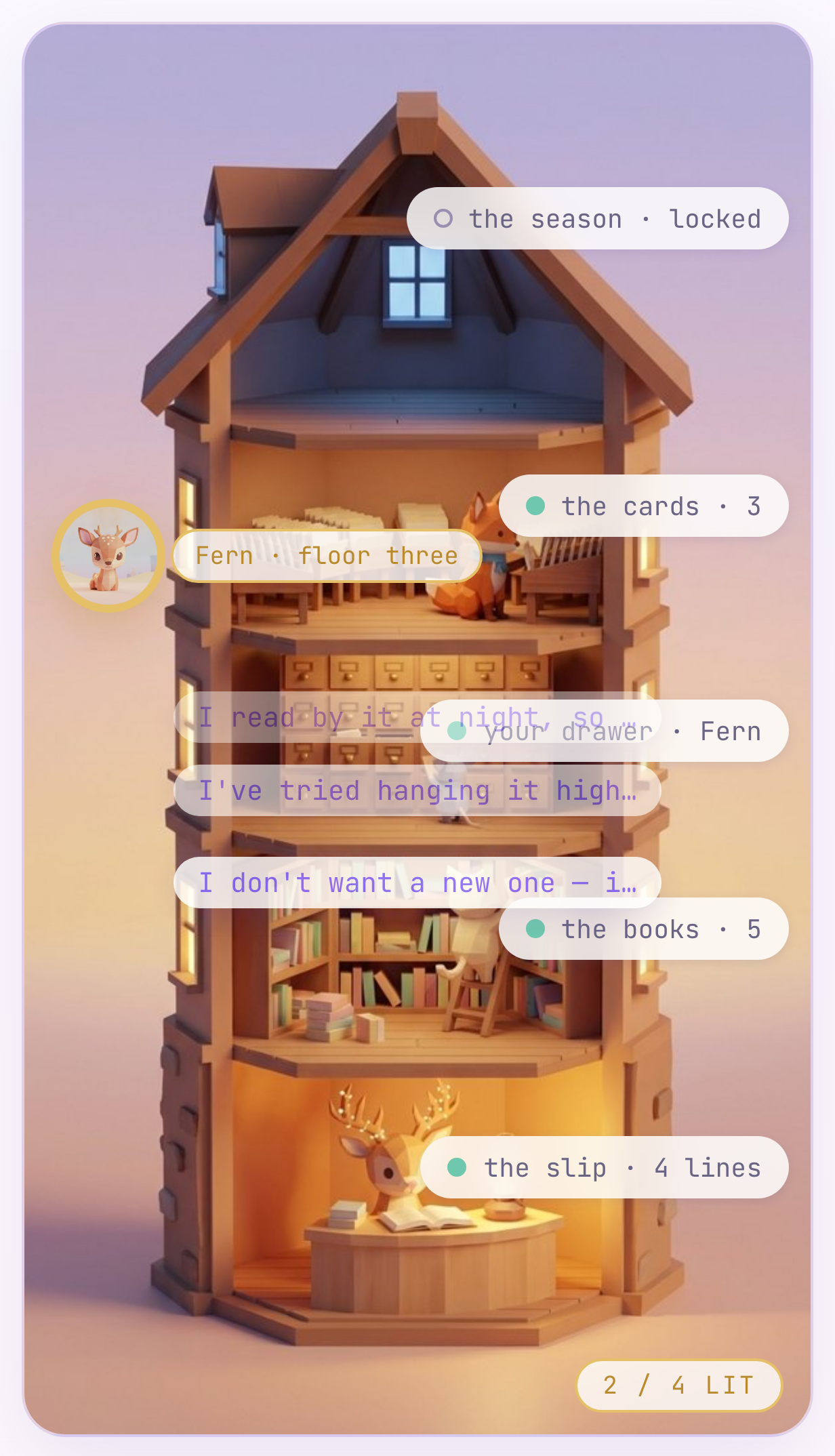
👀 Watch the desk. The three things you said lift off the slip and float up, and land on floor three. Under the cards beside the tower they are listed — one card for each message you sent, marked quote, your sentences word for word, and in this process above them. The lamp on the desk stays lit until they have landed.
A month later, she knows
👉🖥 Press 🗓 a month later, and ask:
What have I already tried?
👀 You tried hanging it higher — it didn't help. She knows. The slip has no line for it and never did, so the drawer could not have answered this; recall found the card, wrote it into ctx.state["recalled"], and her instruction reads that. One line is the difference.
And it is all in her head
Look under the cards beside the tower: in this process. Right now the memory is InMemoryMemoryService — a dictionary inside bash valley.sh, and it lives exactly as long as that process does. Shut the tower tonight and open it tomorrow: the books are on floor one, the drawer is on floor two, and floor three is dark. The case survived in the file. What you said lived in the process, and the process is gone.
Persistence is not memory.
Two things are wrong with floor three as it stands: it is in the process, and it is in your own words — a quote, not a fact. The next chapter fixes both, with no code at all.
What you read, what you wrote, and what it is
the line | what it is | where it lives |
| the write policy — a whole day, at closing time | floor three · the memory service |
| the recall policy — every question, before she answers |
|
This rung reaches what was said — and keeps it in a dictionary inside one process, in your own words. Both halves of that are wrong, and the next chapter fixes both with no code at all.
6. MemoryBank
- What — one script builds a Memory Bank; the two lines you already have start writing facts to it and reading them back.
- Why — a memory service is a service. Where the archive lives is a deployment decision, not an agent one — you change it without touching the agent.
- How — run
make_tower.py, say three sentences, press 🌙, press 🗓, ask one question. Then a read-only look at the write and the read.
Build the tower
Chapter 3's floor three was a Python dictionary inside bash valley.sh. Memory Bank is the managed version of that floor: it lives on an Agent Engine instance in your project, it keeps facts distilled from the day instead of your sentences, and it finds them by meaning instead of by shared words. You do not have to deploy Vesper to an Agent Engine to use it — an instance with nothing deployed on it still hosts a Memory Bank, and that is what the script builds: a tower with no one living in it, whose only job is to keep the cards.
👉💻 In tab 1 (about a minute):
cd ~/agent-valley-archive
uv run python scripts/make_tower.py
👀 Expect:
  building the tower in YOUR_PROJECT / us-central1 — about a minute...
  built, with the two topics in archive/topics.py configured on it.

  resource: projects/.../locations/us-central1/reasoningEngines/6792...
  AGENT_ENGINE written to .env

  Next — nothing to restart. The Archive reads .env on every message:
    look at floor three — under the cards it now says Memory Bank.
    (adk web, if you use it:  --memory_service_uri "agentengine://projects/.../reasoningEngines/6792...")
One SDK call, agent_engines.create(), and one line written into .env. The Archive re-reads that file on every request, so there is nothing to restart.
Watch it work
👉🖥 Look at floor three — the tower redraws on its own within a couple of seconds. Under the cards it now says Memory Bank, and the shelf is empty: the three quotes from chapter 3 were in the process, and this is not the process. Say the three sentences again, one message or three:
I read by it at night, so night is exactly when I need it.
I've tried hanging it higher. No change.
I don't want a new one — it was a gift.
👉🖥 Press 🌙 that's all for today. Closing time takes about eight seconds now — the tower is extracting. Then look at floor three.
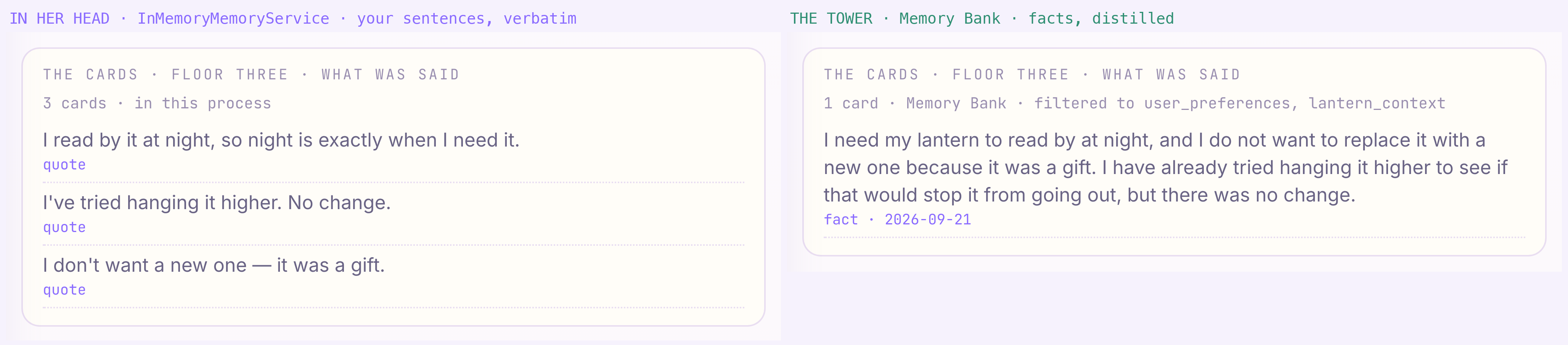
👀 The cards are not your sentences. They say things like I use my lantern to read at night, which is when it keeps going out and I have already tried hanging my lantern higher, each marked fact with a date. Distillation. What went in was a conversation. What came out is facts.
👉🖥 Press 🗓 a month later — a new visit, so nothing you just said is in the conversation any more — and ask her this, a question that shares not one word with the cards:
Should I just get a different lamp?
👀 Since it was a gift, you mentioned that you do not want to replace your lantern — and you have already tried hanging it higher. Every word of that came from the card, and only the card could have told her: this visit is one message old. Similarity search. The tower matches meaning, not words — the question said lamp and different, the card says lantern and replace. And it is out of the process now: shut the tower tonight and the cards are there tomorrow, because they live on the Agent Engine, not in bash valley.sh.
The write and the read — read only
The right to be forgotten
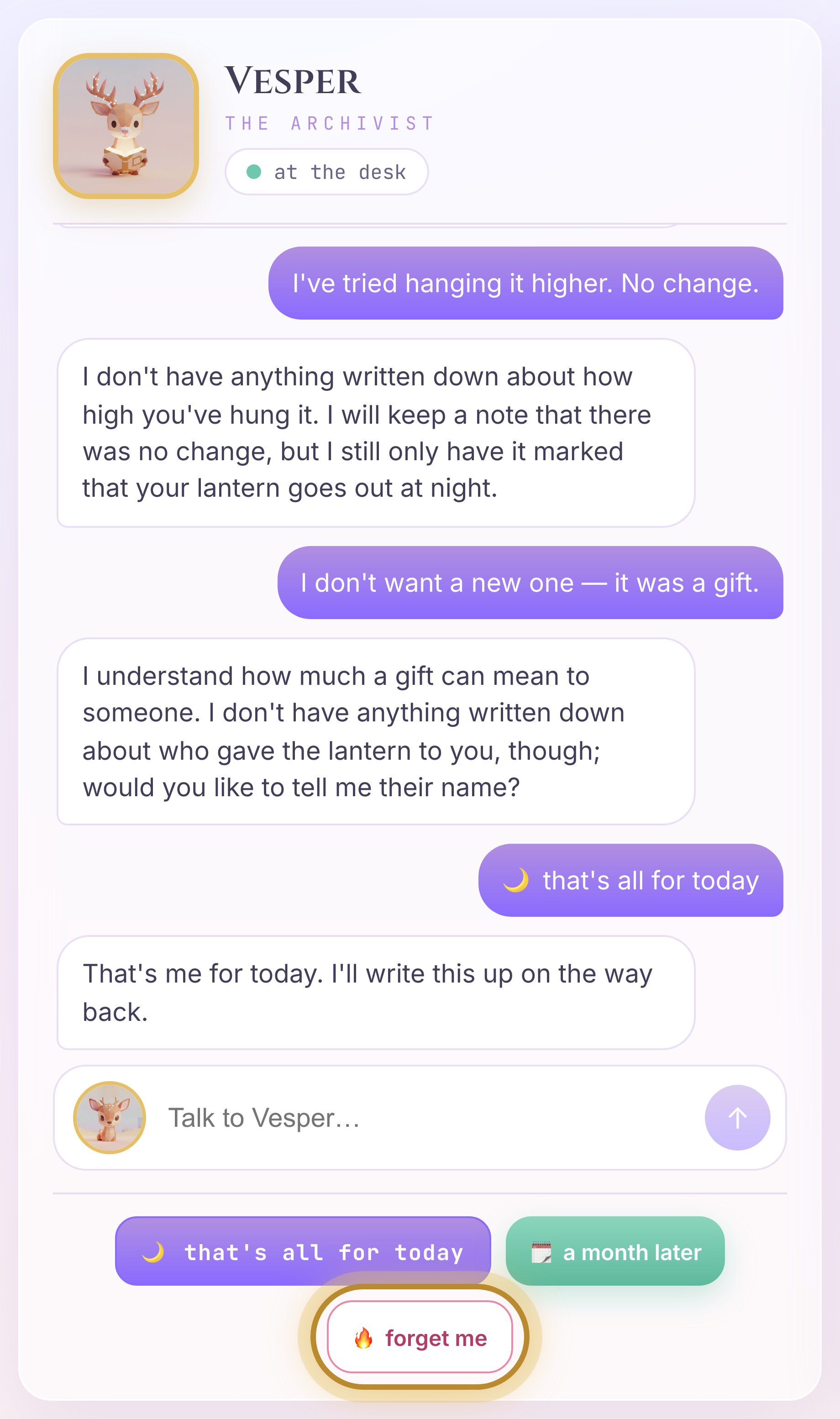
👉🖥 Press 🔥 forget me, under the message box.
👀 Three floors go dark and one does not:
what it holds | after 🔥 | |
floor three, the cards | what she remembered — the facts Memory Bank distilled from your visits | gone — |
floor two, the drawer |
| cleared |
the desk, the slip | this visit's copy of the case | cleared |
floor one, the books | the visits themselves — one session in | untouched — the count does not move |
The books are the record: that a visit happened, on which day, and what was said in it. The cards and the drawer are the memory: what she made of those visits and carries into the next one. A request to be forgotten is about the memory — the facts derived about a person, and the state that follows them around. Whether the record of a visit also goes is a separate decision, made for separate reasons — an audit trail, a support history — and this lab keeps it on purpose, so you can watch the two come apart in front of you: the record and the memory are not the same thing, and forgetting one does not touch the other. That is the sentence over Vesper's door, seen from the other side.
The ADK memory abstraction has add_events_to_memory and search_memory. It has no delete. Forgetting is a governance action, not an agent action, so it lives in the application — archive/tower.py, memories.delete on the raw client — where the model cannot reach it by accident. Whether an agent can forget is something you design, exactly like whether it can remember.
What you built and read, and what it is
the thing | what it is | where it lives |
| the memory service, as a service: a deployment decision, outside the agent | Vertex AI Memory Bank on an Agent Engine |
| the same |
|
| what may be kept, decided at write time, not in the prompt |
|
🔥 → | forgetting is an application action; ADK's memory API has no delete |
|
This rung reaches what was said. A day goes in; a fact comes out — distilled to what the topics allow — and the book on floor one never moved.
7. GraphRAG
Optional.
- What — one script loads the valley's past into BigQuery, generates embeddings inside the warehouse and lays a graph over the tables without moving a row; then two questions to Vesper, who has two governed queries for it: one for what sounds alike, one for what is connected.
- Why — sounds alike is not the same as is connected. A vector finds where to look; a graph finds what is attached; and the answer has to carry the path it walked.
- How —
bash scripts/season.sh, once. Everything else in this chapter is read only.
Vesper's tower is scoped to you — (app_name, user_id) — by construction. Other people's visits are not her memory, and searching it harder would not change that. They are the valley's, and the valley keeps them in a warehouse. Thirty-one visitors this season came about a q7 lantern going out at night, and one of them found the cause. This chapter loads that warehouse and hands her two fixed queries into it.
Graph RAG
RAG is retrieve, then generate: find the right records, hand them to the model, let it answer from them. Plain RAG retrieves by similarity — embed the question, pull the nearest records. That finds things that sound like the question, and it is where chapter 4's tower stopped. Graph RAG adds a second retrieval step that follows edges — keys, which a warehouse already has — from whatever similarity found, to whatever is attached to it. The two steps answer different questions, and this chapter makes you ask both:
step | the question it answers | how | in this chapter |
similarity | where should I look? | embed the question, |
|
traversal | what is connected to that? |
|
|
generation | what do I tell the visitor? | the model, with the path as its citation | her answer |
Run it
The season ships as plain CSVs in season/ — visitors, items, asks, fixes, seasons — the way a support system would export them. One script takes them all the way into the warehouse, and it is the only thing you run in this chapter.
👉💻 In tab 1 (about three minutes; it prints each step as it goes, and stops on the first one that fails):
cd ~/agent-valley-archive
bash scripts/season.sh
👀 When it ends, floor four on the tower lights up, and the legend beside it says open.
What it built — read only
How she reads it — read only
Ask her
👉🖥 Floor four is open on the tower. Ask her the way any visitor would:
Has anyone else had a q7 lantern go out at night?
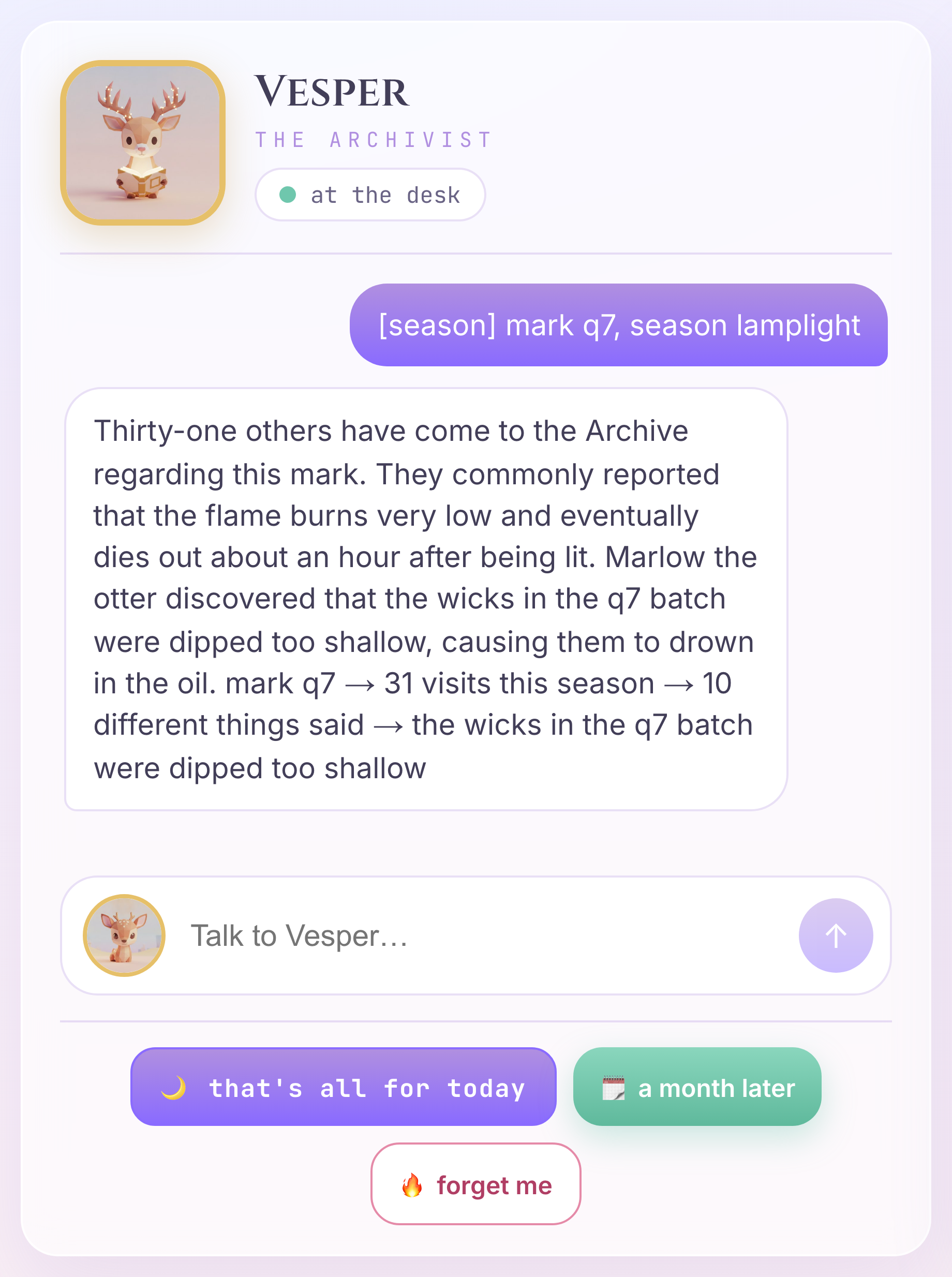
👀 She answers — thirty-one others... most said the flame sat low and went out after an hour... Marlow the otter found the wicks were dipped too shallow — and the last line of her answer is the path. This is her output — read it, do not send it back to her:
mark q7 → 31 visits this season → 10 different things said → the wicks in the q7 batch were dipped too shallow — they drown in the oil and starve in an hour
The path is the citation. Every hop in it is an edge in the graph, and an edge is a key, so anyone can walk it again and get the same thirty-one. A similarity score cannot be walked again by anyone. If she says, just before the path, that the rows came back through three joins because the project has no graph reservation, that is your project's edition refusing GRAPH_TABLE — the rows and the path are the same.
👉🖥 Now leave the mark out — send this:
Has anyone else had a lantern that keeps dying once the sun is down?
👀 She gets to the same thirty-one, and the same path. What changed is the road: season_search ran first, found five visitors who sound alike — each carrying q7 — took that mark, and only then walked. Similar is not connected; similar is where to look.
What was loaded, and what it is
the thing | what it is | where it lives |
| a warehouse: columns with names and types |
|
| the similarity step — where to look |
|
| the traversal step — what is connected; tables become nodes and arrows |
|
| the only walk she may take; the path is the citation |
|
A few dozen visitors is not a reason to buy a warehouse. What this chapter teaches is the shape of the query — not scale. Grow this graph a thousand times and the MATCH does not change by a character.
8. Close
Three lines, one tower, one warehouse — four floors. Nothing restarted.
the rung | what you did | what it bought |
ONE |
| a slip that exists at all: state is written by code |
TWO |
| a drawer that follows the visitor |
the filing |
| what was said, kept |
THREE |
| what was kept, asked for — filed is not remembered |
the tower |
| a tower that distills, and survives the night |
the rules |
| only what should be kept |
the season |
| everyone else's visits, by meaning and by connection |
What each piece replaced
ADK 2 | what you would write instead | what that costs you |
| a dict beside the chat loop, pickled to disk yourself | the model cannot read it, and you write the resume and the locking |
the | a users table and a join on every turn | deciding where a key belongs, every single time |
| a cron that dumps transcripts, and the model deciding when to look | it dumps, nothing distills — and you never see the times it didn't look |
| a vector store, an extraction prompt, a consolidation job, and "please don't remember trivia" in the prompt | three services, and the rule holds until the model feels otherwise |
| export, embed elsewhere, a graph database, a sync job, and the model writing SQL | the data leaves the warehouse to be understood, and you find out which joins it guessed when a customer does |
Three questions, stop at the first yes
- Will it matter tomorrow? No → keep nothing. It lives and dies in the conversation.
- Can a function check it? Yes → the drawer. Code writes it, every turn reads it, and no sentence can change it.
- Otherwise → the tower. Distilled from what was said, looked up when it is asked for, revised by what is said next.
The one sentence
A record is not a memory. A memory is a record plus two decisions — what to keep, and when to look — and what kind of thing it is decides which floor it goes on.
Facts and preferences belong in different stores.
👀 Every floor is lit. Your familiar is at the top. The Archive stamp is in the passport, and week five opens the Night Market — where Nix runs the stage out loud, in real time, and everything the tower knows comes with you.