
1. Overview
Most SQL bugs that survive code review are aggregation bugs. A number is correct in the table it lives in, a join copies it, and the total is quietly wrong.
BigQuery Graph lets you describe how your tables connect once, as a property graph, and then query the connections. Graph measures add one more thing to that description: the aggregation itself. You declare MEASURE(SUM(streams)) on the node that owns the number, and every query that reads the graph gets the right total at the right grain — no GROUP BY trick, no CTE that somebody has to remember.
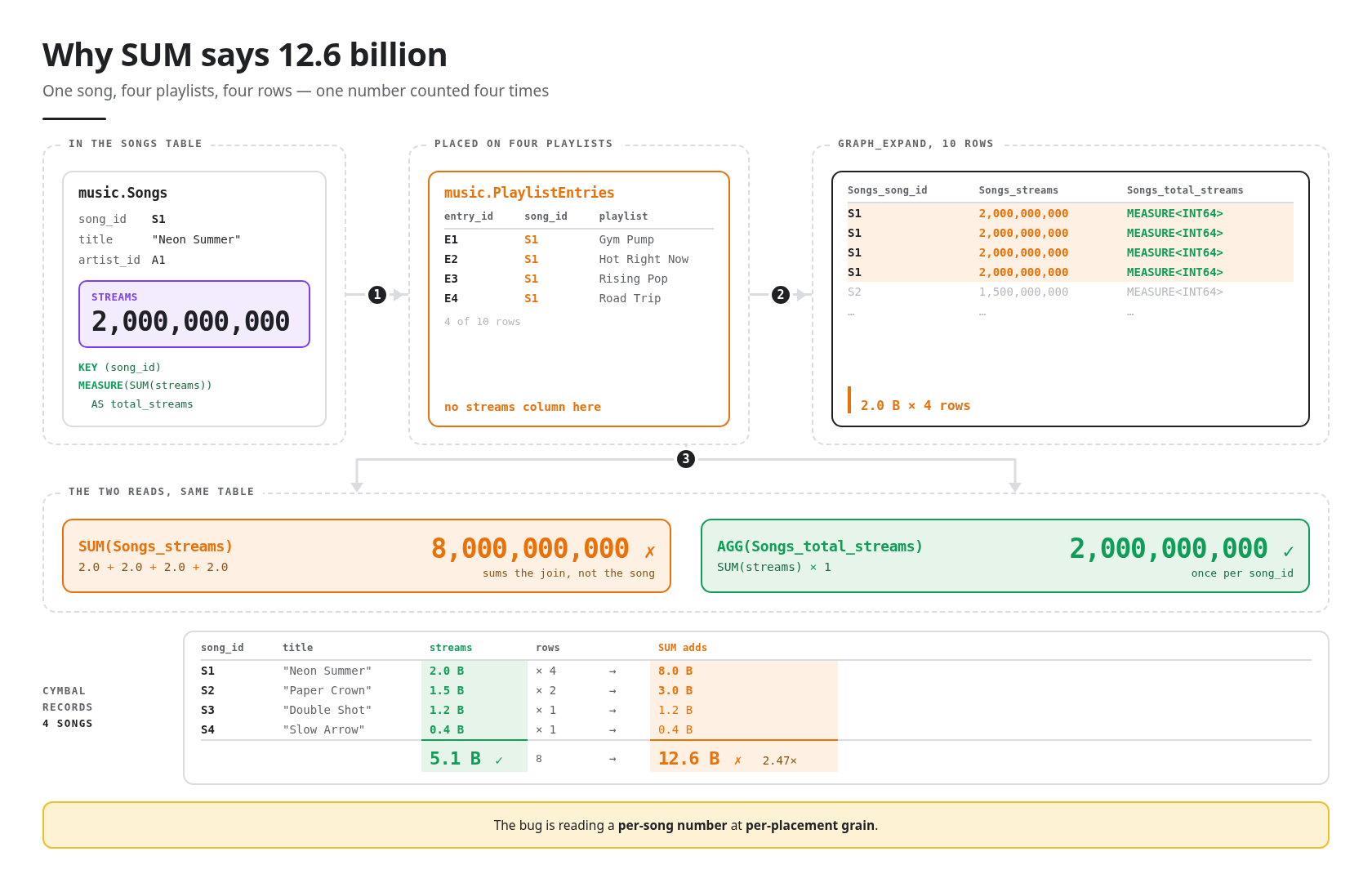
In this codelab you build a five-table music catalog, put one measure on it, and watch the same question return two different answers: 12.6 billion with SUM, 5.1 billion with AGG. The gap is the catalog's shape — a song that sits on four playlists becomes four rows once the graph is flattened, and SUM adds all four. Then you learn the rules that make the second one correct.
Where you'll type things
This lab uses exactly two places, in this order:
where | what you do there | |
1 | Cloud Shell terminal | a handful of commands, in the Setup step only |
2 | BigQuery console | everything else: pasting queries into the query editor, clicking through the graph modeler, chatting with an agent |
Every instruction is tagged so you always know which one it means:
- 👉💻 Cloud Shell — type this in the Cloud Shell terminal.
- 👉📋 Query editor — paste this into the BigQuery query editor and click Run.
- 👉🌐 Console — click around in the BigQuery console. Nothing to type unless the step says so.
- 👀 — look at the result.
What you'll learn
- How to declare a measure on a node table — in the visual graph modeler or in SQL
- How
GRAPH_EXPANDflattens a graph into one wide table - Why
AGGis the only function that can read a measure, and what every other attempt says back - The six aggregates a measure supports, and how to do arithmetic across them
- How one measure answers a differently grouped question with no changes
- Optional: how GQL and the Graph tab answer a question a total can't, and how a BigQuery data agent uses your measures without being told about them
What you'll need
- A Google account with billing available, and a browser. You do not need a Google Cloud project up front — Setup creates one for you.
- For the optional chat step only: the Gemini Data Analytics API enabled, and the Gemini Data Analytics Data Agent Creator role.
Nothing to install on your machine. Everything runs in Cloud Shell and the BigQuery console.
Product status and cost
BigQuery Graph is generally available. Graph measures, the visual graph modeler, graph visualization, and using a graph as a data agent knowledge source are in Preview, covered by the Pre-GA Offerings Terms.
GRAPH_EXPAND and AGG run under on-demand pricing. GQL queries (the optional path step) require a reservation that uses the Enterprise or Enterprise Plus edition, according to the documentation — which is why that step is optional.
The dataset is a few kilobytes. Under on-demand pricing each query is billed at the 10 MB minimum, so the whole codelab costs a fraction of a cent.
2. Setup
This is the only step that uses Cloud Shell. It creates a project, puts billing on it, and builds the raw tables. The graph, the measure and every query are yours to run afterwards, in the BigQuery console.
There is one thing this lab cannot hand you: a Google Cloud project with billing on it. Step 1 gets you an account that can pay for it; step 4 turns that account into a project. Do them in that order — every step after 4 reads the project that step 4 creates.
1 · Get an account with billing (~1 min)
👉🌐 Do this before anything else. Sign in with a Google account that has billing enabled. Any such account works. If yours does not, start a free trial; it gives you a billing account, which is all step 4 needs.
2 · Open Cloud Shell (~1 min)
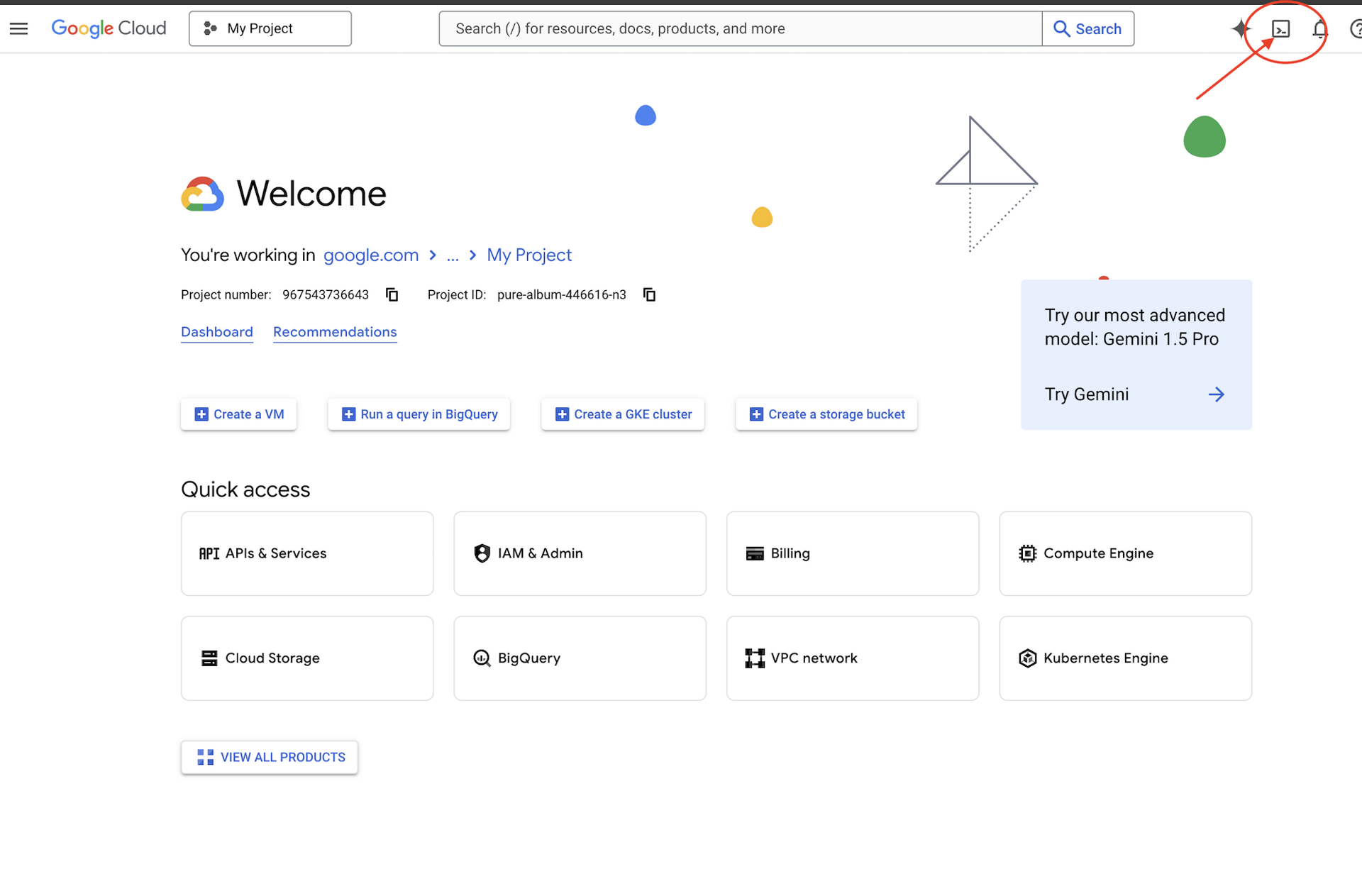
👉🌐 Console — click Activate Cloud Shell at the top of the Google Cloud console — it is the terminal-shaped icon in the header. A terminal opens at the bottom of the page.
👉🌐 Console — if you are prompted to authorize at any point today, click Authorize to continue.
👉💻 Cloud Shell — check which account Cloud Shell is signed in as:
gcloud auth list
👀 Expect your own account marked with a *, and it must be the same account you signed in with in step 1. If it is not, run gcloud auth login and pick the right one.
3 · Get the lab (~1 min)
👉💻 Cloud Shell — clone the repo:
cd ~
rm -rf ~/bq-graph-measures-lab
git clone https://github.com/cuppibla/bq-graph-measures-lab.git
cd ~/bq-graph-measures-lab
4 · Create your project (~2 min)
👉💻 Cloud Shell — one script finds your billing account, creates a project on it, and points Cloud Shell at that project:
cd ~/bq-graph-measures-lab
./setup_project.sh
👀 Expect a ✓ for the billing account it picked, a ✓ for the project it created, and an ending like:
Project ready: bq-graph-4271
  Next:  ./setup.sh
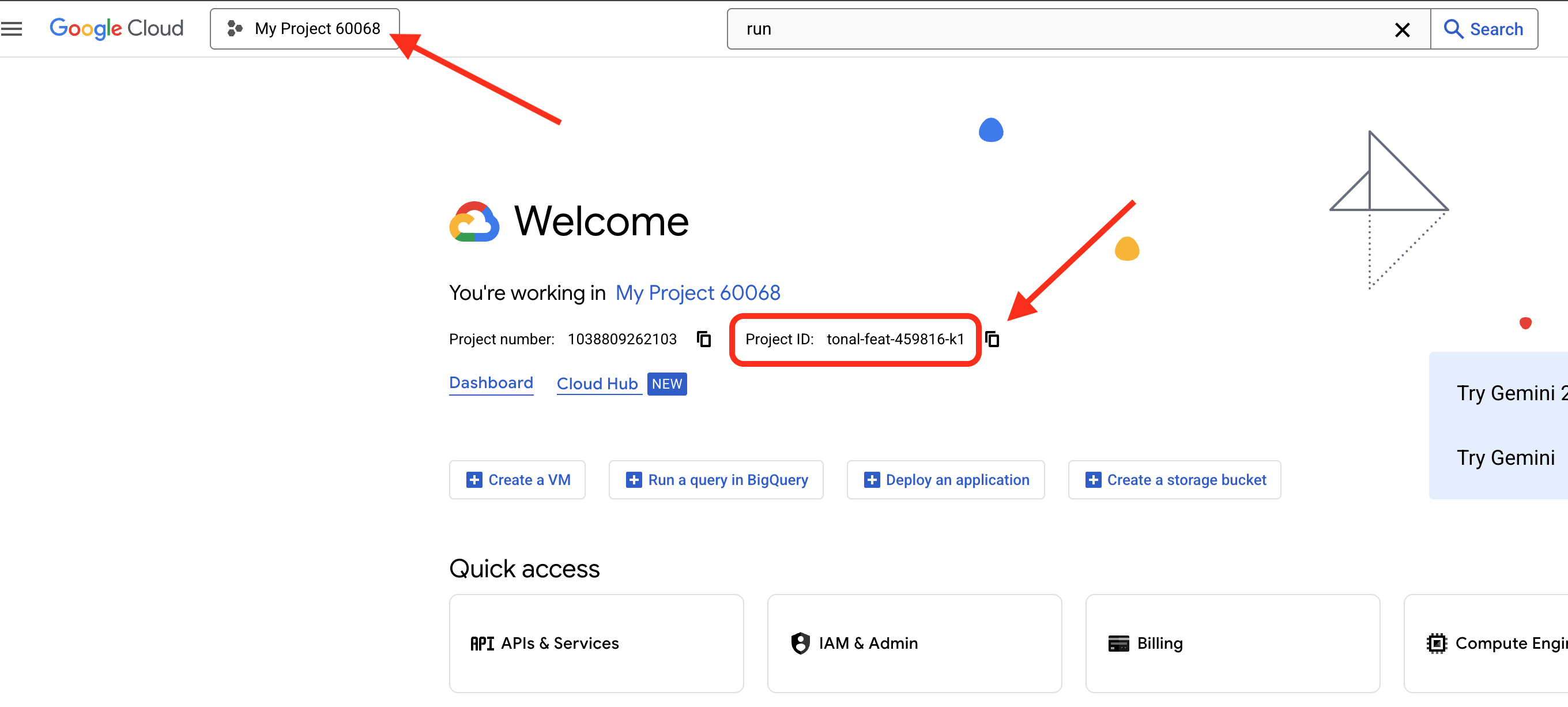
bq-graph-4271 is your project ID — yours will have different digits. Four things happen in there:
billing | takes the newest | |
project | creates | |
selects | writes the ID to | |
waits | polls until the brand new project is actually allowed to serve, for up to two minutes | |
🌐 The same project is now in the console — its ID sits in the Project info card on the Dashboard:
5 · Create the dataset (~3 min)
👉💻 Cloud Shell — one more script builds the tables:
cd ~/bq-graph-measures-lab
./setup.sh
The script prints each step as it runs. What it does, in order:
project | reads the project from | |
API | enables | |
dataset | creates the | |
check | counts the rows in every table and stops if any count is off | |
👀 Expect:
BigQuery Graph Measures · setup
  ✓ project: bq-graph-4271
  ✓ BigQuery API enabled

Creating dataset music (US) and five tables...
  ✓ music.Labels              2 rows
  ✓ music.Artists             3 rows
  ✓ music.Songs               5 rows
  ✓ music.Playlists           4 rows
  ✓ music.PlaylistEntries    10 rows

🎉 ready — open BigQuery Studio: https://console.cloud.google.com/bigquery?project=bq-graph-4271
You're done with Cloud Shell. You can close it.
6 · Open BigQuery and a query editor
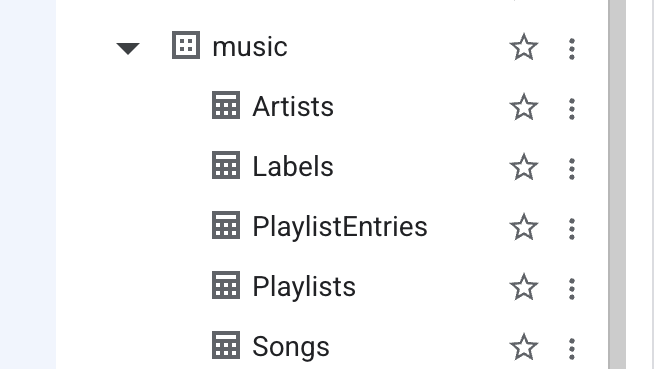
👉🌐 Console — click the link at the end of the output, or open BigQuery from the navigation menu. In the Explorer pane on the left, expand your project: a music dataset with five tables.
👉🌐 Console — at the top of BigQuery Studio, in the Create new row, click SQL query. An empty editor tab opens.

Keep this tab. Every 👉📋 block in this lab goes here: select whatever is in the editor, paste the new block over it, click Run. The result shows up in the panel underneath.
Meet the tables
Two things about these tables matter later. Every table declares its primary key as NOT ENFORCED: BigQuery doesn't check it, but the property graph you're about to build needs an explicit key to know what identifies a row. And the last table, PlaylistEntries, is a junction table: a song that sits on four playlists has four rows in it. That table is where the whole story happens.
The tables chain together like this: a label signs artists, an artist releases songs, a song is placed on playlists through PlaylistEntries. Cymbal Records owns Ava Sterling and Mina Okafor, and through them four songs. Northwind Audio owns Kai Nakamura and one song, Midnight Drive.
table | rows | key | what it holds |
Labels | 2 |
| name, marketing budget |
Artists | 3 |
| name, which label |
Songs | 5 |
| title, which artist, streams |
Playlists | 4 |
| name, followers |
PlaylistEntries | 10 |
| which song sits on which playlist |
✅ Checkpoint: 🎉 ready in Cloud Shell, five tables under music in the Explorer, and an empty query editor tab open.
3. Create the graph — Option A: the visual modeler
A property graph is a description of how the tables connect. You can click it together in the visual graph modeler (this step, all clicking) or write it as SQL (the next step, one paste). Both produce the same object — do one or the other, not both.
1. Create the graph shell
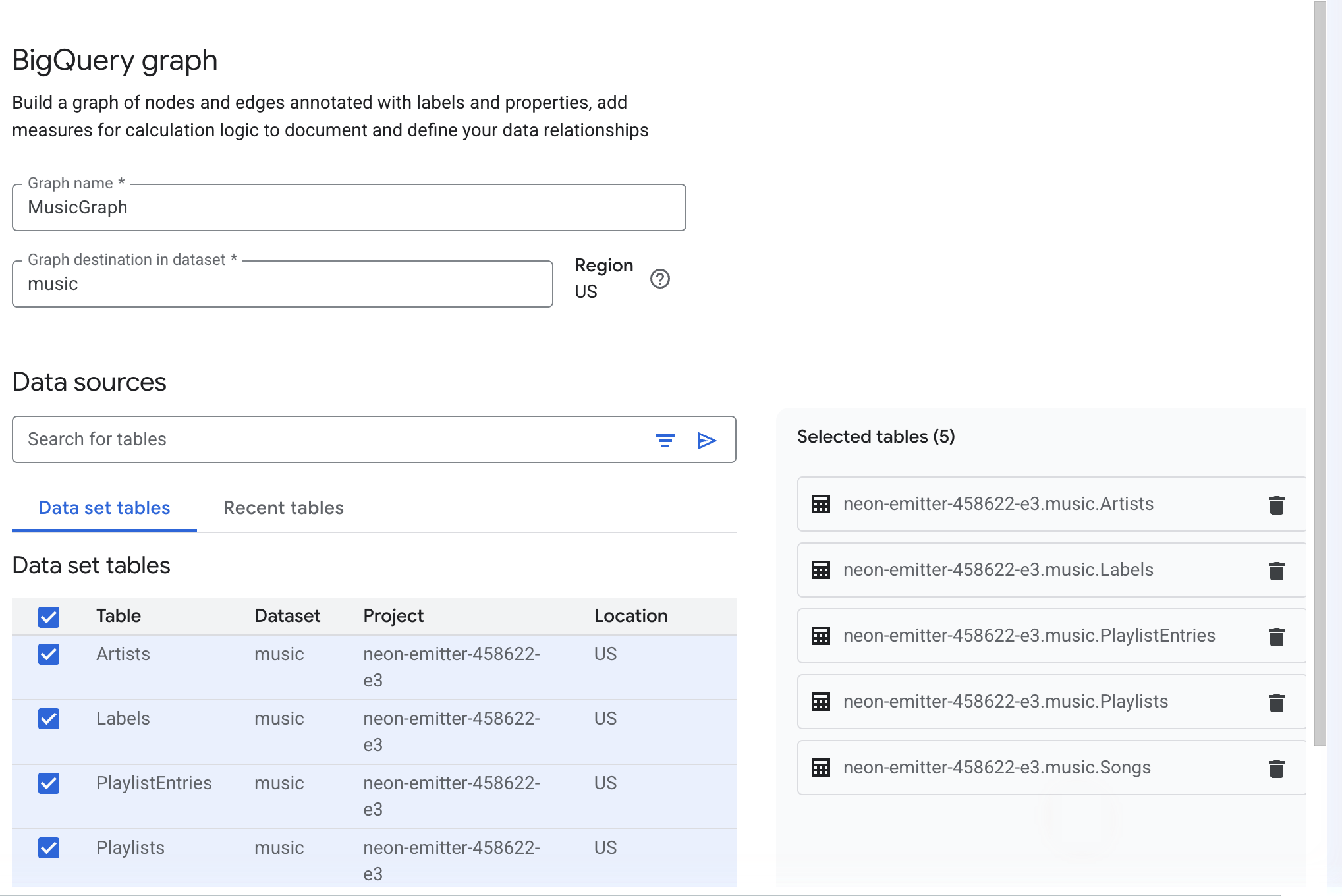
👉🌐 Console — in BigQuery Studio, in the Create new row, open the AI and knowledge menu and click Graph.
👉🌐 Console — enter MusicGraph as the Graph name and music as the Graph destination in dataset. The region fills in from the dataset (US).
👉🌐 Console — under Data sources, select the five tables — Artists, Labels, PlaylistEntries, Playlists, Songs — and click Create.
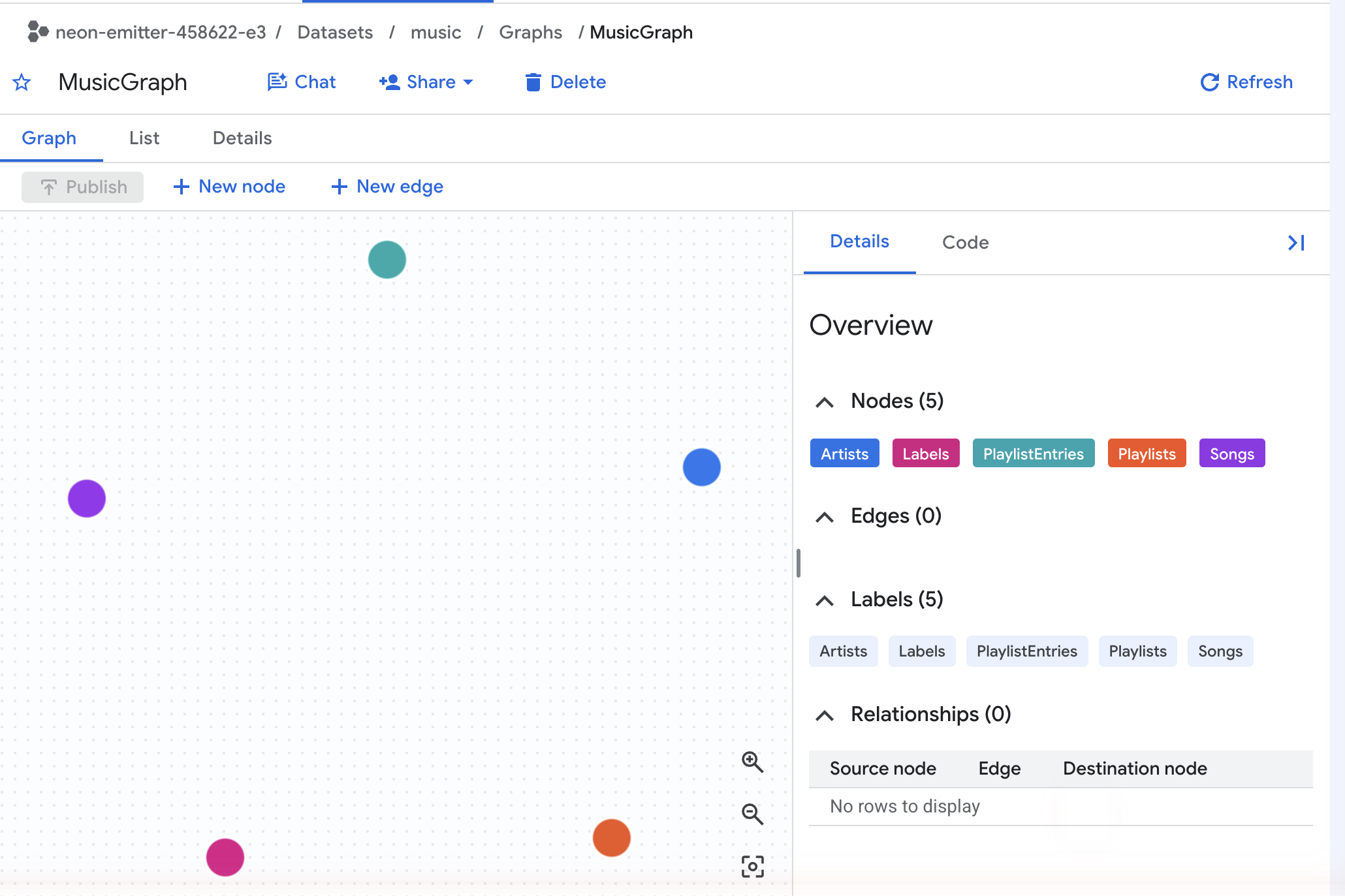
👀 The canvas opens with five colored nodes and no lines between them. The Details panel on the right lists Nodes (5) and Edges (0). Each node already carries its table's primary key and all of its columns as properties — click any node to see them.
2. Draw the four edges
An edge is a foreign key, drawn. Each one goes from the table that holds the key to the table it points at.
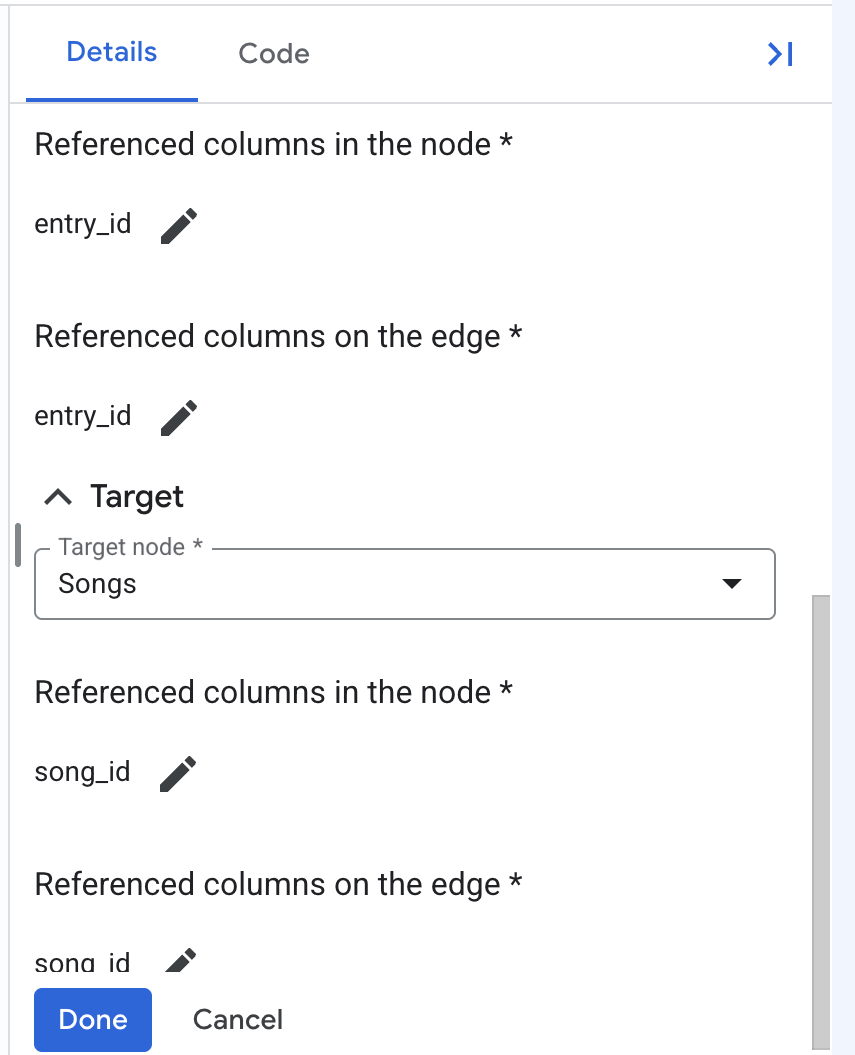
👉🌐 Console — click New edge. In the Select table dialog, choose PlaylistEntries and click Add. In the Add edge panel:
- Set Name to
EntryToSong. - Click Add primary key and accept
entry_id. - Under Source, set Source node to PlaylistEntries, then use Add referenced columns to the node and Add referenced columns on the edge to pick
entry_idfor both. - Under Target, set Target node to Songs, then pick
song_idfor both Referenced columns in the node and Referenced columns on the edge. - Click Done.
👉🌐 Console — repeat three more times:
edge name | table | source node → target node | the column to pick on both sides |
| PlaylistEntries | PlaylistEntries → Playlists | source |
| Songs | Songs → Artists | source |
| Artists | Artists → Labels | source |
Leave every edge without extra properties.
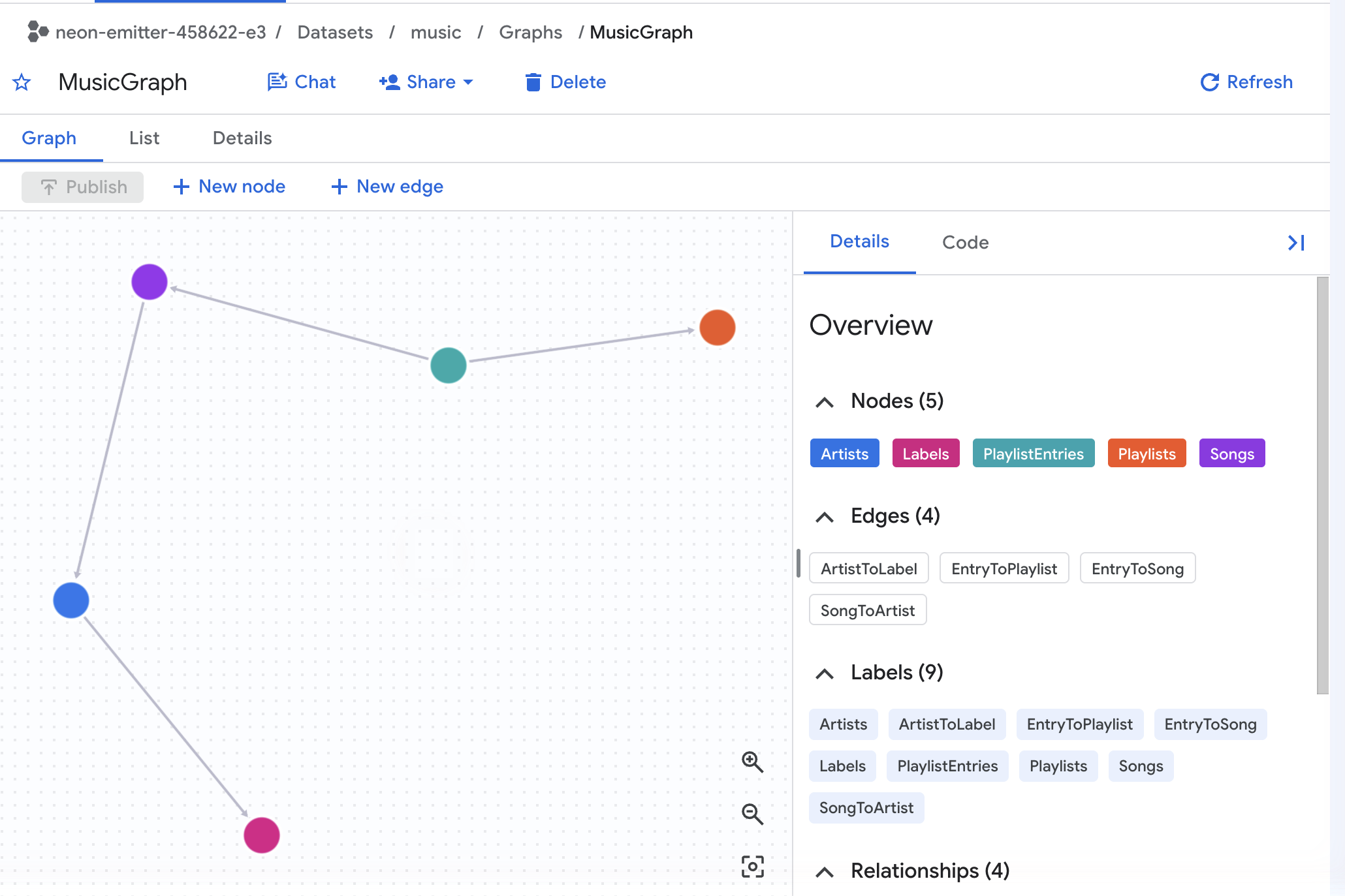
👀 The Details panel now says Edges (4), and the canvas shows the chain: Labels ← Artists ← Songs ← PlaylistEntries → Playlists.
3. Add the measure
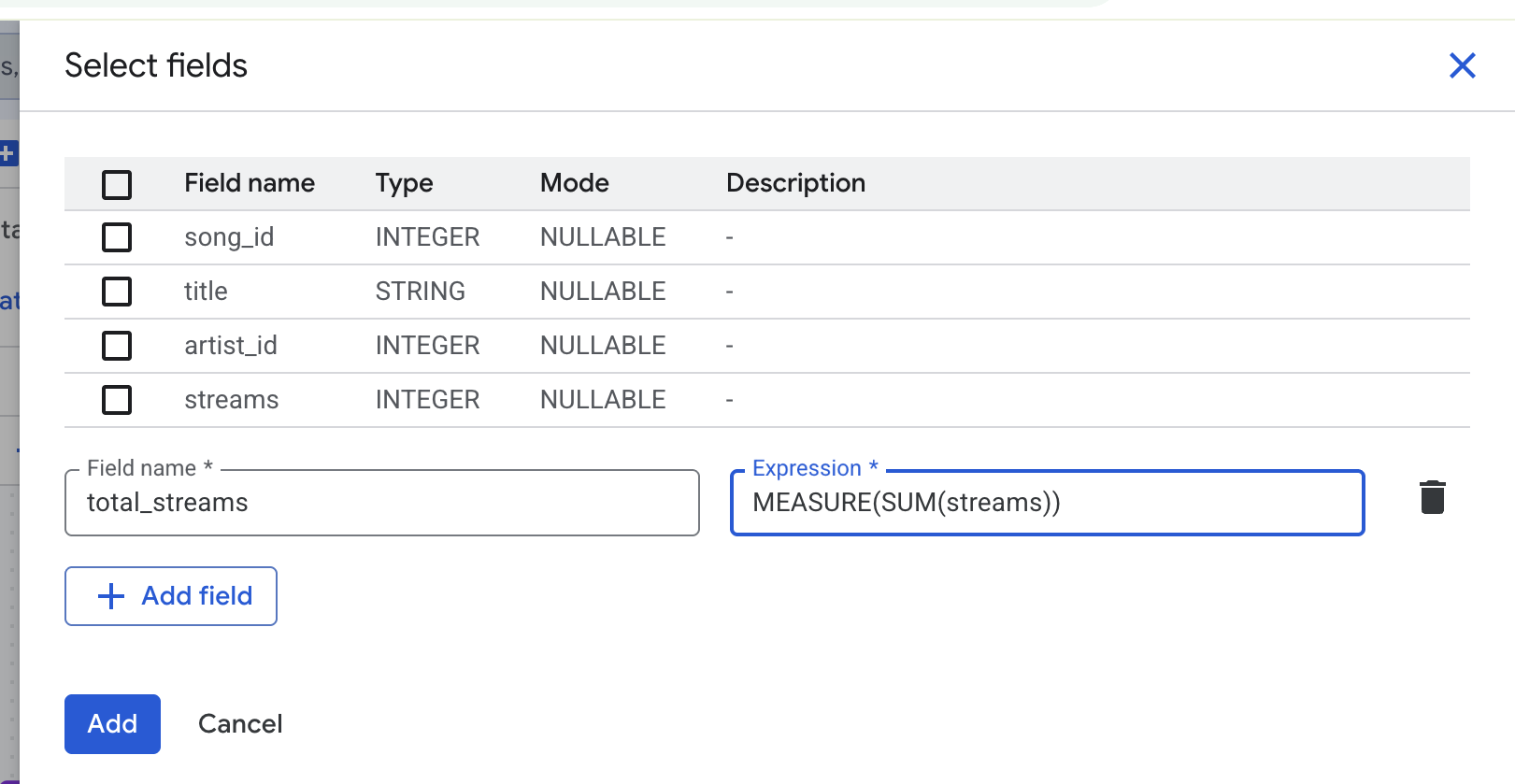
👉🌐 Console — click the Songs node, then the edit (pencil) icon at the top of the Details panel. Under the label's Properties, click Add property, then Add field.
👉🌐 Console — enter total_streams as the Field name, and type this into the Expression box:
MEASURE(SUM(streams))
👉🌐 Console — click Add, then Done.
4. Read the code it wrote, then publish
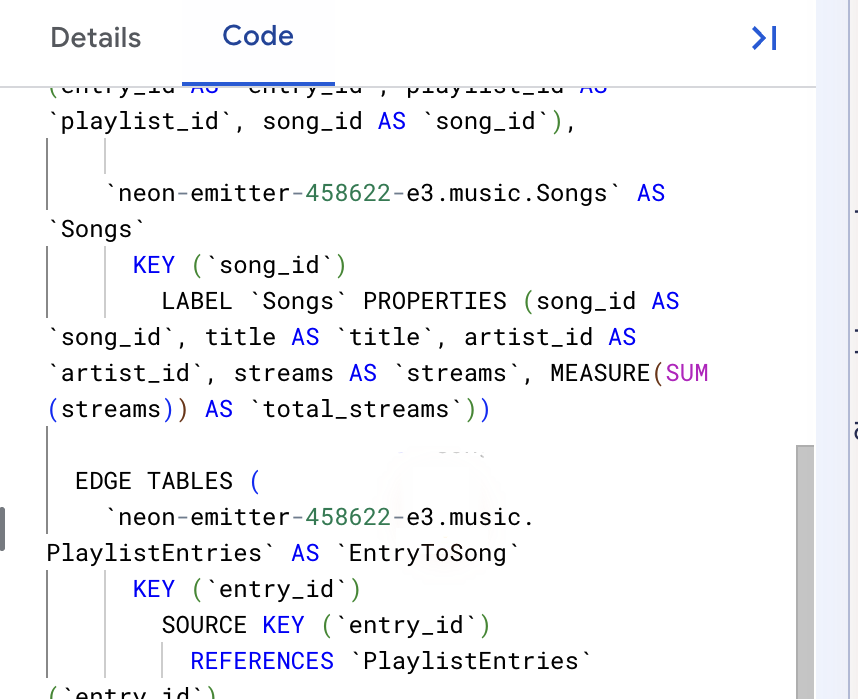
👉🌐 Console — open the Code tab in the right panel. The modeler has written the CREATE PROPERTY GRAPH statement for you. Scroll to the Songs node: its property list now ends with
MEASURE(SUM(streams)) AS `total_streams`
That is the whole feature, in one line. Everything after this step is about what that line does.
👉🌐 Console — click Publish.
✅ Checkpoint: in the Explorer, music now has a Graphs folder containing MusicGraph. Click it: five nodes, four edges, and the MEASURE(SUM(streams)) line in the Code tab. Skip the next step and go to SUM and AGG, side by side.
4. Create the graph — Option B: SQL
Skip this step if you built the graph in the modeler.
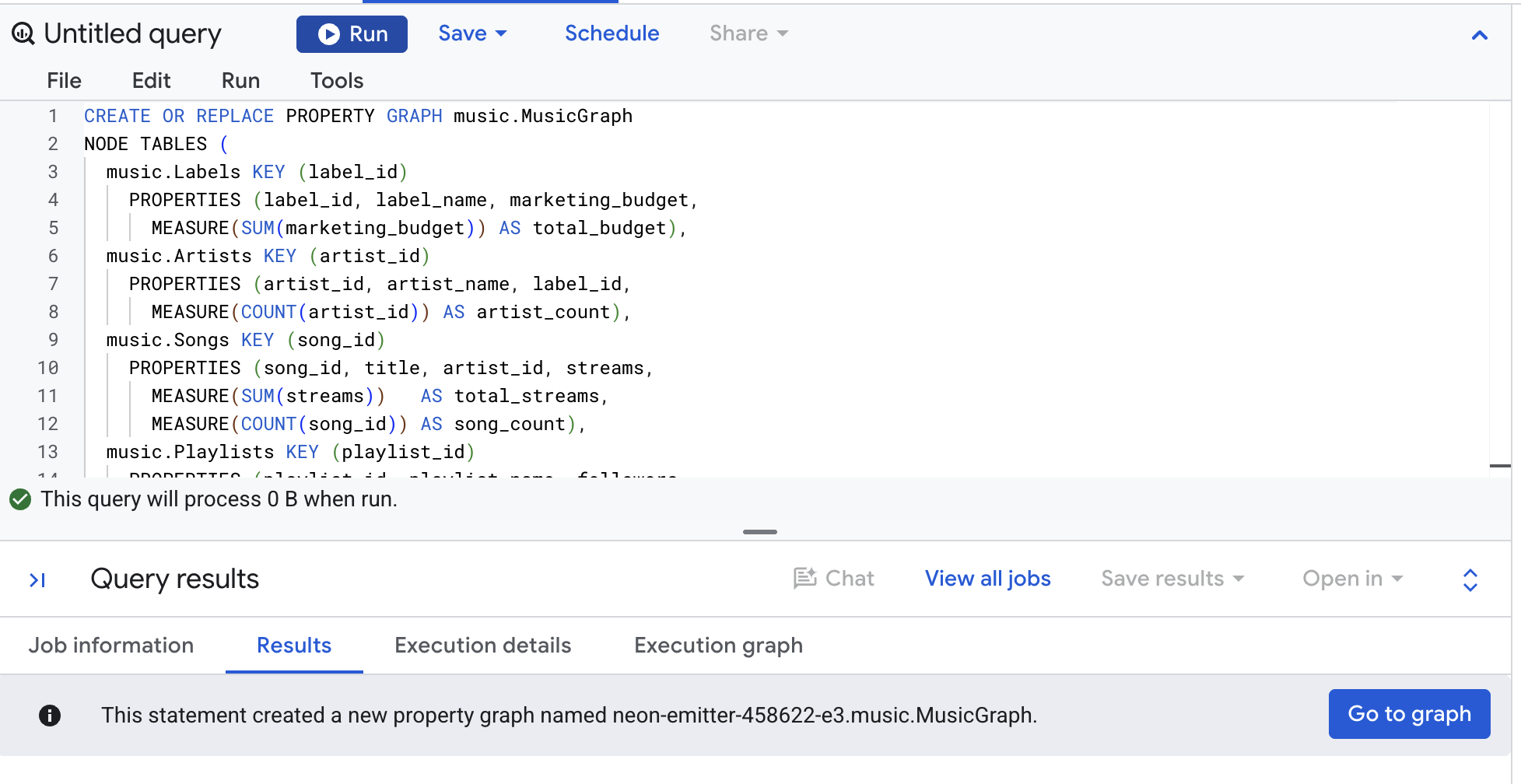
👉📋 Query editor — paste, then click Run:
CREATE OR REPLACE PROPERTY GRAPH music.MusicGraph
  NODE TABLES (
    music.Labels KEY (label_id)
      PROPERTIES (label_id, label_name, marketing_budget,
        MEASURE(SUM(marketing_budget)) AS total_budget),
    music.Artists KEY (artist_id)
      PROPERTIES (artist_id, artist_name, label_id,
        MEASURE(COUNT(artist_id)) AS artist_count),
    music.Songs KEY (song_id)
      PROPERTIES (song_id, title, artist_id, streams,
        MEASURE(SUM(streams))   AS total_streams,
        MEASURE(COUNT(song_id)) AS song_count),
    music.Playlists KEY (playlist_id)
      PROPERTIES (playlist_id, playlist_name, followers,
        MEASURE(SUM(followers)) AS total_followers),
    music.PlaylistEntries KEY (entry_id)
      PROPERTIES (entry_id, playlist_id, song_id,
        MEASURE(COUNT(entry_id)) AS placement_count)
  )
  EDGE TABLES (
    music.PlaylistEntries AS EntryToSong
      SOURCE KEY (entry_id) REFERENCES PlaylistEntries(entry_id)
      DESTINATION KEY (song_id) REFERENCES Songs(song_id) NO PROPERTIES,
    music.PlaylistEntries AS EntryToPlaylist
      SOURCE KEY (entry_id) REFERENCES PlaylistEntries(entry_id)
      DESTINATION KEY (playlist_id) REFERENCES Playlists(playlist_id) NO PROPERTIES,
    music.Songs AS SongToArtist
      SOURCE KEY (song_id) REFERENCES Songs(song_id)
      DESTINATION KEY (artist_id) REFERENCES Artists(artist_id) NO PROPERTIES,
    music.Artists AS ArtistToLabel
      SOURCE KEY (artist_id) REFERENCES Artists(artist_id)
      DESTINATION KEY (label_id) REFERENCES Labels(label_id) NO PROPERTIES
  )
👀 The result panel says the property graph was created.
Read it once
The graph has five node tables and four edge tables. Each node table names its KEY and lists its PROPERTIES. The lines that start with MEASURE are the new part: each one wraps one of the supported aggregates around a property and gives it an alias, which is required.
Each edge table is a foreign key, spelled out: SOURCE KEY on the table that holds the key, DESTINATION KEY on the table it points at. NO PROPERTIES means the edge carries nothing of its own.
Notice that PlaylistEntries appears three times: once as a node table, and twice more as the physical table behind the EntryToSong and EntryToPlaylist edges. That is deliberate, and later we will explain why.
Look at what you made
👉🌐 Console — in the Explorer pane, expand music, then Graphs, and click MusicGraph. The graph page opens on a canvas with five nodes and four edges. Click a node to see its properties — the measures are listed with their aggregate. Open the Code tab to see the statement behind the picture.
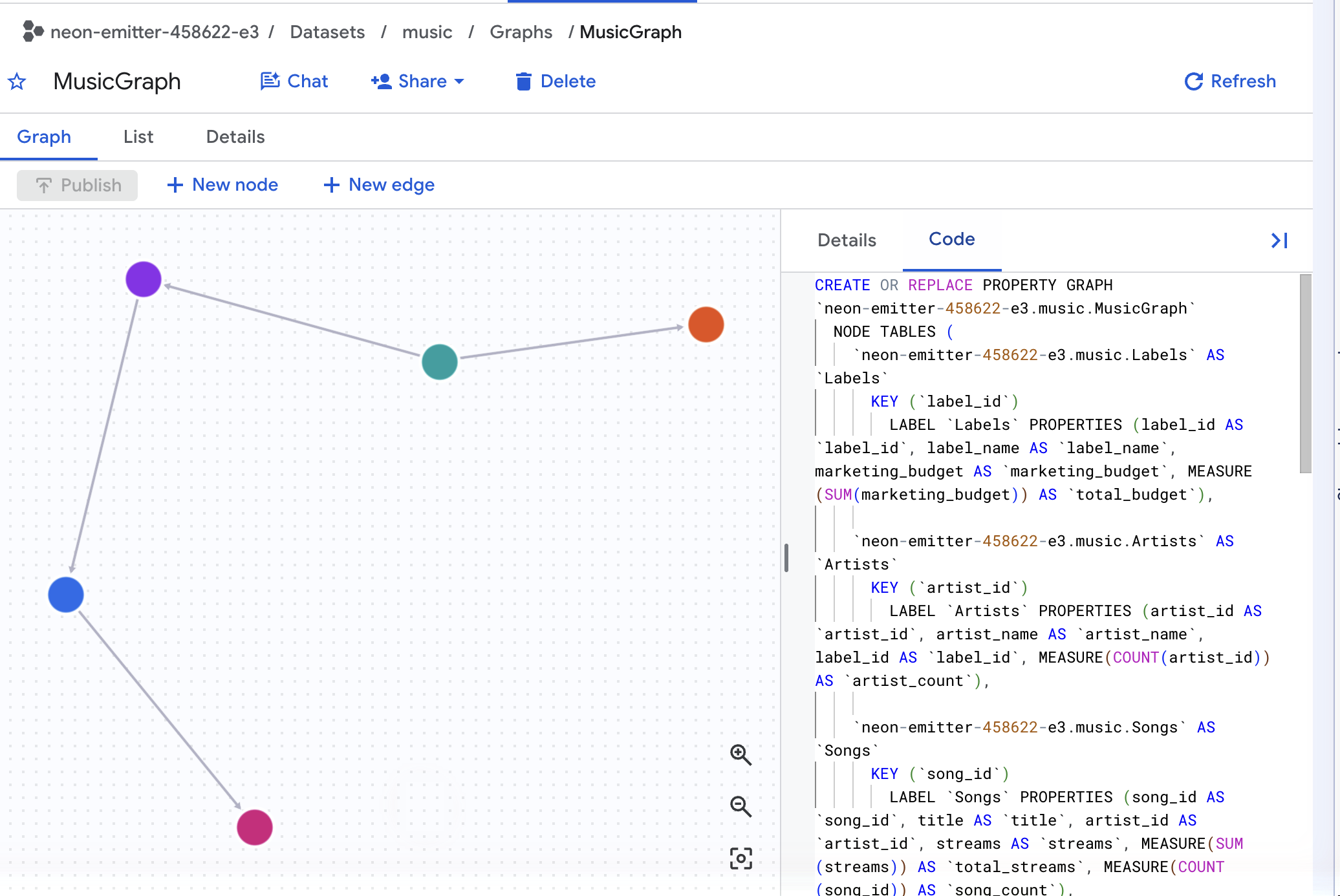
✅ Checkpoint: music has a Graphs folder containing MusicGraph, and the Code tab shows MEASURE(SUM(streams)) AS total_streams.
5. SUM and AGG, side by side
This is the whole codelab in one query. Both columns try to answer the same question — total streams per label — from the same table.
That table is the one GRAPH_EXPAND produces. It flattens the graph: it starts at one table and follows each edge outward as a LEFT JOIN, until every connected table sits side by side in a single wide result. One row per placement, not one per song, and every column named TableLabel_property. Look at it before you query it.
👉📋 Query editor — paste, then click Run:
SELECT Labels_label_name, Songs_title, Songs_streams, Playlists_playlist_name
FROM GRAPH_EXPAND("music.MusicGraph")
ORDER BY Songs_title, Playlists_playlist_name
👀 Expect 10 rows — one for every placement in PlaylistEntries, which is exactly what Setup loaded. Neon Summer takes up four of them, one per playlist it sits on, and Songs_streams reads 2,000,000,000 in every one. Nothing is wrong with those rows; the playlists really are four. But a column that belongs to a song is now repeated across rows that belong to placements, and that is the whole problem the next query measures.
Now the comparison.
👉📋 Query editor — paste, then click Run:
SELECT
  Labels_label_name,
  SUM(Songs_streams)       AS with_sum,
  AGG(Songs_total_streams) AS with_agg
FROM GRAPH_EXPAND("music.MusicGraph")
GROUP BY 1 ORDER BY 1
👀 Result:
Labels_label_name | with_sum | with_agg |
Cymbal Records | 12,600,000,000 | 5,100,000,000 |
Northwind Audio | 9,000,000,000 | 4,500,000,000 |
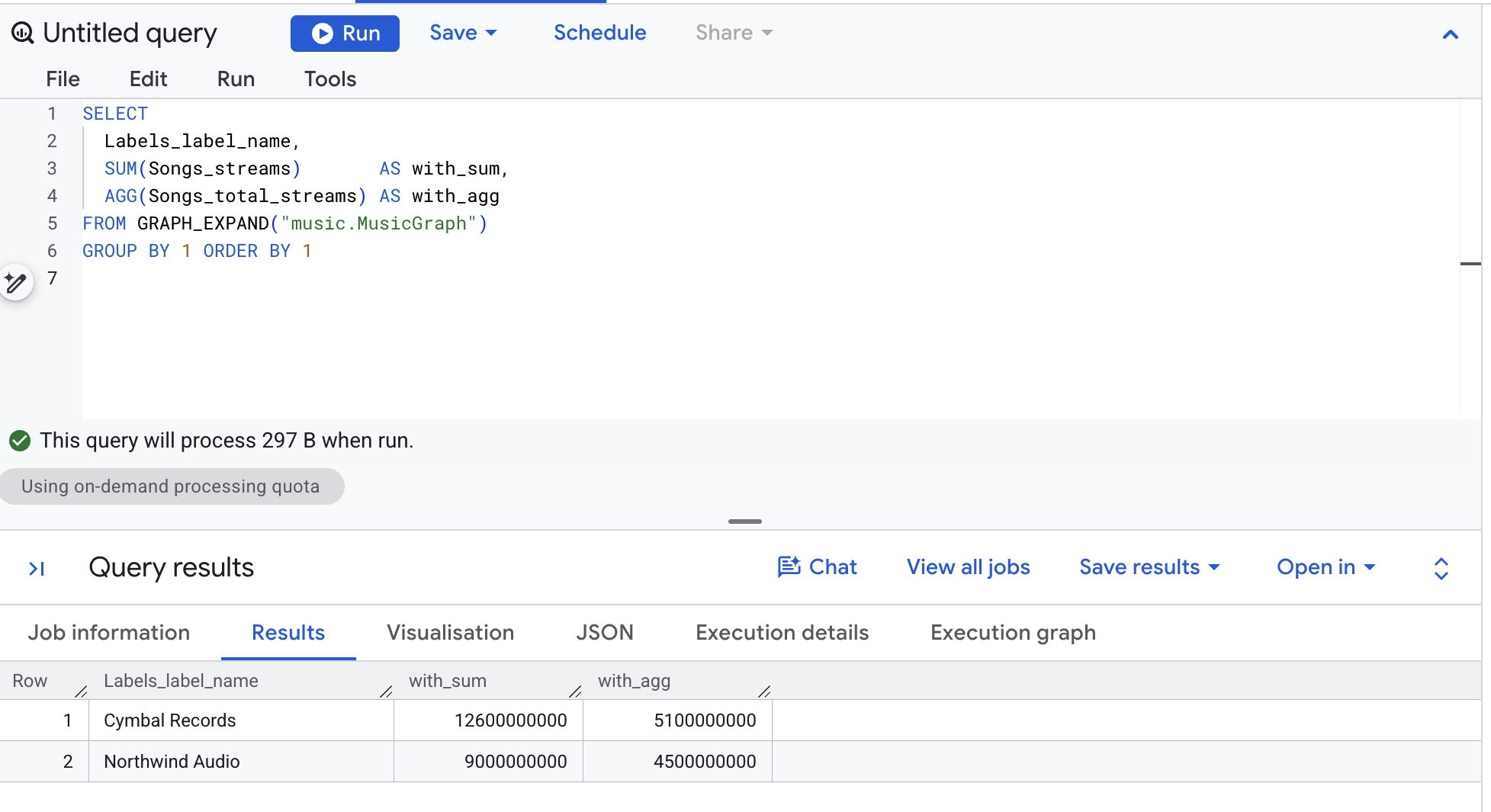
Check it by hand. Cymbal's four songs stream 2.0 billion, 1.5 billion, 1.2 billion and 0.4 billion. That is 5.1 billion. AGG is right. SUM is two and a half times too big, and Northwind's single song doubled.
Three new pieces of syntax
GRAPH_EXPAND("music.MusicGraph")is a table-valued function that turns the graph into one wide table, by following each edge as aLEFT JOIN. Every column is namedTableLabel_property, soSongs_streamsis the raw column from the Songs table andSongs_total_streamsis the measure you declared.SUM(Songs_streams)is ordinary SQL over that wide table — and it inherits every duplicate the flattening produced.AGG(Songs_total_streams)evaluates the measure the way it was declared:SUM(streams)once persong_id, no matter how many rows a song occupies in the wide table.
✅ Checkpoint: two labels, two columns, and the with_agg numbers match the hand count.
6. Why SUM overcounts
Take one song and watch what those joins do to it.
👉📋 Query editor — paste, then click Run:
SELECT 'BEFORE - the Songs table' AS step, title, streams, CAST(NULL AS STRING) AS playlist
FROM music.Songs WHERE title = 'Neon Summer'
UNION ALL
SELECT 'AFTER - joined to playlists', s.title, s.streams, pl.playlist_name
FROM music.Songs s
LEFT JOIN music.PlaylistEntries e ON e.song_id = s.song_id
LEFT JOIN music.Playlists pl ON pl.playlist_id = e.playlist_id
WHERE s.title = 'Neon Summer'
ORDER BY step DESC, playlist
👀 Result:
step | title | streams | playlist |
BEFORE - the Songs table | Neon Summer | 2,000,000,000 | null |
AFTER - joined to playlists | Neon Summer | 2,000,000,000 | Gym Pump |
AFTER - joined to playlists | Neon Summer | 2,000,000,000 | Hot Right Now |
AFTER - joined to playlists | Neon Summer | 2,000,000,000 | Rising Pop |
AFTER - joined to playlists | Neon Summer | 2,000,000,000 | Road Trip |
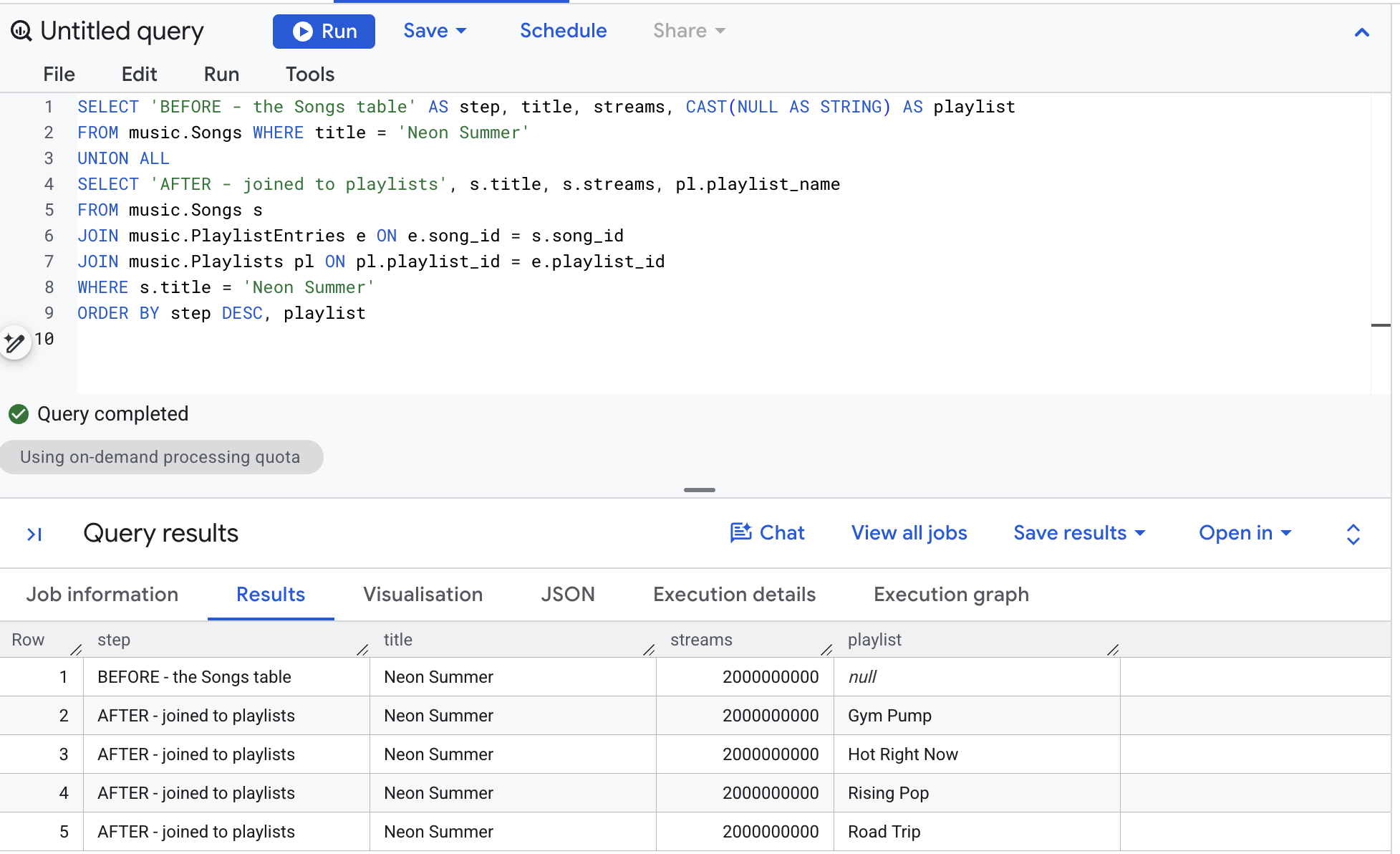
One row became four. The stream count didn't change — it was copied. Add up what the copies do to Cymbal Records: Neon Summer 2.0 billion on four playlists is 8.0, Paper Crown 1.5 billion on two is 3.0, Double Shot 1.2 on one, Slow Arrow 0.4 on one. That is 12.6 billion, the number SUM returned. Northwind's Midnight Drive sits on two playlists, so 4.5 billion became 9.0.
This is fan-out, and it is not a bug in the join. The playlist rows are real. The mistake is summing a number that belongs to a song across rows that belong to placements.
The measure fixes it because it was declared on the Songs node together with KEY (song_id). The key is the grain. When AGG evaluates total_streams, it aggregates once per song key and only then rolls up to whatever you grouped by.
What changed
You used to write | With a measure |
|
|
|
|
Three |
|
A CTE that aggregates before joining | Nothing. The |
✅ Checkpoint: five rows — one BEFORE, four AFTER — and you can rebuild 12.6 billion from them.
7. The rule: only AGG reads a measure
Measures have their own type, MEASURE, and exactly one function accepts it. The four queries below fail on purpose — run each one and read the red error. These are the four ways everyone tries first, and knowing what they say saves time later.
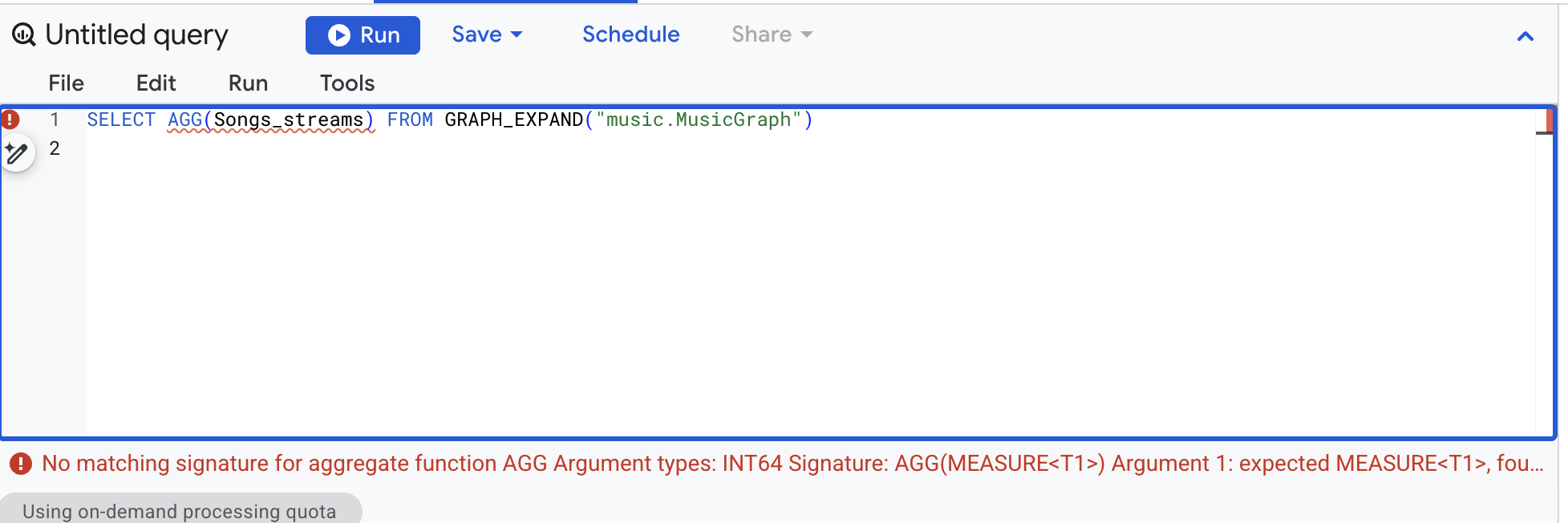
👉📋 Query editor — AGG on a plain column:
SELECT AGG(Songs_streams) FROM GRAPH_EXPAND("music.MusicGraph")
👀 No matching signature for aggregate function AGG ... Argument 1: expected MEASURE
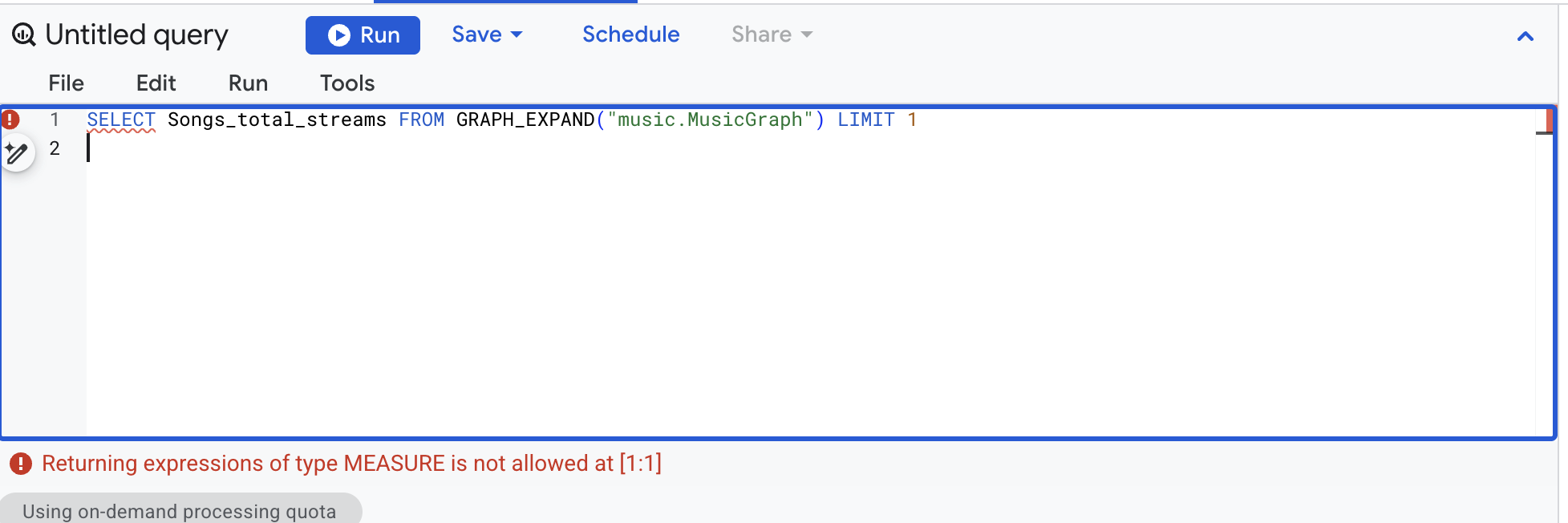
👉📋 Query editor — a measure column without AGG:
SELECT Songs_total_streams FROM GRAPH_EXPAND("music.MusicGraph") LIMIT 1
👀 Returning expressions of type MEASURE is not allowed
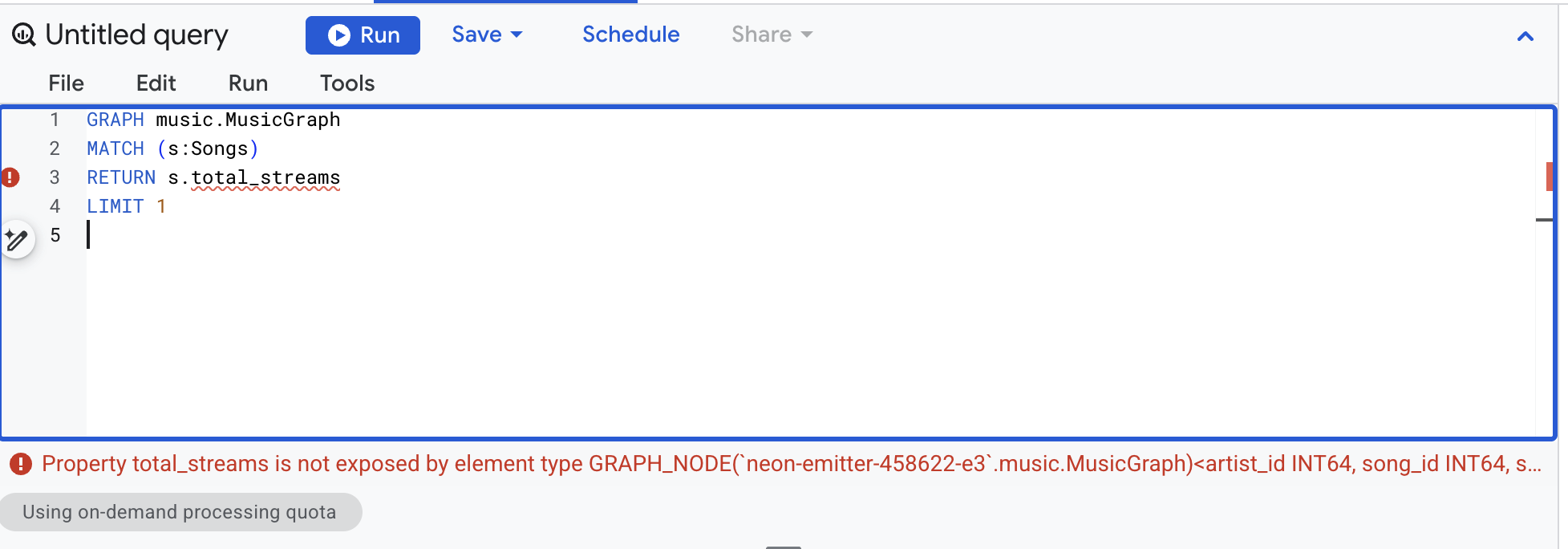
👉📋 Query editor — a measure referenced in GQL, which never sees measures at all (this one is a GQL query — see the edition note in the overview):
GRAPH music.MusicGraph
MATCH (s:Songs)
RETURN s.total_streams
LIMIT 1
👀 total_streams is not exposed by element type GRAPH_NODE(...)
👉📋 Query editor — SUM over a measure column, the tempting one:
SELECT Labels_label_name, SUM(Songs_total_streams)
FROM GRAPH_EXPAND("music.MusicGraph")
GROUP BY 1
👀 MEASURE-typed arguments are only permitted in the AGG function
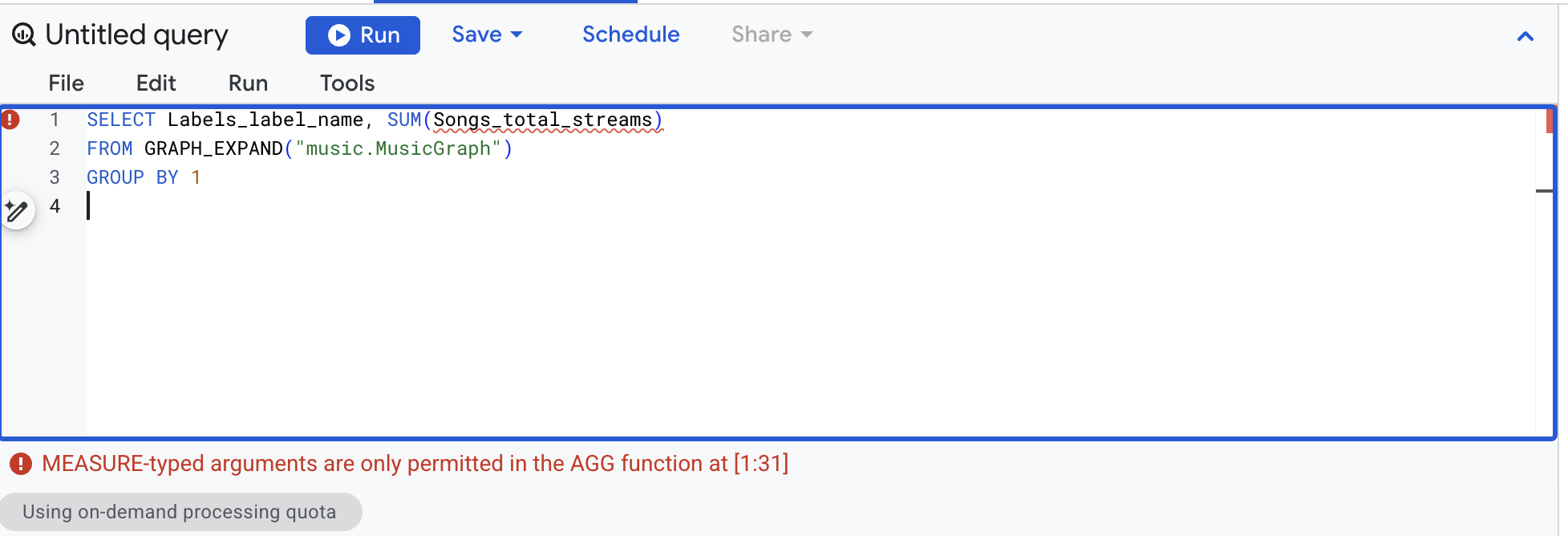
So the type system enforces the rule for you. A measure is only visible through GRAPH_EXPAND, and only readable through AGG. The overcounted 12.6 billion from before can only come from summing the raw column — never from mishandling the measure.
✅ Checkpoint: four red errors, and you can say which rule each one is enforcing.
8. Every aggregate a measure supports
MEASURE() wraps one of six aggregates: SUM, AVG, MIN, MAX, COUNT, and COUNT(DISTINCT). Recreate the graph with all six on the Songs node. The edges stay NO PROPERTIES, which is the documented best practice when an edge shares its physical table with a node.
👉📋 Query editor — paste, then click Run:
CREATE OR REPLACE PROPERTY GRAPH music.MusicGraph
  NODE TABLES (
    music.Labels KEY (label_id)
      PROPERTIES (label_id, label_name, marketing_budget,
        MEASURE(SUM(marketing_budget)) AS total_budget),
    music.Artists KEY (artist_id)
      PROPERTIES (artist_id, artist_name, label_id,
        MEASURE(COUNT(artist_id)) AS artist_count),
    music.Songs KEY (song_id)
      PROPERTIES (song_id, title, artist_id, streams,
        MEASURE(SUM(streams))              AS total_streams,
        MEASURE(AVG(streams))              AS avg_streams,
        MEASURE(MIN(streams))              AS min_streams,
        MEASURE(MAX(streams))              AS max_streams,
        MEASURE(COUNT(song_id))            AS song_count,
        MEASURE(COUNT(DISTINCT artist_id)) AS distinct_artists),
    music.Playlists KEY (playlist_id)
      PROPERTIES (playlist_id, playlist_name, followers,
        MEASURE(SUM(followers)) AS total_followers),
    music.PlaylistEntries KEY (entry_id)
      PROPERTIES (entry_id, playlist_id, song_id,
        MEASURE(COUNT(entry_id)) AS placement_count)
  )
  EDGE TABLES (
    music.PlaylistEntries AS EntryToSong
      SOURCE KEY (entry_id) REFERENCES PlaylistEntries(entry_id)
      DESTINATION KEY (song_id) REFERENCES Songs(song_id) NO PROPERTIES,
    music.PlaylistEntries AS EntryToPlaylist
      SOURCE KEY (entry_id) REFERENCES PlaylistEntries(entry_id)
      DESTINATION KEY (playlist_id) REFERENCES Playlists(playlist_id) NO PROPERTIES,
    music.Songs AS SongToArtist
      SOURCE KEY (song_id) REFERENCES Songs(song_id)
      DESTINATION KEY (artist_id) REFERENCES Artists(artist_id) NO PROPERTIES,
    music.Artists AS ArtistToLabel
      SOURCE KEY (artist_id) REFERENCES Artists(artist_id)
      DESTINATION KEY (label_id) REFERENCES Labels(label_id) NO PROPERTIES
  )
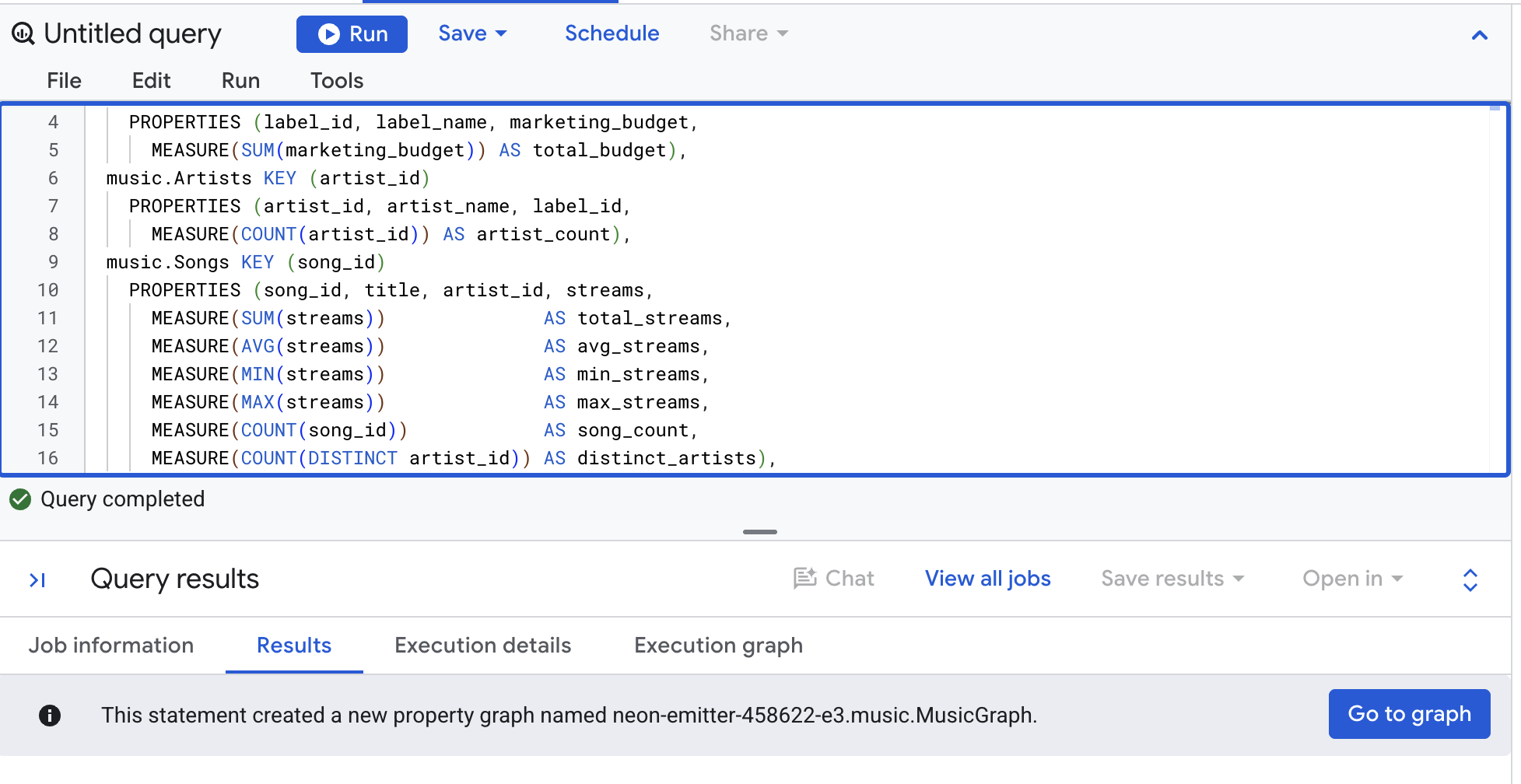
Now read them all back. Every measure goes through AGG, and the last column shows that AGG results are ordinary values you can do arithmetic with. The graph just changed, so clear Use cached results first (More → Query settings).
👉📋 Query editor — paste, then click Run:
SELECT
  Labels_label_name,
  AGG(Songs_total_streams)    AS total_streams,
  AGG(Songs_avg_streams)      AS avg_streams,
  AGG(Songs_min_streams)      AS min_streams,
  AGG(Songs_max_streams)      AS max_streams,
  AGG(Songs_song_count)       AS songs,
  AGG(Songs_distinct_artists) AS artists,
  AGG(Songs_total_streams) / AGG(Songs_song_count) AS streams_per_song
FROM GRAPH_EXPAND("music.MusicGraph")
GROUP BY 1
ORDER BY 1
👀 Result:
Labels_label_name | total_streams | avg_streams | min_streams | max_streams | songs | artists | streams_per_song |
Cymbal Records | 5,100,000,000 | 1,275,000,000 | 400,000,000 | 2,000,000,000 | 4 | 2 | 1,275,000,000 |
Northwind Audio | 4,500,000,000 | 4,500,000,000 | 4,500,000,000 | 4,500,000,000 | 1 | 1 | 4,500,000,000 |
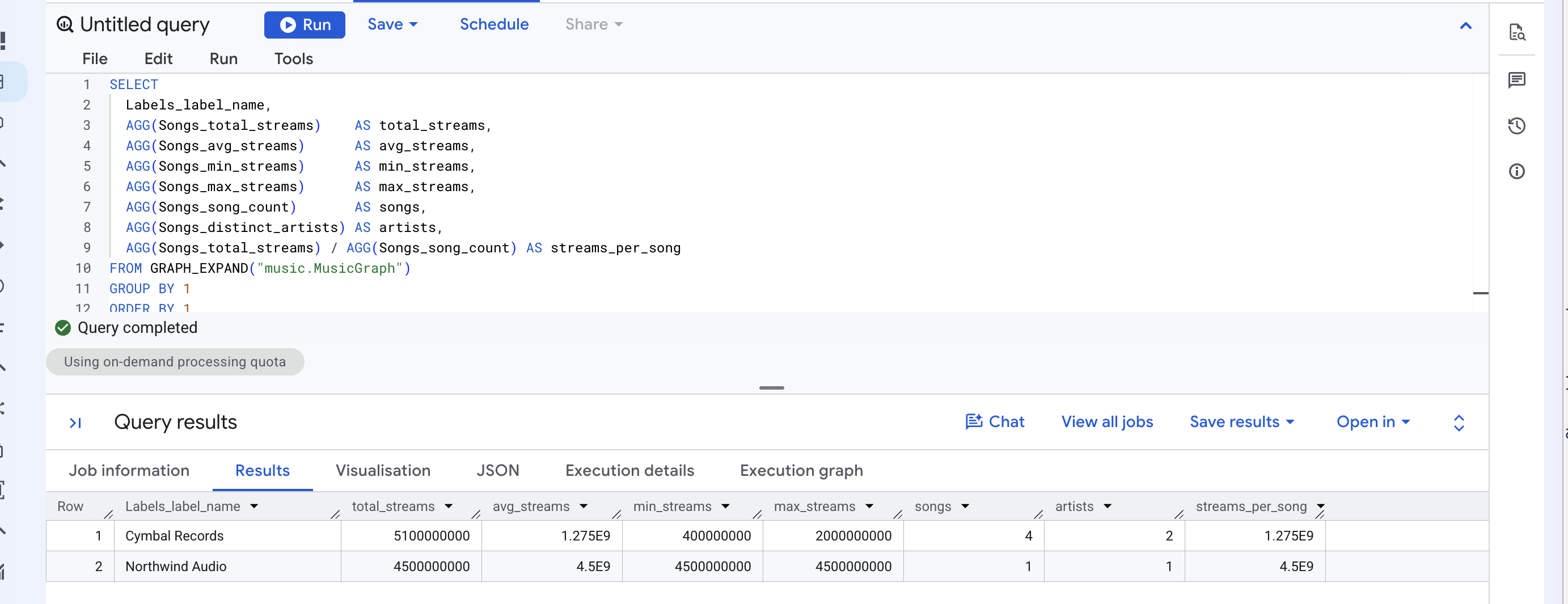
Every number is computed over four songs for Cymbal and one for Northwind — not over the ten placement rows. AVG in particular would have been wrong the other way: averaging the raw column over placement rows gives 1.575 billion for Cymbal, because Neon Summer's 2 billion is counted four times.
So "swap SUM for AGG" is really two decisions. When you declare the measure you still choose which of the six aggregates it is. When you read it, the function is always AGG.
✅ Checkpoint: one row per label, seven numbers each, and streams_per_song equals avg_streams.
9. Change the grouping, not the measure
The same measure answers a different question. Group by playlist instead of label.
👉📋 Query editor — paste, then click Run:
SELECT
  Playlists_playlist_name,
  AGG(Songs_total_streams) AS streams,
  AGG(Songs_song_count)    AS songs
FROM GRAPH_EXPAND("music.MusicGraph")
GROUP BY 1
ORDER BY 2 DESC
👀 Result:
Playlists_playlist_name | streams | songs |
Road Trip | 6,900,000,000 | 3 |
Gym Pump | 6,500,000,000 | 2 |
Hot Right Now | 4,700,000,000 | 3 |
Rising Pop | 3,500,000,000 | 2 |
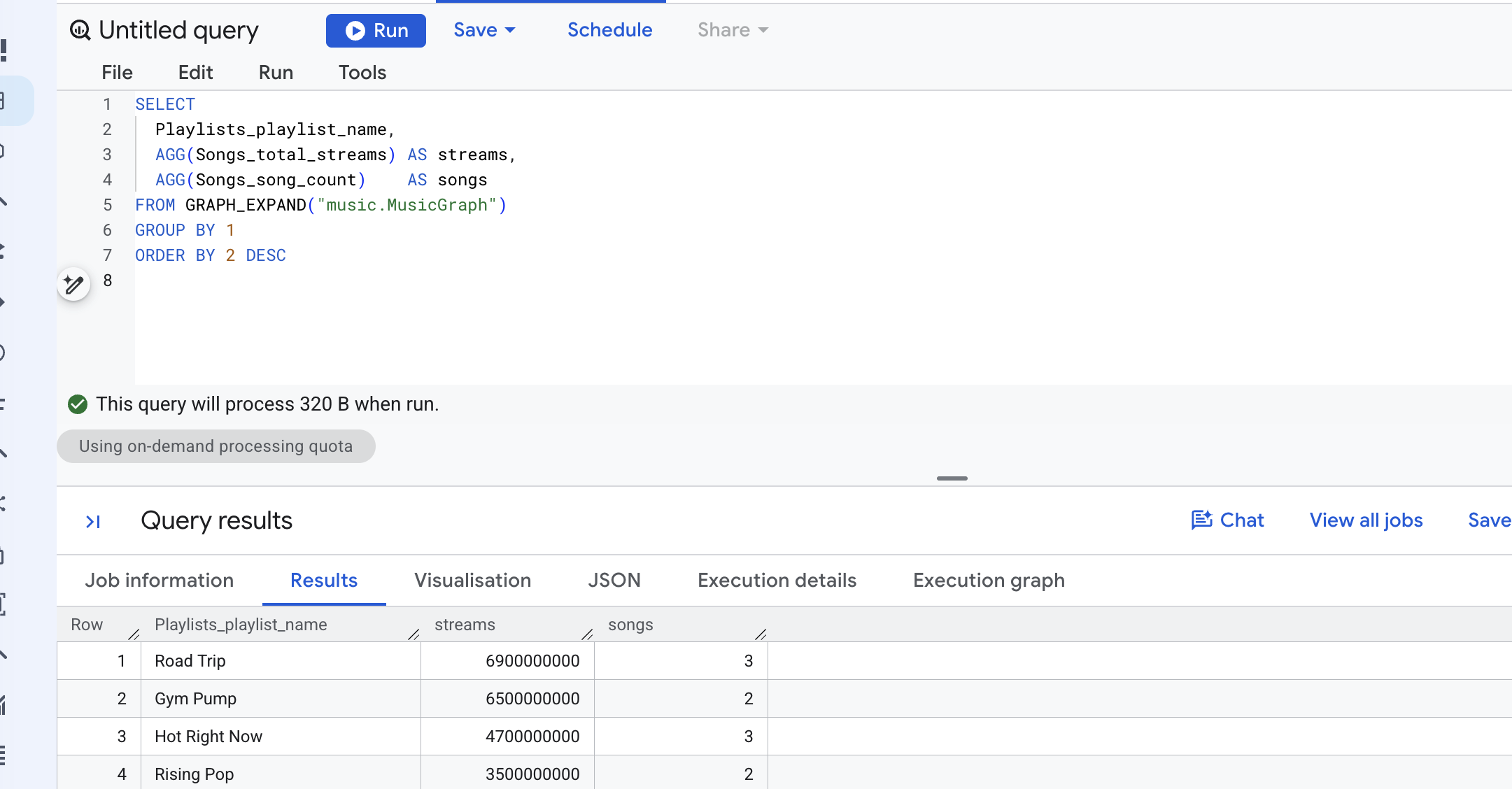
The two AGG lines are byte for byte the ones from SUM and AGG, side by side. Only the GROUP BY moved. Road Trip carries Neon Summer, Midnight Drive and Slow Arrow, and each song counts once inside that playlist — which is exactly what "streams reaching this playlist" should mean.
The person who wrote the measure decided the grain once. Every later query, by anyone, inherits it.
✅ Checkpoint: Road Trip on top with 6.9 billion.
10. See what GRAPH_EXPAND gives you
You don't have to run GRAPH_EXPAND to learn its shape. The BQ.SHOW_GRAPH_EXPAND_SCHEMA system procedure writes the column list into a variable.
👉📋 Query editor — paste all three lines, then click Run:
DECLARE schema STRING DEFAULT '';
CALL BQ.SHOW_GRAPH_EXPAND_SCHEMA('music.MusicGraph', schema);
SELECT schema;
👀 The result is one JSON string. Each field has a name, a type and a mode, and every measure column carries "is_measure": true. For the graph you just built you get these, among others:
name | type | is_measure | |
Songs_title | STRING | ||
Songs_streams | INTEGER | ||
Songs_total_streams | INTEGER | true | |
Songs_avg_streams | FLOAT | true | |
Songs_distinct_artists | INTEGER | true | |
PlaylistEntries_placement_count | INTEGER | true | |
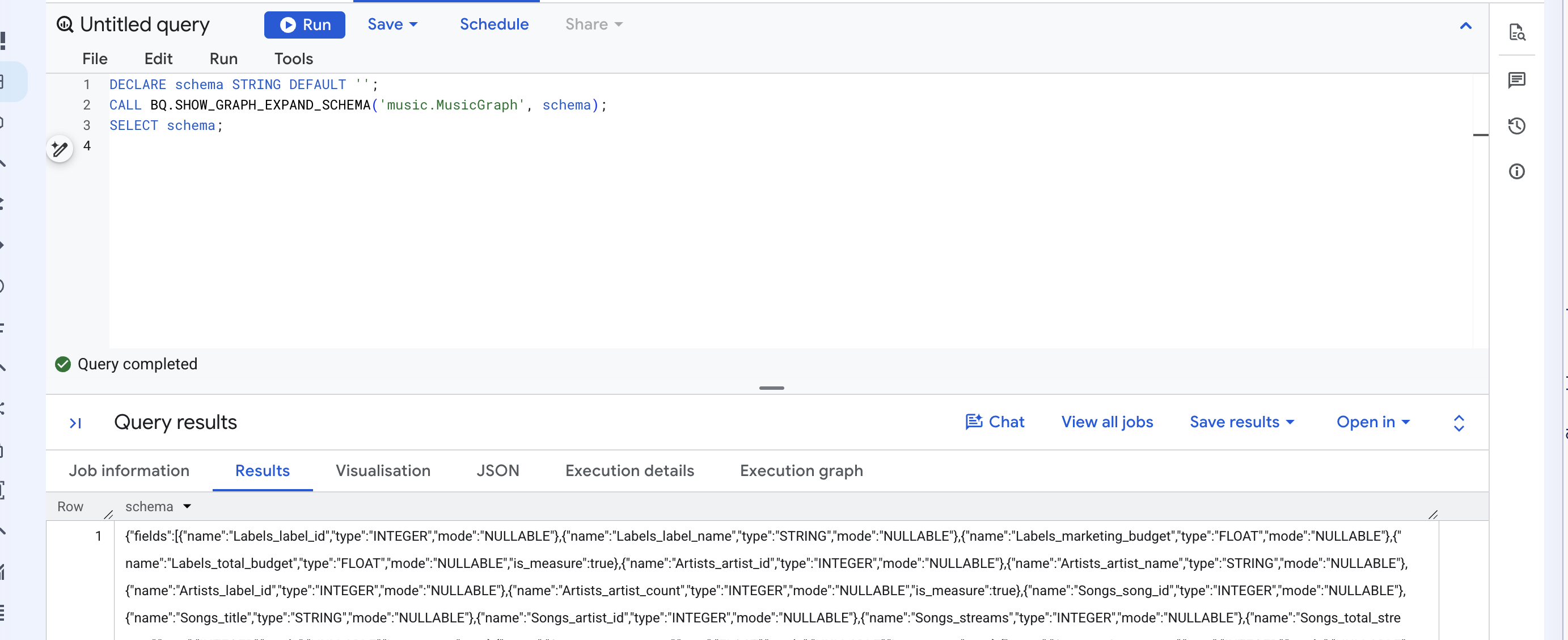
Any description or synonyms you set on a property show up here too. The optional chat step shows who reads those.
✅ Checkpoint: a JSON string with is_measure on every column you declared with MEASURE.
11. What GRAPH_EXPAND needs from a graph's shape
Nothing to run in this step — just read. GRAPH_EXPAND builds its wide table with a chain of LEFT JOINs, starting from one table and following edges outward. Three rules follow from that, and MusicGraph satisfies all of them.
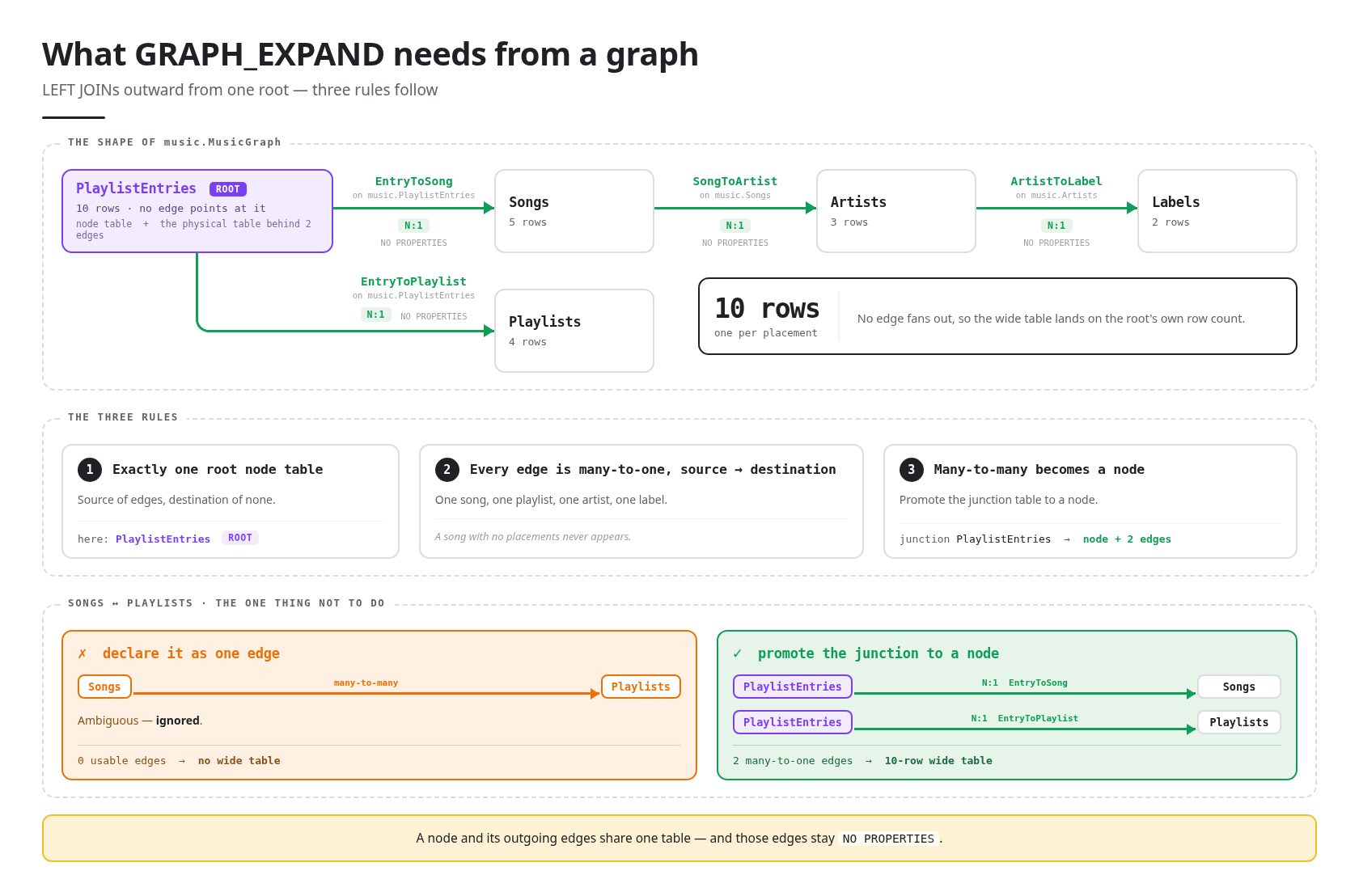
Exactly one root node table. The root is the node table whose key doesn't appear in any other table — the one no edge points at. In MusicGraph that is PlaylistEntries: the source of two edges and the destination of none. The wide table has 10 rows, one per placement.
Every edge is many-to-one, source to destination. Each entry has one song and one playlist, each song has one artist, each artist has one label. That is why the wide table never fans out beyond the root's own rows. Data the root can't reach doesn't appear: a song with no placements would be missing from the wide table.
Many-to-many relationships become a node. Songs and playlists are many-to-many. If you declared the junction table as a single edge from Songs to Playlists, GRAPH_EXPAND would ignore it as ambiguous — and with no usable edges left, it would fail. Promoting PlaylistEntries to a node table with two many-to-one edges out of it is the documented pattern, and it is what you did when you built the graph.
12. (OPTIONAL) Paths with GQL
Every question so far has had a number for an answer. This one doesn't. Where do Cymbal's streams reach listeners? is a question about routes through the graph, and a total cannot answer it — by the time you have summed, the route is gone.
1. Ask where the streams land
👉📋 Query editor — paste, then click Run:
GRAPH music.MusicGraph
MATCH (l:Labels)<-[:ArtistToLabel]-(a:Artists)<-[:SongToArtist]-(s:Songs)
      <-[:EntryToSong]-(e:PlaylistEntries)-[:EntryToPlaylist]->(pl:Playlists)
WHERE l.label_name = 'Cymbal Records'
RETURN pl.playlist_name, pl.followers,
       SUM(s.streams) AS streams_reaching_this_playlist,
       STRING_AGG(s.title, ', ') AS songs
GROUP BY pl.playlist_name, pl.followers
ORDER BY streams_reaching_this_playlist DESC
👀 Expect four playlists:
pl.playlist_name | pl.followers | streams_reaching_this_playlist | songs |
Hot Right Now | 35,000,000 | 4,700,000,000 | Double Shot, Neon Summer, Paper Crown |
Rising Pop | 2,000,000 | 3,500,000,000 | Neon Summer, Paper Crown |
Road Trip | 5,000,000 | 2,400,000,000 | Neon Summer, Slow Arrow |
Gym Pump | 3,000,000 | 2,000,000,000 | Neon Summer |
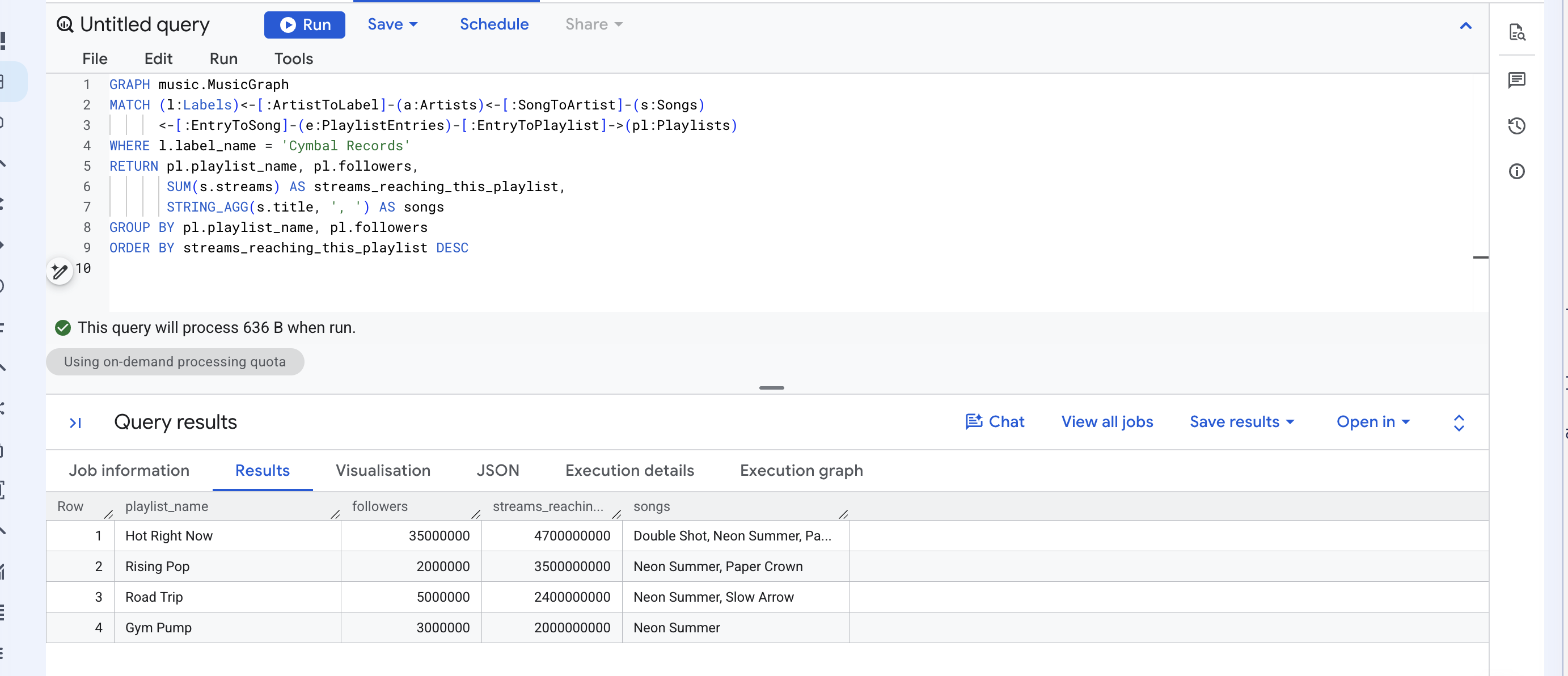
Read the MATCH line as a sentence: start at a label, walk back to its artists, back to their songs, back to the playlist entries those songs sit in, then forward to the playlists. The arrows point the way the edges were declared; <- walks one backwards.
Now add up that third column. 12.6 billion — the number SUM gave you in step four, the one that was wrong.
Here it is right. Back then the question was how much Cymbal streamed, and a song counted once no matter how many playlists carried it. This question is where those streams reach, and a song on four playlists genuinely reaches four audiences. The duplication GRAPH_EXPAND produces is an error for one question and the answer to the other. AGG was never about duplicates being bad — it was about matching the arithmetic to the question.
2. Return the paths themselves
Drop the aggregation and ask for the routes.
👉📋 Query editor — paste, then click Run:
GRAPH music.MusicGraph
MATCH p = (l:Labels)<-[:ArtistToLabel]-(a:Artists)<-[:SongToArtist]-(s:Songs)
          <-[:EntryToSong]-(e:PlaylistEntries)-[:EntryToPlaylist]->(pl:Playlists)
WHERE l.label_name = 'Cymbal Records'
RETURN TO_JSON(p) AS path
p = names the whole match, and TO_JSON renders it.
👀 Expect 8 rows, one path column. Each cell is a JSON array of the nodes and edges along one route, every node carrying its labels and properties.
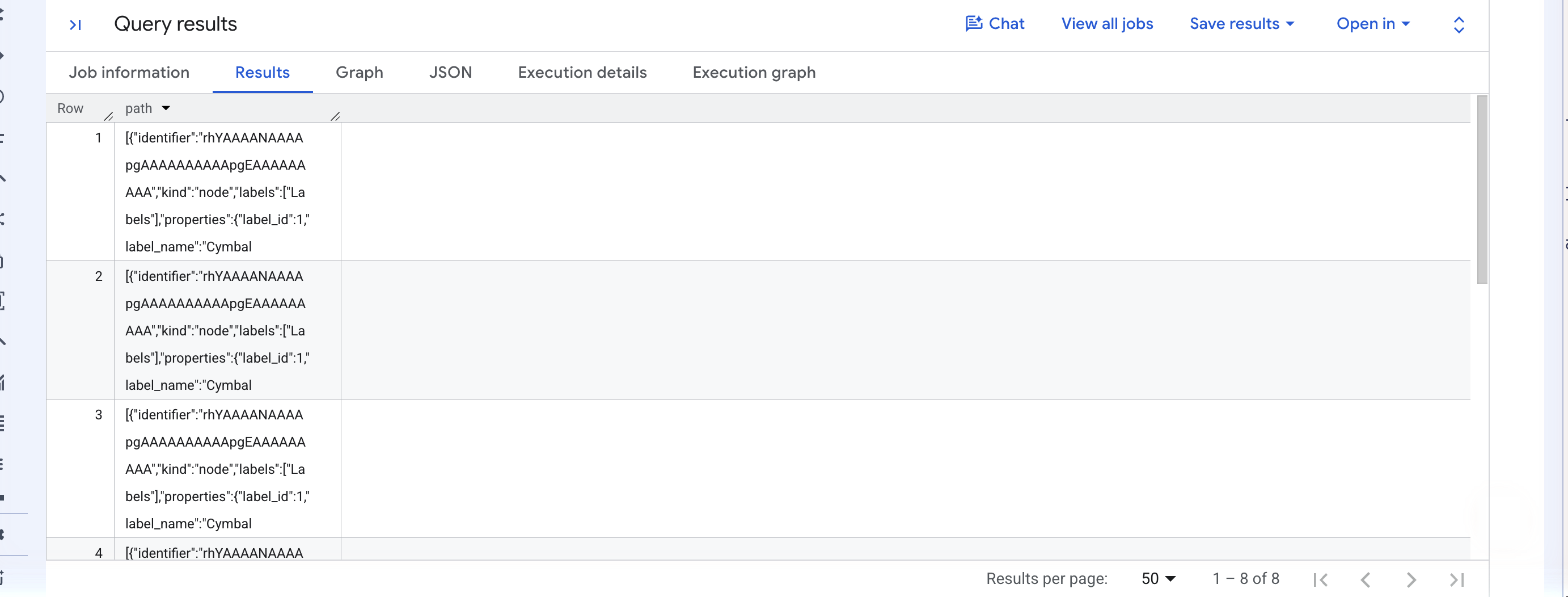
Eight rows for four songs, because a route exists per placement, not per song.
3. Open the Graph tab
👉🌐 Console — above the results, click Graph.
This tab appears only when a result contains graph elements. The previous query returned numbers, so it had no Graph tab; this one returns paths, so it does.
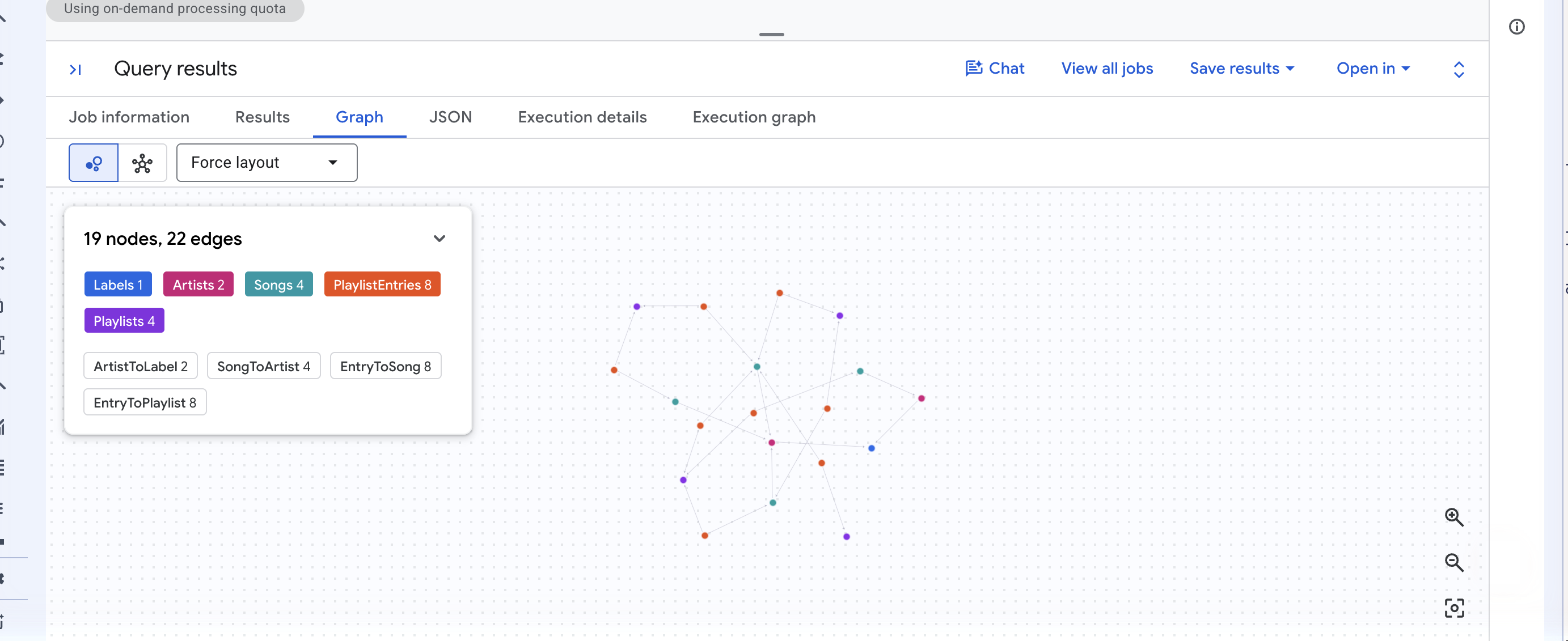
You get Cymbal's corner of the graph drawn as a force layout, with a count of the nodes and edges in view and a chip per label. Drag a node to pull the layout apart; click one to read its properties.
✅ Checkpoint: the third column of the first query sums to 12.6 billion, the second query returns 8 paths, and the Graph tab draws them.
13. (OPTIONAL) Chat with the graph
No SQL in this step. BigQuery data agents can use a graph as their knowledge source, and the documentation says they use measures for multi-level aggregation. Let's see whether that is true.
1. Create the agent
👉🌐 Console — in the BigQuery navigation menu on the left, click Agents, then Agent catalog, then Create agent.
👉🌐 Console — type Music graph agent into Agent name, and this into Agent description:
Ask questions about labels, artists, songs and playlists in the music property graph.
👉🌐 Console — under Knowledge sources, click Add source. In the Select sources dialog, expand your project, expand music, expand Graphs, tick MusicGraph, and click Confirm.
👀 The Add source button greys out. An agent can hold at most one graph, and can't mix graphs with tables.
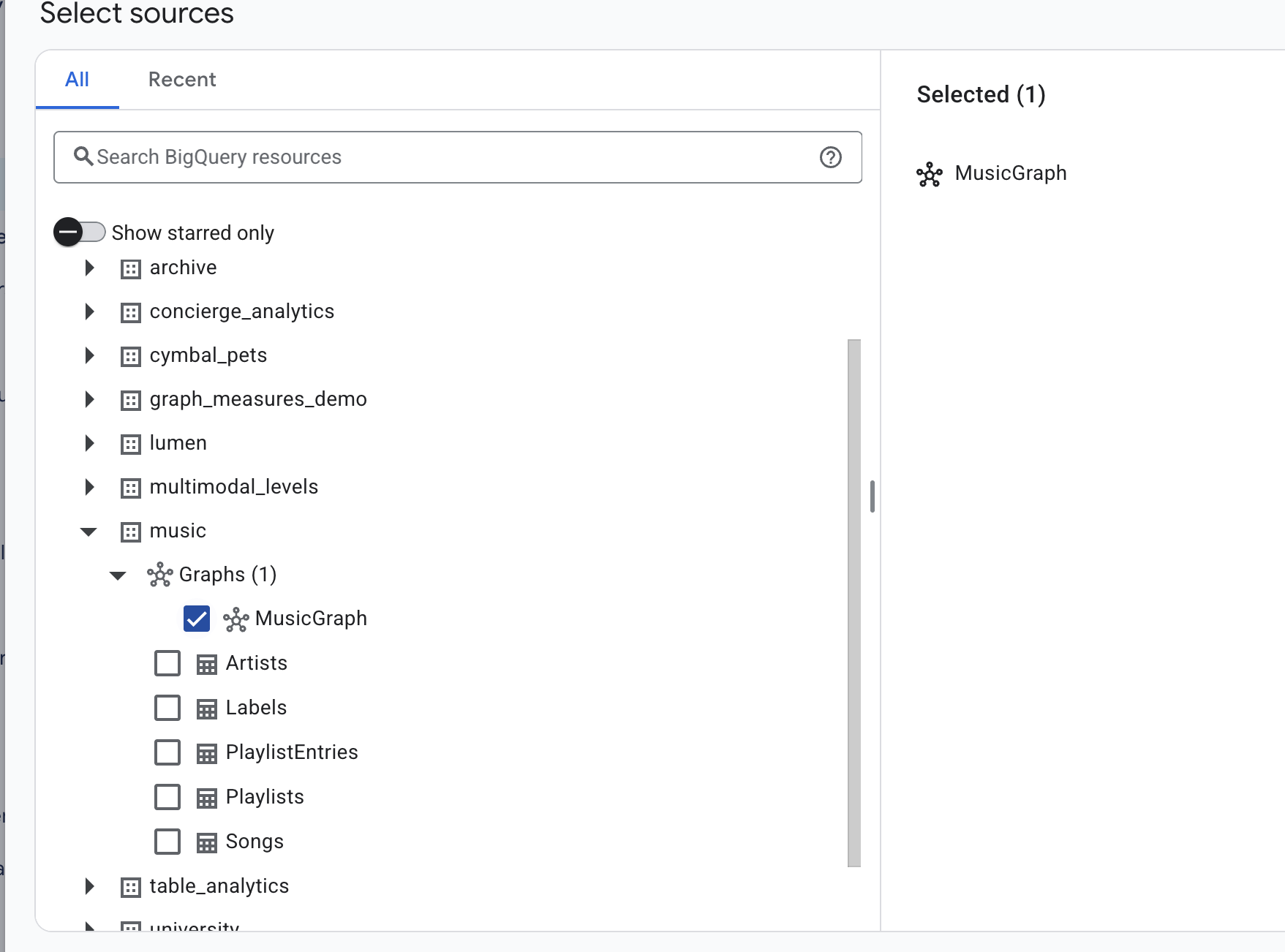
👉🌐 Console — leave Region as it was set from the graph's location. Click Save, then Publish. In the Publishing channels panel, click Publish agent and close the confirmation.
2. Ask the question
👉🌐 Console — click Create conversation. A chat page opens. Type this into the Ask a question box at the bottom and press Enter:
For each label, show total streams and how many playlists their songs are on
👀 The agent returns a table and a one-sentence summary:
label_name | total_streams | playlist_placements |
Cymbal Records | 5,100,000,000 | 8 |
Northwind Audio | 4,500,000,000 | 2 |
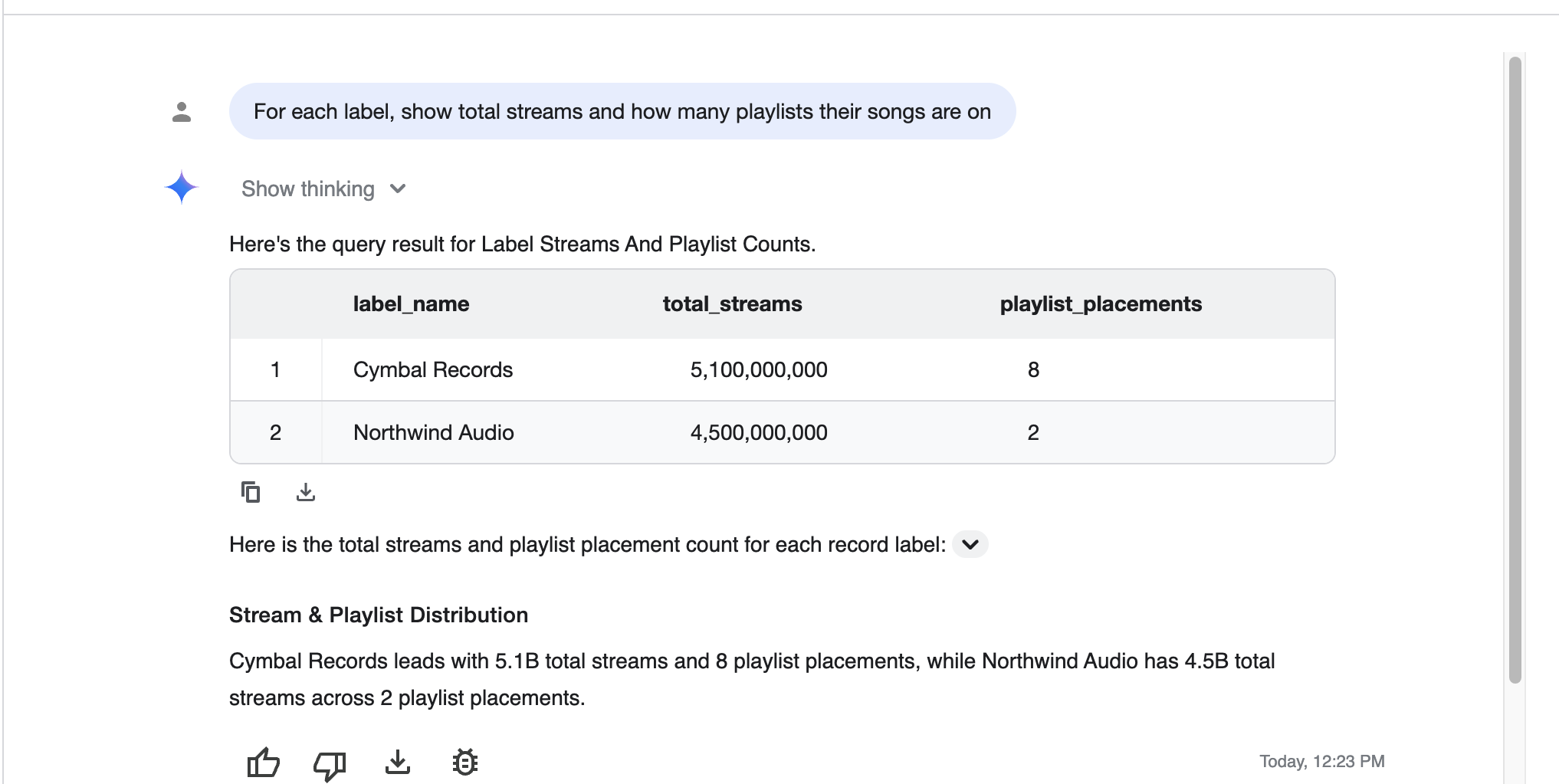
5.1 billion. Nobody told the agent about fan-out, and it didn't fall into it.
3. Read the query it wrote
👉🌐 Console — in the navigation menu, click Jobs explorer and click the newest job. Its labels include ca-bq-job: true and data-agent-id with your agent's ID, and its query is:
SELECT
  Labels_label_name AS label_name,
  AGG(Songs_total_streams) AS total_streams,
  AGG(PlaylistEntries_placement_count) AS playlist_placements
FROM GRAPH_EXPAND("music.MusicGraph")
GROUP BY label_name
ORDER BY total_streams DESC

It used GRAPH_EXPAND and AGG on its own, because the measures were in the schema it read. Nothing in the agent's description mentions them.
✅ Checkpoint: 5.1 billion in the chat answer, and AGG(...) in the job's SQL.
14. Clean up
👉💻 Cloud Shell — drop the dataset, its tables and the property graph:
cd ~/bq-graph-measures-lab
./cleanup.sh
👀 Expect ✓ dropped YOUR_PROJECT_ID.music (tables and graph).
If you created the optional data agent, delete it in the console under Agents → Agent catalog. And if ./setup_project.sh created a project just for this lab, the tidiest cleanup of all is to shut the whole project down — the ID is in ~/project_id.txt.
15. Congratulations
You declared one line, MEASURE(SUM(streams)), and it changed 12.6 billion into 5.1 billion — for you, and for every query anybody writes against that graph afterwards, including the ones an agent writes.
What you learned
- A measure is an aggregate declared on a node, next to the
KEYthat sets its grain. GRAPH_EXPANDflattens the graph into one wide table withTableLabel_propertycolumns.AGGis the only function that reads a measure, and the type system enforces it four different ways.- Six aggregates are available, and
AGGresults are ordinary values you can divide. - Changing the
GROUP BYre-asks the question without touching the measure. GRAPH_EXPANDwants one root, many-to-one edges, and junctions promoted to nodes.
The decision table
Symptom | Cause | Fix |
A total that is too big |
| declare a measure, read it with |
"expected MEASURE, found INT64" |
| use |
"Returning expressions of type MEASURE is not allowed" | measure column without | wrap it: |
"not exposed by element type" | measure referenced in GQL | measures live behind |
| junction modeled as an edge | promote the junction table to a node |
An old number after changing the graph | cached result | clear Use cached results |
What we didn't cover (on purpose)
Descriptions and synonyms on properties · verified queries and glossaries for data agents · GQL beyond one MATCH · measures across more than one graph. Each is its own lab.
Learn more
- Work with measures
- Create and query a property graph
- Conversational analytics overview
- The lab repo — every query in this codelab, numbered by step