

1. 简介
Cloud Spanner 是一种全代管式可横向扩容的关系型数据库服务,可提供 ACID 事务和 SQL 语义,而不会提升性能和高可用性。
这些功能使 Spanner 非常适合希望吸引全球玩家或担心数据一致性的游戏架构
在本实验中,您将创建两项与区域性 Spanner 数据库交互的 Go 服务,以便玩家注册并开始玩游戏。

接下来,您将利用 Python 负载框架 Locust.io 生成数据,以模拟玩家注册和玩游戏。然后,您将查询 Spanner 以确定有多少玩家在玩游戏,以及玩家获胜场次与比赛场次之间的一些统计数据。
最后,您将清理在本实验中创建的资源。
构建内容
在本实验中,您将:
- 创建 Spanner 实例
- 部署用 Go 编写的 Profile 服务来处理玩家注册
- 部署以 Go 编写的配对服务,以将玩家分配到游戏中、确定获胜者并更新玩家的游戏统计数据。
学习内容
- 如何设置 Cloud Spanner 实例
- 如何创建游戏数据库和架构
- 如何部署 Go 应用以使用 Cloud Spanner
- 如何使用 Locust 生成数据
- 如何查询 Cloud Spanner 中的数据,以回答有关游戏和玩家的问题。
所需条件
2. 设置和要求
创建项目
如果您还没有 Google 账号(Gmail 或 Google Apps),则必须创建一个。登录 Google Cloud Platform Console ( console.cloud.google.com) 并创建一个新项目。
如果您已经有一个项目,请点击控制台左上方的项目选择下拉菜单:

然后在出现的对话框中点击“新建项目”按钮以创建一个新项目:
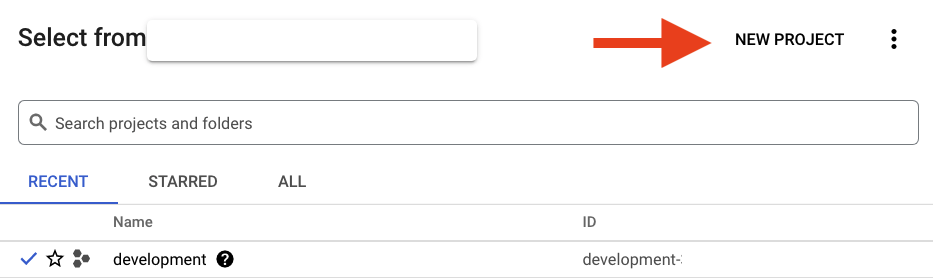
如果您还没有项目,则应该看到一个类似这样的对话框来创建您的第一个项目:

随后的项目创建对话框可让您输入新项目的详细信息:

请记住项目 ID,它在所有 Google Cloud 项目中都是唯一的名称(上述名称已被占用,您无法使用,抱歉!)。它稍后将在此 Codelab 中被称为 PROJECT_ID。
接下来,如果尚未执行此操作,则需要在 Developers Console 中启用结算功能,以便使用 Google Cloud 资源并启用 Cloud Spanner API。

在此 Codelab 中运行不会花费您超过几美元,但是如果您决定使用更多的资源或让它们运行(请参阅本文档末尾的“清理”部分),则可能会花费更多。如需了解 Google Cloud Spanner 价格,请参阅此处。
Google Cloud Platform 的新用户均有资格获享 $300 赠金,免费试用此 Codelab。
Google Cloud Shell 设置
虽然 Google Cloud 和 Spanner 可以从笔记本电脑远程操作,但在此 Codelab 中,我们将使用 Google Cloud Shell,这是一个在云端运行的命令行环境。
基于 Debian 的这个虚拟机已加载了您需要的所有开发工具。它提供了一个持久的 5GB 主目录,并且在 Google Cloud 中运行,大大增强了网络性能和身份验证。这意味着在本 Codelab 中,您只需要一个浏览器(没错,它适用于 Chromebook)。
- 如需从 Cloud 控制台激活 Cloud Shell,只需点击“激活 Cloud Shell”图标
 (预配和连接到环境仅需花费一些时间)。

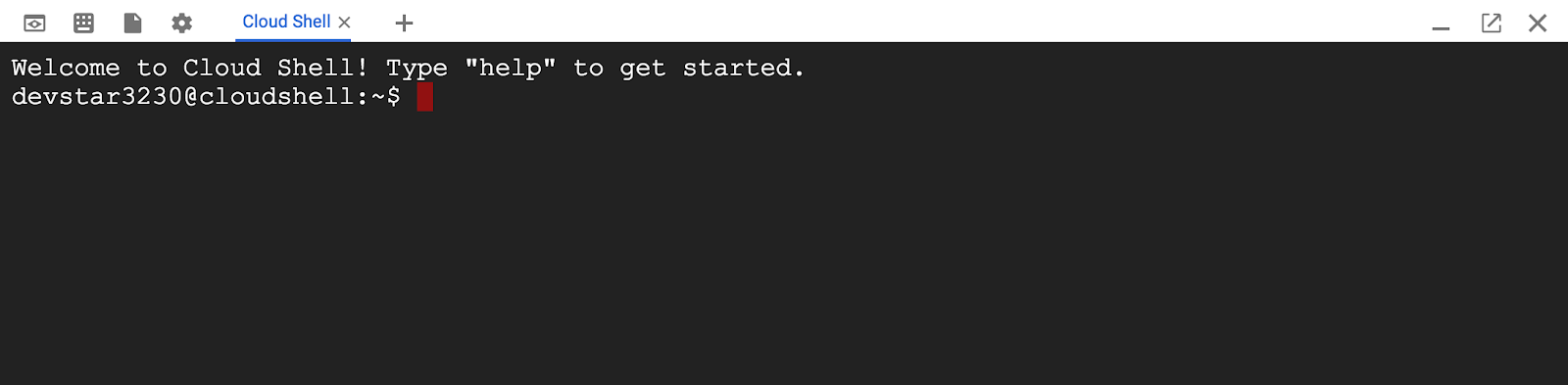
在连接到 Cloud Shell 后,您应该会看到自己已通过身份验证,并且相关项目已设置为您的 PROJECT_ID。
gcloud auth list
命令输出
Credentialed accounts:
 - <myaccount>@<mydomain>.com (active)
gcloud config list project
命令输出
[core]
project = <PROJECT_ID>
如果出于某种原因未设置项目,只需发出以下命令即可:
gcloud config set project <PROJECT_ID>
在寻找您的 PROJECT_ID?检查您在设置步骤中使用的 ID,或在 Cloud Console 信息中心查找该 ID:

默认情况下,Cloud Shell 还会设置一些环境变量,这对您日后运行命令可能会很有用。
echo $GOOGLE_CLOUD_PROJECT
命令输出
<PROJECT_ID>
下载代码
在 Cloud Shell 中,您可以下载本实验所需的代码。这是基于 v0.1.0 版本,因此请查看该标记:
git clone https://github.com/cloudspannerecosystem/spanner-gaming-sample.git
cd spanner-gaming-sample/

# Check out v0.1.0 release
git checkout tags/v0.1.0 -b v0.1.0-branch
命令输出
Cloning into 'spanner-gaming-sample'...
*snip*
Switched to a new branch 'v0.1.0-branch'
设置 Locust 负载生成器
Locust 是一款 Python 负载测试框架,可用于测试 REST API 端点。在此 Codelab 中,我们将在“generators”目录中重点介绍 2 个不同的负载测试:
- authentication_server.py:包含用于创建玩家的任务,以及用于获取随机玩家以模拟单点查找的任务。
- match_server.py:包含用于创建游戏和关闭游戏的任务。创建游戏时,系统会分配 100 名当前未在玩游戏的随机玩家。关闭游戏会更新 games_played 和 games_won 统计数据,并允许将这些玩家分配到未来的游戏中。
如需在 Cloud Shell 中运行 Locust,您需要安装 Python 3.7 或更高版本。Cloud Shell 随附 Python 3.9,因此您只需验证版本即可:
python -V
命令输出
Python 3.9.12
现在,您可以安装 Locust 的要求。
pip3 install -r requirements.txt
命令输出
Collecting locust==2.11.1
*snip*
Successfully installed ConfigArgParse-1.5.3 Flask-BasicAuth-0.2.0 Flask-Cors-3.0.10 brotli-1.0.9 gevent-21.12.0 geventhttpclient-2.0.2 greenlet-1.1.3 locust-2.11.1 msgpack-1.0.4 psutil-5.9.2 pyzmq-22.3.0 roundrobin-0.0.4 zope.event-4.5.0 zope.interface-5.4.0
现在,更新 PATH,以便找到新安装的 locust 二进制文件:
PATH=~/.local/bin":$PATH"
which locust
命令输出
/home/<user>/.local/bin/locust
摘要
在此步骤中,您已设置项目(如果您还没有项目)、激活 Cloud Shell 并下载了此实验的代码。
最后,您将设置 Locust 以便在稍后的实验中生成负载。
后续步骤
接下来,您将设置 Cloud Spanner 实例和数据库。
3. 创建 Spanner 实例和数据库
创建 Spanner 实例
在此步骤中,我们会为此 Codelab 设置 Spanner 实例。搜索左上角汉堡式菜单中的  Spanner 条目
  ,也可以按“/”并输入“Spanner”以搜索 Spanner。
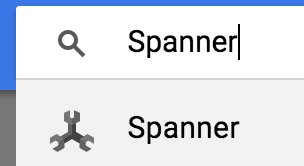
接下来,点击  并填写表单,方法是为您的实例输入实例名称
 cloudspanner-gaming,选择配置(选择区域实例,例如 us-central1),并设置节点数。在此 Codelab 中,我们只需要 500 processing units。
最后但并非最不重要的一点是,点击“创建”,然后在几秒钟内就可以使用 Cloud Spanner 实例。

创建数据库和架构
实例运行后,您可以创建数据库。Spanner 允许在单个实例上创建多个数据库。
您可以在数据库中定义架构。您还可以控制哪些人可以访问数据库、设置自定义加密、配置优化器和设置保留期限。
在多区域实例上,您还可以配置默认主要区域。详细了解 Spanner 上的数据库。
在此 Codelab 中,您将使用默认选项创建数据库,并在创建时提供架构。
本实验将创建两个表:players 和 games。

玩家可以随时参与多场游戏,但一次只能参与一场游戏。玩家还拥有 JSON 数据类型的统计信息,用于跟踪玩过的游戏和赢得的游戏等有趣的数据。由于以后可能会添加其他统计信息,因此对于球员来说,这实际上是一个无架构列。
游戏使用 Spanner 的 ARRAY 数据类型来跟踪参与游戏的玩家。在比赛结束之前,系统不会填充比赛的获胜者和完成属性。
有一个外键用于确保玩家的 current_game 是有效的游戏。
现在,点击实例概览中的“创建数据库”来创建数据库:

然后填写详细信息。重要的选项是数据库名称和方言。在此示例中,我们将数据库命名为 sample-game,并选择了 Google 标准 SQL 方言。
对于架构,请将此 DDL 复制并粘贴到相应框中:
CREATE TABLE games (
  gameUUID STRING(36) NOT NULL,
  players ARRAY<STRING(36)> NOT NULL,
  winner STRING(36),
  created TIMESTAMP,
  finished TIMESTAMP,
) PRIMARY KEY(gameUUID);

CREATE TABLE players (
  playerUUID STRING(36) NOT NULL,
  player_name STRING(64) NOT NULL,
  email STRING(MAX) NOT NULL,
  password_hash BYTES(60) NOT NULL,
  created TIMESTAMP,
  updated TIMESTAMP,
  stats JSON,
  account_balance NUMERIC NOT NULL DEFAULT (0.00),
  is_logged_in BOOL,
  last_login TIMESTAMP,
  valid_email BOOL,
  current_game STRING(36),
  FOREIGN KEY (current_game) REFERENCES games (gameUUID),
) PRIMARY KEY(playerUUID);

CREATE UNIQUE INDEX PlayerAuthentication ON players(email) STORING (password_hash);

CREATE INDEX PlayerGame ON players(current_game);

CREATE UNIQUE INDEX PlayerName ON players(player_name);
然后,点击“创建”按钮,等待几秒钟,系统就会创建您的数据库。
创建数据库页面应如下所示:

现在,您需要在 Cloud Shell 中设置一些环境变量,以便在后续的代码实验中使用。因此,请记下实例 ID,并在 Cloud Shell 中设置 INSTANCE_ID 和 DATABASE_ID
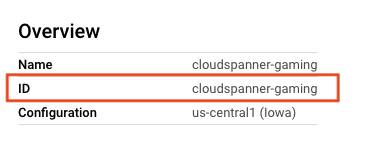
export SPANNER_PROJECT_ID=$GOOGLE_CLOUD_PROJECT
export SPANNER_INSTANCE_ID=cloudspanner-gaming
export SPANNER_DATABASE_ID=sample-game
摘要
在此步骤中,您创建了一个 Spanner 实例和 sample-game 数据库。您还定义了此示例游戏使用的架构。
后续步骤
接下来,您将部署个人资料服务,以便玩家注册并畅玩游戏!
4. 部署 Profile Service
服务概览
个人资料服务是一个使用 Gin 框架以 Go 编写的 REST API。

在此 API 中,玩家可以注册玩游戏。这是通过一个简单的 POST 命令创建的,该命令接受玩家姓名、电子邮件地址和密码。密码会使用 bcrypt 进行加密,哈希值会存储在数据库中。
电子邮件地址被视为唯一标识符,而 player_name 则用于在游戏中显示。
此 API 目前不处理登录,但您可以自行实现此功能,作为一项额外的练习。
个人资料服务的 ./src/golang/profile-service/main.go 文件公开了两个主要端点,如下所示:
func main() {
   configuration, _ := config.NewConfig()

   router := gin.Default()
   router.SetTrustedProxies(nil)

   router.Use(setSpannerConnection(configuration))

   router.POST("/players", createPlayer)
   router.GET("/players", getPlayerUUIDs)
   router.GET("/players/:id", getPlayerByID)

   router.Run(configuration.Server.URL())
}
这些端点的代码将路由到 player 模型。
func getPlayerByID(c *gin.Context) {
   var playerUUID = c.Param("id")

   ctx, client := getSpannerConnection(c)

   player, err := models.GetPlayerByUUID(ctx, client, playerUUID)
   if err != nil {
       c.IndentedJSON(http.StatusNotFound, gin.H{"message": "player not found"})
       return
   }

   c.IndentedJSON(http.StatusOK, player)
}

func createPlayer(c *gin.Context) {
   var player models.Player

   if err := c.BindJSON(&player); err != nil {
       c.AbortWithError(http.StatusBadRequest, err)
       return
   }

   ctx, client := getSpannerConnection(c)
   err := player.AddPlayer(ctx, client)
   if err != nil {
       c.AbortWithError(http.StatusBadRequest, err)
       return
   }

   c.IndentedJSON(http.StatusCreated, player.PlayerUUID)
}
该服务首先会设置 Spanner 连接。此功能在服务级层实现,用于为服务创建会话池。
func setSpannerConnection() gin.HandlerFunc {
   ctx := context.Background()
   client, err := spanner.NewClient(ctx, configuration.Spanner.URL())

   if err != nil {
       log.Fatal(err)
   }

   return func(c *gin.Context) {
       c.Set("spanner_client", *client)
       c.Set("spanner_context", ctx)
       c.Next()
   }
}
Player 和 PlayerStats 是按如下方式定义的结构:
type Player struct {
   PlayerUUID      string `json:"playerUUID" validate:"omitempty,uuid4"`
   Player_name     string `json:"player_name" validate:"required_with=Password Email"`
   Email           string `json:"email" validate:"required_with=Player_name Password,email"`
   // not stored in DB
   Password        string `json:"password" validate:"required_with=Player_name Email"`
   // stored in DB
   Password_hash   []byte `json:"password_hash"`
   created         time.Time
   updated         time.Time
   Stats           spanner.NullJSON `json:"stats"`
   Account_balance big.Rat          `json:"account_balance"`
   last_login      time.Time
   is_logged_in    bool
   valid_email     bool
   Current_game    string `json:"current_game" validate:"omitempty,uuid4"`
}

type PlayerStats struct {
   Games_played spanner.NullInt64 `json:"games_played"`
   Games_won    spanner.NullInt64 `json:"games_won"`
}
用于添加玩家的函数在 ReadWrite 事务内利用 DML 插入,因为添加玩家是单个语句,而不是批量插入。该函数如下所示:
func (p *Player) AddPlayer(ctx context.Context, client spanner.Client) error {
   // Validate based on struct validation rules
   err := p.Validate()
   if err != nil {
       return err
   }

   // take supplied password+salt, hash. Store in user_password
   passHash, err := hashPassword(p.Password)

   if err != nil {
       return errors.New("Unable to hash password")
   }

   p.Password_hash = passHash

   // Generate UUIDv4
   p.PlayerUUID = generateUUID()

   // Initialize player stats
   emptyStats := spanner.NullJSON{Value: PlayerStats{
       Games_played: spanner.NullInt64{Int64: 0, Valid: true},
       Games_won:    spanner.NullInt64{Int64: 0, Valid: true},
   }, Valid: true}

   // insert into spanner
   _, err = client.ReadWriteTransaction(ctx, func(ctx context.Context, txn *spanner.ReadWriteTransaction) error {
       stmt := spanner.Statement{
           SQL: `INSERT players (playerUUID, player_name, email, password_hash, created, stats) VALUES
                   (@playerUUID, @playerName, @email, @passwordHash, CURRENT_TIMESTAMP(), @pStats)
           `,
           Params: map[string]interface{}{
               "playerUUID":   p.PlayerUUID,
               "playerName":   p.Player_name,
               "email":        p.Email,
               "passwordHash": p.Password_hash,
               "pStats":       emptyStats,
           },
       }

       _, err := txn.Update(ctx, stmt)
       return err
   })
   if err != nil {
       return err
   }
   // return empty error on success
   return nil
}
如需根据玩家的 UUID 检索玩家,只需发出简单的读取请求。此方法会检索玩家的 playerUUID、player_name、电子邮件地址和统计数据。
func GetPlayerByUUID(ctx context.Context, client spanner.Client, uuid string) (Player, error) {
   row, err := client.Single().ReadRow(ctx, "players",
       spanner.Key{uuid}, []string{"playerUUID", "player_name", "email", "stats"})
   if err != nil {
       return Player{}, err
   }

   player := Player{}
   err = row.ToStruct(&player)

   if err != nil {
       return Player{}, err
   }
   return player, nil
}
默认情况下,服务是使用环境变量配置的。请参阅 ./src/golang/profile-service/config/config.go 文件的相关部分。
func NewConfig() (Config, error) {
   *snip*
   // Server defaults
   viper.SetDefault("server.host", "localhost")
   viper.SetDefault("server.port", 8080)

   // Bind environment variable override
   viper.BindEnv("server.host", "SERVICE_HOST")
   viper.BindEnv("server.port", "SERVICE_PORT")
   viper.BindEnv("spanner.project_id", "SPANNER_PROJECT_ID")
   viper.BindEnv("spanner.instance_id", "SPANNER_INSTANCE_ID")
   viper.BindEnv("spanner.database_id", "SPANNER_DATABASE_ID")

   *snip*

   return c, nil
}
您可以看到,默认行为是在 localhost:8080 上运行服务。
有了这些信息,就可以运行服务了。
运行 Profile Service
使用 go 命令运行服务。此命令将下载依赖项,并建立在端口 8080 上运行的服务:
cd ~/spanner-gaming-sample/src/golang/profile-service
go run . &
命令输出:
[GIN-debug] [WARNING] Creating an Engine instance with the Logger and Recovery middleware already attached.

[GIN-debug] [WARNING] Running in "debug" mode. Switch to "release" mode in production.
 - using env:   export GIN_MODE=release
 - using code:  gin.SetMode(gin.ReleaseMode)

[GIN-debug] POST   /players                  --> main.createPlayer (4 handlers)
[GIN-debug] GET    /players                  --> main.getPlayerUUIDs (4 handlers)
[GIN-debug] GET    /players/:id              --> main.getPlayerByID (4 handlers)
[GIN-debug] GET    /players/:id/stats        --> main.getPlayerStats (4 handlers)
[GIN-debug] Listening and serving HTTP on localhost:8080
通过发出 curl 命令来测试服务:
curl http://localhost:8080/players \
    --include \
    --header "Content-Type: application/json" \
    --request "POST" \
    --data '{"email": "test@gmail.com","password": "s3cur3P@ss","player_name": "Test Player"}'
命令输出:
HTTP/1.1 201 Created
Content-Type: application/json; charset=utf-8
Date: <date> 18:55:08 GMT
Content-Length: 38

"506a1ab6-ee5b-4882-9bb1-ef9159a72989"
摘要
在此步骤中,您部署了个人资料服务,让玩家可以注册玩您的游戏,并通过发出 POST API 调用来创建新玩家,从而测试该服务。
后续步骤
在下一步中,您将部署配对服务。
5. 部署婚介服务
服务概览
配对服务是使用 Go 编写的 REST API,它利用了 gin 框架。
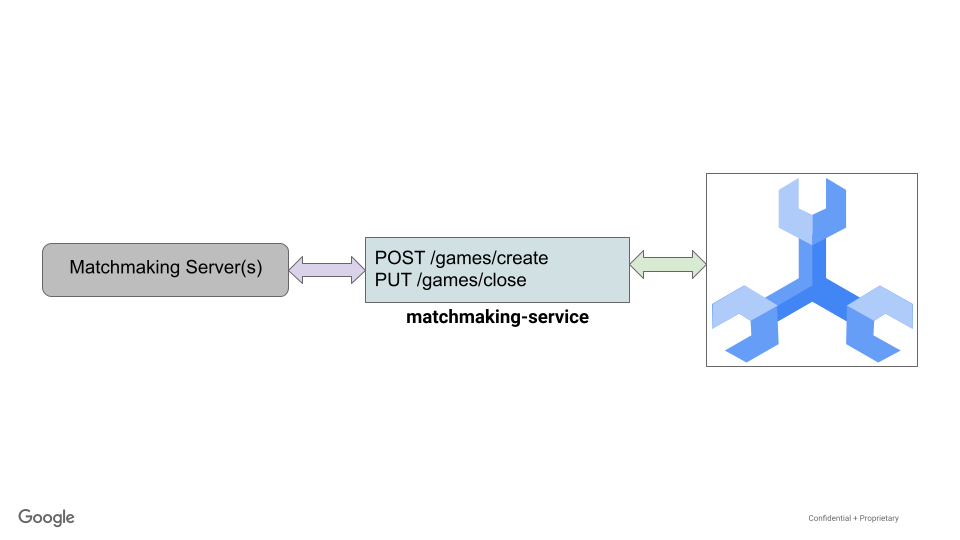
在此 API 中,游戏可以创建和关闭。当游戏创建时,系统会为该游戏分配 10 名当前未在玩游戏的玩家。
当游戏关闭时,系统会随机选择一位获胜者,并调整每位玩家的游戏场次和获胜场次统计数据。此外,系统还会更新每位玩家的状态,以表明他们不再玩游戏,因此可以参加未来的游戏。
婚恋服务的 ./src/golang/matchmaking-service/main.go 文件与 profile 服务的设置和代码类似,因此此处不再赘述。此服务公开了两个主要端点,如下所示:
func main() {
   router := gin.Default()
   router.SetTrustedProxies(nil)

   router.Use(setSpannerConnection())

   router.POST("/games/create", createGame)
   router.PUT("/games/close", closeGame)

   router.Run(configuration.Server.URL())
}
此服务提供 Game 结构体,以及精简的 Player 和 PlayerStats 结构体:
type Game struct {
   GameUUID string           `json:"gameUUID"`
   Players  []string         `json:"players"`
   Winner   string           `json:"winner"`
   Created  time.Time        `json:"created"`
   Finished spanner.NullTime `json:"finished"`
}

type Player struct {
   PlayerUUID   string           `json:"playerUUID"`
   Stats        spanner.NullJSON `json:"stats"`
   Current_game string           `json:"current_game"`
}

type PlayerStats struct {
   Games_played int `json:"games_played"`
   Games_won    int `json:"games_won"`
}
为了创建游戏,配对服务会随机选择 100 名当前未在玩游戏的玩家。
选择 Spanner mutation 来创建游戏并分配玩家,因为对于大型更改,mutation 比 DML 更高效。
// Create a new game and assign players
// Players that are not currently playing a game are eligble to be selected for the new game
// Current implementation allows for less than numPlayers to be placed in a game
func (g *Game) CreateGame(ctx context.Context, client spanner.Client) error {
   // Initialize game values
   g.GameUUID = generateUUID()

   numPlayers := 10

   // Create and assign
   _, err := client.ReadWriteTransaction(ctx, func(ctx context.Context, txn *spanner.ReadWriteTransaction) error {
       var m []*spanner.Mutation

       // get players
       query := fmt.Sprintf("SELECT playerUUID FROM (SELECT playerUUID FROM players WHERE current_game IS NULL LIMIT 10000) TABLESAMPLE RESERVOIR (%d ROWS)", numPlayers)
       stmt := spanner.Statement{SQL: query}
       iter := txn.Query(ctx, stmt)

       playerRows, err := readRows(iter)
       if err != nil {
           return err
       }

       var playerUUIDs []string

       for _, row := range playerRows {
           var pUUID string
           if err := row.Columns(&pUUID); err != nil {
               return err
           }

           playerUUIDs = append(playerUUIDs, pUUID)
       }

       // Create the game
       gCols := []string{"gameUUID", "players", "created"}
       m = append(m, spanner.Insert("games", gCols, []interface{}{g.GameUUID, playerUUIDs, time.Now()}))

       // Update players to lock into this game
       for _, p := range playerUUIDs {
           pCols := []string{"playerUUID", "current_game"}
           m = append(m, spanner.Update("players", pCols, []interface{}{p, g.GameUUID}))
       }

       txn.BufferWrite(m)

       return nil
   })

   if err != nil {
       return err
   }

   return nil
}
玩家的随机选择是通过使用 GoogleSQL 的 TABLESPACE RESERVOIR 功能,以 SQL 方式完成的。
关闭游戏稍微复杂一些。它包括在游戏玩家中随机选择一名获胜者、标记游戏结束时间,以及更新每位玩家的游戏次数和获胜次数统计信息。
由于这种复杂性和变化量,突变再次被选中以结束游戏。
func determineWinner(playerUUIDs []string) string {
   if len(playerUUIDs) == 0 {
       return ""
   }

   var winnerUUID string

   rand.Seed(time.Now().UnixNano())
   offset := rand.Intn(len(playerUUIDs))
   winnerUUID = playerUUIDs[offset]
   return winnerUUID
}

// Given a list of players and a winner's UUID, update players of a game
// Updating players involves closing out the game (current_game = NULL) and
// updating their game stats. Specifically, we are incrementing games_played.
// If the player is the determined winner, then their games_won stat is incremented.
func (g Game) updateGamePlayers(ctx context.Context, players []Player, txn *spanner.ReadWriteTransaction) error {
   for _, p := range players {
       // Modify stats
       var pStats PlayerStats
       json.Unmarshal([]byte(p.Stats.String()), &pStats)

       pStats.Games_played = pStats.Games_played + 1

       if p.PlayerUUID == g.Winner {
           pStats.Games_won = pStats.Games_won + 1
       }
       updatedStats, _ := json.Marshal(pStats)
       p.Stats.UnmarshalJSON(updatedStats)

       // Update player
       // If player's current game isn't the same as this game, that's an error
       if p.Current_game != g.GameUUID {
           errorMsg := fmt.Sprintf("Player '%s' doesn't belong to game '%s'.", p.PlayerUUID, g.GameUUID)
           return errors.New(errorMsg)
       }

       cols := []string{"playerUUID", "current_game", "stats"}
       newGame := spanner.NullString{
           StringVal: "",
           Valid:     false,
       }

       txn.BufferWrite([]*spanner.Mutation{
           spanner.Update("players", cols, []interface{}{p.PlayerUUID, newGame, p.Stats}),
       })
   }

   return nil
}

// Closing game. When provided a Game, choose a random winner and close out the game.
// A game is closed by setting the winner and finished time.
// Additionally all players' game stats are updated, and the current_game is set to null to allow
// them to be chosen for a new game.
func (g *Game) CloseGame(ctx context.Context, client spanner.Client) error {
   // Close game
   _, err := client.ReadWriteTransaction(ctx,
       func(ctx context.Context, txn *spanner.ReadWriteTransaction) error {
           // Get game players
           playerUUIDs, players, err := g.getGamePlayers(ctx, txn)

           if err != nil {
               return err
           }

           // Might be an issue if there are no players!
           if len(playerUUIDs) == 0 {
               errorMsg := fmt.Sprintf("No players found for game '%s'", g.GameUUID)
               return errors.New(errorMsg)
           }

           // Get random winner
           g.Winner = determineWinner(playerUUIDs)

           // Validate game finished time is null
           row, err := txn.ReadRow(ctx, "games", spanner.Key{g.GameUUID}, []string{"finished"})
           if err != nil {
               return err
           }

           if err := row.Column(0, &g.Finished); err != nil {
               return err
           }

           // If time is not null, then the game is already marked as finished.
           // That's an error.
           if !g.Finished.IsNull() {
               errorMsg := fmt.Sprintf("Game '%s' is already finished.", g.GameUUID)
               return errors.New(errorMsg)
           }

           cols := []string{"gameUUID", "finished", "winner"}
           txn.BufferWrite([]*spanner.Mutation{
               spanner.Update("games", cols, []interface{}{g.GameUUID, time.Now(), g.Winner}),
           })

           // Update each player to increment stats.games_played
           // (and stats.games_won if winner), and set current_game
           // to null so they can be chosen for a new game
           playerErr := g.updateGamePlayers(ctx, players, txn)
           if playerErr != nil {
               return playerErr
           }

           return nil
       })

   if err != nil {
       return err
   }

   return nil
}
配置再次通过环境变量处理,如服务的 ./src/golang/matchmaking-service/config/config.go 中所述。
   // Server defaults
   viper.SetDefault("server.host", "localhost")
   viper.SetDefault("server.port", 8081)

   // Bind environment variable override
   viper.BindEnv("server.host", "SERVICE_HOST")
   viper.BindEnv("server.port", "SERVICE_PORT")
   viper.BindEnv("spanner.project_id", "SPANNER_PROJECT_ID")
   viper.BindEnv("spanner.instance_id", "SPANNER_INSTANCE_ID")
   viper.BindEnv("spanner.database_id", "SPANNER_DATABASE_ID")
为避免与 profile-service 发生冲突,此服务默认在 localhost:8081 上运行。
有了这些信息,现在可以运行配对服务了。
运行配对服务
使用 go 命令运行服务。这将建立在端口 8082 上运行的服务。此服务与 profile-service 有许多相同的依赖项,因此不会下载新的依赖项。
cd ~/spanner-gaming-sample/src/golang/matchmaking-service
go run . &
命令输出:
[GIN-debug] [WARNING] Creating an Engine instance with the Logger and Recovery middleware already attached.

[GIN-debug] [WARNING] Running in "debug" mode. Switch to "release" mode in production.
 - using env:   export GIN_MODE=release
 - using code:  gin.SetMode(gin.ReleaseMode)

[GIN-debug] POST   /games/create             --> main.createGame (4 handlers)
[GIN-debug] PUT    /games/close              --> main.closeGame (4 handlers)
[GIN-debug] Listening and serving HTTP on localhost:8081
创建游戏
测试服务以创建游戏。首先,在 Cloud Shell 中打开一个新终端:

然后,发出以下 curl 命令:
curl http://localhost:8081/games/create \
    --include \
    --header "Content-Type: application/json" \
    --request "POST"
命令输出:
HTTP/1.1 201 Created
Content-Type: application/json; charset=utf-8
Date: <date> 19:38:45 GMT
Content-Length: 38

"f45b0f7f-405b-4e67-a3b8-a624e990285d"
关闭游戏
curl http://localhost:8081/games/close \
    --include \
    --header "Content-Type: application/json" \
    --data '{"gameUUID": "f45b0f7f-405b-4e67-a3b8-a624e990285d"}' \
    --request "PUT"
命令输出:
HTTP/1.1 200 OK
Content-Type: application/json; charset=utf-8
Date: <date> 19:43:58 GMT
Content-Length: 38

"506a1ab6-ee5b-4882-9bb1-ef9159a72989"
摘要
在此步骤中,您部署了 matchmaking-service 以处理创建游戏和为游戏分配玩家的操作。此服务还会处理游戏结束,即随机选择一名获胜者,并更新所有游戏玩家的游戏次数和获胜次数统计数据。
后续步骤
现在,您的服务已正常运行,接下来就可以让玩家注册并畅玩游戏了!
6. 开始播放
现在,个人资料和配对服务已在运行,您可以使用提供的 Locust 生成器来生成负载。
Locust 提供了一个用于运行生成器的 Web 界面,但在本实验中,您将使用命令行(–headless 选项)。
注册玩家
首先,您需要生成玩家。
用于在 ./generators/authentication_server.py 文件中创建玩家的 Python 代码如下所示:
class PlayerLoad(HttpUser):
   def on_start(self):
       global pUUIDs
       pUUIDs = []

   def generatePlayerName(self):
       return ''.join(random.choices(string.ascii_lowercase + string.digits, k=32))

   def generatePassword(self):
       return ''.join(random.choices(string.ascii_lowercase + string.digits, k=32))

   def generateEmail(self):
       return ''.join(random.choices(string.ascii_lowercase + string.digits, k=32) + ['@'] +
           random.choices(['gmail', 'yahoo', 'microsoft']) + ['.com'])

   @task
   def createPlayer(self):
       headers = {"Content-Type": "application/json"}
       data = {"player_name": self.generatePlayerName(), "email": self.generateEmail(), "password": self.generatePassword()}

       with self.client.post("/players", data=json.dumps(data), headers=headers, catch_response=True) as response:
           try:
               pUUIDs.append(response.json())
           except json.JSONDecodeError:
               response.failure("Response could not be decoded as JSON")
           except KeyError:
               response.failure("Response did not contain expected key 'gameUUID'")
玩家名称、电子邮件地址和密码都是随机生成的。
成功注册的玩家将由第二个任务检索,以生成读取负载。
   @task(5)
   def getPlayer(self):
       # No player UUIDs are in memory, reschedule task to run again later.
       if len(pUUIDs) == 0:
           raise RescheduleTask()

       # Get first player in our list, removing it to avoid contention from concurrent requests
       pUUID = pUUIDs[0]
       del pUUIDs[0]

       headers = {"Content-Type": "application/json"}

       self.client.get(f"/players/{pUUID}", headers=headers, name="/players/[playerUUID]")
以下命令会调用 ./generators/authentication_server.py 文件,该文件将以每次两个线程的并发性 (u=2) 生成新玩家 30 秒 (t=30s):
cd ~/spanner-gaming-sample
locust -H http://127.0.0.1:8080 -f ./generators/authentication_server.py --headless -u=2 -r=2 -t=30s
玩家加入游戏
现在,玩家已注册,他们想开始玩游戏了!
用于在 ./generators/match_server.py 文件中创建和关闭游戏的 Python 代码如下所示:
from locust import HttpUser, task
from locust.exception import RescheduleTask

import json

class GameMatch(HttpUser):
   def on_start(self):
       global openGames
       openGames = []

   @task(2)
   def createGame(self):
       headers = {"Content-Type": "application/json"}

       # Create the game, then store the response in memory of list of open games.
       with self.client.post("/games/create", headers=headers, catch_response=True) as response:
           try:
               openGames.append({"gameUUID": response.json()})
           except json.JSONDecodeError:
               response.failure("Response could not be decoded as JSON")
           except KeyError:
               response.failure("Response did not contain expected key 'gameUUID'")


   @task
   def closeGame(self):
       # No open games are in memory, reschedule task to run again later.
       if len(openGames) == 0:
           raise RescheduleTask()

       headers = {"Content-Type": "application/json"}

       # Close the first open game in our list, removing it to avoid
       # contention from concurrent requests
       game = openGames[0]
       del openGames[0]

       data = {"gameUUID": game["gameUUID"]}
       self.client.put("/games/close", data=json.dumps(data), headers=headers)
运行此生成器时,它将以 2:1(打开:关闭)的比率打开和关闭游戏。此命令将运行生成器 10 秒 (-t=10s):
locust -H http://127.0.0.1:8081 -f ./generators/match_server.py --headless -u=1 -r=1 -t=10s
摘要
在此步骤中,您模拟了玩家注册玩游戏,然后模拟了玩家使用配对服务玩游戏。这些模拟利用 Locust Python 框架向我们服务的 REST API 发出请求。
您可以随意修改创建玩家和玩游戏所花费的时间,以及并发用户数 (-u)。
后续步骤
模拟完成后,您需要通过查询 Spanner 来检查各种统计信息。
7. 检索游戏统计信息
现在,我们已经模拟了玩家注册和玩游戏的过程,接下来您应该查看统计数据了。
为此,请使用 Cloud 控制台向 Spanner 发出查询请求。
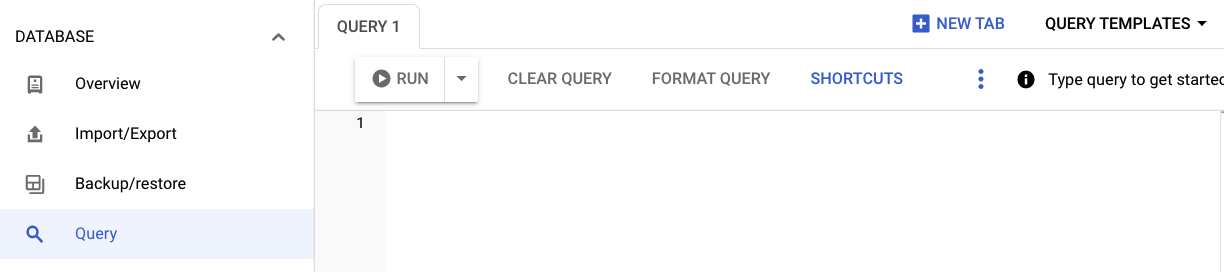
检查开放式游戏与封闭式游戏
已结束的游戏会填充 finished 时间戳,而未结束的游戏的 finished 为 NULL。此值是在游戏关闭时设置的。
因此,您可以使用以下查询来检查有多少游戏处于开放状态,又有多少游戏处于关闭状态:
SELECT Type, NumGames FROM
(SELECT "Open Games" as Type, count(*) as NumGames FROM games WHERE finished IS NULL
UNION ALL
SELECT "Closed Games" as Type, count(*) as NumGames FROM games WHERE finished IS NOT NULL
)
结果:
|
|
|
|
|
|
检查玩游戏和不玩游戏的玩家数量
如果玩家的 current_game 列已设置,则表示该玩家正在玩游戏。否则,他们目前未在玩游戏。
因此,如需比较当前正在玩游戏和未玩游戏的玩家数量,请使用以下查询:
SELECT Type, NumPlayers FROM
(SELECT "Playing" as Type, count(*) as NumPlayers FROM players WHERE current_game IS NOT NULL
UNION ALL
SELECT "Not Playing" as Type, count(*) as NumPlayers FROM players WHERE current_game IS NULL
)
结果:
|
|
|
|
|
|
确定顶级获奖者
当游戏关闭时,系统会随机选择一名玩家作为获胜者。在结束游戏时,相应玩家的 games_won 统计数据会递增。
SELECT playerUUID, stats
FROM players
WHERE CAST(JSON_VALUE(stats, "$.games_won") AS INT64)>0
LIMIT 10;
结果:
playerUUID | stats |
07e247c5-f88e-4bca-a7bc-12d2485f2f2b | {"games_played":49,"games_won":1} |
09b72595-40af-4406-a000-2fb56c58fe92 | {"games_played":56,"games_won":1} |
1002385b-02a0-462b-a8e7-05c9b27223aa | {"games_played":66,"games_won":1} |
13ec3770-7ae3-495f-9b53-6322d8e8d6c3 | {"games_played":44,"games_won":1} |
15513852-3f2a-494f-b437-fe7125d15f1b | {"games_played":49,"games_won":1} |
17faec64-4f77-475c-8df8-6ab026cf6698 | {"games_played":50,"games_won":1} |
1abfcb27-037d-446d-bb7a-b5cd17b5733d | {"games_played":63,"games_won":1} |
2109a33e-88bd-4e74-a35c-a7914d9e3bde | {"games_played":56,"games_won":2} |
222e37d9-06b0-4674-865d-a0e5fb80121e | {"games_played":60,"games_won":1} |
22ced15c-0da6-4fd9-8cb2-1ffd233b3c56 | {"games_played":50,"games_won":1} |
摘要
在此步骤中,您使用 Cloud 控制台查询 Spanner,查看了玩家和游戏的各种统计信息。
后续步骤
接下来,该清理了!
8. 清理(可选)
如需清理,只需前往 Cloud Console 的 Cloud Spanner 部分,然后删除我们在名为“设置 Cloud Spanner 实例”的 Codelab 步骤中创建的 cloudspanner-gaming 实例。
9. 恭喜!
恭喜!您已成功在 Spanner 上部署示例游戏
接下来怎么做?
在本实验中,您已了解使用 Golang 驱动程序处理 Spanner 的各种主题。它应该能让您更好地理解以下关键概念:
- 架构设计
- DML 与变更
- 使用 Golang
请务必查看 Cloud Spanner 游戏交易站 Codelab,了解将 Spanner 用作游戏后端的另一个示例!