

1. 簡介
在本程式碼研究室中,您將瞭解如何使用 GPU 在 Cloud Run 上部署 EmbeddingGemma,這是一個功能強大的多語言文字嵌入模型。接著,您會使用這個已部署的服務,為語意搜尋應用程式產生嵌入。
傳統的大型語言模型 (LLM) 會生成文字,但嵌入模型會將文字轉換為數值向量。這些向量對於建構檢索增強生成 (RAG) 系統至關重要,可協助您找出與使用者查詢最相關的文件。
學習內容
- 使用 Ollama 將 EmbeddingGemma 模型容器化。
- 將容器部署至 Cloud Run,並啟用 GPU 加速功能。
- 為範例文字生成嵌入,測試已部署的模型。
- 使用已部署的服務,建構輕量型語意搜尋系統。
軟硬體需求
- 已啟用計費功能的 Google Cloud 專案。
- 熟悉 Docker 和指令列的基本知識。
2. 事前準備
專案設定
- 如果沒有 Google 帳戶,請先建立帳戶。
- 請改用個人帳戶,而非公司或學校帳戶。公司和學校帳戶可能設有限制,導致您無法啟用本實驗室所需的 API。
- 登入 Google Cloud 控制台。
- 在 Cloud 控制台中啟用帳單。
- 完成本實驗室的 Cloud 資源費用應不到 $1 美元。
- 您可以按照本實驗室結尾的步驟刪除資源,以免產生後續費用。
- 新使用者可獲得價值 $300 美元的免費試用期。
- 建立新專案,或選擇重複使用現有專案。
- 如果看到專案配額相關錯誤,請重複使用現有專案,或刪除現有專案來建立新專案。
啟動 Cloud Shell
Cloud Shell 是在 Google Cloud 中運作的指令列環境,已預先載入必要工具。
- 點選 Google Cloud 控制台頂端的「啟用 Cloud Shell」。
- 連至 Cloud Shell 後,請驗證您的驗證:
gcloud auth list - 確認已選取專案:
gcloud config get project - 視需要設定:
gcloud config set project <YOUR_PROJECT_ID>
啟用 API
執行下列指令,啟用所有必要的 API:
gcloud services enable \
  run.googleapis.com \
  artifactregistry.googleapis.com \
  cloudbuild.googleapis.com
3. 將模型容器化
如要以無伺服器方式執行 EmbeddingGemma,我們需要將其封裝到容器中。我們會使用 Ollama (執行 LLM 的輕量架構) 和 Docker。
建立 Dockerfile
在 Cloud Shell 中,為專案建立新目錄並前往該目錄:
mkdir embedding-gemma-codelab
cd embedding-gemma-codelab
建立名為 Dockerfile 的檔案,並加入以下內容:
FROM ollama/ollama:latest

# Listen on all interfaces, port 8080
ENV OLLAMA_HOST=0.0.0.0:8080

# Store model weight files in /models
ENV OLLAMA_MODELS=/models

# Reduce logging verbosity
ENV OLLAMA_DEBUG=false

# Never unload model weights from the GPU
ENV OLLAMA_KEEP_ALIVE=-1

# Store the model weights in the container image
ENV MODEL=embeddinggemma:latest
RUN ollama serve & sleep 5 && ollama pull $MODEL

# Start Ollama
ENTRYPOINT ["ollama", "serve"]
此 Dockerfile 會執行下列各項︰
- 從官方 Ollama 基礎映像檔開始。
- 將 Ollama 設定為監聽通訊埠 8080 (Cloud Run 的預設值)。
RUN指令會啟動ollama伺服器,並在建構程序中下載embeddinggemma模型,因此模型會烘焙到映像檔中。- 設定
OLLAMA_KEEP_ALIVE=-1,確保模型持續載入 GPU 記憶體,加快後續要求速度。
4. 建構及部署
我們將使用 Cloud Run 來源部署,在單一步驟中建構及部署容器。這個指令會使用 Cloud Build 建構映像檔、將映像檔儲存在 Artifact Registry,並部署至 Cloud Run。
執行下列指令來部署:
gcloud run deploy embedding-gemma \
  --source . \
  --region europe-west1 \
  --concurrency 4 \
  --cpu 8 \
  --set-env-vars OLLAMA_NUM_PARALLEL=4 \
  --gpu 1 \
  --gpu-type nvidia-l4 \
  --max-instances 1 \
  --memory 32Gi \
  --no-allow-unauthenticated \
  --no-cpu-throttling \
  --no-gpu-zonal-redundancy \
  --timeout=600 \
  --labels dev-tutorial=codelab-embedding-gemma
瞭解設定
--source .會將目前目錄指定為建構來源。--region europe-west1我們使用支援 Cloud Run GPU 的區域。--concurrency 4會設為與環境變數 OLLAMA_NUM_PARALLEL 的值相符。--gpu 1with--gpu-type nvidia-l4會為服務中的每個 Cloud Run 執行個體指派 1 個 NVIDIA L4 GPU。--max-instances 1指定要擴充的執行個體數量上限。必須小於或等於專案的 NVIDIA L4 GPU 配額。--no-allow-unauthenticated會限制未經驗證的服務存取權。不公開服務可讓您依靠 Cloud Run 的內建 Identity and Access Management (IAM) 驗證,進行服務間通訊。- 啟用 GPU 時必須使用
--no-cpu-throttling。 --no-gpu-zonal-redundancy根據可用區容錯移轉需求和可用配額,設定可用區備援選項。
區域注意事項
Cloud Run 的 GPU 僅適用於特定地區。如要查看支援的區域,請參閱說明文件。
部署作業輸出內容
幾分鐘後,部署作業就會完成,並顯示類似下方的訊息:
Service [embedding-gemma] revision [embedding-gemma-12345-abc] has been deployed and is serving 100 percent of traffic.
Service URL: https://embedding-gemma-123456789012.europe-west1.run.app
5. 測試部署作業
由於我們使用 --no-allow-unauthenticated 部署服務,因此無法直接 curl 公開網址。首先,我們需要授予自己存取服務的權限,並在要求中使用驗證符記。
- 授予使用者帳戶呼叫服務的權限:
gcloud projects add-iam-policy-binding $GOOGLE_CLOUD_PROJECT \ --member=user:$(gcloud config get-value account) \ --role='roles/run.invoker' - 將 Google Cloud 憑證和專案編號儲存至環境變數,供要求使用:
export PROJECT_NUMBER=$(gcloud projects describe $GOOGLE_CLOUD_PROJECT --format="value(projectNumber)") export ID_TOKEN=$(gcloud auth print-identity-token) - 執行下列指令,為「Sample text」產生嵌入內容:
curl -X POST "https://embedding-gemma-$PROJECT_NUMBER.europe-west1.run.app/api/embed" \
    -H "Authorization: Bearer $ID_TOKEN" \
    -H "Content-Type: application/json" \
    -d '{
        "model": "embeddinggemma",
        "input": "Sample text"
    }'
您應該會在 embedding 欄位下方看到包含向量 (一長串數字) 的 JSON 回應。這表示無伺服器 GPU 支援的嵌入模型運作正常!
回覆內容大致如下: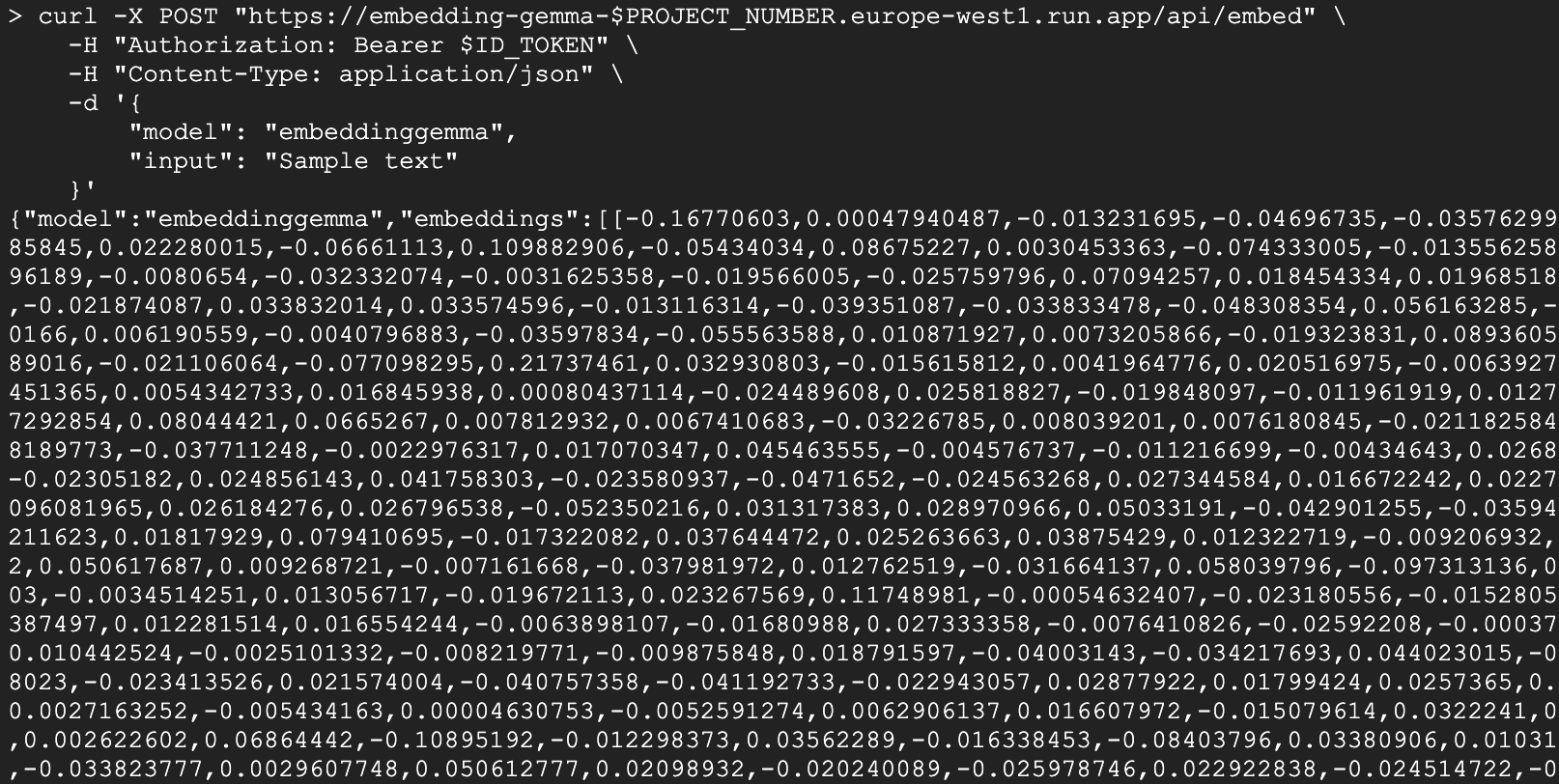
Python 用戶端
您也可以使用 Python 與服務互動。建立名為 test_client.py 的檔案:
import urllib.request
import urllib.parse
import json
import os

# 1. Setup the URL and Payload
url = f"https://embedding-gemma-{os.environ['PROJECT_NUMBER']}.europe-west1.run.app/api/embed"
payload = {
    "model": "embeddinggemma",
    "input": "Sample text"
}

# 2. Create the Request object
# Note: Providing 'data' automatically makes this a POST request
req = urllib.request.Request(
    url,
    data=json.dumps(payload).encode("utf-8"),
    headers={
        "Authorization": f"Bearer {os.environ['ID_TOKEN']}",
        "Content-Type": "application/json"
    }
)

# 3. Execute and print the response
response = urllib.request.urlopen(req)
result = json.loads(response.read().decode("utf-8"))
print(result)
執行:
python test_client.py
6. 建構語意搜尋應用程式
現在我們有了可正常運作的嵌入服務,接下來要建構簡單的語意搜尋應用程式。我們會使用產生的嵌入內容,找出與指定查詢最相關的文件。
依附元件
我們將使用 chromadb 做為向量資料庫,以及 ollama 用戶端程式庫。
uv init semantic-search --description "Semantic Search Application"
cd semantic-search
uv add chromadb ollama
建立搜尋應用程式
建立名為 semantic_search.py 的檔案,並在當中加入下列程式碼:
import ollama
import chromadb
import os

# 1. Define our knowledge base
documents = [
    "Poland is a country located in Central Europe.",
    "The capital and largest city of Poland is Warsaw.",
    "Poland's official language is Polish, which is a West Slavic language.",
    "Marie Curie, the pioneering scientist who conducted groundbreaking research on radioactivity, was born in Warsaw, Poland.",
    "Poland is famous for its traditional dish called pierogi, which are filled dumplings.",
    "The Białowieża Forest in Poland is one of the last and largest remaining parts of the immense primeval forest that once stretched across the European Plain.",
]

print("Initializing Vector Database...")
client = chromadb.Client()
collection = client.create_collection(name="docs")

# Configure the client to point to our Cloud Run proxy
ollama_client = ollama.Client(
    host=f"https://embedding-gemma-{os.environ['PROJECT_NUMBER']}.europe-west1.run.app",
    headers={'Authorization': 'Bearer ' + os.environ['ID_TOKEN']}
)

print("Generating embeddings and indexing documents...")
# 2. Store each document in the vector database
for i, d in enumerate(documents):
    # This calls our Cloud Run service to get the embedding
    response = ollama_client.embed(model="embeddinggemma", input=d)
    embeddings = response["embeddings"]
    collection.add(ids=[str(i)], embeddings=embeddings, documents=[d])

print("Indexing complete.\n")

# 3. Perform a Semantic Search
question = "What is Poland's official language?"
print(f"Query: {question}")

# Generate an embedding for the question
response = ollama_client.embed(model="embeddinggemma", input=question)

# Query the database for the most similar document
results = collection.query(
    query_embeddings=[response["embeddings"][0]],
    n_results=1
)

best_match = results["documents"][0][0]
print(f"Best Match Document: {best_match}")
執行應用程式
執行指令碼:
uv run semantic_search.py
您應該會看到類似以下的輸出內容:
Initializing Vector Database...
Generating embeddings and indexing documents...
Indexing complete.

Query: What is Poland's official language?
Best Match Document: Poland's official language is Polish, which is a West Slavic language.
這個指令碼會示範 RAG 系統的核心:使用無伺服器 EmbeddingGemma 服務將文件和查詢轉換為向量,以便找到回答使用者問題所需的確切資訊。
7. 清理
如要避免系統持續向您的 Google Cloud 帳戶收取費用,請刪除本程式碼研究室建立的資源。
刪除 Cloud Run 服務
gcloud run services delete embedding-gemma --region europe-west1 --quiet
刪除容器映像檔
gcloud artifacts docker images delete \
    europe-west1-docker.pkg.dev/${GOOGLE_CLOUD_PROJECT}/cloud-run-source-deploy/embedding-gemma \
    --quiet
8. 恭喜
恭喜!您已成功在 Cloud Run 上部署 EmbeddingGemma (搭配 GPU),並用來驅動語意搜尋應用程式。
您現在已具備可擴充的無伺服器基礎,可建構需要瞭解文字意義的 AI 應用程式。
目前所學內容
- 如何使用 Docker 將 Ollama 模型容器化。
- 如何將啟用 GPU 的服務部署至 Cloud Run。
- 如何使用已部署的模型進行語意搜尋 (RAG)。
後續步驟
- 探索 Gemma 系列的其他模型。
- 進一步瞭解 Cloud Run GPU。
- 探索其他 Cloud Run 程式碼研究室。
- 將這個檢索步驟連結至生成模型,建構完整的 RAG pipeline。