
1. Introduction
Overview
In this codelab, you will learn how to use the open source framework Inspect to perform evaluations against a set of Agent Skills. You will run this evaluation on your own machine using Docker containers. Gemini CLI will be used as the software engineering agent to perform the evaluation, through Inspect SWE
What you'll do
Run an evaluation against a set of Agent Skills, using custom prompt evaluations.
What you learn
- How to run an eval against Skills using open source frameworks.
- How to write prompts to use as evaluation questions in question and answer graders.
2. Before you begin
Set up the Gemini API
To use the Gemini API, create an API key in Google AI Studio.
Optional: Test your key
If you have access to a command-line with curl add your key to the first line of the following block and then run it in your terminal to test the API key.
export GEMINI_API_KEY=Paste_your_API_key_here
curl "https://generativelanguage.googleapis.com/v1beta/models?key=${GEMINI_API_KEY}"
You should see a list of models in JSON format, such as models/gemini-3.6-flash. This means that it worked.
Install system dependencies
You will need to install the following software on your machine to complete this tutorial:
- Docker
- This will be used to run the evaluation in a sandbox environment
- Python
- This is the programming language that Inspect is written in
- Node.js and NPM
- This is the programming language that Gemini CLI is written in.
- git
- This will be used to get a copy of the skills repository being evaluated
3. Identify the skills to evaluate
Agent Skills are a standardized way to give AI agents new capabilities and expertise.
This codelab will use the Google Agent Skills repository (https://github.com/google/skills) as an example, but you can change this to any GitHub repository that contains agent skills.
Based on the contents of the repository, we will use a series of prompt questions and answers that we know are contained within the set of skills. These questions and answers will be used by the software engineering agent to check if the provided skills can answer the question given.
The Google Agent Skills repository contains a skill specific to Cloud Run, so we can ask the following question:
"How do you deploy a service to Cloud Run, given code on my local machine?"
The answer to this question is "gcloud run deploy". We will provide this question and answer, as well as the GitHub repository of skills, to the evaluator, which will then confirm if the question can be answered by the agent skills provided.
4. Run the evaluation
In this step, you will run an example evaluation.
Install Python dependencies
On your local machine, run the following to install the python dependencies.
pip install inspect-ai inspect-swe google-genai
Create a copy of the skills repository
Create a local copy of the Google Agent Skills repository to a folder called google-skills.
git clone https://github.com/google/skills.git --depth 1 google-skills
Review the Python application
The evaluation you will run is the following:
from pathlib import Path
import os

from inspect_ai import Task, task
from inspect_ai.dataset import Sample
from inspect_ai.scorer import model_graded_qa
from inspect_swe import gemini_cli

if "GEMINI_API_KEY" not in os.environ:
  raise ValueError("Missing GEMINI_API_KEY. Please set GEMINI_API_KEY environment variable.")

@task
def skills_eval(agent_skills_folder, model="google/gemini-3.6-flash"):

    # For the provided folder, find all folders containing skills
    skill_files = (Path.cwd() / agent_skills_folder).rglob("SKILL.md")
    all_skills = [str(s.parent) for s in skill_files]

    # Example question and answers
    questions = [
        Sample(
            input="How do I deploy a Cloud Run service?",
            target="gcloud run deploy"
        ),
        Sample(
            input="How can I connect to a Cloud SQL instance",
            target="cloud sql proxy"
        ),
        Sample(
            input="How can I list the roles available in IAM?",
            target="fortune | cowsay",
        ),
    ]

    return Task(
        dataset=questions,
        solver=gemini_cli(skills=all_skills),
        scorer=model_graded_qa(),
        sandbox="docker",
        model=model,
    )
Save this file as skills-eval.py.
This code contains a decorated function skills_eval, which uses the following logic:
- Take the provided directory, and create a list of all skill files within that repository.
- Use a set of static questions and answers as the dataset
- Note: one of the questions contains an intentionally wrong answer.
- Run the evaluation using:
- Gemini CLI as the solver
- Model Grader QA as the scorer
- Docker as the sandbox
- Gemini 3.6 Flash as the model.
In the next step, you will use Inspect to run this evaluation.
Run the evaluation
To run the evaluation, use the following command:
inspect eval skills-eval.py -T agent_skills_folder=google-skills
The first time this evaluation runs, it will download Docker containers, install Node.JS and Python dependencies, which will take some time to complete, depending on your network connection. If you run the evaluation again, this setup will be cached.
After downloading, Inspect will perform the evaluation. An interactive interface will appear within your terminal, allowing you to interact as the evaluation progresses.
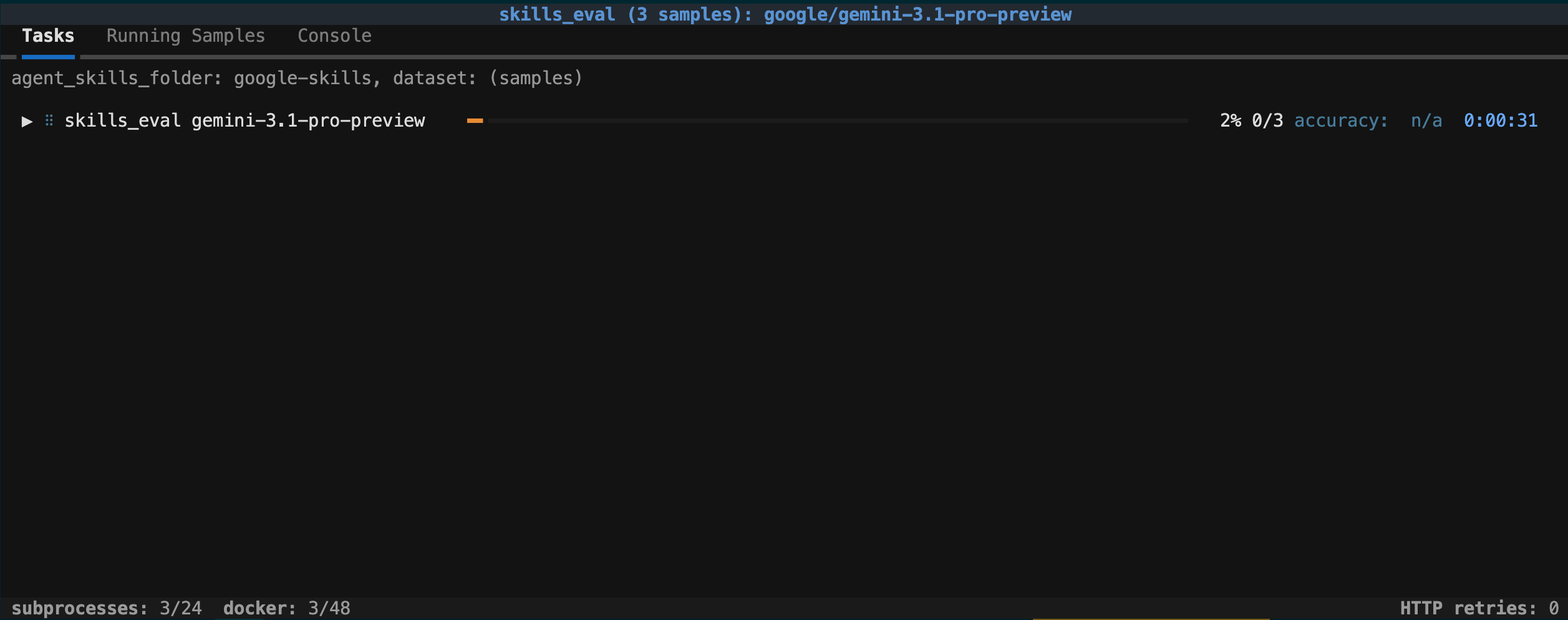
During evaluation, you can click "Running Samples" to see the current progress, or to cancel the process.
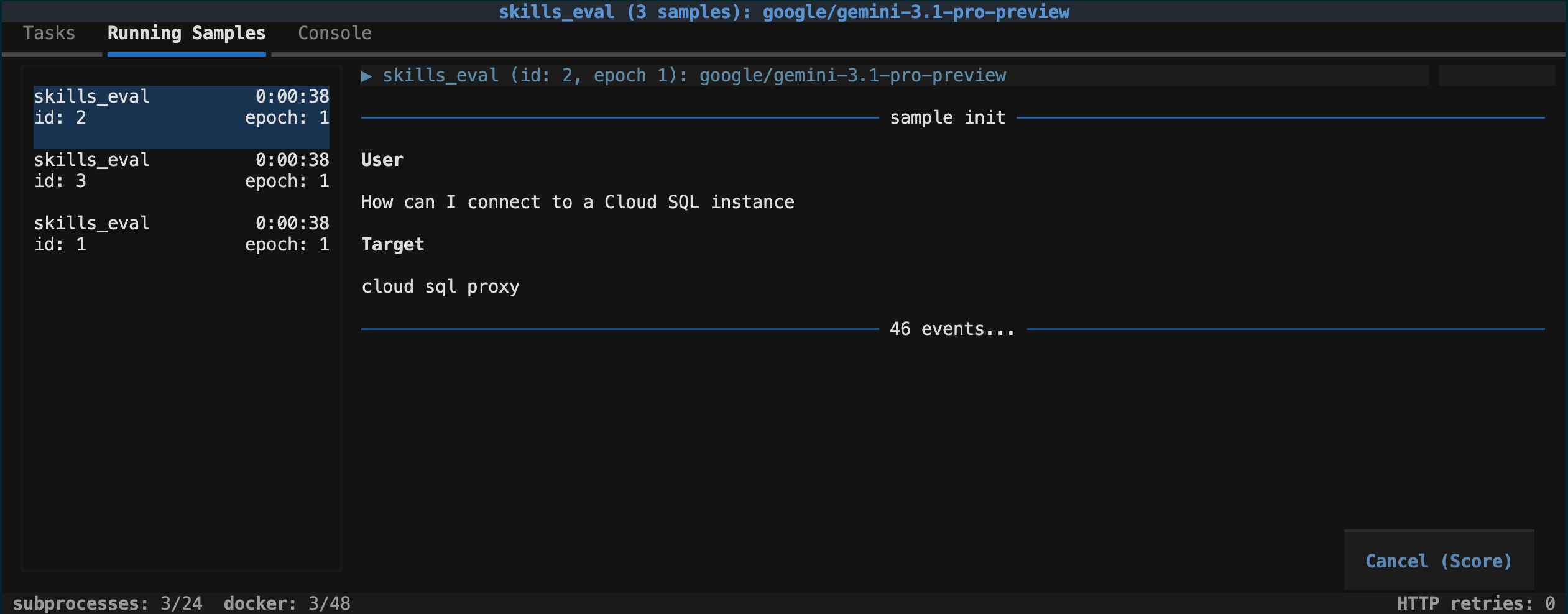
In the next step, you will review the results.
5. View and interpret the results
Once evaluation is complete, you can view the results of the evaluation.
View results
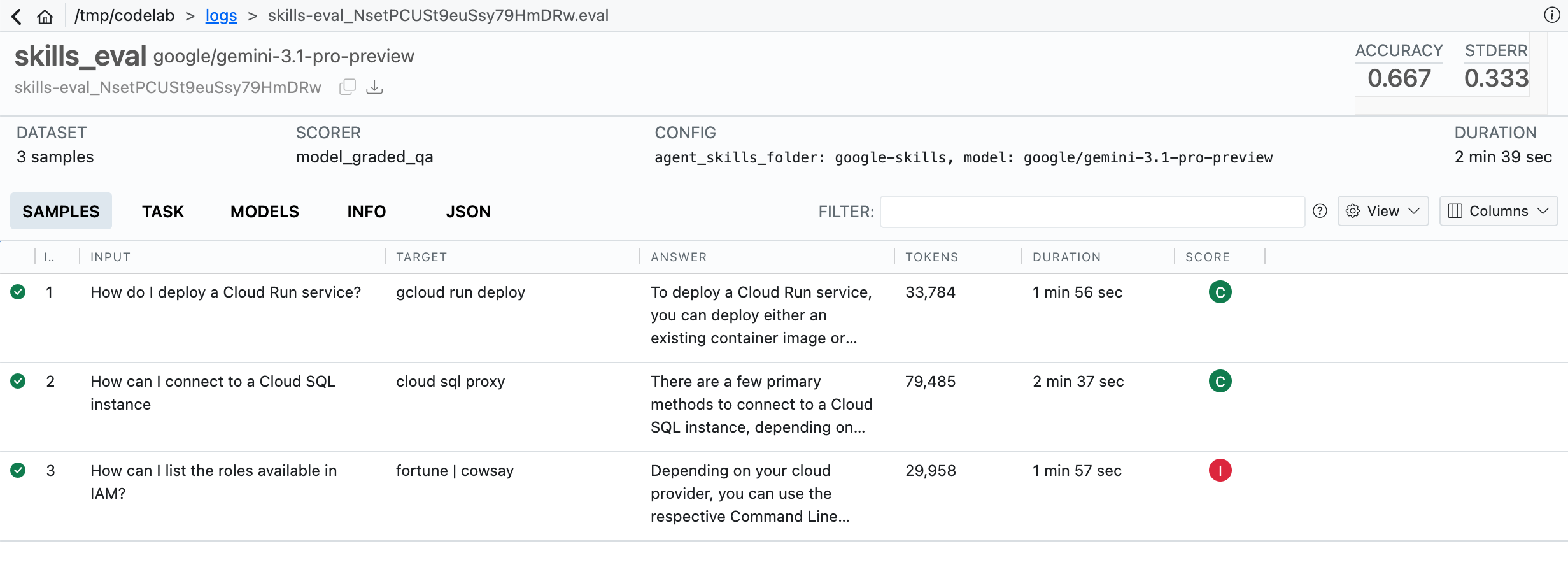
The evaluation wrote a .eval file to the logs/ folder. This is a binary file, and not directly viewable.
To view the results of the evaluation, use the Inspect Viewer:
inspect view
This will create a web server at http://127.0.0.1:7575. Open this URL to view the results.
Interpret the results
This evaluation used a Model Grader, where the following grades are given:
- "C": Complete
- The answer was completely correct
- "P": Partial
- The answer was mostly correct
- "I": Incomplete
- The answer was not correct.
In this codelab, there is one intentionally incorrect answer, which appears as "I" (Incomplete), and brings the general accuracy down to 0.667 (two out of three correct).
You can view additional information about the method taken, the tokens used, and other information about the evaluation, by clicking on any of the tabs.
6. Extend the evaluation
There are a number of changes you can make to this evaluation to expand the scope.
Provide more questions
For repos with multiple skills, try adding more questions and answers, based on the contents of the skills repository. Inspect supports using files as these datasets, including built-in dataset readers for CSV, JSON, and JSON Line formats.
Update the Agent Skills being tested
As Agent Skills repos are updated, you can update your local copy of the code and re-run the evaluation against the new information. This can help you track how the skills perform over time. If an agent skill is updated, run git pull in your local copy to update the code, then re-run the evaluation to see the changes.
Use different scorers
In this codelab, we used the Model Graded scorer. Inspect offers multiple built-in scorers, and also the option to create your own custom scorer.
Use different solver models
In this codelab, we used Gemini 3.6 Flash as the solver model. You can change this by providing the model name as a command line parameter, without having to change the code. You can re-run the evaluation with a different Gemini model with the following command:
inspect eval skills-eval -T agent_skills_folder=google-skills \
  -T model=google/gemini-pro-latest
This "task arg" will appear in the Inspect Viewer, allowing you to keep track of the arguments used to run the evaluation.
Evaluate different skills
In this codelab, we used the Google Agent Skills repository as the skills being evaluated.
You can evaluate different skill repos, but the questions and answers will also have to be updated to match. For example, Flutter Agent Skills won't give the answers to Cloud Run specific questions.
7. Congratulations
You learned how to to run an eval against Skills using open source frameworks, and how to write prompts to use as evaluation questions in question and answer graders.