

1. 1. Prima di iniziare
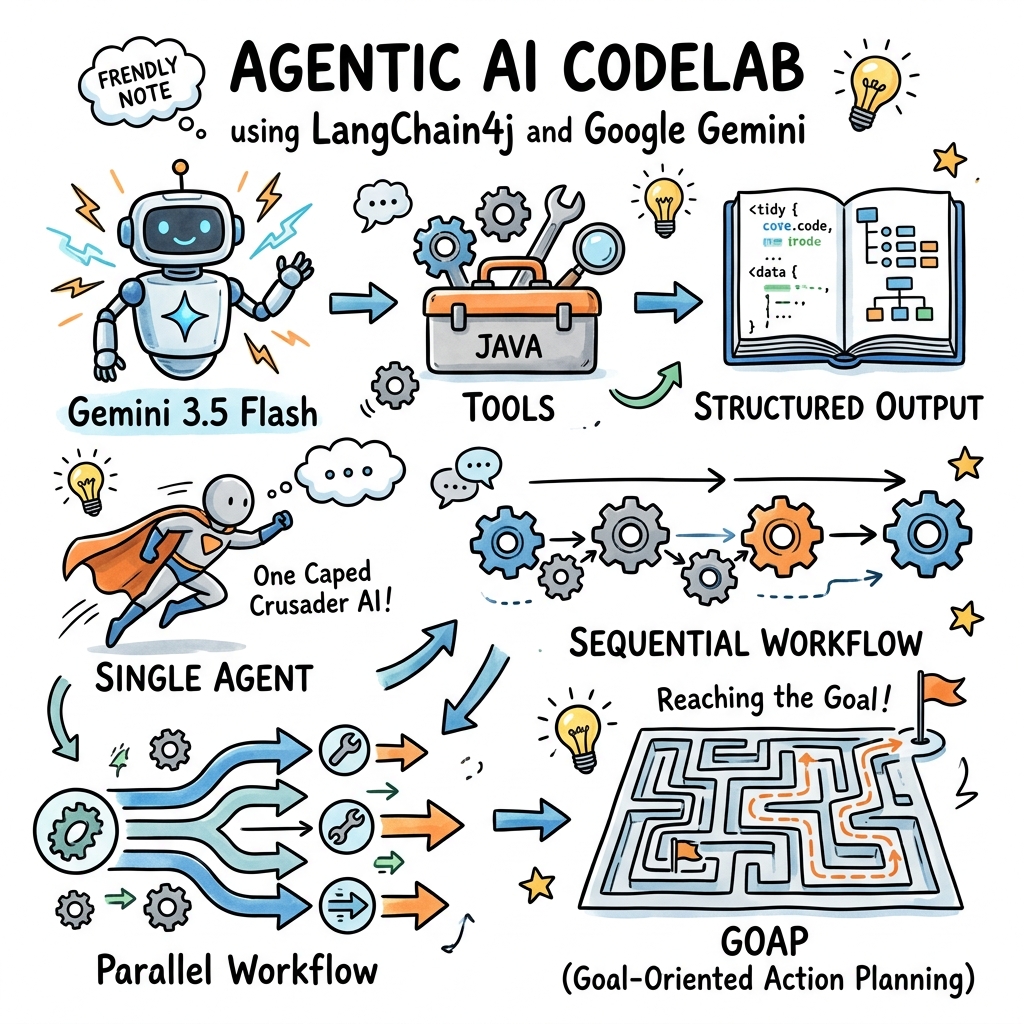
Ti diamo il benvenuto. In questo codelab imparerai a creare applicazioni di AI agentica in Java utilizzando il famoso framework LangChain4j e il suo nuovo modulo Google GenAI.
L'AI agentica si riferisce a sistemi in cui gli LLM non si limitano a rispondere ai prompt, ma sono dotati di strumenti, memoria e funzionalità di pianificazione per raggiungere autonomamente obiettivi complessi e in più passaggi.
Inizierai con configurazioni semplici, passerai alla creazione di agenti con strumenti locali e output strutturati e infine esplorerai pattern di orchestrazione multi-agente avanzati, culminando in un sistema agentico Goal-Oriented Action Planning (GOAP).
In questo lab proverai a:
- Configurare il nuovo
GoogleGenAiChatModelper connetterti a Gemini. - Abilitare il logging di richieste/risposte per un facile debug.
- Concedere a Gemini l'accesso al codice Java locale utilizzando gli strumenti.
- Applicare il formato Output strutturato (POJO) da Gemini.
- Definire e creare agenti monouso con l'annotazione
@Agent. - Orchestrare workflow multi-agente sequenziali e paralleli.
- Creare un sistema Goal-Oriented Action Planning (GOAP) che pianifica dinamicamente l'esecuzione dell'agente.
Che cosa ti serve
- Java Development Kit (JDK) 17 o versioni successive.
- Maven 3.5+ installato.
- Una chiave API Gemini da Google AI Studio.
2. 2. Configurazione: progetto e chiave API
Per iniziare, dobbiamo creare un nuovo progetto Maven e configurare la nostra chiave API Gemini.
Creare il progetto Maven
Crea una nuova directory per il progetto e inizializzala con un file pom.xml.
Aggiungi le seguenti dipendenze a pom.xml. Tieni presente che stiamo utilizzando l'ultima versione 1.16.1-beta26 dei moduli LangChain4j Google GenAI e Agentic:
<project xmlns="http://maven.apache.org/POM/4.0.0"
         xmlns:xsi="http://www.w3.org/2001/XMLSchema-instance"
         xsi:schemaLocation="http://maven.apache.org/POM/4.0.0 http://maven.apache.org/xsd/maven-4.0.0.xsd">
    <modelVersion>4.0.0</modelVersion>

    <groupId>com.example</groupId>
    <artifactId>gemini-agents-demo</artifactId>
    <version>1.0-SNAPSHOT</version>

    <properties>
        <maven.compiler.source>17</maven.compiler.source>
        <maven.compiler.target>17</maven.compiler.target>
        <langchain4j.version>1.16.1-beta26</langchain4j.version>
    </properties>

    <dependencies>
        <!-- LangChain4j Google GenAI Integration -->
        <dependency>
            <groupId>dev.langchain4j</groupId>
            <artifactId>langchain4j-google-genai</artifactId>
            <version>${langchain4j.version}</version>
        </dependency>

        <!-- LangChain4j Agentic Framework Core -->
        <dependency>
            <groupId>dev.langchain4j</groupId>
            <artifactId>langchain4j-agentic</artifactId>
            <version>${langchain4j.version}</version>
        </dependency>

        <!-- LangChain4j Agentic Patterns (needed for GOAP) -->
        <dependency>
            <groupId>dev.langchain4j</groupId>
            <artifactId>langchain4j-agentic-patterns</artifactId>
            <version>${langchain4j.version}</version>
        </dependency>

        <!-- SLF4J Logger for logging requests/responses -->
        <dependency>
            <groupId>org.slf4j</groupId>
            <artifactId>slf4j-simple</artifactId>
            <version>2.0.12</version>
        </dependency>
    </dependencies>
</project>
Ottenere una chiave API Gemini
- Vai a Google AI Studio.
- Fai clic su Ottieni chiave API.
- Crea una nuova chiave (o seleziona una esistente).
- Impostala come variabile di ambiente nel terminale:
export GEMINI_API_KEY="your-api-key-here"
3. 3. Configurare il modello di chat Gemini
Ora creiamo una semplice applicazione "Hello World" che crea un'istanza di GoogleGenAiChatModel e invia un prompt di test.
Il nuovo GoogleGenAiChatModel utilizza l'SDK Google GenAI unificato, che offre un accesso unificato ai modelli Gemini.
Crea una classe denominata HelloWorld.java in src/main/java/com/example/HelloWorld.java:
package com.example;

import dev.langchain4j.model.chat.ChatModel;
import dev.langchain4j.model.google.genai.GoogleGenAiChatModel;

public class HelloWorld {
    public static void main(String[] args) {
        // 1. Configure the Gemini model
        ChatModel model = GoogleGenAiChatModel.builder()
                .apiKey(System.getenv("GEMINI_API_KEY"))
                .modelName("gemini-3.5-flash")
                // Enable logging for both requests and responses
                .logRequestsAndResponses(true)
                .build();

        // 2. Invoke the model
        String response = model.chat("Hello Gemini! Explain 'Agentic AI' in one sentence.");

        // 3. Print response
        System.out.println("\n--- Gemini Response ---");
        System.out.println(response);
    }
}
Esegui questa classe. Poiché logRequestsAndResponses(true) è abilitato, vedrai log SLF4J dettagliati che descrivono il payload della richiesta esatta inviata all'API di Google e la risposta JSON non elaborata ricevuta, seguita dall'output stampato:
--- Gemini Response ---
**Agentic AI** refers to autonomous artificial intelligence systems that can proactively plan, make decisions, use tools, and execute multi-step tasks to achieve specific goals with minimal human supervision.
4. 4. Definire gli strumenti Java locali
Gli LLM sono potenti, ma sono limitati dai dati di addestramento. Possiamo estendere le loro funzionalità fornendo loro strumenti (noti anche come chiamate di funzioni).
In LangChain4j, gli strumenti sono semplici classi Java in cui i metodi sono annotati con @Tool.
Scriviamo un semplice strumento che calcola il numero di giorni tra due date. Crea DateTools.java in src/main/java/com/example/DateTools.java:
package com.example;

import dev.langchain4j.agent.tool.P;
import dev.langchain4j.agent.tool.Tool;
import java.time.LocalDate;
import java.time.temporal.ChronoUnit;

public class DateTools {

    @Tool("Calculates the number of days between two dates")
    public long daysBetween(
            @P("The start date in ISO format (YYYY-MM-DD)") String startDate,
            @P("The end date in ISO format (YYYY-MM-DD)") String endDate) {
        LocalDate start = LocalDate.parse(startDate);
        LocalDate end = LocalDate.parse(endDate);
        return ChronoUnit.DAYS.between(start, end);
    }
}
Per utilizzare questo strumento, definiremo un servizio AI. Nel framework LangChain4j Agentic, possiamo crearlo utilizzando AgenticServices.agentBuilder().
Crea ToolDemo.java in src/main/java/com/example/ToolDemo.java:
package com.example;

import dev.langchain4j.agentic.Agent;
import dev.langchain4j.agentic.AgenticServices;
import dev.langchain4j.model.chat.ChatModel;
import dev.langchain4j.model.google.genai.GoogleGenAiChatModel;
import dev.langchain4j.service.V;

public class ToolDemo {

    public interface DateAssistant {
        @Agent
        String ask(@V("prompt") String prompt);
    }

    public static void main(String[] args) {
        ChatModel model = GoogleGenAiChatModel.builder()
                .apiKey(System.getenv("GEMINI_API_KEY"))
                .modelName("gemini-3.5-flash")
                .build();

        // Build the assistant and register our DateTools
        DateAssistant assistant = AiServices.builder(DateAssistant.class)
                .chatModel(model)
                .tools(new DateTools())
                .build();

        String response = assistant.ask("How many days are there between 2026-01-01 and 2026-06-30?");
        System.out.println("Response: " + response);
    }
}
Quando esegui questo codice, Gemini analizzerà il prompt, si renderà conto che deve chiamare daysBetween, genererà una richiesta di chiamata dello strumento, LangChain4j eseguirà il metodo Java locale, invierà il risultato a Gemini e Gemini formatterà la risposta finale in linguaggio naturale.
Dovresti vedere un output simile al seguente:
Response: There are 180 days between 2026-01-01 and 2026-06-30.
5. 5. Definire l'output strutturato
Spesso, vuoi che l'LLM restituisca i dati in un formato strutturato specifico (ad es. JSON corrispondente a uno schema) anziché in testo normale.
LangChain4j gestisce automaticamente questa operazione quando specifichi un POJO o un record Java come tipo restituito del metodo dell'agente o del servizio.
Definiamo un record Java che rappresenta un'estrazione di libri:
Crea Book.java in src/main/java/com/example/Book.java:
package com.example;

public record Book(String title, String author, int publicationYear) {}
Ora crea un'interfaccia dell'agente che restituisce Book. Crea StructuredOutputDemo.java in src/main/java/com/example/StructuredOutputDemo.java:
package com.example;

import dev.langchain4j.agentic.Agent;
import dev.langchain4j.agentic.AgenticServices;
import dev.langchain4j.model.chat.ChatModel;
import dev.langchain4j.model.google.genai.GoogleGenAiChatModel;
import dev.langchain4j.service.UserMessage;
import dev.langchain4j.service.V;

public class StructuredOutputDemo {

    public interface BookExtractor {
        @UserMessage("Extract book details from: {{text}}")
        Book extract(@V("text") String text);
    }

    public static void main(String[] args) {
        ChatModel model = GoogleGenAiChatModel.builder()
                .apiKey(System.getenv("GEMINI_API_KEY"))
                .modelName("gemini-3.5-flash")
                .build();

        BookExtractor extractor = AiServices.builder(BookExtractor.class)
                .chatModel(model)
                .build();

        String text = "I just finished reading 'Project Hail Mary' by Andy Weir, published in 2021. It was amazing!";
        Book book = extractor.extract(text);

        System.out.println("Extracted POJO: " + book);
    }
}
Gemini 3.5 Flash supporta l'output dello schema JSON rigoroso. LangChain4j genera lo schema JSON dal record Book, indica a Gemini di compilarlo e deserializza la risposta JSON in un record Book.
Dovresti vedere un output simile al seguente:
Extracted POJO: Book[title=Project Hail Mary, author=Andy Weir, publicationYear=2021]
6. 6. Creare il primo agente
Nel framework langchain4j-agentic, un agente viene definito utilizzando l'annotazione @Agent sul metodo dell'interfaccia. Questa annotazione fornisce un nome/una descrizione che può essere utilizzata dai sistemi di orchestrazione (come i pianificatori).
Creiamo un semplice agente che prende un argomento e ne scrive una storia molto breve.
Crea CreativeWriter.java in src/main/java/com/example/CreativeWriter.java:
package com.example;

import dev.langchain4j.agentic.Agent;
import dev.langchain4j.service.SystemMessage;
import dev.langchain4j.service.UserMessage;
import dev.langchain4j.service.V;

public interface CreativeWriter {

    @SystemMessage("You are a creative writer. Generate a draft of a story no more than 3 sentences long.")
    @UserMessage("Write a story about {{topic}}.")
    @Agent(description = "Generates a story based on the given topic", outputKey = "story")
    String writeStory(@V("topic") String topic);
}
Testiamo questo agente singolarmente. Crea AgentDemo.java in src/main/java/com/example/AgentDemo.java:
package com.example;

import dev.langchain4j.agentic.AgenticServices;
import dev.langchain4j.model.chat.ChatModel;
import dev.langchain4j.model.google.genai.GoogleGenAiChatModel;

public class AgentDemo {
    public static void main(String[] args) {
        ChatModel model = GoogleGenAiChatModel.builder()
                .apiKey(System.getenv("GEMINI_API_KEY"))
                .modelName("gemini-3.5-flash")
                .build();

        CreativeWriter writer = AgenticServices.agentBuilder(CreativeWriter.class)
                .chatModel(model)
                .build();

        String story = writer.writeStory("a lonely robot on Mars");
        System.out.println("Generated Story:\n" + story);
    }
}
Dovresti vedere un output simile al seguente:
Generated Story:
For eighty years, the rusty little rover trundled across the crimson dunes, diligently collecting soil samples for a home world that had long since gone dark. Each evening, it pointed its high-gain antenna toward the fading blue speck of Earth and beamed its lonely coordinates into the silent cosmos. Receiving only static in return, the robot tucked its camera arm close against the freezing Martian wind and sang a quiet lullaby to the empty stars.
Aggiungendo l'annotazione @Agent, questa classe è ora pronta a partecipare a workflow più complessi, come l'incatenamento sequenziale.
7. 7. Orchestrare workflow multi-agente: sequenziale
Un pattern agentico comune è il workflow sequenziale, in cui gli agenti vengono eseguiti in un ordine predefinito. L'output di un agente viene passato come input del successivo.
Definiamo un secondo agente, StyleEditor, che modificherà la storia scritta da CreativeWriter per adattarla a uno stile specifico (ad es. comico, drammatico).
Crea StyleEditor.java in src/main/java/com/example/StyleEditor.java:
package com.example;

import dev.langchain4j.agentic.Agent;
import dev.langchain4j.service.SystemMessage;
import dev.langchain4j.service.UserMessage;
import dev.langchain4j.service.V;

public interface StyleEditor {

    @SystemMessage("You are a professional editor. Analyze and rewrite the story to align with the style requested.")
    @UserMessage("Rewrite this story: '{{story}}' into a {{style}} style.")
    @Agent(description = "Edits a story to fit a specific style", outputKey = "edited_story")
    String editStory(@V("story") String story, @V("style") String style);
}
Ora colleghiamo CreativeWriter e StyleEditor in sequenza utilizzando AgenticServices.sequenceBuilder().
Utilizzeremo un UntypedAgent che rappresenta la sequenza, che ci consente di passare gli input e raccogliere gli output tramite una mappa condivisa.
Crea SequentialWorkflowDemo.java in src/main/java/com/example/SequentialWorkflowDemo.java:
package com.example;

import dev.langchain4j.agentic.AgenticServices;
import dev.langchain4j.agentic.UntypedAgent;
import dev.langchain4j.model.chat.ChatModel;
import dev.langchain4j.model.google.genai.GoogleGenAiChatModel;
import java.util.Map;

public class SequentialWorkflowDemo {
    public static void main(String[] args) {
        ChatModel model = GoogleGenAiChatModel.builder()
                .apiKey(System.getenv("GEMINI_API_KEY"))
                .modelName("gemini-3.5-flash")
                .build();

        // 1. Build the sub-agents
        CreativeWriter writer = AgenticServices.agentBuilder(CreativeWriter.class)
                .chatModel(model)
                .outputKey("story") // Output goes into AgenticScope as "story"
                .build();

        StyleEditor editor = AgenticServices.agentBuilder(StyleEditor.class)
                .chatModel(model)
                .outputKey("edited_story") // Output goes into AgenticScope as "edited_story"
                .build();

        // 2. Build the sequence
        UntypedAgent workflow = AgenticServices.sequenceBuilder()
                .subAgents(writer, editor)
                .outputKey("edited_story") // Final output of workflow
                .build();

        // 3. Run the workflow with inputs
        Map<String, Object> inputs = Map.of(
                "topic", "a cat learning to fly",
                "style", "Shakespearean"
        );

        String result = (String) workflow.invoke(inputs);
        System.out.println("Final Edited Story:\n" + result);
    }
}
Dovresti vedere un output simile al seguente:
Final Edited Story:
For years had Barnaby with envy watched
The soaring sparrows with a green-eyed spite,
Convinced that heavy gravity was but
An idle law he deigned to tolerate.
But lo! Upon the rare and azure moon,
He scaled the summit of the ancient oak,
Closed fast his eyes, and leapt with blind belief.
While the dread squirrel shrieked in sheer dismay,
No downward plunge befell the daring beast;
For summer's zephyr bore his belly up,
And through the vault of night's celestial sphere,
He rowed his velvet paws among the stars.
Introduzione a AgenticScope
Durante l'esecuzione, LangChain4j gestisce un AgenticScope.
- La mappa di input
{"topic": "...", "style": "..."}viene scritta nell'ambito. CreativeWriterviene eseguito. Richiedetopic, che legge dall'ambito. Restituiscestory, che viene salvato di nuovo nell'ambito.StyleEditorviene eseguito. Richiedestory(prodotto dallo scrittore) estyle(dagli input iniziali). Restituisceedited_storyall'ambito.- Il workflow viene completato e restituisce il valore di
edited_story.
8. 8. Orchestrare workflow multi-agente: parallelo
In alcuni scenari, i sotto-agenti possono lavorare in modo indipendente sullo stesso input e le loro attività possono essere eseguite in parallelo.
Ad esempio, creiamo un consulente di viaggio che chiede a un esperto di cinema e a un esperto di ristorazione consigli per una città e poi li combina.
Crea MovieExpert.java in src/main/java/com/example/MovieExpert.java:
package com.example;

import dev.langchain4j.agentic.Agent;
import dev.langchain4j.service.UserMessage;
import dev.langchain4j.service.V;
import java.util.List;

public interface MovieExpert {
    @UserMessage("Suggest 2 movies filmed in {{city}}.")
    @Agent(description = "Suggests movies filmed in a city")
    List<String> findMovies(@V("city") String city);
}
Crea DiningExpert.java in src/main/java/com/example/DiningExpert.java:
package com.example;

import dev.langchain4j.agentic.Agent;
import dev.langchain4j.service.UserMessage;
import dev.langchain4j.service.V;
import java.util.List;

public interface DiningExpert {
    @UserMessage("Suggest 2 local dishes to try in {{city}}.")
    @Agent(description = "Suggests local dishes to try in a city")
    List<String> findDishes(@V("city") String city);
}
Ora creiamo il sistema agentico parallelo. Definiremo un'interfaccia per il nostro coordinatore di primo livello: TravelAdvisorAgent.
Crea TravelAdvisorAgent.java in src/main/java/com/example/TravelAdvisorAgent.java:
package com.example;

import dev.langchain4j.agentic.Agent;
import dev.langchain4j.service.V;
import java.util.Map;

public interface TravelAdvisorAgent {
    @Agent
    Map<String, Object> planTrip(@V("city") String city);
}
Crea ParallelWorkflowDemo.java in src/main/java/com/example/ParallelWorkflowDemo.java per collegarlo:
package com.example;

import dev.langchain4j.agentic.AgenticServices;
import dev.langchain4j.model.chat.ChatModel;
import dev.langchain4j.model.google.genai.GoogleGenAiChatModel;
import java.util.List;
import java.util.Map;

public class ParallelWorkflowDemo {
    public static void main(String[] args) {
        ChatModel model = GoogleGenAiChatModel.builder()
                .apiKey(System.getenv("GEMINI_API_KEY"))
                .modelName("gemini-3.5-flash")
                .build();

        // 1. Build independent agents
        MovieExpert movieExpert = AgenticServices.agentBuilder(MovieExpert.class)
                .chatModel(model)
                .outputKey("movies")
                .build();

        DiningExpert diningExpert = AgenticServices.agentBuilder(DiningExpert.class)
                .chatModel(model)
                .outputKey("dishes")
                .build();

        // 2. Build the Parallel agent
        TravelAdvisorAgent travelAdvisor = AgenticServices.parallelBuilder(TravelAdvisorAgent.class)
                .subAgents(movieExpert, diningExpert)
                .output(scope -> {
                    // Combine the independent outputs in the AgenticScope
                    List<String> movies = scope.readState("movies", List.of());
                    List<String> dishes = scope.readState("dishes", List.of());
                    return Map.of("movies", movies, "dishes", dishes);
                })
                .build();

        // 3. Invoke
        Map<String, Object> plan = travelAdvisor.planTrip("Tokyo");
        System.out.println("Tokyo Trip Plan:\n" + plan);
    }
}
Dovresti vedere un output simile al seguente:
Tokyo Trip Plan:
{movies=[Lost in Translation, Tokyo Story], dishes=[Monjayaki, Edomae-zushi]}
In this parallel workflow, `movieExpert` and `diningExpert` execute concurrently. The `output(...)` configuration defines how to gather their respective results from the `AgenticScope` and merge them into the final result.

## 9. Build Goal-Oriented Agents (GOAP)
Duration: 07:00

Sequential and Parallel workflows are structured and predictable, but rigid. What if we want the system to figure out the path to the goal autonomously, but in a **deterministic, algorithmic way** rather than trusting an LLM to loop (like ReAct)?

This is where **Goal-Oriented Action Planning (GOAP)** shines.

By looking at the declared inputs and outputs of each agent, the `GoalOrientedPlanner` builds a dependency graph. When you invoke the system with a goal, it calculates the shortest path from the current state (available variables) to that goal.

Let's build a Horoscope & News combined writer. It requires 4 agents:
1. `PersonExtractor`: extracts person details from prompt.
2. `SignExtractor`: extracts zodiac sign from prompt.
3. `HoroscopeGenerator`: generates horoscope given person and sign.
4. `AmusingWriter`: writes a funny story combining a horoscope and a news story.

We will also define a `StoryFinder` that uses a mock search tool.

### 1. Define Model Classes
Create `Person.java` in `src/main/java/com/example/Person.java`:
```java
package com.example;

public record Person(String name) {
    @Override public String toString() { return name; }
}
Crea Sign.java in src/main/java/com/example/Sign.java:
package com.example;

public record Sign(String signName) {
    @Override public String toString() { return signName; }
}
2. Definire i sotto-agenti
Crea HoroscopeGenerator.java in src/main/java/com/example/HoroscopeGenerator.java:
package com.example;

import dev.langchain4j.agentic.Agent;
import dev.langchain4j.service.UserMessage;
import dev.langchain4j.service.V;

public interface HoroscopeGenerator {
    @UserMessage("Generate a funny horoscope for {{person}} who is a {{sign}}.")
    @Agent(description = "Generates horoscopes based on name and zodiac sign")
    String horoscope(@V("person") Person person, @V("sign") Sign sign);
}
Crea PersonExtractor.java in src/main/java/com/example/PersonExtractor.java:
package com.example;

import dev.langchain4j.agentic.Agent;
import dev.langchain4j.service.UserMessage;
import dev.langchain4j.service.V;

public interface PersonExtractor {
    @UserMessage("Extract the person name from: {{prompt}}")
    @Agent(description = "Extracts a person from user's prompt")
    Person extractPerson(@V("prompt") String prompt);
}
Crea SignExtractor.java in src/main/java/com/example/SignExtractor.java:
package com.example;

import dev.langchain4j.agentic.Agent;
import dev.langchain4j.service.UserMessage;
import dev.langchain4j.service.V;

public interface SignExtractor {
    @UserMessage("Extract the zodiac sign from: {{prompt}}")
    @Agent(description = "Extracts a zodiac sign from user's prompt")
    Sign extractSign(@V("prompt") String prompt);
}
Crea AmusingWriter.java in src/main/java/com/example/AmusingWriter.java:
package com.example;

import dev.langchain4j.agentic.Agent;
import dev.langchain4j.service.UserMessage;
import dev.langchain4j.service.V;

public interface AmusingWriter {
    @UserMessage("Create an amusing writeup for {{person}} based on their horoscope: {{horoscope}} and current news story: {{story}}.")
    @Agent(description = "Create an amusing writeup combining horoscope and news")
    String write(@V("person") Person person, @V("horoscope") String horoscope, @V("story") String story);
}
3. Definire lo strumento per la ricerca di storie
Creeremo una semplice classe di strumenti di ricerca che restituisce una storia simulata. Crea MockSearchTool.java in src/main/java/com/example/MockSearchTool.java:
package com.example;

import dev.langchain4j.agent.tool.P;
import dev.langchain4j.agent.tool.Tool;

public class MockSearchTool {
    @Tool("Searches the web for news stories related to a zodiac sign")
    public String searchNews(@P("The zodiac sign") String sign) {
        return "Breaking news: A massive cheese festival was announced for " + sign + " natives today!";
    }
}
Crea StoryFinder.java in src/main/java/com/example/StoryFinder.java agente che utilizza questo strumento:
package com.example;

import dev.langchain4j.agentic.Agent;
import dev.langchain4j.service.UserMessage;
import dev.langchain4j.service.V;

public interface StoryFinder {
    @UserMessage("Find a funny story for zodiac sign {{sign}} using search tool.")
    @Agent(description = "Finds a news story on the internet about a zodiac sign")
    String findStory(@V("sign") Sign sign);
}
4. Creare ed eseguire il sistema agentico GOAP
Crea GoapDemo.java in src/main/java/com/example/GoapDemo.java:
package com.example;

import dev.langchain4j.agentic.AgenticServices;
import dev.langchain4j.agentic.UntypedAgent;
import dev.langchain4j.agentic.patterns.goap.GoalOrientedPlanner;
import dev.langchain4j.model.chat.ChatModel;
import dev.langchain4j.model.google.genai.GoogleGenAiChatModel;
import java.util.Map;

public class GoapDemo {
    public static void main(String[] args) {
        ChatModel model = GoogleGenAiChatModel.builder()
                .apiKey(System.getenv("GEMINI_API_KEY"))
                .modelName("gemini-3.5-flash")
                .build();

        // Instantiate sub-agents with output keys matching the inputs of other agents
        HoroscopeGenerator horoscopeGen = AgenticServices.agentBuilder(HoroscopeGenerator.class)
                .chatModel(model).outputKey("horoscope").build();

        PersonExtractor personExt = AgenticServices.agentBuilder(PersonExtractor.class)
                .chatModel(model).outputKey("person").build();

        SignExtractor signExt = AgenticServices.agentBuilder(SignExtractor.class)
                .chatModel(model).outputKey("sign").build();

        StoryFinder storyFinder = AgenticServices.agentBuilder(StoryFinder.class)
                .chatModel(model).tools(new MockSearchTool()).outputKey("story").build();

        AmusingWriter writer = AgenticServices.agentBuilder(AmusingWriter.class)
                .chatModel(model).outputKey("writeup").build();

        // Build the GOAP Planner agentic system
        UntypedAgent horoscopeNewsAgent = AgenticServices.plannerBuilder()
                .subAgents(horoscopeGen, personExt, signExt, storyFinder, writer)
                .outputKey("writeup") // The Goal we want to achieve
                .planner(GoalOrientedPlanner::new) // Register the GOAP Planner
                .build();

        // Input provides only "prompt"
        Map<String, Object> inputs = Map.of(
                "prompt", "My name is Alice and my zodiac sign is Leo"
        );

        System.out.println("Invoking GOAP Agentic System...");
        String result = (String) horoscopeNewsAgent.invoke(inputs);

        System.out.println("\n--- Final Writeup ---");
        System.out.println(result);
    }
}
Come ha risolto GOAP:
Quando viene richiamato:
- Il sistema rileva che lo stato iniziale contiene solo
prompt. - L'obiettivo desiderato è
writeup. - Crea un grafico delle dipendenze e calcola il percorso:
prompt->PersonExtractor->personprompt->SignExtractor->signperson+sign->HoroscopeGenerator->horoscopesign->StoryFinder->storyperson+horoscope+story->AmusingWriter->writeup
- L'ordine di esecuzione calcolato è:
[PersonExtractor, SignExtractor, HoroscopeGenerator, StoryFinder, AmusingWriter]. - Esegue ogni sub-agente in ordine e restituisce il risultato finale.
Dovresti vedere un output che mostra il percorso di esecuzione e la stesura finale, simile al seguente:
Invoking GOAP Agentic System...
[com.example.GoapDemo.main()] INFO dev.langchain4j.agentic.patterns.goap.GoalOrientedSearchGraph - Agents path sequence: [extractPerson, extractSign, findStory, horoscope, write]

--- Final Writeup ---
**The Cosmic Registry's Weekly Forecast & Special Event Guide for: Alice, the Leo Lioness**

Alice, the universe looked at your astrological chart this week and frankly, it's asking for your autograph. Your main-character energy is currently so potent that secondary characters are practically fading into the background.

But the biggest cosmic news of the week? The universe has finally recognized your royal status with the announcement of a **Massive Cheese Festival**...
9. 10. Libera spazio
Per liberare spazio:
- Assicurati di eliminare tutte le chiavi API da Google AI Studio se non le utilizzi più.
- Annulla l'impostazione della variabile di ambiente nel terminale:
unset GEMINI_API_KEY
10. 11. Complimenti
Complimenti! Hai creato una serie di applicazioni di AI agentica utilizzando LangChain4j e il nuovo modulo Google GenAI.
Per migliorare ulteriormente le tue competenze, ti invitiamo a consultare la documentazione ufficiale del modulo LangChain4j Google GenAI e a scoprire di più sulla creazione di agenti con LangChain4j.
Che cosa hai imparato
- Come configurare
GoogleGenAiChatModel. - Come utilizzare gli strumenti Java locali e il logging di richieste/risposte.
- Come restituire dati POJO strutturati.
- Come creare agenti monouso con
@Agent. - Come orchestrare workflow agentici sequenziali, paralleli e di pianificazione delle azioni orientati agli obiettivi (GOAP).