

1. 概览
在本实验中,您将学习如何为检索增强生成 (RAG) 系统构建评估流水线。您将使用 Vertex AI Gen AI Evaluation Service 创建自定义评估标准,并为问答任务构建评估框架。
您将使用斯坦福问答数据集 (SQuAD 2.0) 中的示例来准备评估数据集、配置无参考评估和有参考评估,并解读结果。在本实验结束时,您将了解如何评估 RAG 系统,以及为何选择某些评估方法。
数据集基础
我们将使用精心设计的示例,这些示例涵盖了 SQuAD 2.0 问答数据集中的多个领域:
- 神经科学:在科学背景下测试技术准确性
- 历史:评估历史叙事的真实准确性
- 地理:评估领土和政治知识
这种多样性有助于您了解评估方法在不同学科领域的通用性。
参考
- 代码示例:本实验基于 Vertex AI 评估文档中的示例构建而成
- 数据集基础:SQuAD 2.0 问答数据集
- 优化 RAG 检索:测试、调整、成功
学习内容
在本实验中,您将学习如何执行以下任务:
- 为 RAG 系统准备评估数据集。
- 使用事实依据和相关性等指标实现无参考评估。
- 应用基于参考的评估,并使用语义相似度衡量指标。
- 创建具有详细评分标准的自定义评估指标。
- 解读并直观呈现评估结果,以便做出明智的模型选择。
2. 项目设置
Google 账号
如果您还没有个人 Google 账号,则必须先创建一个 Google 账号。
请改用个人账号,而不是工作账号或学校账号。
登录 Google Cloud 控制台
使用个人 Google 账号登录 Google Cloud 控制台。
启用结算功能
兑换 Google Cloud 赠金(可选)
如需参加此研讨会,您需要拥有一个有一定信用额度的结算账号。使用本 Codelab 顶部横幅中的积分开始学习。如果您已关联结算账号,则可以跳过此步骤。
设置个人结算账号
如果您使用 Google Cloud 抵用金设置了结算,则可以跳过此步骤。
如需设置个人结算账号,请点击此处在 Cloud 控制台中启用结算功能。
注意事项:
- 完成本实验的 Cloud 资源费用应不到 1 美元。
- 您可以按照本实验末尾的步骤删除资源,以避免产生更多费用。
- 新用户符合参与 $300 USD 免费试用计划的条件。
创建项目(可选)
如果您没有当前项目可用于此实验,请在此处创建一个新项目。
3. 什么是检索增强生成 (RAG)?
RAG 是一种用于提高大语言模型 (LLM) 回答的事实准确性和相关性的技术。它将 LLM 连接到外部知识库,以便根据特定且可验证的信息来生成回答。
此流程涉及以下步骤:
- 将用户的问题转换为数值表示形式(嵌入)。
- 在知识库中搜索具有类似嵌入的文档。
- 将这些相关文档作为上下文与原始问题一起提供给 LLM,以生成回答。
详细了解 RAG。
为什么 RAG 评估很复杂?
评估 RAG 系统与评估传统语言模型不同。
多组件挑战:RAG 系统结合了三种操作,每种操作都可能出现故障:
- 检索质量:系统是否找到了正确的上下文文档?
- 上下文利用率:模型是否有效地使用了检索到的信息?
- 生成质量:最终回答是否写得好、实用且准确?
如果这些组件中的任何一个未按预期运行,响应都可能会失败。例如,系统可能会检索到正确的上下文,但模型会忽略该上下文。或者,模型可能会生成文笔流畅但内容不正确的回答,因为检索到的上下文不相关。
4. 设置 Vertex AI Workbench 环境
首先,我们启动一个新的笔记本环境,在其中运行评估 RAG 系统所需的代码。
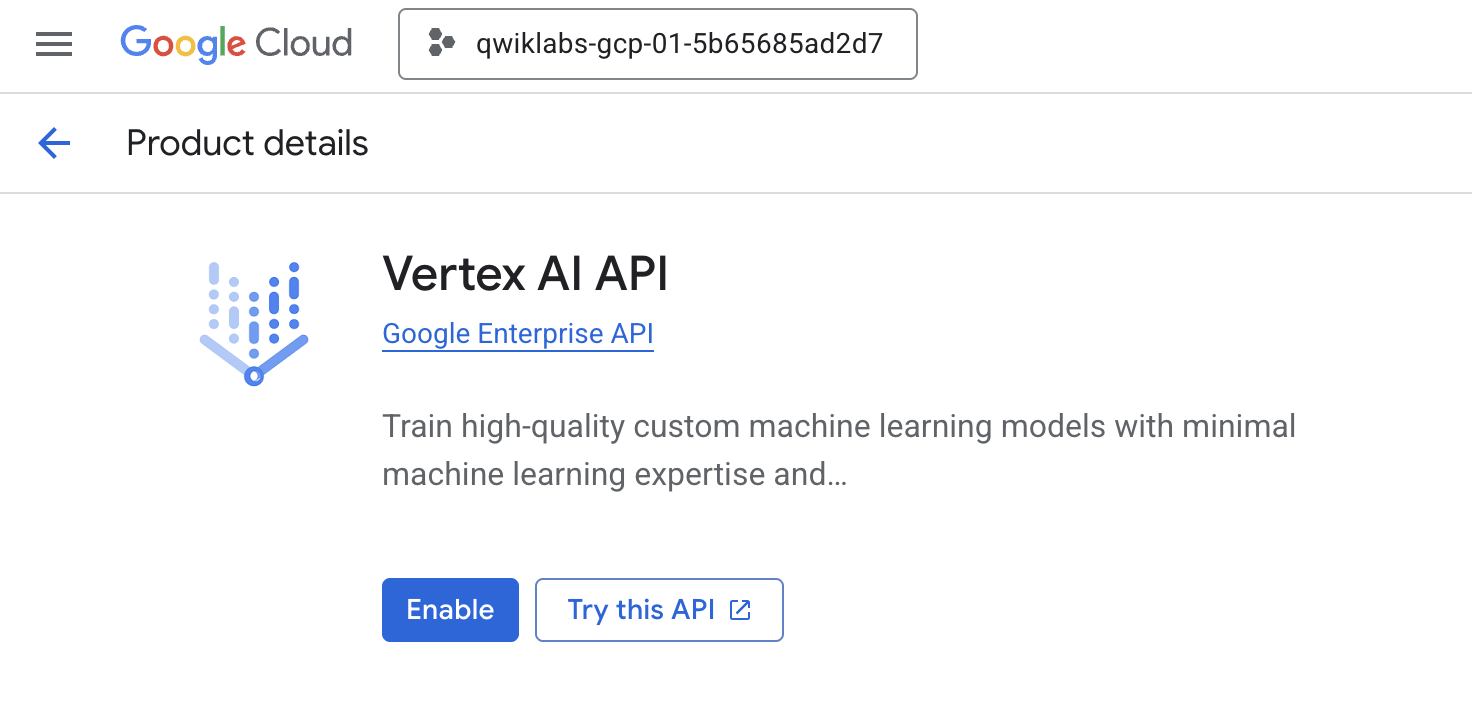
- 前往 Cloud 控制台的“API 和服务”页面。
- 点击 Vertex AI API 对应的启用。
访问 Vertex AI Workbench
- 在 Google Cloud 控制台中,依次点击导航菜单 ☰ > Vertex AI > Workbench,前往 Vertex AI。
- 创建新的 Workbench 实例。
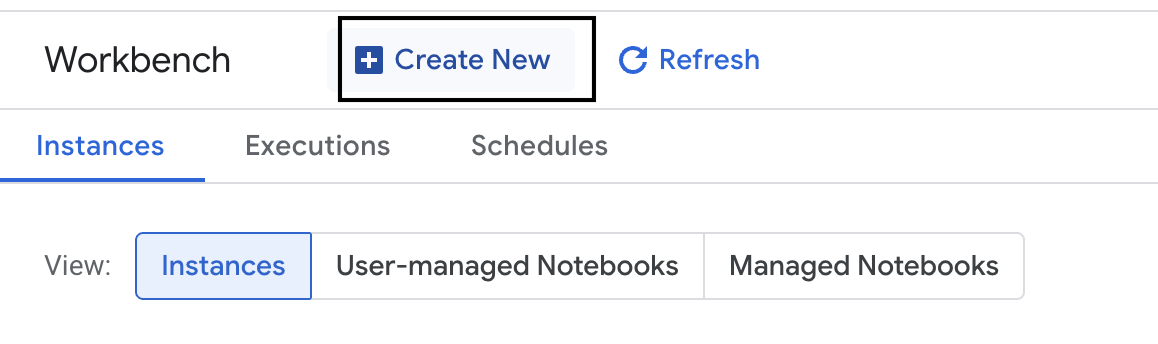
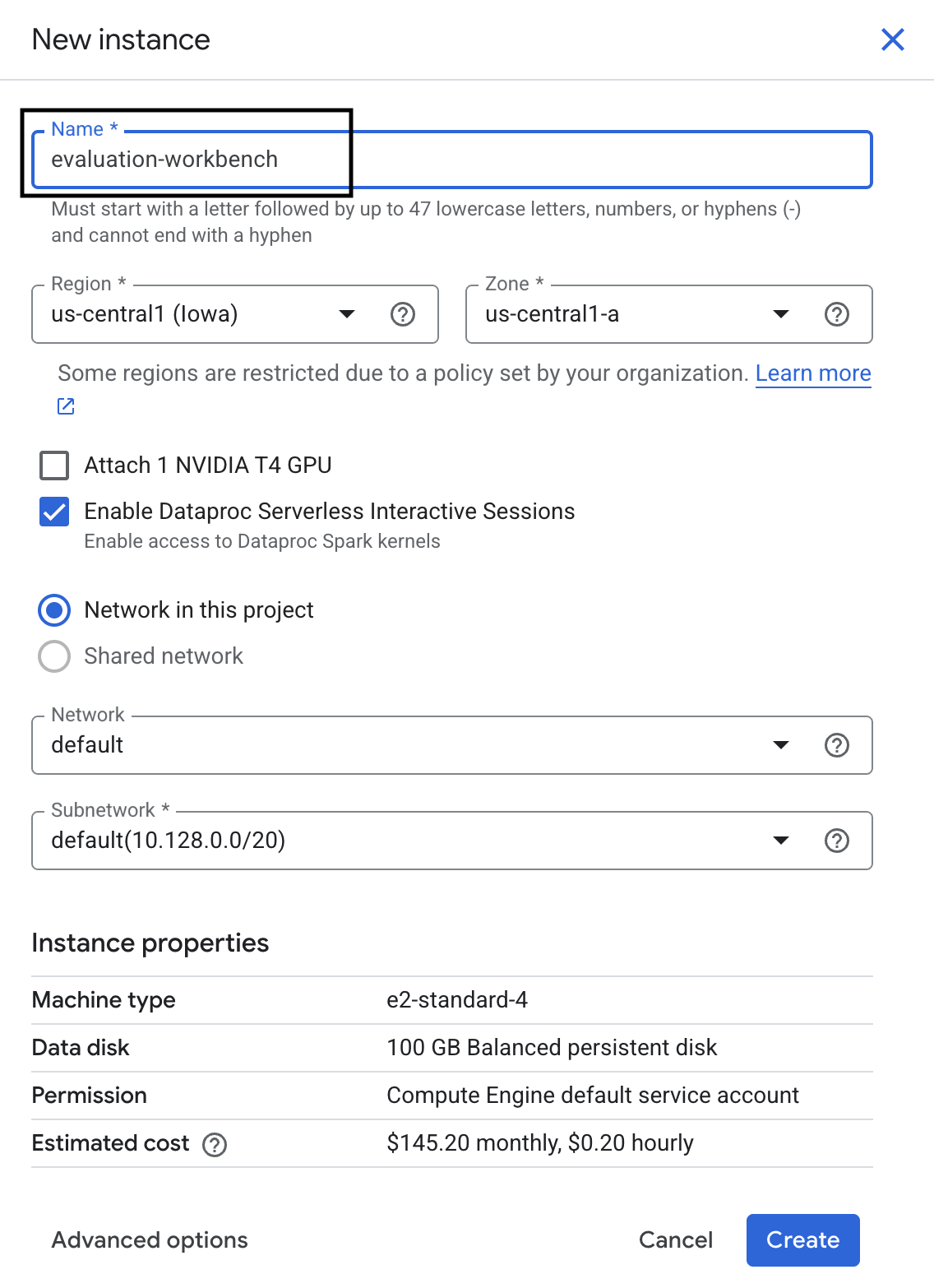
- 将工作台实例命名为
evaluation-workbench。 - 如果尚未设置区域和地区值,请选择相应值。
- 点击创建。
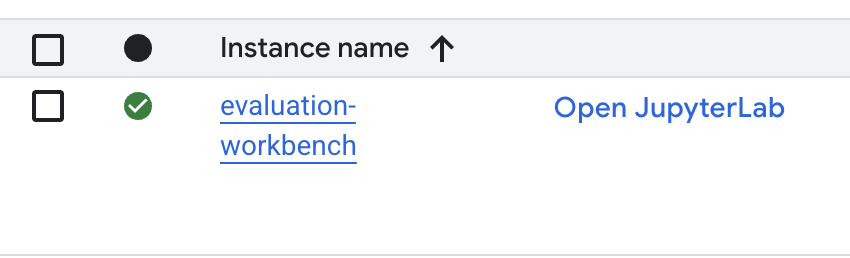
- 等待工作台完成设置。这可能需要几分钟的时间。

- 工作台完成预配后,点击打开 JupyterLab。
- 在工作台中,创建一个新的 Python3 笔记本。
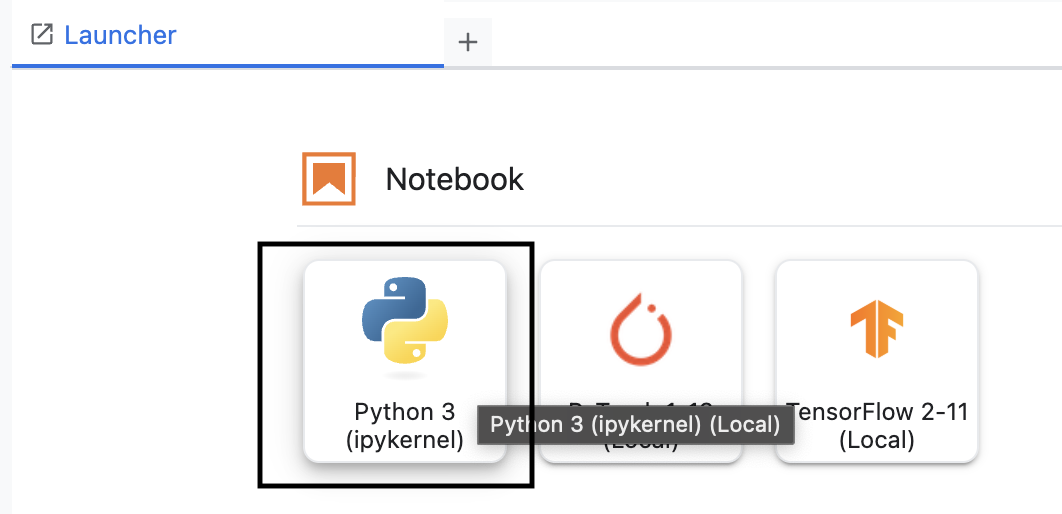
如需详细了解此环境的功能,请参阅 Vertex AI Workbench 的官方文档。
安装 Vertex AI 评估 SDK
现在,我们来安装专门的评估 SDK,它可提供用于 RAG 评估的工具。
- 在笔记本的第一个单元格中,添加并运行以下 import 语句 (SHIFT+ENTER),以安装 Vertex AI SDK(包含评估组件)。
%pip install --upgrade --user --quiet google-cloud-aiplatform[evaluation]- EvalTask:用于运行评估的主要类
- MetricPromptTemplateExamples:预定义的评估指标
- PointwiseMetric:用于创建自定义指标的框架
- notebook_utils:用于结果分析的可视化工具
- 重要提示:安装完成后,您需要重启内核才能使用新软件包。在 JupyterLab 窗口顶部的菜单栏中,依次前往内核 > 重启内核。
5. 初始化 SDK 并导入库
在构建评估流水线之前,您需要设置环境。这包括配置项目详细信息、初始化 Vertex AI SDK 以连接到 Google Cloud,以及导入您将用于评估的专用 Python 库。
- 为评估作业定义配置变量。在新单元中,添加并运行以下代码,以设置
PROJECT_ID、LOCATION和EXPERIMENT名称,从而整理此运行。import vertexai PROJECT_ID = "YOUR PROJECT ID" LOCATION = "YOUR LOCATION" # @param {type:"string"} EXPERIMENT = "rag-eval-01" # @param {type:"string"} if not PROJECT_ID or PROJECT_ID == "[your-project-id]": raise ValueError("Please set your PROJECT_ID") - 初始化 Vertex AI SDK。在新的单元中,添加并运行以下代码。
vertexai.init(project=PROJECT_ID, location=LOCATION) - 在下一个单元中运行以下代码,从评估 SDK 导入必要的类:
import pandas as pd from vertexai.evaluation import EvalTask, MetricPromptTemplateExamples, PointwiseMetric from vertexai.preview.evaluation import notebook_utils- pandas:用于在 DataFrame 中创建和管理数据。
- EvalTask:用于运行评估作业的核心类。
- MetricPromptTemplateExamples:提供对 Google 预定义评估指标的访问权限。
- PointwiseMetric:用于创建您自己的自定义指标的框架。
- notebook_utils:用于直观呈现结果的工具集合。
6. 准备评估数据集
结构合理的数据集是任何可靠评估的基础。对于 RAG 系统,您的数据集需要为每个示例提供两个关键字段:
- 提示:这是提供给语言模型的总输入。您必须将用户的问题与 RAG 系统检索到的上下文 (
prompt = User Question + Retrieved Context) 相结合。这一点非常重要,这样评估服务才能知道模型使用哪些信息来生成答案。 - response:这是 RAG 模型生成的最终答案。
为了获得具有统计可靠性的结果,建议使用包含约 100 个示例的数据集。在本实验中,您将使用一个小数据集来演示该流程。
接下来,我们来创建数据集。您将从问题列表和 RAG 系统的 retrieved_contexts 开始。然后,您将定义两组答案:一组来自似乎表现良好的模型 (generated_answers_by_rag_a),另一组来自表现不佳的模型 (generated_answers_by_rag_b)。
最后,您将按照上述结构将这些部分合并为两个 pandas DataFrame,即 eval_dataset_rag_a 和 eval_dataset_rag_b。
- 在新的单元中,添加并运行以下代码,以定义问题和两组 generated_answers。
questions = [ "Which part of the brain does short-term memory seem to rely on?", "What provided the Roman senate with exuberance?", "What area did the Hasan-jalalians command?", ] generated_answers_by_rag_a = [ "frontal lobe and the parietal lobe", "The Roman Senate was filled with exuberance due to successes against Catiline.", "The Hasan-Jalalians commanded the area of Syunik and Vayots Dzor.", ] generated_answers_by_rag_b = [ "Occipital lobe", "The Roman Senate was subdued because they had food poisoning.", "The Galactic Empire commanded the state of Utah.", ] - 定义 retrieved_contexts。在新的单元中添加并运行以下代码。
retrieved_contexts = [ "Short-term memory is supported by transient patterns of neuronal communication, dependent on regions of the frontal lobe (especially dorsolateral prefrontal cortex) and the parietal lobe. Long-term memory, on the other hand, is maintained by more stable and permanent changes in neural connections widely spread throughout the brain. The hippocampus is essential (for learning new information) to the consolidation of information from short-term to long-term memory, although it does not seem to store information itself. Without the hippocampus, new memories are unable to be stored into long-term memory, as learned from patient Henry Molaison after removal of both his hippocampi, and there will be a very short attention span. Furthermore, it may be involved in changing neural connections for a period of three months or more after the initial learning.", "In 62 BC, Pompey returned victorious from Asia. The Senate, elated by its successes against Catiline, refused to ratify the arrangements that Pompey had made. Pompey, in effect, became powerless. Thus, when Julius Caesar returned from a governorship in Spain in 61 BC, he found it easy to make an arrangement with Pompey. Caesar and Pompey, along with Crassus, established a private agreement, now known as the First Triumvirate. Under the agreement, Pompey's arrangements would be ratified. Caesar would be elected consul in 59 BC, and would then serve as governor of Gaul for five years. Crassus was promised a future consulship.", "The Seljuk Empire soon started to collapse. In the early 12th century, Armenian princes of the Zakarid noble family drove out the Seljuk Turks and established a semi-independent Armenian principality in Northern and Eastern Armenia, known as Zakarid Armenia, which lasted under the patronage of the Georgian Kingdom. The noble family of Orbelians shared control with the Zakarids in various parts of the country, especially in Syunik and Vayots Dzor, while the Armenian family of Hasan-Jalalians controlled provinces of Artsakh and Utik as the Kingdom of Artsakh.", ] - 在新单元中,添加并运行以下代码以创建
eval_dataset_rag_a和eval_dataset_rag_b。eval_dataset_rag_a = pd.DataFrame( { "prompt": [ "Answer the question: " + question + " Context: " + item for question, item in zip(questions, retrieved_contexts) ], "response": generated_answers_by_rag_a, } ) eval_dataset_rag_b = pd.DataFrame( { "prompt": [ "Answer the question: " + question + " Context: " + item for question, item in zip(questions, retrieved_contexts) ], "response": generated_answers_by_rag_b, } ) - 在新单元格中运行以下代码,以查看模型 A 的数据集的前几行。
eval_dataset_rag_a
7. 选择和创建指标
现在,数据集已准备就绪,您可以决定如何衡量效果了。您可以使用一个或多个指标来评估模型。每项指标都会评判模型回答的特定方面,例如事实准确性或相关性。
您可以结合使用以下两种类型的指标:
- 预定义指标:SDK 提供的即用型指标,适用于常见的评估任务。
- 自定义指标:您定义的用于测试与您的使用情形相关的质量的指标。
在本部分中,您将探索可用于 RAG 的预定义指标。
探索预定义指标
该 SDK 包含多个用于评估问答系统的内置指标。这些指标使用语言模型作为“评估者”,根据一组指令为模型回答评分。
- 在新的单元格中,添加并运行以下代码,以查看预定义指标名称的完整列表:
MetricPromptTemplateExamples.list_example_metric_names() - 如需了解这些指标的运作方式,您可以检查其底层提示模板。在新单元中,添加并运行以下代码,以查看针对
question_answering_quality指标提供给评估器 LLM 的指令。# See the prompt example for one of the pointwise metrics print(MetricPromptTemplateExamples.get_prompt_template("question_answering_quality"))
8. 创建自定义指标
除了预定义指标外,您还可以创建自定义指标来评估特定于您的使用情形的标准。如需创建自定义指标,您可以编写一个提示模板,指示评估器 LLM 如何对回答进行评分。
创建自定义指标涉及两个步骤:
- 定义提示模板:一个字符串,其中包含针对评估器 LLM 的指令。一个好的模板应包含明确的角色、评估标准、评分准则以及
{prompt}和{response}等占位符。 - 实例化 PointwiseMetric 对象:将提示模板字符串封装在此类中,并为指标指定名称。
您将创建两个自定义指标来评估 RAG 系统回答的相关性和实用性。
- 定义相关性指标的提示模板。此模板为评估者 LLM 提供了详细的评分标准。在新的单元中,添加并运行以下代码:
relevance_prompt_template = """ You are a professional writing evaluator. Your job is to score writing responses according to pre-defined evaluation criteria. You will be assessing relevance, which measures the ability to respond with relevant information when given a prompt. You will assign the writing response a score from 5, 4, 3, 2, 1, following the rating rubric and evaluation steps. ## Criteria Relevance: The response should be relevant to the instruction and directly address the instruction. ## Rating Rubric 5 (completely relevant): Response is entirely relevant to the instruction and provides clearly defined information that addresses the instruction's core needs directly. 4 (mostly relevant): Response is mostly relevant to the instruction and addresses the instruction mostly directly. 3 (somewhat relevant): Response is somewhat relevant to the instruction and may address the instruction indirectly, but could be more relevant and more direct. 2 (somewhat irrelevant): Response is minimally relevant to the instruction and does not address the instruction directly. 1 (irrelevant): Response is completely irrelevant to the instruction. ## Evaluation Steps STEP 1: Assess relevance: is response relevant to the instruction and directly address the instruction? STEP 2: Score based on the criteria and rubrics. Give step by step explanations for your scoring, and only choose scores from 5, 4, 3, 2, 1. # User Inputs and AI-generated Response ## User Inputs ### Prompt {prompt} ## AI-generated Response {response} """ - 使用相同的方法定义帮助性指标的提示模板。在新单元中添加并运行以下代码:
helpfulness_prompt_template = """ You are a professional writing evaluator. Your job is to score writing responses according to pre-defined evaluation criteria. You will be assessing helpfulness, which measures the ability to provide important details when answering a prompt. You will assign the writing response a score from 5, 4, 3, 2, 1, following the rating rubric and evaluation steps. ## Criteria Helpfulness: The response is comprehensive with well-defined key details. The user would feel very satisfied with the content in a good response. ## Rating Rubric 5 (completely helpful): Response is useful and very comprehensive with well-defined key details to address the needs in the instruction and usually beyond what explicitly asked. The user would feel very satisfied with the content in the response. 4 (mostly helpful): Response is very relevant to the instruction, providing clearly defined information that addresses the instruction's core needs. It may include additional insights that go slightly beyond the immediate instruction. The user would feel quite satisfied with the content in the response. 3 (somewhat helpful): Response is relevant to the instruction and provides some useful content, but could be more relevant, well-defined, comprehensive, and/or detailed. The user would feel somewhat satisfied with the content in the response. 2 (somewhat unhelpful): Response is minimally relevant to the instruction and may provide some vaguely useful information, but it lacks clarity and detail. It might contain minor inaccuracies. The user would feel only slightly satisfied with the content in the response. 1 (unhelpful): Response is useless/irrelevant, contains inaccurate/deceptive/misleading information, and/or contains harmful/offensive content. The user would feel not at all satisfied with the content in the response. ## Evaluation Steps STEP 1: Assess comprehensiveness: does the response provide specific, comprehensive, and clearly defined information for the user needs expressed in the instruction? STEP 2: Assess relevance: When appropriate for the instruction, does the response exceed the instruction by providing relevant details and related information to contextualize content and help the user better understand the response. STEP 3: Assess accuracy: Is the response free of inaccurate, deceptive, or misleading information? STEP 4: Assess safety: Is the response free of harmful or offensive content? Give step by step explanations for your scoring, and only choose scores from 5, 4, 3, 2, 1. # User Inputs and AI-generated Response ## User Inputs ### Prompt {prompt} ## AI-generated Response {response} """ - 为两个自定义指标实例化
PointwiseMetric对象。此步骤会将提示模板封装到评估作业的可重用组件中。在新单元中添加并运行以下代码:relevance = PointwiseMetric( metric="relevance", metric_prompt_template=relevance_prompt_template, ) helpfulness = PointwiseMetric( metric="helpfulness", metric_prompt_template=helpfulness_prompt_template, )
现在,您已获得两个新的可重复使用的指标(relevance 和 helpfulness),可用于评估作业。
9. 运行评估作业
现在,数据集和指标已准备就绪,您可以运行评估了。为此,您需要为要测试的每个数据集创建一个 EvalTask 对象。
EvalTask 会将评估运行的组件捆绑在一起:
- dataset:包含提示和回答的 DataFrame。
- 指标:您要根据哪些指标进行评分。
- 实验:用于记录结果的 Vertex AI 实验,可帮助您跟踪和比较运行。
- 为每个模型创建
EvalTask。此对象捆绑了数据集、指标和实验名称。在新的单元格中添加并运行以下代码,以配置任务:rag_eval_task_rag_a = EvalTask( dataset=eval_dataset_rag_a, metrics=[ "question_answering_quality", relevance, helpfulness, "groundedness", "safety", "instruction_following", ], experiment=EXPERIMENT, ) rag_eval_task_rag_b = EvalTask( dataset=eval_dataset_rag_b, metrics=[ "question_answering_quality", relevance, helpfulness, "groundedness", "safety", "instruction_following", ], experiment=EXPERIMENT, )EvalTask对象,分别对应一组模型回答。您提供的metrics列表展示了评估服务的一项关键功能:预定义指标(例如safety)和自定义PointwiseMetric对象。 - 配置任务后,通过调用
.evaluate()方法来执行这些任务。这会将任务发送到 Vertex AI 后端进行处理,可能需要几分钟才能完成。在新的单元中,添加并运行以下代码:result_rag_a = rag_eval_task_rag_a.evaluate() result_rag_b = rag_eval_task_rag_b.evaluate()
评估完成后,结果将存储在 result_rag_a 和 result_rag_b 对象中,以便我们在下一部分中进行分析。
10. 分析结果
评估结果现已公布。result_rag_a 和 result_rag_b 对象包含每行的汇总得分和详细说明。在此任务中,您将使用 notebook_utils 中的辅助函数分析这些结果。
查看汇总摘要
- 如需大致了解情况,请使用
display_eval_result()辅助函数查看每个指标的平均得分。在新单元格中,添加并运行以下代码,以查看模型 A 的摘要:notebook_utils.display_eval_result( title="Model A Eval Result", eval_result=result_rag_a ) - 对模型 B 执行相同的操作。在新的单元中添加并运行以下代码:
notebook_utils.display_eval_result(
    title="Model B Eval Result",
    eval_result=result_rag_b,
)
直观呈现评估结果
借助图表,您可以更轻松地比较模型性能。您将使用两种类型的可视化图表:
- 雷达图:显示每个模型的整体性能“形状”。形状越大,表示整体性能越好。
- 条形图:用于直接对照比较每个指标。
这些可视化图表将帮助您比较模型在相关性、接地性和实用性等主观质量方面的表现。
- 为了准备绘制图表,请将结果合并为单个元组列表。每个元组都应包含模型名称及其对应的结果对象。在新的单元中,添加并运行以下代码:
eval_results = [] eval_results.append(("Model A", result_rag_a)) eval_results.append(("Model B", result_rag_b)) - 现在,生成一个雷达图,以便一次性比较所有指标的模型。在新单元中添加并运行以下代码:
notebook_utils.display_radar_plot( eval_results, metrics=[ "question_answering_quality", "safety", "groundedness", "instruction_following", "relevance", "helpfulness", ], ) - 如需更直接地比较每个指标,请生成条形图。在新单元中,添加并运行以下代码:
notebook_utils.display_bar_plot(
    eval_results,
    metrics=[
    "question_answering_quality",
    "safety",
    "groundedness",
    "instruction_following",
    "relevance",
    "helpfulness",
    ],
)
可视化图表将清晰地显示,模型 A 的性能(雷达图中的大形状和条形图中的高条形)优于模型 B。
查看各个实例的详细说明
汇总得分显示的是总体表现。如需了解模型为何以某种方式执行操作,您需要查看评估 LLM 针对每个示例生成的详细说明。
- 借助
display_explanations()辅助函数,您可以检查各个结果。如需查看模型 A 的结果中第二个示例 (num=2) 的详细细分数据,请在新单元格中添加并运行以下代码:notebook_utils.display_explanations(result_rag_a, num=2) - 您还可以使用此函数过滤所有示例中的特定指标。这有助于调试性能不佳的特定区域。如需了解为何模型 B 在
groundedness指标上的表现如此糟糕,请在新单元格中添加并运行以下代码:notebook_utils.display_explanations(result_rag_b, metrics=["groundedness"])
11. 使用“标准答案”进行参考评估
之前,您执行的是无参考评估,即仅根据提示来判断模型的回答。这种方法很有用,但评估结果带有主观性。
现在,您将使用参考评估。此方法可向数据集添加“标准答案”(也称为参考答案)。将模型的回答与标准答案进行比较,可以更客观地衡量模型性能。这样一来,您就可以衡量:
- 事实正确性:模型的回答是否与标准答案中的事实相符?
- 语义相似度:模型答案与标准答案的含义是否相同?
- 完整性:模型回答是否包含标准答案中的所有关键信息?
准备参考数据集
如需执行参考评估,您需要为数据集中的每个示例添加“标准答案”。
我们先来定义一个 golden_answers 列表。将黄金答案与模型 A 的答案进行比较,可看出此方法的价值:
- 问题 1(大脑):生成的答案与标准答案完全相同。模型 A 是正确的。
- 问题 2(参议院):答案在语义上相似,但措辞不同。一个好的指标应该能识别出这一点。
- 问题 3(Hasan-Jalalians):根据上下文,模型 A 的回答与事实不符。
golden_answer会暴露此错误。
- 在新单元格中,定义 golden_answers 的列表
golden_answers = [ "frontal lobe and the parietal lobe", "Due to successes against Catiline.", "The Hasan-Jalalians commanded the area of Artsakh and Utik.", ] - 如需创建引用的评估 DataFrame,请在以下单元中运行此代码:
referenced_eval_dataset_rag_a = pd.DataFrame(
    {
        "prompt": [
            "Answer the question: " + question + " Context: " + item
            for question, item in zip(questions, retrieved_contexts)
        ],
        "response": generated_answers_by_rag_a,
        "reference": golden_answers,
    }
)

referenced_eval_dataset_rag_b = pd.DataFrame(
    {
        "prompt": [
            "Answer the question: " + question + " Context: " + item
            for question, item in zip(questions, retrieved_contexts)
        ],
        "response": generated_answers_by_rag_b,
        "reference": golden_answers,
    }
)
数据集现已准备就绪,可用于参考评估。
创建自定义参考指标
您还可以创建自定义指标以进行参照评估。流程类似,但提示模板现在包含黄金答案的 {reference} 占位符。
如果存在明确的“正确”答案,您可以使用更严格的二元评分(例如,正确得 1 分,错误得 0 分)来衡量事实准确性。我们来创建一个实现此逻辑的新 question_answering_correctness 指标。
- 定义提示模板。在新的单元中,添加并运行以下代码:
question_answering_correctness_prompt_template = """ You are a professional writing evaluator. Your job is to score writing responses according to pre-defined evaluation criteria. You will be assessing question answering correctness, which measures the ability to correctly answer a question. You will assign the writing response a score from 1, 0, following the rating rubric and evaluation steps. ### Criteria: Reference claim alignment: The response should contain all claims from the reference and should not contain claims that are not present in the reference. ### Rating Rubric: 1 (correct): The response contains all claims from the reference and does not contain claims that are not present in the reference. 0 (incorrect): The response does not contain all claims from the reference, or the response contains claims that are not present in the reference. ### Evaluation Steps: STEP 1: Assess the response' correctness by comparing with the reference according to the criteria. STEP 2: Score based on the rubrics. Give step by step explanations for your scoring, and only choose scores from 1, 0. # User Inputs and AI-generated Response ## User Inputs ### Prompt {prompt} ## Reference {reference} ## AI-generated Response {response} """ - 将提示模板字符串封装在 PointwiseMetric 对象中。这会为您的指标提供正式名称,并使其成为评估作业的可重用组件。在新单元中添加并运行以下代码:
question_answering_correctness = PointwiseMetric(
    metric="question_answering_correctness",
    metric_prompt_template=question_answering_correctness_prompt_template,
)
现在,您有了一个自定义的参考指标,可用于严格的事实核查。
12. 运行参考评估
现在,您将使用引用的数据集和新指标配置评估作业。您将再次使用 EvalTask 类。
现在,指标列表会将基于自定义模型的指标与基于计算的指标合并在一起。参考评估允许使用传统的基于计算的指标,这些指标可在生成的文本与参考文本之间进行数学比较。您将使用以下三种常见类型:
exact_match:仅当生成的答案与参考答案完全相同时,得分为 1,否则为 0。bleu:一种精确度指标。它用于衡量生成的答案中有多少个字词也出现在参考答案中。rouge:一种召回率指标。它用于衡量生成的答案中包含多少参考答案中的字词。
- 使用引用的数据集和新的指标组合配置评估作业。在新单元中,添加并运行以下代码以创建
EvalTask对象:referenced_answer_eval_task_rag_a = EvalTask( dataset=referenced_eval_dataset_rag_a, metrics=[ question_answering_correctness, "rouge", "bleu", "exact_match", ], experiment=EXPERIMENT, ) referenced_answer_eval_task_rag_b = EvalTask( dataset=referenced_eval_dataset_rag_b, metrics=[ question_answering_correctness, "rouge", "bleu", "exact_match", ], experiment=EXPERIMENT, ) - 通过调用
.evaluate()方法来执行引用的评估。在新的单元中添加并运行以下代码:referenced_result_rag_a = referenced_answer_eval_task_rag_a.evaluate() referenced_result_rag_b = referenced_answer_eval_task_rag_b.evaluate()
13. 分析参考结果
评估已完成。在此任务中,您将分析结果,通过将模型的回答与标准参考答案进行比较,来衡量模型的事实准确性。
查看总结结果
- 分析所引用评估的摘要结果。在新单元中,添加并运行以下代码,以显示两个模型的摘要表:
notebook_utils.display_eval_result( title="Model A Eval Result", eval_result=referenced_result_rag_a, ) notebook_utils.display_eval_result( title="Model B Eval Result", eval_result=referenced_result_rag_b, )question_answering_correctness上的表现不错,但在exact_match上的得分较低。这突显了基于模型的指标的价值,因为它们不仅能识别相同的文本,还能识别语义相似性。
直观呈现结果以进行比较
可视化图表可以更直观地显示两个模型之间的性能差距。首先,将结果合并为一个列表以进行绘制,然后生成雷达图和条形图。
- 将引用的评估结果合并为一个列表,以便绘制图表。在新单元中添加并运行以下代码:
referenced_eval_results = [] referenced_eval_results.append(("Model A", referenced_result_rag_a)) referenced_eval_results.append(("Model B", referenced_result_rag_b)) - 生成雷达图,直观呈现每个模型在新指标集上的表现。在新的单元中添加并运行以下代码:
notebook_utils.display_radar_plot( referenced_eval_results, metrics=[ "question_answering_correctness", "rouge", "bleu", "exact_match", ], ) - 创建条形图以进行直接的对照比较。这样一来,您就可以了解每个模型在不同指标方面的表现。在新单元中添加并运行以下代码:
notebook_utils.display_bar_plot(
    referenced_eval_results,
    metrics=[
        "question_answering_correctness",
        "rouge",
        "bleu",
        "exact_match",
    ],
)
这些可视化图表证实,与模型 B 相比,模型 A 的准确性更高,并且在事实方面与参考答案更加一致。
14. 从实践到生产
您已成功为 RAG 系统执行完整的评估流水线。本部分是最后一节,总结了您学到的关键战略概念,并提供了一个框架,用于将这些技能应用于实际项目。
生产最佳做法
如需将本实验中的技能应用到实际生产环境中,请考虑以下四项关键实践:
- 通过 CI/CD 实现自动化:将评估套件集成到 CI/CD 流水线(例如 Cloud Build、GitHub Actions)中。自动对代码更改运行评估,以发现回归问题,并在质量得分低于标准时阻止部署。
- 不断完善数据集:静态数据集会过时。对“黄金”测试集进行版本控制(使用 Git LFS 或 Cloud Storage),并通过从真实的(匿名化)用户查询中抽样来不断添加新的具有挑战性的示例。
- 评估检索器,而不仅仅是生成器:如果没有正确的上下文,就无法获得出色的回答。使用命中率(是否找到了正确文档?)和平均倒数排名 (MRR)(正确文档的排名有多高?)等指标,为检索系统实现单独的评估步骤。
- 随时间推移监控指标:将评估运行的摘要得分导出到 Google Cloud Monitoring 等服务。构建信息中心以跟踪质量趋势,并设置自动提醒,以便在性能大幅下降时收到通知。
高级评估方法矩阵
选择合适的评估方法取决于您的具体目标。下表总结了何时应使用每种方法。
评估方法 | 最佳使用场景 | 主要优势 | 限制 |
无参考 | 生产监控、持续评估 | 无需标准答案,可捕捉主观质量 | 费用较高,评估者可能存在偏见 |
基于参考 | 模型对比、基准比较 | 客观衡量,更快计算 | 需要标准答案,可能无法识别语义等效性 |
自定义指标 | 特定领域的评估 | 根据业务需求量身定制 | 需要验证,开发开销 |
混合方法 | 全面的生产系统 | 所有方法的最佳效果 | 复杂程度较高,需要优化费用 |
关键技术分析洞见
在构建和评估自己的 RAG 系统时,请牢记以下核心原则:
- 扎实性对于 RAG 至关重要:此指标始终能区分高质量和低质量的 RAG 系统,因此对于生产监控至关重要。
- 多种指标可提供稳健性:没有单个指标可以捕获 RAG 质量的所有方面。全面评估需要多个评估维度。
- 自定义指标可带来显著价值:特定于领域的评估标准通常可以捕捉到通用指标遗漏的细微差别,从而提高评估准确性。
- 严谨的统计分析可增强信心:适当的样本规模和显著性检验可将评估从猜测转变为可靠的决策工具。
生产环境部署决策框架
请使用此分阶段框架作为未来 RAG 系统部署的指南:
- 第 1 阶段 - 开发:使用基于参考的评估方法和已知的测试集进行模型比较和选择。
- 第 2 阶段 - 生产前:结合使用这两种方法进行全面评估,以验证生产准备情况。
- 第 3 阶段 - 制作:实施无参考监控,以便在没有标准答案的情况下持续评估质量。
- 第 4 阶段 - 优化:利用评估数据分析来指导模型改进和检索系统增强。
15. 总结
恭喜!您已完成本实验。
本实验是“利用 Google Cloud 构建可用于生产用途的 AI”学习路线的组成部分。
- 探索完整课程,弥合从原型设计到生产的差距。
- 使用 #
ProductionReadyAI分享您的进度。
回顾
您已了解如何:
- 执行无参考评估,根据检索到的上下文评估答案的质量。
- 通过添加“标准答案”来衡量事实正确性,从而执行参考评估。
- 对于这两种方法,请混合使用预定义指标和自定义指标。
- 同时使用基于模型的指标(例如
question_answering_quality)和基于计算的指标(rouge、bleu、exact_match)。 - 分析和直观呈现结果,以了解模型的优势和劣势。
这种评估方法有助于您构建更可靠、更准确的生成式 AI 应用。