
1. What is Bidi-streaming?
Bidirectional streaming (bidi-streaming) enables simultaneous two-way communication between your application and AI models. Unlike traditional request-response patterns where you send a complete message and wait for a complete reply, bidi-streaming allows:
- Continuous input: Stream audio, video, or text as it's captured
- Real-time output: Receive AI responses as they're generated
- Natural interruption: Users can interrupt the AI mid-response, just like in human conversation
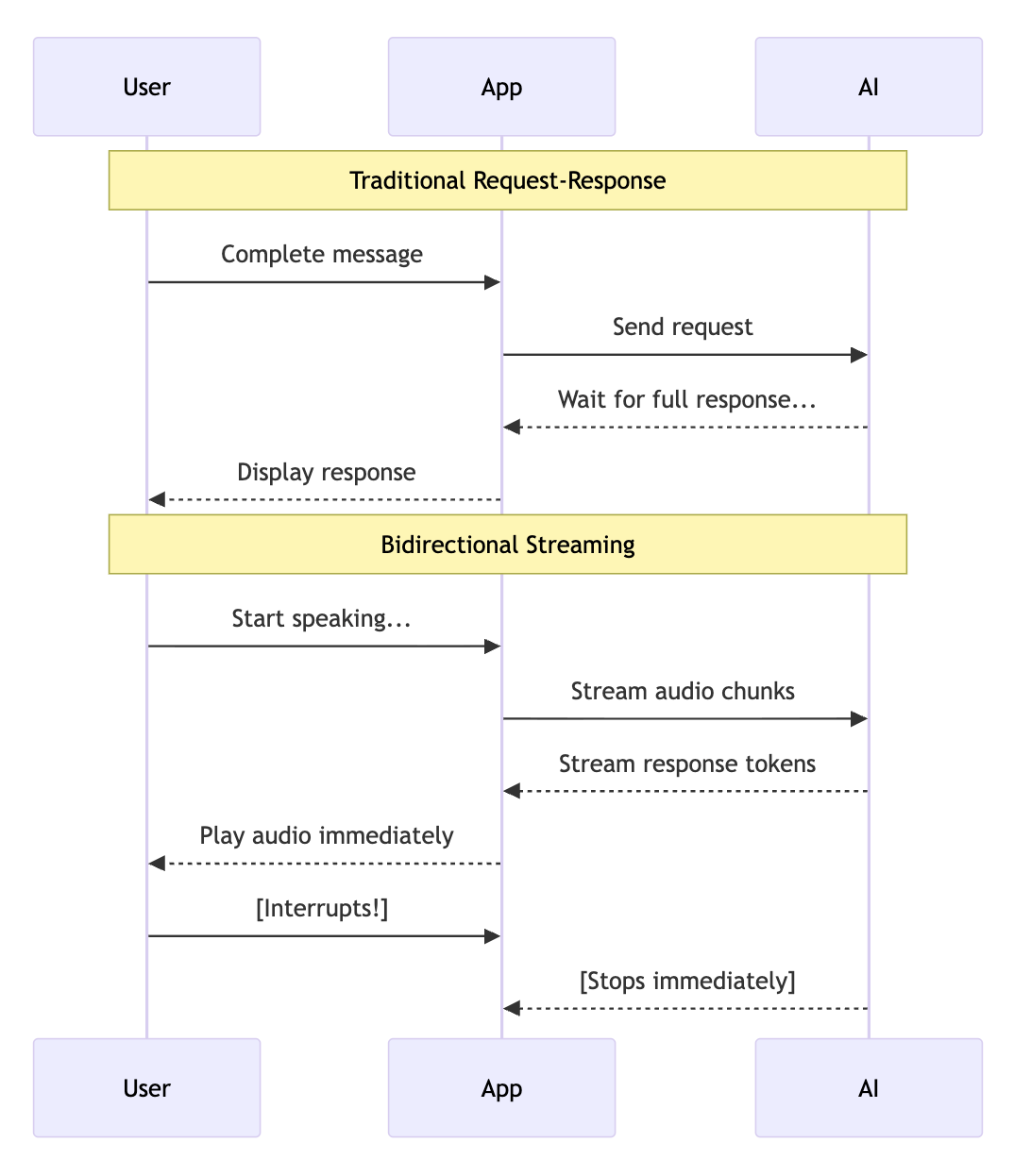
Why this matters: Bidi-streaming makes AI conversations feel natural. The AI can respond while you're still providing context, and you can interrupt it when you've heard enough—just like talking to a human.
What is ADK Gemini Live API Toolkit?
The Agent Development Kit (ADK) provides a high-level abstraction over the Gemini Live API, handling the complex plumbing of real-time streaming so you can focus on building your application.
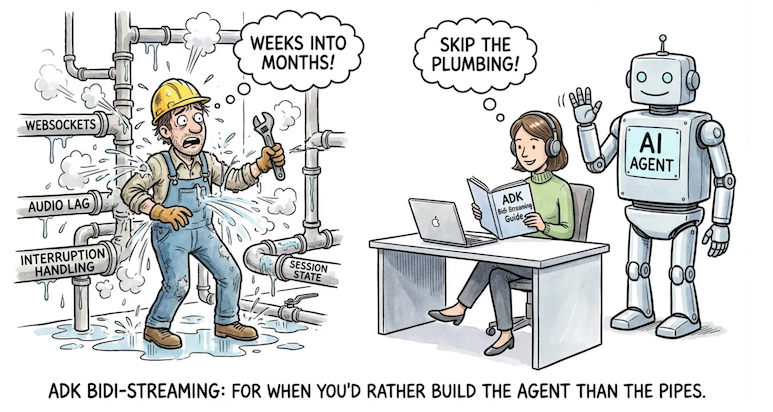
ADK Gemini Live API Toolkit manages:
- Connection lifecycle: Establishing, maintaining, and recovering WebSocket connections
- Message routing: Directing audio, text, and images to the right handlers
- Session state: Persisting conversation history across reconnections
- Tool execution: Automatically calling and resuming from function calls
Why ADK over raw Live API?
You could build directly on the Gemini Live API, but ADK handles the complex infrastructure so you can focus on your application:
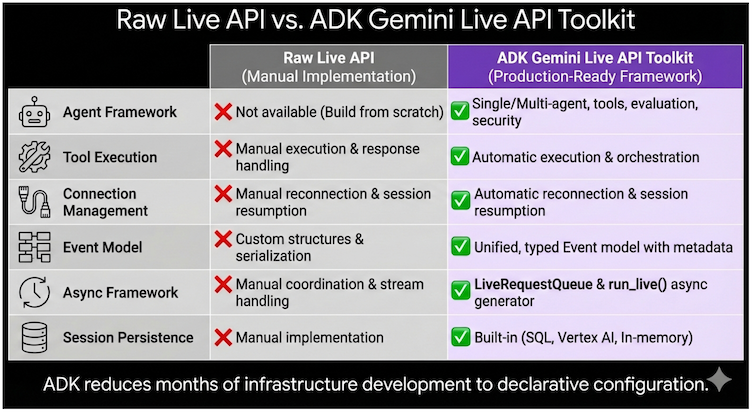
Capability | Raw Live API | ADK Gemini Live API Toolkit |
Agent Framework | Build from scratch | Single/multi-agent with tools, evaluation, security |
Tool Execution | Manual handling | Automatic parallel execution |
Connection Management | Manual reconnection | Transparent session resumption |
Event Model | Custom structures | Unified, typed Event objects |
Async Framework | Manual coordination | LiveRequestQueue + run_live() generator |
Session Persistence | Manual implementation | Built-in SQL, Vertex AI, or in-memory |
The bottom line: ADK reduces months of infrastructure development to days of application development. You focus on what your agent does, not how streaming works.
Real-World Use Cases
- Customer Service: A customer shows their defective coffee machine via phone camera while explaining the issue. The AI identifies the model and failure point, and the customer can interrupt to correct details mid-conversation.
- E-commerce: A shopper holds up clothing to their webcam asking "Find shoes that match these pants." The agent analyzes the style and engages in fluid back-and-forth: "Show me something more casual" → "How about these sneakers?" → "Add the blue ones in size 10."
- Field Service: A technician wearing smart glasses streams their view while asking "I'm hearing a strange noise from this compressor—can you identify it?" The agent provides step-by-step guidance hands-free.
- Healthcare: A patient shares a live video of a skin condition. The AI performs preliminary analysis, asks clarifying questions, and guides next steps.
- Financial Services: A client reviews their portfolio while the agent displays charts and simulates trade impacts. The client can share their screen to discuss specific news articles.
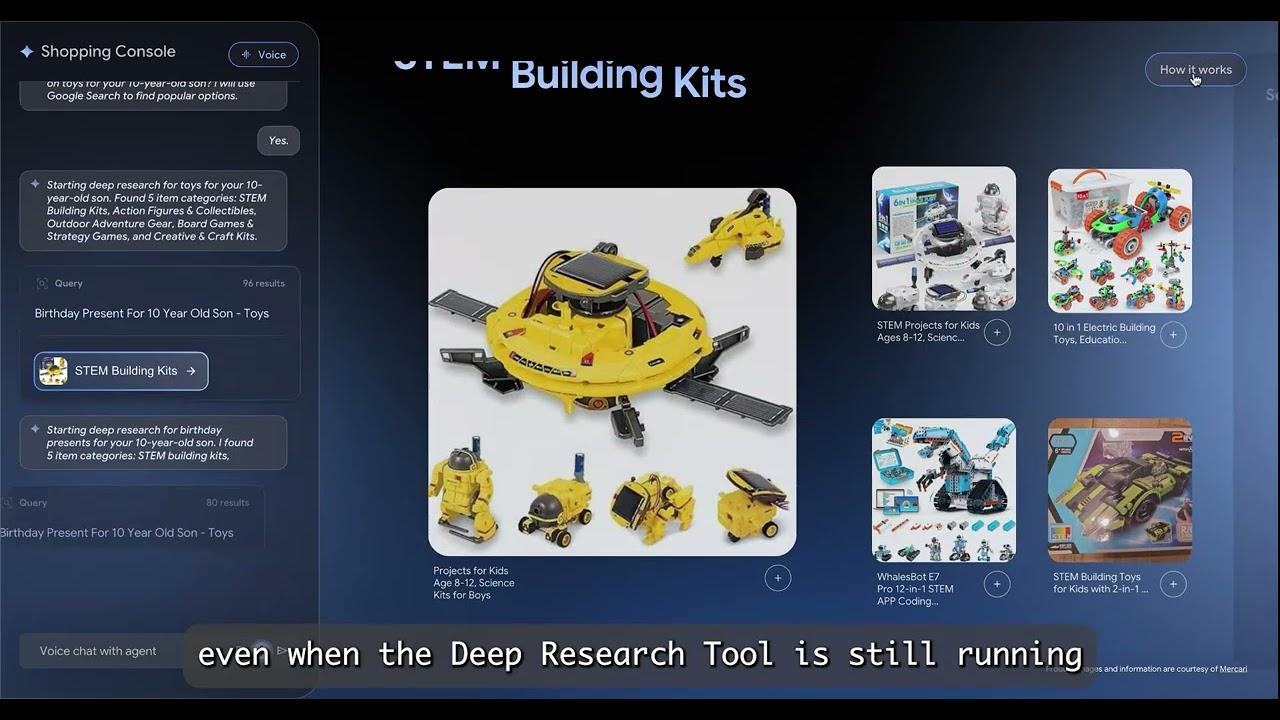
Shopper's Concierge 2 Demo: Real-time Agentic RAG demo for e-commerce, built with ADK Gemini Live API Toolkit and Vertex AI Vector Search, Embeddings, Feature Store and Ranking API:
Learn More: Developer Guide
For a comprehensive deep-dive, see the ADK Gemini Live API Toolkit Developer Guide—a 5-part series covering architecture to production deployment:
Part | Focus | What You'll Learn |
Foundation | Architecture, Live API platforms, 4-phase lifecycle | |
Upstream | Sending text, audio, video via LiveRequestQueue | |
Downstream | Event handling, tool execution, multi-agent workflows | |
Configuration | Session management, quotas, production controls | |
Multimodal | Audio specs, model architectures, advanced features |
2. Workshop Overview
What You'll Build
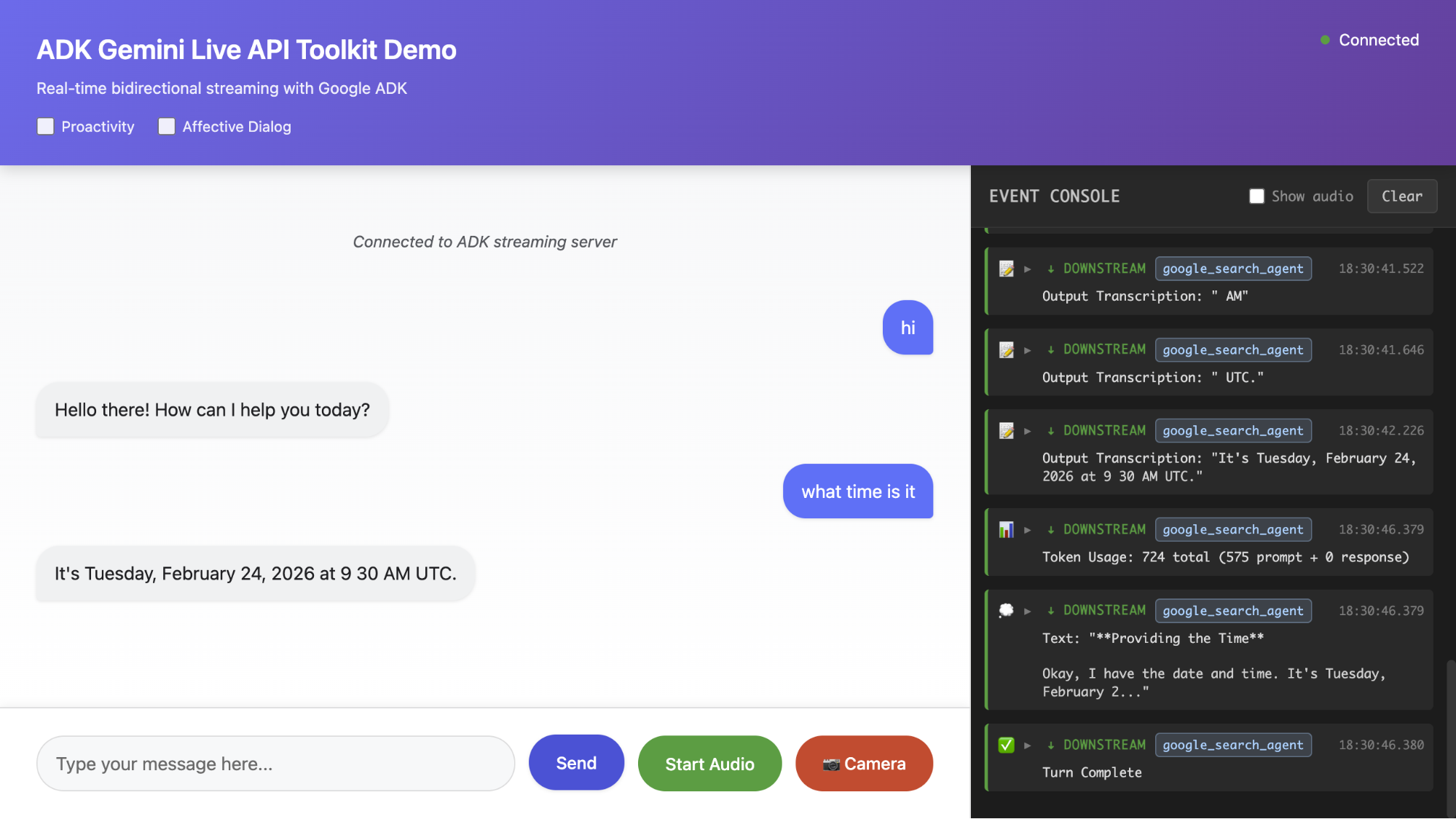
In this hands-on workshop, you'll build a complete bidirectional streaming AI application from scratch. By the end, you'll have a working voice AI that can:
- Accept text, audio, and image input
- Respond with streaming text or natural speech
- Handle interruptions naturally
- Use tools like Google Search
Unlike reading documentation, you'll examine each component step by step, understanding how the pieces fit together as you build incrementally.
Learning Approach
We follow an incremental build approach:
- Step 1: Minimal WebSocket Server → "Hello World" response
- Step 2: Add the Agent → Define AI behavior and tools
- Step 3: Application Initialization → Runner and session service
- Step 4: Session Initialization → RunConfig and LiveRequestQueue
- Step 5: Upstream Task → Client to queue communication
- Step 6: Downstream Task → Events to client streaming
- Step 7: Add Audio → Voice input and output
- Step 8: Add Image Input → Multimodal AI
Each step builds on the previous one. You'll test after every step to see your progress.
Prerequisites
- Google Cloud account with billing enabled
- Basic Python and async programming (async/await) knowledge
- Web browser with microphone and web camera access (Chrome recommended)
Time Estimate
- Full workshop: ~90 minutes
- Quick version (Steps 1-4 only): ~45 minutes
3. Workshop
Start the workshop by following the instructions here:
https://github.com/kazunori279/adk-streaming-guide/blob/main/workshops/workshop.md
4. Wrap-up & Key Takeaways
What You Built
You built a complete bidirectional streaming AI application from scratch. The application handles text, voice, and image input with real-time streaming responses—the foundation for building production-ready conversational AI.
Component | What It Does | Step |
Agent | Defines AI personality, instructions, and available tools (e.g., Google Search) | Step 2 |
SessionService | Persists conversation history across reconnections | Step 3 |
Runner | Orchestrates the streaming lifecycle, connects agent to Live API | Step 3 |
RunConfig | Configures response modality (TEXT/AUDIO), transcription, session resumption | Step 4 |
LiveRequestQueue | Unified interface for sending text, audio, and images to the model | Step 5 |
run_live() | Async generator that yields streaming events from the model | Step 6 |
send_realtime() | Sends audio/image blobs for continuous streaming input | Step 7-8 |
Resources
Continue learning with these official resources. The ADK Gemini Live API Toolkit Guide provides deeper coverage of everything in this workshop.
Resource | URL |
ADK Documentation | |
ADK Gemini Live API Toolkit Guide | |
Gemini Live API | |
Vertex AI Live API | https://cloud.google.com/vertex-ai/generative-ai/docs/live-api |
ADK Samples Repository |