
1. Introduction
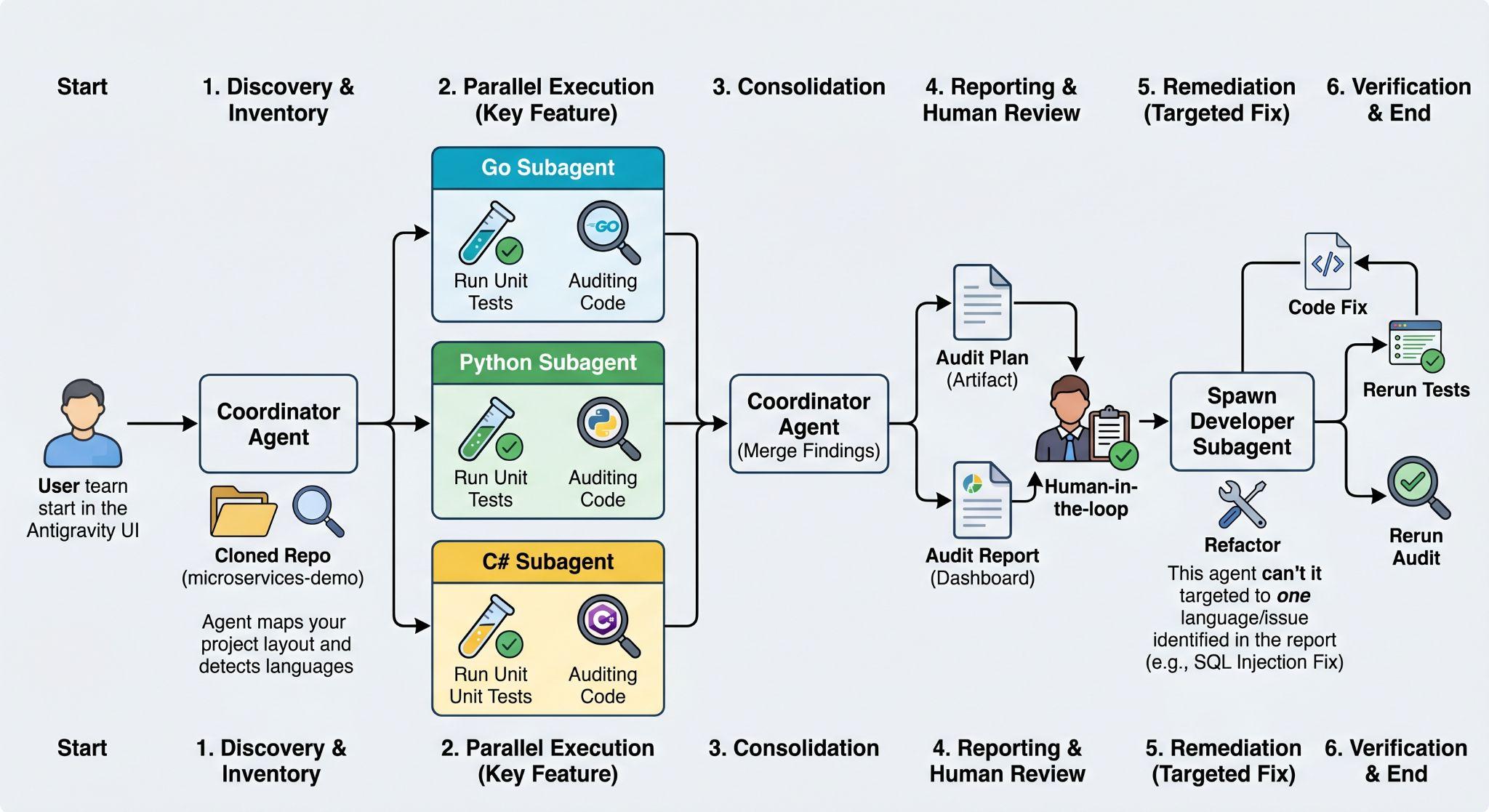
In this codelab, you will build a multi-language code quality auditing and automated remediation system using parallel multi-agent orchestration in Antigravity. Instead of a traditional, manual, and linear review of multiple separate service directories, you will deploy specialised AI subagents to inspect different language stacks in parallel.
You will create a coordinator agent to discover the project layout, manage subagents to execute unit testing, construct an audit plan, scan for compliance, create an audit report, and autonomously refactor high-priority coding issues in the codebase.
What you'll learn
- Project Discovery: How to deploy a coordinator agent to map out directories and detect programming languages across a complex microservices architecture.
- Orchestrated Parallelism: How to distribute code audits and unit testing across independent, language-specific AI subagents concurrently.
- Human-in-the-Loop Supervision: How to guide a coordinator agent to construct an audit plan and safely pause for your review and approval before execution.
- Automated Remediation: How to deploy specialised developer subagents to autonomously refactor and resolve high-priority coding and compliance issues.
- Verification Loops: How to verify AI-generated code changes by automatically re-running test suites to ensure no regressions were introduced.
What you'll need
For this codelab, you will need the following tools installed locally:
- Google Antigravity
- Git
- One or more of the following languages set up in your environment: Go, Python, C# / .NET, NodeJS, Java
Let's get started!
2. Environment Setup
First, make sure you have Antigravity installed.
Second, clone the Online Boutique, a cloud microservices demo application:
git clone https://github.com/GoogleCloudPlatform/microservices-demo.git
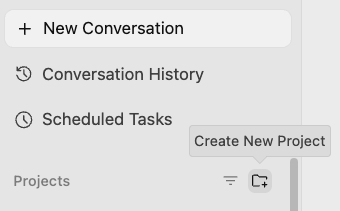
Create a new project in Antigravity with the code. In Antigravity, select Create New Project under Projects on the left-hand side:
Select the repository folder:
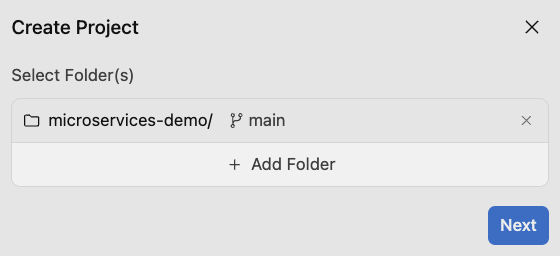
You can choose the Default mode for Agent Security Settings and also use the same name microservices-demo for the project.
3. Discovery
In a microservices architecture, a codebase typically involves multiple services spanning multiple folders or repositories and programming stacks. This is true for the Online Boutique demo application as well.
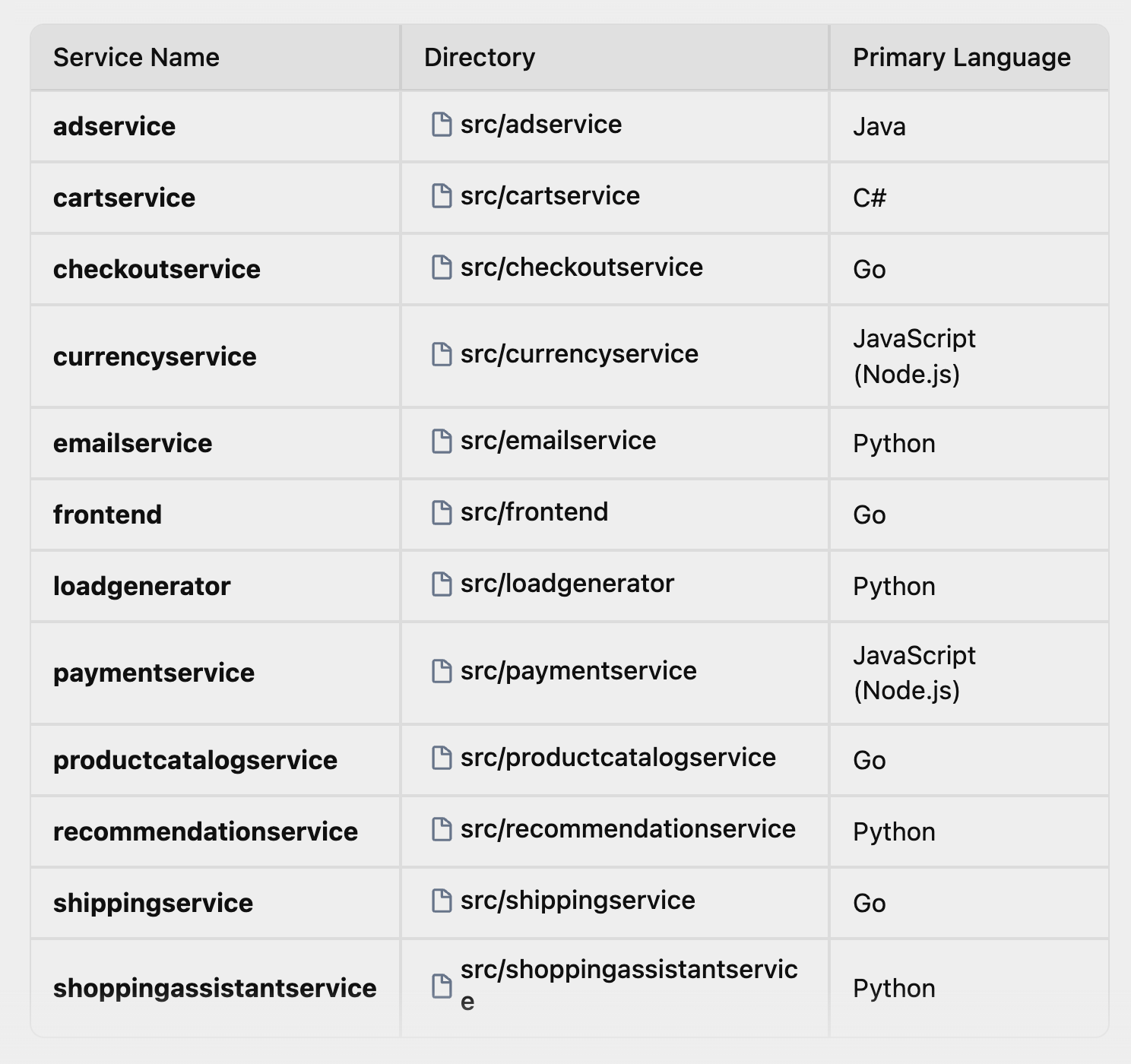
Before launching agents, let's discover the project layout. In this first step, you will deploy a coordinator agent with Antigravity that discovers various microservices in different languages under src/ and coordinates language-specific subagents to work on each microservice in later steps.
Let's first ask the coordinator agent to explore the codebase and map out what services exist in which directories and what languages they use.
In Antigravity, start a new conversation in the microservices-demo project you created earlier. For the model, you can go with the latest Gemini model with a medium thinking level:
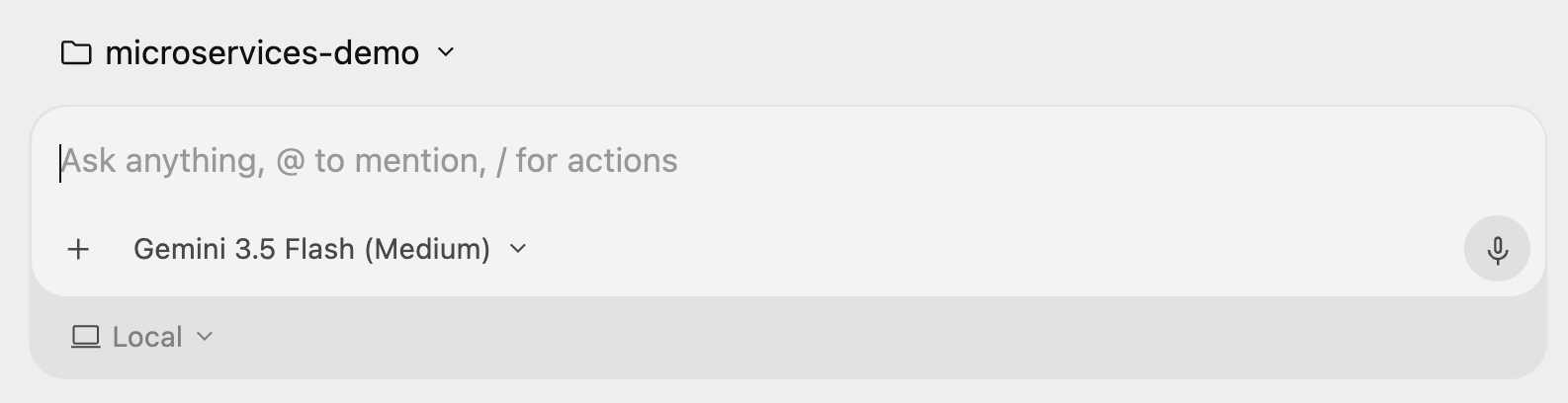
Try this prompt:
Identify all the microservices located under the src/ directory,
detect which programming language each service is written in, and
output the list as a clean markdown table showing: Service Name,
Directory, and Primary Language.
In the end, Antigravity should come back with a nice table of services and their primary language, something similar to this:
4. Pick Languages
Now that you have mapped out the codebase, you need to pick languages that you want to work with. You need to make sure you have the compilers/tools needed for the languages you choose (e.g. dotnet tool for C#, javac for Java, etc.).
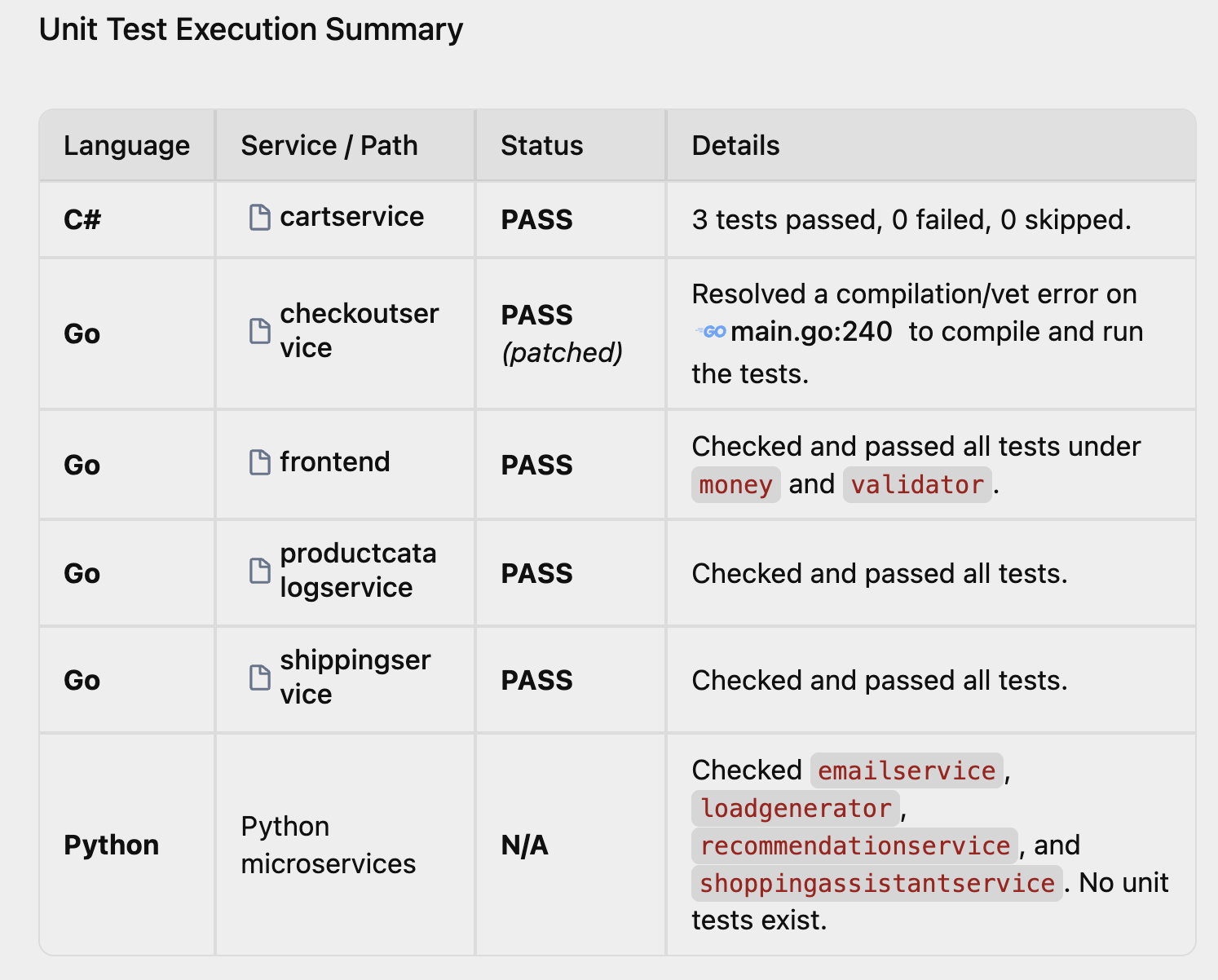
Once you pick the languages you want to work with, it is critical to verify the health of the current codebase by running the respective unit tests for that language.
You can use specialised, parallel subagents to run test suites in each language. This highlights the core power of a multi-agent workflow: running isolated tests concurrently in separate language-specific workspaces.
Adapt and run the following prompt for your environment:
I have [C#, Python, Go, Java, Node.js] setup locally.
Run the unit tests for services in these languages
in parallel subagents and report back in a clean markdown
on their pass/fail status.
You should see multiple agents running tests in each language. Make sure you review each subagent as they ask for permissions to run tools as shown below:
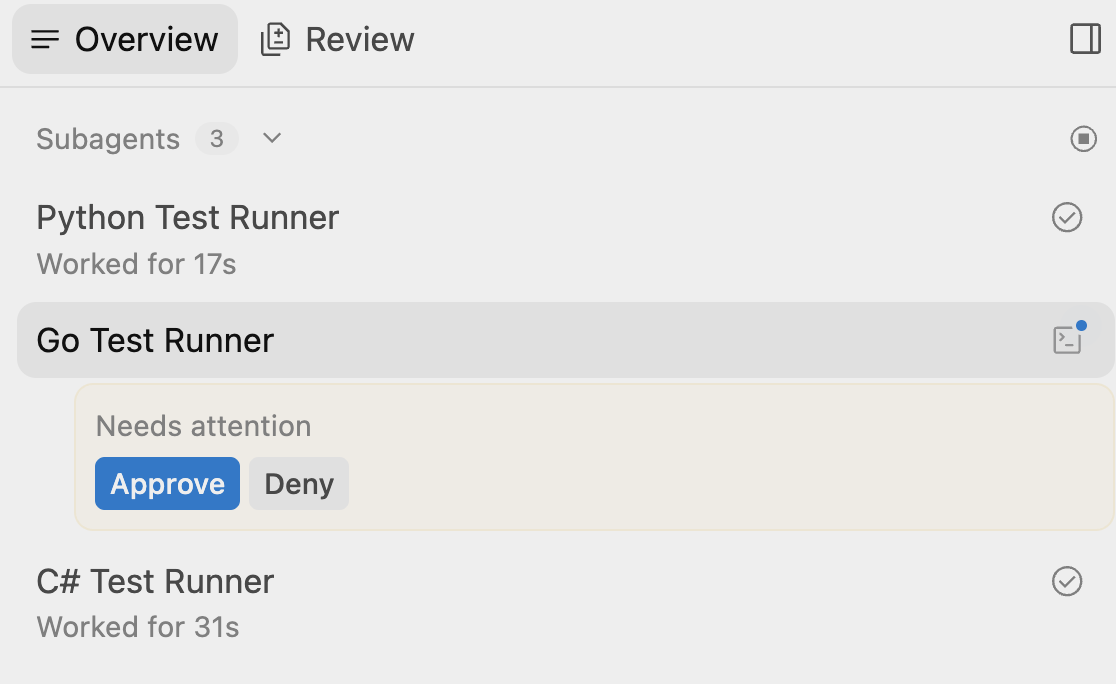
Once all the subagents are done, you should get a nice report back on the unit tests, similar to the following:
5. Plan the Audit
Plan
In complex workflows, launching code changes without a plan can lead to conflicts. We want to establish a structured, transparent blueprint of what we intend to audit. You will ask the coordinator agent to design an audit plan with the code quality checks, exception handling, query hygiene checks, and so on.
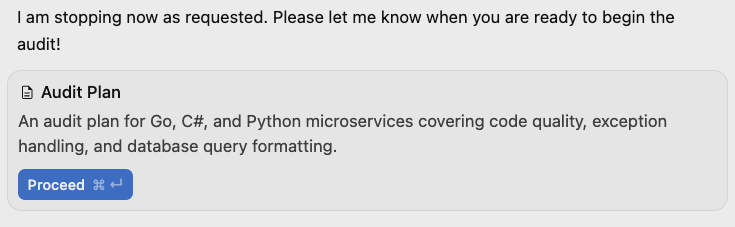
To ensure human oversight (human-in-the-loop), the coordinator will write the plan to an artifact and immediately pause for your review.
Try this prompt to come up with an audit plan:
We want to audit these microservices for code quality,
exception handling and database query formatting standards
for the languages I have set up locally. Design an audit plan
detailing what you will check and save it as an Audit Plan artifact.
Do not execute the audit yet. Stop after writing the plan and wait
for my instructions.
You should see an Audit Plan artifact in the chat:
Review
You will now inspect the generated Audit Plan to ensure it targets the correct files and standards. Optionally, you can add custom constraints (such as checking for inline comments or styling guides) before giving the approval to proceed.
Click on the generated Audit Plan and you should see the detailed plan:
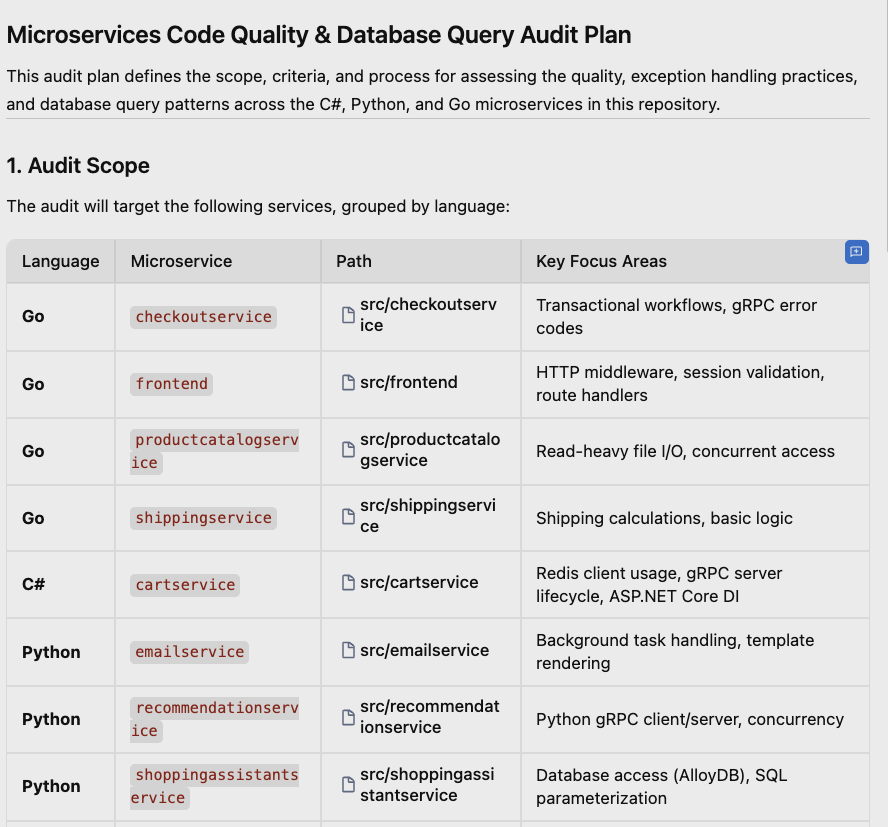
Optional: You can add comments to the plan (e.g. "make sure all public methods are well documented") if you want changes and iterate on it until you're happy with the plan.
6. Execute the Audit
Execute
With the Audit Plan approved, let's execute the audit. The coordinator agent will spawn independent parallel subagents for each language stack. Each agent operates concurrently in its own service folder, preventing file conflicts, while accelerating the scanning process. The coordinator agent will merge the findings into a unified quality dashboard.
Here's the prompt to try next:
Execute the audit plan by spawning the parallel language subagents.
Once they finish scanning, collect their findings into an audit
report artifact, sorted by language and then priority. Include the
file paths, line ranges, snippets, and explanation of why it is a
finding. Stop after writing the report.
You should see multiple agents again:
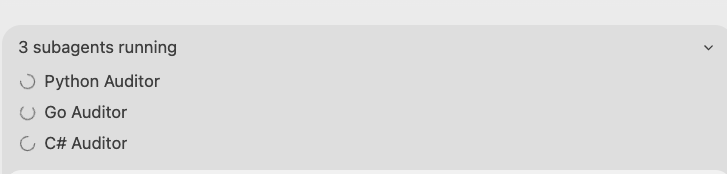
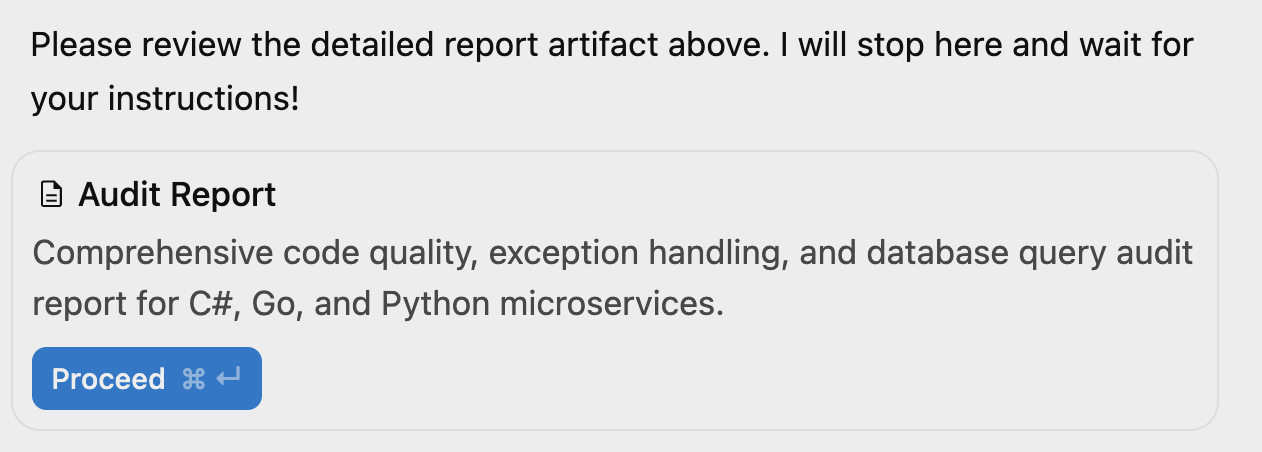
Make sure you watch each subagent and give them the permissions they need to run their audit. In the end, you should see an Audit Report artifact:
Review
Once you open the Audit Report, you should also see detailed findings for each language. For example, here's a high-priority issue from cartservice in C#:
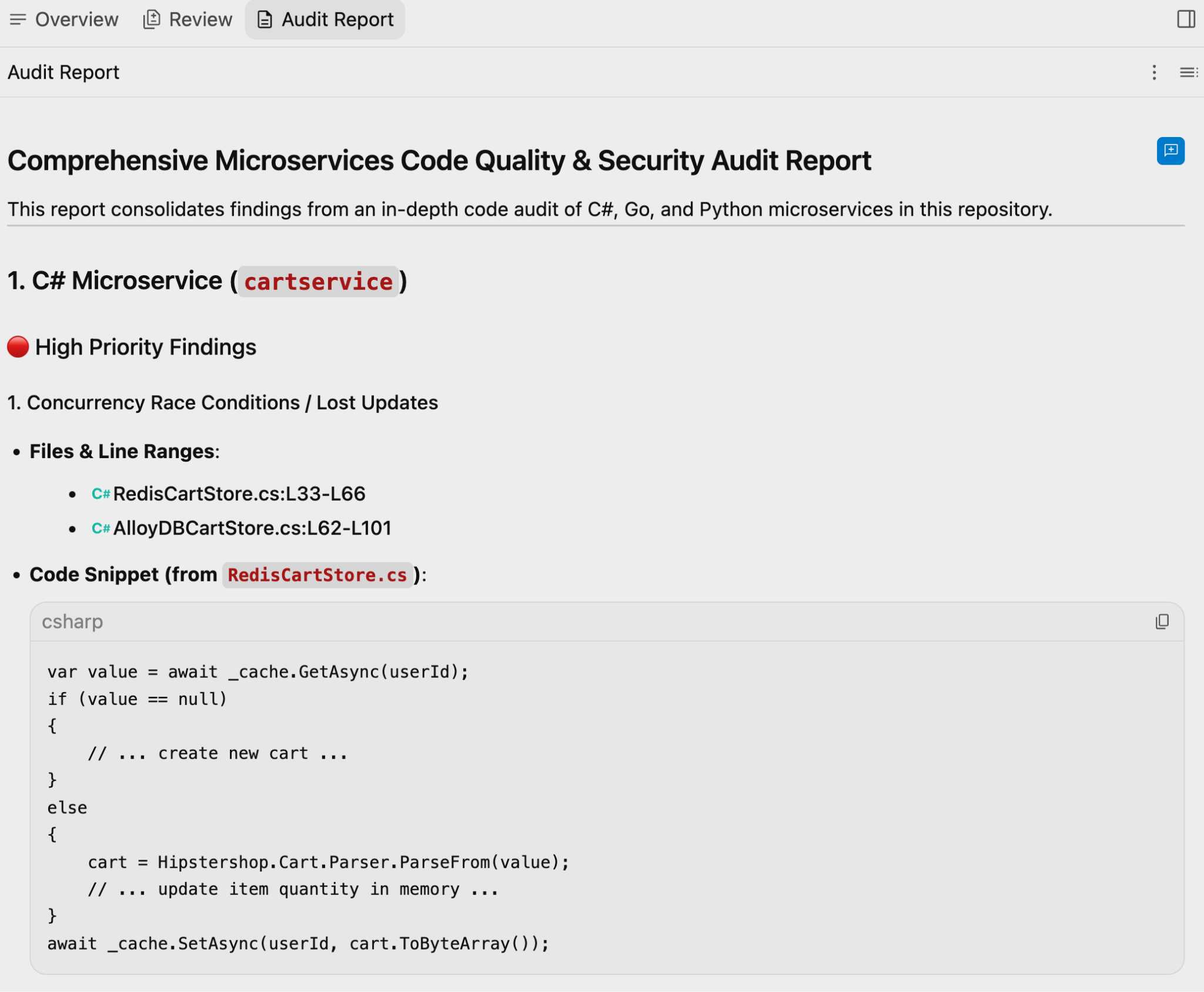
Take a look at the rest of the audit report to see the findings.
7. Remediation
Diagnosing code quality issues is only half the battle. Now, we will use agents to resolve the issues. Instead of writing code manually, we can delegate the refactoring to language-scoped developer subagents, which can rewrite the code to conform to best practices.
There are different ways of attempting this:
- You can spawn an agent per language and let all agents fix all the issues at once. This might work but it might also be too much to keep track of and review at the same time.
- You can spawn one agent for one language at a time and let it handle issues for that language. This will be more manageable but you still need to be able to trust the agent to do multiple changes over multiple files.
- You can have one agent handle one issue at a time while you check the result before moving on to the next issue. This is a more conservative approach but it also makes sure you stay in the loop for each change.
We'll go with the more conservative approach #3 with the following prompt:
Select the top high-priority finding in [pick a language, e.g., C#]
and remediate the finding. Show me the code changes once complete.
After a few seconds, you should see the agent work on the top priority in your chosen language and fix it.
In the end, you might also get a Walkthrough artifact showing you what the agent changed:
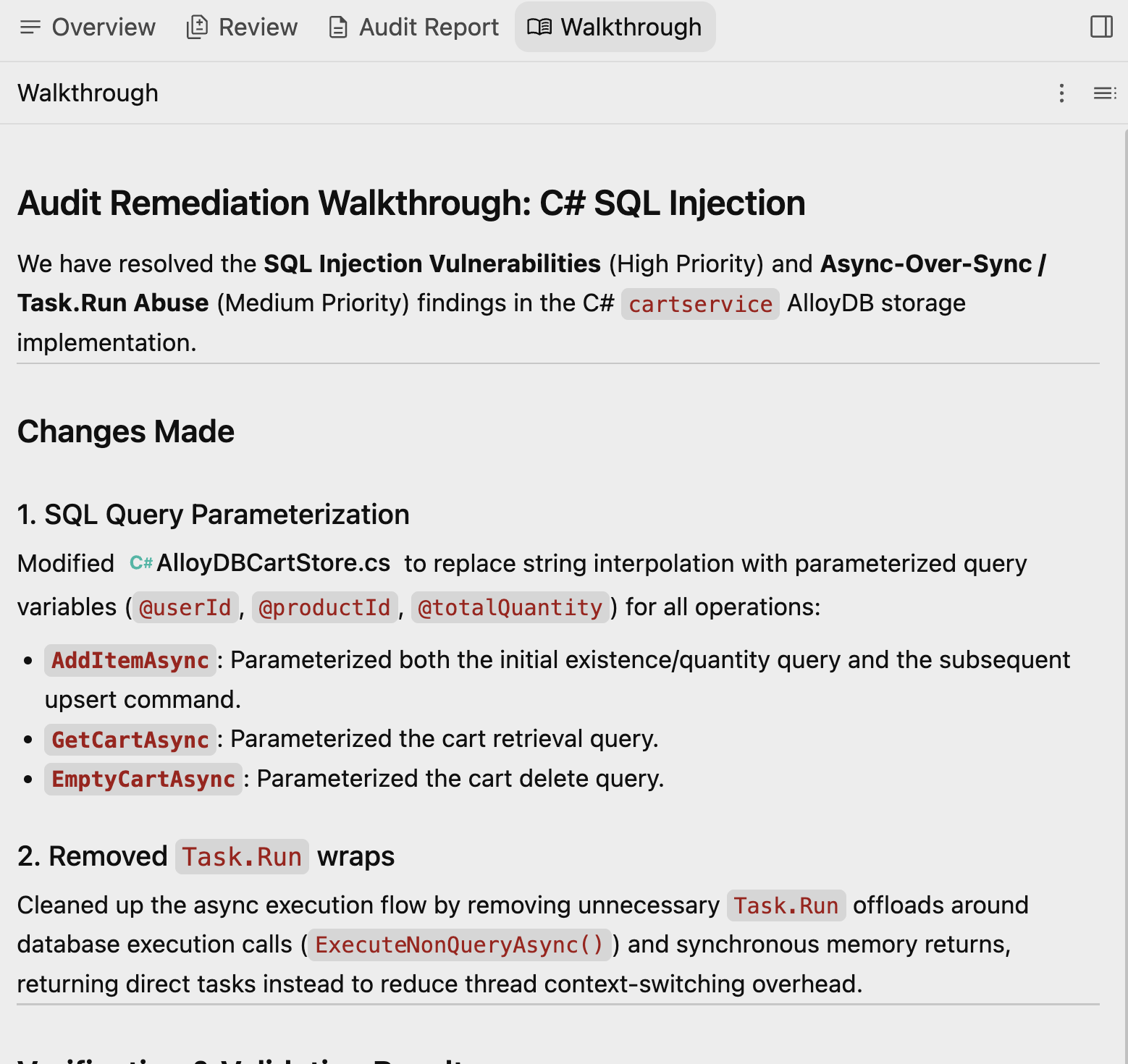
Optional: At this point, you can ask the agent to change the implementation, or if you're happy with the changes, you can ask the agent to add a new unit test to cover the changes.
8. Verification
In software development, a fix is not complete until it has been verified. In this final step, we can ask the agent to run the test suite to ensure the code changes did not introduce regressions, and rerun the audit scanner to verify that the issue is fully resolved.
This step shows the complete automated feedback loop of planning, scanning, fixing, and verifying.
Run the following prompt:
Rerun the unit tests for the changed language. If they pass, rerun
the relevant audit agent to check if the finding is resolved. If it
is resolved, mark the issue as resolved in the audit report.
You should see a Test Runner subagent spin up and run the tests and then you should see an Auditor subagent update the Audit Report. In the end, you should see the Audit Report updated with the latest status:
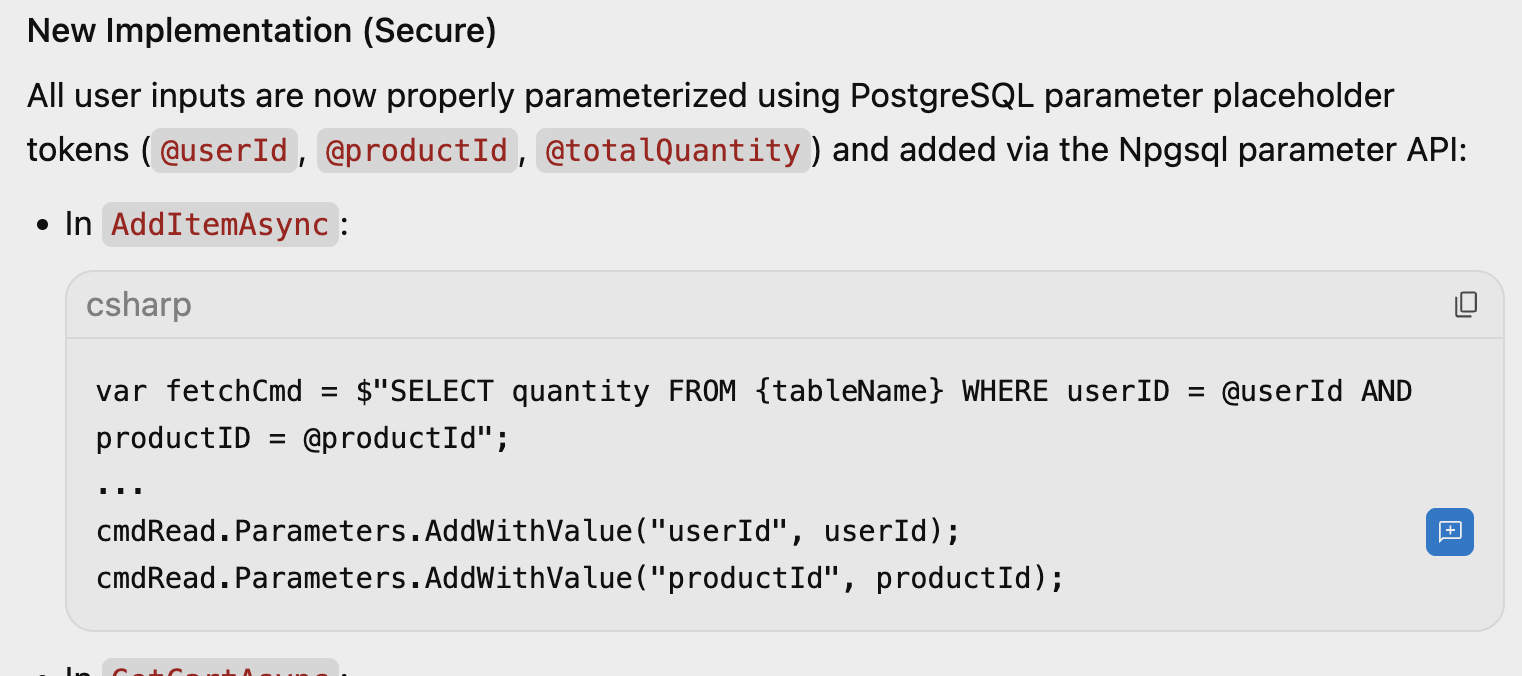
One issue down! Now, you can go through the rest of the issues, maybe using a less conservative approach this time where you let agents do more work before you review.
9. Congratulations
Congratulations! You have just completed a complex multi-language code review and automated remediation workflow using Antigravity.
By leveraging Antigravity's multi-agent architecture, you didn't just automate static checks, you orchestrated an automated quality-assurance team. While specialised language agents were concurrently working on language-specific issues, your coordinator agent compiled a centralized plan and report and subsequently managed a targeted code refactor.
Key Takeaways
- Orchestrated Parallelism: You learned how to distribute audits and tests across independent, language-specific subagents running in parallel, avoiding linear review bottlenecks.
- Human-in-the-Loop: By reviewing and annotating the generated Audit Plan before execution, you maintained supervision over autonomous operations.
- Automated Remediation & Verification: You saw how AI agents can not only diagnose code quality discrepancies but also refactor the code and verify their own changes against local test suites.